
New Apps
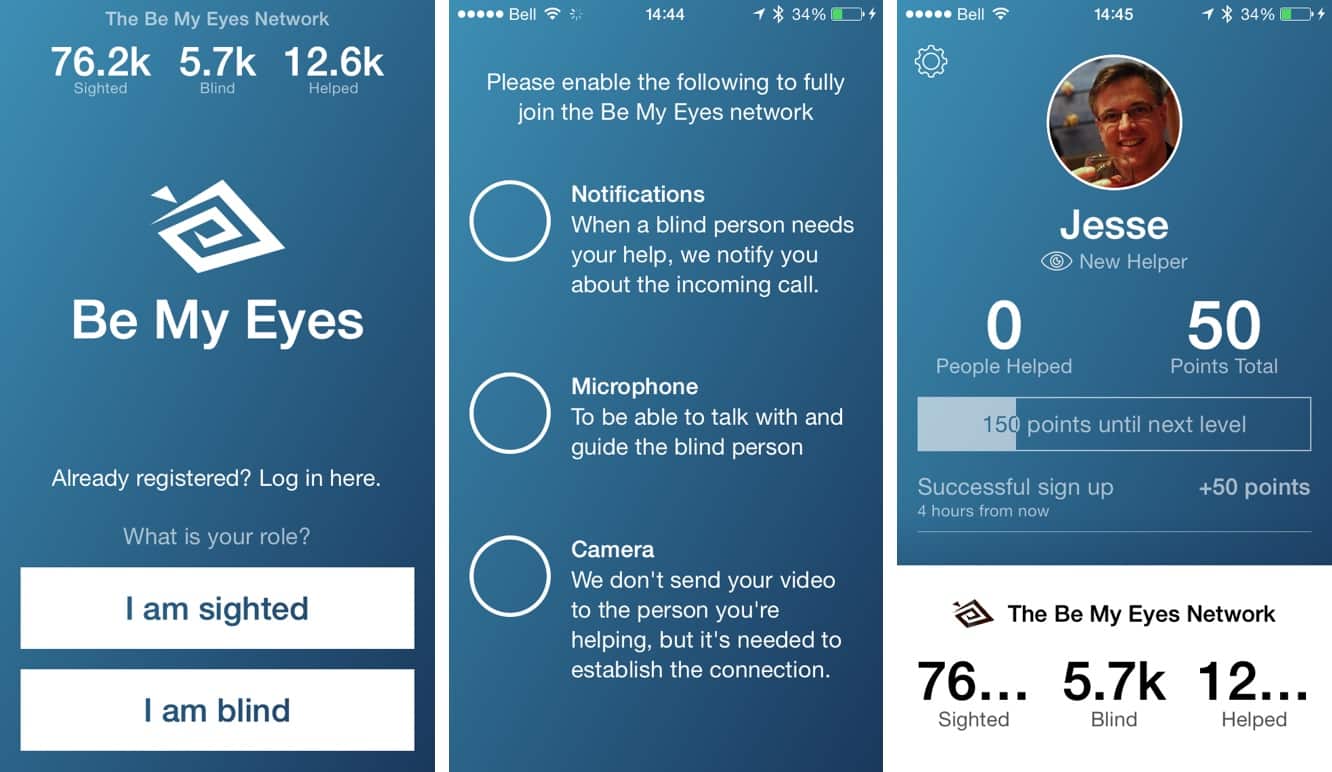
Be My Eyes – Helping Blind See (free) — Technology has created amazing new levels of communication and interaction, and while the collection of games and social networking apps on the App Store may usually come across as narcissistic and self-involved, every so often we see an app come along which turns that perception on its head. As the name implies, this relatively new app from Copenhagen allows sighted iPhone users to assist blind users through simple and small acts of kindness. Users install the app and then sign up for the social network by first self-identifying as either a sighted user or blind user, and sighted users basically become “on call” to assist blind members on an as-needed basis. Once a blind person’s request is accepted by a sighted user, a live audio-video connection is established between the two users, and the sighted user can then help the blind user “see” through their rear-facing iPhone camera. The sighted user could be asked to help with anything from checking the expiry date on a food item to navigating new surroundings, and each sighted user becomes part of the whole network — the app/service simply randomly selects sighted users, working down a list so that those who can’t answer calls never need to worry about leaving a blind person hanging. A level and point system helps to rank sighted helpers by the number of calls they answer and assistance they provide.

MacID ($4) — The convenience of Touch ID on the iPhone and iPad may often leave Mac users feeling like Apple has missed a piece, and while you can’t get a Touch ID sensor on your MacBook yet, MacID does an interesting job of filling that gap by allowing you to remotely unlock your Mac using the Touch ID sensor on your iPhone.
The app communicates with a companion Mac app over a Bluetooth LE connection to effectively enter your lock screen password, simply by placing your finger on your iPhone’s Touch ID sensor. The password is only stored on your Mac, and the iOS app does a pretty good job of prompting you for your Touch ID credentials whenever you need to unlock your Mac; if the app isn’t running, an iOS notification allows you to quickly open it and authenticate immediately, and if it’s already in the foreground, the process is even faster.

Multifly – Geek Beak’s Mastery of the Times Table (free) — Darren Murtha, the developer behind one of our all-time favorite kids art apps, Drawing Pad, is back with this adorable new game that puts a Flappy Bird play style to productive use in reinforcing the times tables. The goal of the game is simple yet fun — players fly Geek Beak across a landscape of balloons, farm trucks, unicorns, and more, solving multiplication problems as they go by flying through the appropriate clouds. Right answers earn worms, while wrong answers are full of thunder and lightning. Players can trade worms in for sun powerups that can be used to learn the correct answer.
Updates

Chrome (free) — While most iOS users may find little reason to go beyond Safari as the default iOS browser, Google’s Chrome provides a nice alternative with some unique features, particularly for those who may also use non-Apple devices alongside their iPhone or iPad. Version 40 gets the standard Google “Material Design” UI refresh, while also adding support for iOS 8 and OS X Yosemite’s Handoff feature — meaning you can now Handoff pages from Chrome to your default browser on OS X.
The new version also provides some other iOS 8 optimizations and support for the iPhone 6 and iPhone 6 Plus screens.
GoodReader ($5) — GoodReader has long been one of the essential iOS apps for working with PDFs on your iOS device, and its developer does a great job of keeping it up to date with the latest features. With version 4.8, that includes the addition of full support for the iOS 8 VoiceOver accessibility feature, so you can now have the app read your documents to you. The additional support works with GoodReader’s existing text-to-speech feature to allow you to have any PDF or TXT document on your iPhone or iPad read audibly — great for busy professionals on the go or those who can’t easily read small text on their iPhone screen. The feature provides support for multiple languages, as well as granular control over the reading speed.

iRig Recorder (free / $8) — IK Multimedia’s powerful third-party iOS audio recording app gets a big update, adding support for the company’s new iRig Mic Field, as well as stereo file recording. Now at version 2.0, the app also gets a complete graphic redesign and a new iPad-optimized user interface with portrait and landscape orientation and a choice of four background color themes.











