
iLoungeiLounge
  • News
    • Apple
      • AirPods Pro
      • AirPlay
      • Apps
        • Apple Music
      • iCloud
      • iTunes
      • HealthKit
      • HomeKit
      • HomePod
      • iOS 13
      • Apple Pay
      • Apple TV
      • Siri
    • Rumors
    • Humor
    • Technology
      • CES
    • Daily Deals
    • Articles
    • Web Stories
  • iPhone
    • iPhone Accessories
  • iPad
  • iPod
    • iPod Accessories
  • Apple Watch
    • Apple Watch Accessories
  • Mac
    • MacBook Air
    • MacBook Pro
  • Reviews
    • App Reviews
  • How-to
    • Ask iLounge
Font ResizerAa
iLoungeiLounge
Font ResizerAa
Search
  • News
    • Apple
    • Rumors
    • Humor
    • Technology
    • Daily Deals
    • Articles
    • Web Stories
  • iPhone
    • iPhone Accessories
  • iPad
  • iPod
    • iPod Accessories
  • Apple Watch
    • Apple Watch Accessories
  • Mac
    • MacBook Air
    • MacBook Pro
  • Reviews
    • App Reviews
  • How-to
    • Ask iLounge
Follow US

How-to › Ask iLounge

Ask iLounge

How to See Deleted WhatsApp Messages

Last updated: Jan 27, 2023 8:49 pm UTC
By James Patterson
See Deleted WhatsApp Messages

As a parent, it is natural to want to keep an eye on your child’s online activities, especially on messaging platforms like WhatsApp. However, WhatsApp allows users to delete messages, which can make it difficult for parents to monitor their child’s conversations. Fortunately, there are ways to see deleted WhatsApp messages, and in this article, we will provide a comprehensive guide on how to do so.


Understanding WhatsApp’s Message Deletion Feature

WhatsApp allows users to delete messages for both individual and group chats. When a message is deleted, it is removed from the chat history and can no longer be seen by the participants in the conversation.
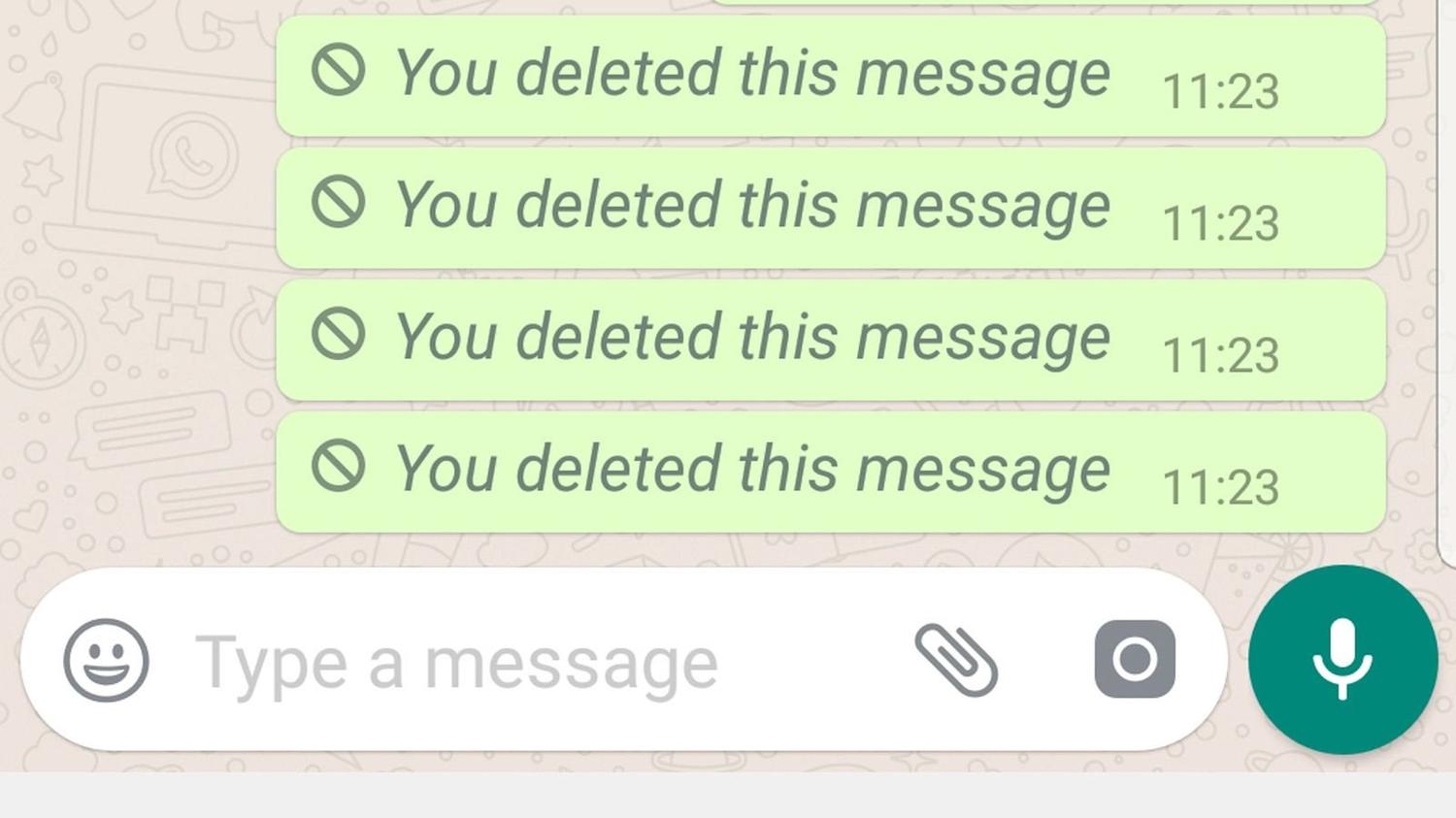
See Deleted WhatsApp Messages

However, it is important to note that deleted messages are not permanently erased from the device. Instead, they are marked as deleted and can still be recovered using certain methods.

Methods to See Deleted WhatsApp Messages

WhatsApp

There are several methods to see deleted WhatsApp messages, each with its own set of advantages and disadvantages. Here, we will discuss the most commonly used methods:


Method 1: Using WhatsApp’s Own Feature

WhatsApp has a built-in feature that allows users to read deleted messages for up to seven days after they were deleted. To use this feature, follow these steps:

  1. Open WhatsApp and go to the chat where the deleted message was sent.
  2. Tap and hold on the message that appears as “This message was deleted”
  3. Select “View deleted message”

Method 2: Using WhatsApp Backup

WhatsApp automatically backs up all chats on a daily basis. This means that if a message was deleted before the last backup, it can be retrieved by restoring the backup. To use this method, follow these steps:


  1. Uninstall WhatsApp from your device
  2. Reinstall WhatsApp and verify your phone number
  3. When prompted, select “Restore” to restore the backup

Method 3: Using Third-Party Recovery Tools

There are several third-party recovery tools available that can be used to read deleted WhatsApp messages. These tools scan the device’s storage and recover deleted data, including WhatsApp messages. Some popular recovery tools include FoneLab, EaseUS MobiSaver, and Dr.Fone.

Conclusion

Retrieving deleted WhatsApp messages can be a challenging task, but it is not impossible. By understanding WhatsApp’s message deletion feature and using the methods outlined in this article, parents can monitor their child’s conversations and ensure their safety.



TAGGED: Read Deleted WhatsApp Messages, See Deleted WhatsApp Messages, WhatsApp
Latest News
The 14-inch MacBook Pro with M5 Chip 16GB RAM/512GB is $250 Off
1 Min Read
Noise and Static on AirPods Pro 3 Still Unfixed
1 Min Read
New iMac with 24-inch OLED Display May be Brighter With 600 Nits
1 Min Read
The 15-inch M4 MacBook Air 256GB Is $250 Off
1 Min Read
Internal Kernel Debug Kit from Apple Reveals Tests for a MacBook with A15 Chip
1 Min Read
Apple Currently In Talks With Suppliers for Chip Assembly & Packaging of iPhones in India
1 Min Read
Apple Allows Easier Battery Replacement For M5 MacBook Pro with 14-inch Display
1 Min Read
The Apple Watch SE 3 44mm GPS is $50 Off
1 Min Read
20th Anniversary iPhone May Launch in Two Years
1 Min Read
Better Image Generation Capabilities and Apple Music Integration Coming to ChatGPT
1 Min Read
A20 Pro Chip Coming to Next Gen iPad Mini OLED
1 Min Read
Amazon has the AirTag 4 Pack Marked $29 off
1 Min Read

iLounge logo

iLounge is an independent resource for all things iPod, iPhone, iPad, and beyond. iPod, iPhone, iPad, iTunes, Apple TV, and the Apple logo are trademarks of Apple Inc.

This website is not affiliated with Apple Inc.
iLounge © 2001 - 2025. All Rights Reserved.
  • Contact Us
  • Submit News
  • About Us
  • Forums
  • Privacy Policy
  • Terms Of Use
Welcome Back!

Sign in to your account

Lost your password?








