
The search query “How to mine Dogecoin” is gaining popularity as more individuals look for ways to acquire DOGE without purchasing it directly from a cryptocurrency exchange. Instead of buying Dogecoin, you can utilize your idle hardware to mine and earn DOGE.
This article will provide a step-by-step guide on mining Dogecoin using your laptop and explain the necessary hardware and risks involved.

What is Dogecoin Mining?
Dogecoin mining involves earning digital currency rewards by solving cryptographic equations using your computer’s hardware. Similar to Bitcoin, Dogecoin operates on a blockchain, a decentralized network of computers that verify and validate transactions.
Miners verify each block of transactions by solving complex mathematical problems. The rewards for solving these problems are transaction fees and Dogecoin tokens. While mining Bitcoin favors higher-powered hardware, Dogecoin’s Scrypt algorithm allows for mining on less powerful computers.
The Hardware to Mine Dogecoin
Mining Dogecoin on a laptop is generally not recommended due to limited heat dissipation capabilities. Laptops, especially those with slim designs and dedicated GPUs, are not ideal for prolonged mining operations. For a comprehensive list of laptops suitable for mining Dogecoin, you can refer to our recommended laptops for crypto mining.
Risks of Dogecoin Mining
Before starting Dogecoin mining, it is essential to consider the risks involved. Cryptocurrency is highly volatile, meaning the value of Dogecoin can fluctuate significantly. Additionally, mining requires continuous operation of your laptop, potentially shortening its lifespan. Increased electricity consumption is another factor to consider, as powerful GPUs consume significant energy.
While Dogecoin is less environmentally taxing than Bitcoin and Ethereum, mining still has an impact on energy usage. Furthermore, the ongoing GPU shortage and Nvidia’s crackdown on mining performance can affect your mining capabilities.
How to Mine Dogecoin?
To begin mining Dogecoin, you will need a Dogecoin wallet to collect your earned DOGE tokens. Recommended wallets include Atomic Wallet (available on Android and iOS) and Coinbase Wallet. After setting up your wallet, follow these steps:
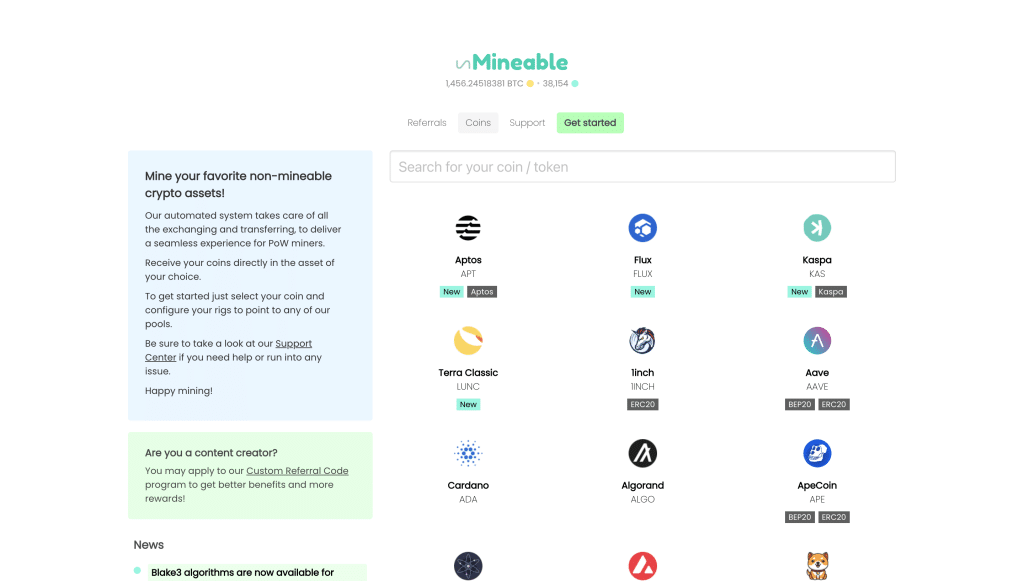
- Visit the official website of unMineable and click on the “Download” button.
- Install the unMineable beta miner software by clicking the green button on the website.
- Extract the downloaded file to an easily accessible location on your computer, such as a folder on the desktop.
- Run the “unMineable Miner 1.1.0-beta” file from the extracted folder.
How to use unMinable to Mine Dogecoin
To use unMineable with Dogecoin mining, you will also need PhoenixMiner:
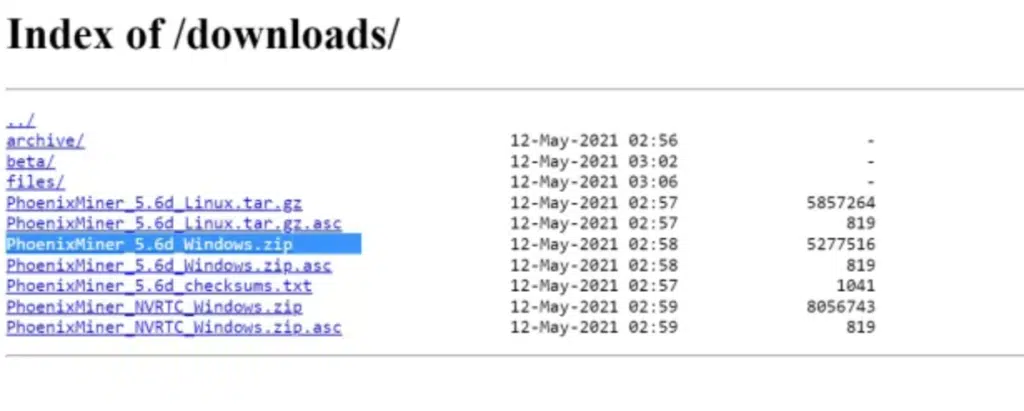
1. Download PhoenixMiner from their website (“PhoenixMiner_5.6d_Windows.zip”).
2. Extract the downloaded file into the same folder where the unMineable app is located.
3. Note the location of the PhoenixMiner.exe file.

4. Relaunch the unMineable app and click on “Continue.”
5. Select “Graphics Card (GPU)” and proceed.

6. Update the miner file location by locating and selecting the PhoenixMiner.exe file.
7. Click “Next.”
8. Choose Dogecoin as the cryptocurrency to mine.

9. Enter your Dogecoin wallet address, which can be found in Atomic Wallet by searching for Dogecoin and tapping on “Receive.”
10. Click “Start” to initiate the mining process.
Once you have accumulated a minimum of 30 DOGE, unMineable will send them directly to your Atomic Wallet. Now you can track your daily earnings and determine if mining Dogecoin is worth it for you.
Conclusion
Mining Dogecoin can be a way to acquire DOGE without purchasing it directly from an exchange. By following the step-by-step guide outlined in this article, you can start mining Dogecoin using your laptop.
However, it’s important to consider the risks involved, including hardware wear-and-tear, increased electricity consumption, and the ongoing GPU shortage. Make an informed decision based on these factors and enjoy your Dogecoin mining journey.











