
When contemplating the finest universal remote controls, GE Universal Remote For Vizio TV immediately comes to mind as an excellent choice for various reasons. These remotes offer a wide range of features compared to other brands, but what sets them apart is their renowned reliability and user-friendly design.
Simplify your home entertainment setup by reducing multiple remote controls to just one with the convenience of a GE universal remote. Once programmed, you can effortlessly control various devices, including your Vizio TV, using the GE universal remote.
| Preview | Product | Price | |
|---|---|---|---|
|
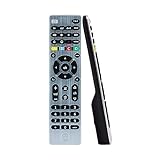
GE 4-Device Universal Remote Control, Designer Series, Brushed Nickel/Silver, 33709 | Buy on Amazon |
In this guide, we will delve into the GE universal remote codes specifically designed for Vizio TVs. It’s important to note that the codes may vary depending on the brand or model of your GE remote.
GE Universal Remote Codes for Vizio TV
These codes are essential for programming your GE universal remote and enable you to operate multiple devices with a single remote. In this case, our focus is on Vizio TV, so let’s explore the device-specific codes below:
3-Digit codes for GE remotes purchased before 2006
081
4-Digit codes for V1 models
0143, 0112, 0081, 0050, 1168, 1011, 1169
4-Digit Codes for Mixed V2/V4 Models
5138, 5139, 5115, 5343, 5450, 5109
4-Digit Codes for V2 Models
5343, 5115, 5343, 5109
4-Digit Codes for V4 Models
5139, 5109, 5343, 5138, 5450, 5115
4-Digit Codes for Mixed V3/V5/CL5/CL3/CL4 new models
3741, 3851, 5621, 2021, 1471, 5611, 2901, 5631, 1741, 6471, 6121, 6131, 3351, 6511, 3651, 5601, 5641, 4081, 5561, 5581, 5591, 5651, 5671, 5571, 5681, 5711, 5691, 5701, 6111, 5661
4-Digit Codes for V5
2021, 2901, 3651, 1741, 3741, 3851, 1471, 4081, 3351
4-Digit Codes for V3
4081, 2901, 2021, 3741, 1471, 3851, 1741, 3651
4-Digit Codes for GE remotes CL3 model
3651, 3741, 5581, 5561, 5671, 5571, 5591, 5621, 5631, 5641, 5601, 5611, 5681, 5711, 2901, 1741, 5691, 5701, 2021, 1471, 3851, 4081, 5651, 5661
4-Digit Codes for GE remotes CL4 model
5651, 5711, 6121, 5611, 5631, 6111, 5561, 5621, 6131
4-Digit Codes for GE remotes CL5 model
5611, 5561, 5711, 6121, 6471, 6111, 5631, 6511, 5651, 5621, 6131
Programming steps to configure your GE universal remote
Step 1
Press and hold down the SETUP button on your GE remote until the red light illuminates.
Step 2
Release the SETUP button and press the TV button. The red light should blink and remain on.
Step 3
Enter the digits of the specific remote code using the number keys. Ensure that you enter the correct code for your particular model.
Step 4
Press the power button to test whether the remote is functioning with your Vizio TV. If it doesn’t work, you may need to repeat the code entry process. Step 5: Congratulations! You have successfully programmed your GE universal remote to control your Vizio TV. Enjoy the convenience of operating your TV with a single remote.
Conclusion
Vizio TV users can simplify their entertainment experience by programming a GE universal remote to control their TV functions. GE universal remotes are highly regarded, and with this guide, you can easily program your remote in just a few steps. Embrace the simplicity and efficiency of controlling your Vizio TV using a GE universal remote.
Frequently Asked Questions
1. What are the steps to program a universal remote control?
To program a universal remote control, first, identify the model of your remote. Then, find the appropriate codes for your specific model. Finally, follow the steps outlined in this guide to program the remote and enable it to control your TV functions.
2. Can I use a universal remote control with Vizio TVs?
Yes, you can use a universal remote control with Vizio TVs, as long as the remote is compatible with multiple TV brands. For instance, if you have an older Vizio TV and a GE universal remote control, you can program the remote using the codes provided in this guide to operate your TV functions seamlessly.
3. What are the benefits of using a universal remote control?
The primary benefit of using a universal remote control is that it eliminates the need for multiple remotes to operate different devices. This simplifies the management of your remotes and keeps them organized, providing convenience and ease of use.
Feel free to refer to these frequently asked questions to address any queries you may have about programming a universal remote control and using it with your Vizio TV.











