
Computer backup has been a hot topic for most of us since virus attacks, improper operations, hard drive failure, accident power outage, etc. always cause the system breakdown and data loss unexpectedly. To keep PCs safe from these accidents, you should choose to back up the Windows operating system and important files.
When searching for a most valuable and free backup software, MiniTool ShadowMaker would the first one that comes to my mind as I have backed up my computer very well with its powerful features.

Why MiniTool ShadowMaker
Multiple Backup Methods
This Windows backup alternative is playing an important role in the PC backup task since it provides three backup methods for users.
- Disk Imaging
Disk imaging refers to creating an image file for the disk contents. That is, all the selected contents are compressed into an image that can only be used by this program.
For this backup method, MiniTool ShadowMaker can help create a system image and back up some partitions, the entire hard drive and files & folders.
- File Sync
Sync can synchronize files and folders to other locations, keeping the exact same copy on two places respectively. Sync is similar to Copy & Paste of Windows, which allows directly opening the target folder and use files inside the folder. This backup method only supports file backup.
- Clone Disk
MiniTool ShadowMaker supports cloning disk including system disk and data disk to another hard drive. If you want to upgrade disk, make a disk backup or keep the same Windows and data on a new PC, disk cloning is OK.
By this way, all the contents including Windows settings, Windows operating system, personal files, and other data are cloned to the target disk. After finishing a clone, the target disk can be used to boot the PC.
Multiple Backup Types
MiniTool ShadowMaker offers every conceivable backup option to back up the PC.
- Incremental and Differential Backup:
Sometimes files are modified or you added new files on the hard drive. Creating a full backup will take much disk space. Thanks to its free yet powerful back up feature, you can create incremental or different backups for only changed or added data.
Notes:
- These backup types can only be created if you choose the imaging backup method.
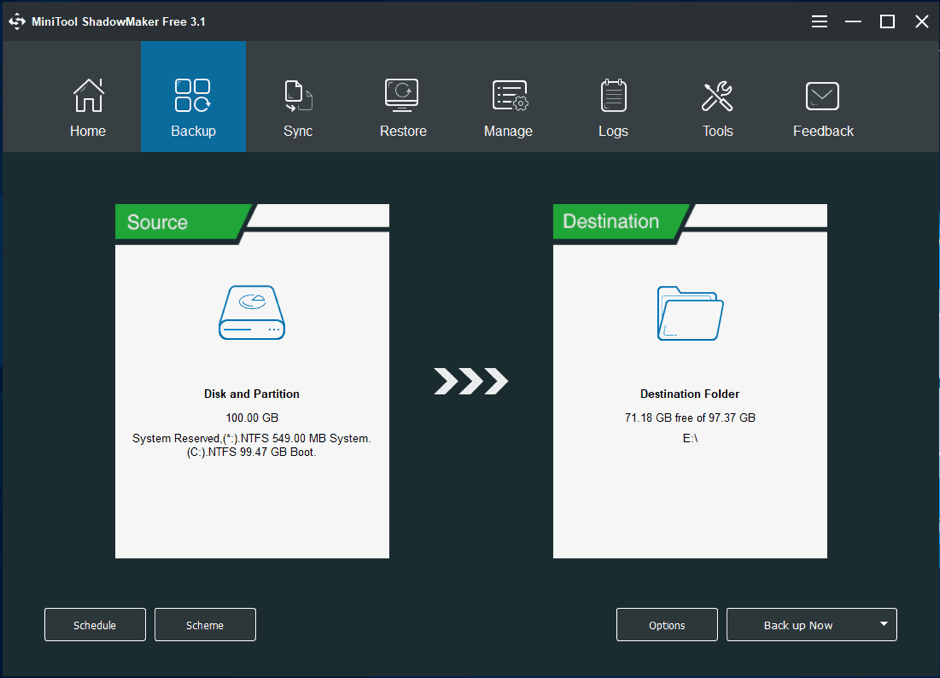
- To use it, you can click Scheme in the Backup page which enables you to make differential or incremental backups, as well as manage disk space by deleting old backup version files. Or you can go to the Manage page for these backups creation.
- Automatic Backup
Sometimes you don’t remember to make a backup for our PCs. In this case, if a file backup software can satisfy our needs, it is excellent. Fortunately, MiniTool ShadowMaker offers a feature to back up files automatically. The two backup methods – both disk imaging and file sync support automatic backup.
Other Important Features
- This free backup software allows you to create a bootable CD/DVD disc, USB hard drive or USB flash drive that is based on WinPE. Once the PC fails to boot, the created bootable device can be used to boot the PC and perform a system image recovery.
- You can add MiniTool ShadowMaker to the Boot menu, that is, you can boot the PC to MiniTool WinPE, without a bootable disc or drive.
- This program supports emails notifications. To be specific, you can make the email configuration to let this tool send a notification when the backup operation succeeds or fails.
- You can choose the compression level: medium, none, or high.
- MiniTool ShadowMaker offers password protection for backup.
- More…
Conclusion
To sum up, MiniTool ShadowMaker is quite helpful to back up your PC including files, OS, disks, and partitions to keep your data safe and avoid long downtime. Of course, it has some limits, for example, it doesn’t support partition clone. Nevertheless, that should not be the reason you avoid giving the software a shot.
Tip: PC backup is one of the methods to keep the data safe. Actually, you also can try some other methods, for example, run antivirus software – Windows Defender. Of course, Windows Defender is not enough, so you should use firewall, update the Windows operating system and more. To know more information, go to this article – Is Windows Defender Enough? More Solutions to Protect PC.











