
iLoungeiLounge
  • News
    • Apple
      • AirPods Pro
      • AirPlay
      • Apps
        • Apple Music
      • iCloud
      • iTunes
      • HealthKit
      • HomeKit
      • HomePod
      • iOS 13
      • Apple Pay
      • Apple TV
      • Siri
    • Rumors
    • Humor
    • Technology
      • CES
    • Daily Deals
    • Articles
    • Web Stories
  • iPhone
    • iPhone Accessories
  • iPad
  • iPod
    • iPod Accessories
  • Apple Watch
    • Apple Watch Accessories
  • Mac
    • MacBook Air
    • MacBook Pro
  • Reviews
    • App Reviews
  • How-to
    • Ask iLounge
Font ResizerAa
iLoungeiLounge
Font ResizerAa
Search
  • News
    • Apple
    • Rumors
    • Humor
    • Technology
    • Daily Deals
    • Articles
    • Web Stories
  • iPhone
    • iPhone Accessories
  • iPad
  • iPod
    • iPod Accessories
  • Apple Watch
    • Apple Watch Accessories
  • Mac
    • MacBook Air
    • MacBook Pro
  • Reviews
    • App Reviews
  • How-to
    • Ask iLounge
Follow US

Articles

Articles

What Can You Access With a VPN?

Last updated: May 12, 2021 9:08 am UTC
By Lucy Bennett
Netflix

VPNs have become highly popular because it gives you access to a whole lot of new entertainment content. If you live in European countries, you might know the struggle, streaming services does not have enough quality content and there is always a movie you want to watch, but you can’t find it anywhere. A VPN program for your computer might be the answer!


Due to restriction, geo blocking and strict licenses, some Netflix users are not able to access a sufficient amount of content to fill our movie and series watching needs. This is because some countries don’t have the permission to provide it on their steaming services. Here you can read how you choose and download a VPN to your devices and what you can watch once it is done.

Netflix

How to choose and download a VPN

The growing popularity of the program have let to the huge selection of VPN providers. It can be difficult to know which one to pick, you can either look for one with good ratings or simply choose the one with a good and familiar business name. if you are struggling to choose, try to look at the reviews or a VPN guide online.


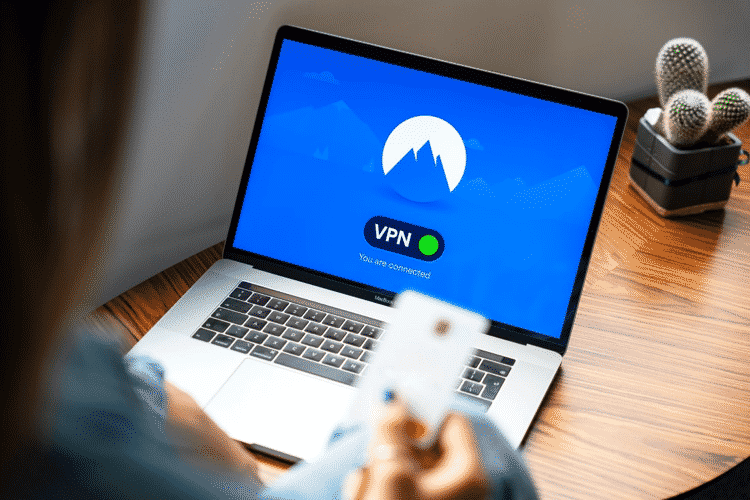
After you have found the one you want to use, simply download it to your device and run it on your preferred browser. A VPN creates a private internet access and block your IP- address. This prevents hackers and sites from stealing your personal information, and blocks streaming services from seeing where you are in the world. when you are running the VPN, simply choose the server you want to use. A good tip is to use one from the United States if you want more content on Netflix.

What Can You Access With a VPN?

Get exclusive access

Now that the VPN is downloaded, it is time to stream some new, good movies and tv shows. American Netflix has a lot to offer, everything from the old, classic movies to brand new films and tv series. Does the legendary movie ‘Superbad’, Leonardo di Caprio’s ‘What’s Eating Gilbert Grape’ or the spooky classic ‘The Blair Witch Project’ sound like something you would watch, then American Netflix is the right way to go!

Stargate SG-1, A Clockwork Orange, Ink Master, Mystic Pizza, Twin Peaks, Radium Girl, The Twilight Zone and Scott Pilgrim vs. the World are some other titles you can explore. The best way is always to try it out for yourself and fall in love with all the new content


Try a new streaming service

VPNs are the best way to access geo-restricted content. Use it to try out a totally new streaming service! Hulu is a streaming service that combines shows from channels like A&E, ABC, ABC News Live, ACC Network, ACC Network Extra, Animal Planet, Big Ten Network, Boomerang. In other words, you are nearly guaranteed to find some entertainment that fits you or that you are missing now. A VPN is one of the best tools you can download to get new entertainment content.



Latest News
The 14-inch MacBook Pro with M5 Chip 16GB RAM/512GB is $250 Off
1 Min Read
Noise and Static on AirPods Pro 3 Still Unfixed
1 Min Read
New iMac with 24-inch OLED Display May be Brighter With 600 Nits
1 Min Read
The 15-inch M4 MacBook Air 256GB Is $250 Off
1 Min Read
Internal Kernel Debug Kit from Apple Reveals Tests for a MacBook with A15 Chip
1 Min Read
Apple Currently In Talks With Suppliers for Chip Assembly & Packaging of iPhones in India
1 Min Read
Apple Allows Easier Battery Replacement For M5 MacBook Pro with 14-inch Display
1 Min Read
The Apple Watch SE 3 44mm GPS is $50 Off
1 Min Read
20th Anniversary iPhone May Launch in Two Years
1 Min Read
Better Image Generation Capabilities and Apple Music Integration Coming to ChatGPT
1 Min Read
A20 Pro Chip Coming to Next Gen iPad Mini OLED
1 Min Read
Amazon has the AirTag 4 Pack Marked $29 off
1 Min Read

iLounge logo

iLounge is an independent resource for all things iPod, iPhone, iPad, and beyond. iPod, iPhone, iPad, iTunes, Apple TV, and the Apple logo are trademarks of Apple Inc.

This website is not affiliated with Apple Inc.
iLounge © 2001 - 2025. All Rights Reserved.
  • Contact Us
  • Submit News
  • About Us
  • Forums
  • Privacy Policy
  • Terms Of Use
Welcome Back!

Sign in to your account

Lost your password?








