
iLoungeiLounge
  • News
    • Apple
      • AirPods Pro
      • AirPlay
      • Apps
        • Apple Music
      • iCloud
      • iTunes
      • HealthKit
      • HomeKit
      • HomePod
      • iOS 13
      • Apple Pay
      • Apple TV
      • Siri
    • Rumors
    • Humor
    • Technology
      • CES
    • Daily Deals
    • Articles
    • Web Stories
  • iPhone
    • iPhone Accessories
  • iPad
  • iPod
    • iPod Accessories
  • Apple Watch
    • Apple Watch Accessories
  • Mac
    • MacBook Air
    • MacBook Pro
  • Reviews
    • App Reviews
  • How-to
    • Ask iLounge
Font ResizerAa
iLoungeiLounge
Font ResizerAa
Search
  • News
    • Apple
    • Rumors
    • Humor
    • Technology
    • Daily Deals
    • Articles
    • Web Stories
  • iPhone
    • iPhone Accessories
  • iPad
  • iPod
    • iPod Accessories
  • Apple Watch
    • Apple Watch Accessories
  • Mac
    • MacBook Air
    • MacBook Pro
  • Reviews
    • App Reviews
  • How-to
    • Ask iLounge
Follow US

Articles

Articles

What are the three Keys of App Development?

Last updated: Mar 6, 2023 10:14 am UTC
By Lucy Bennett
What are the three keys of app development?

Apps are increasingly important tools that have been integral to our modern lives. We use them for everything, including socializing with friends, editing photographs, and even managing our finances.


There are millions of apps out there, with more being released all the time. If you’re looking to create an app of your own, it can be hard to know where to begin. We’re here to talk you through the three key stages of app development so you can get started and create the next hit app. Read on to find out more.
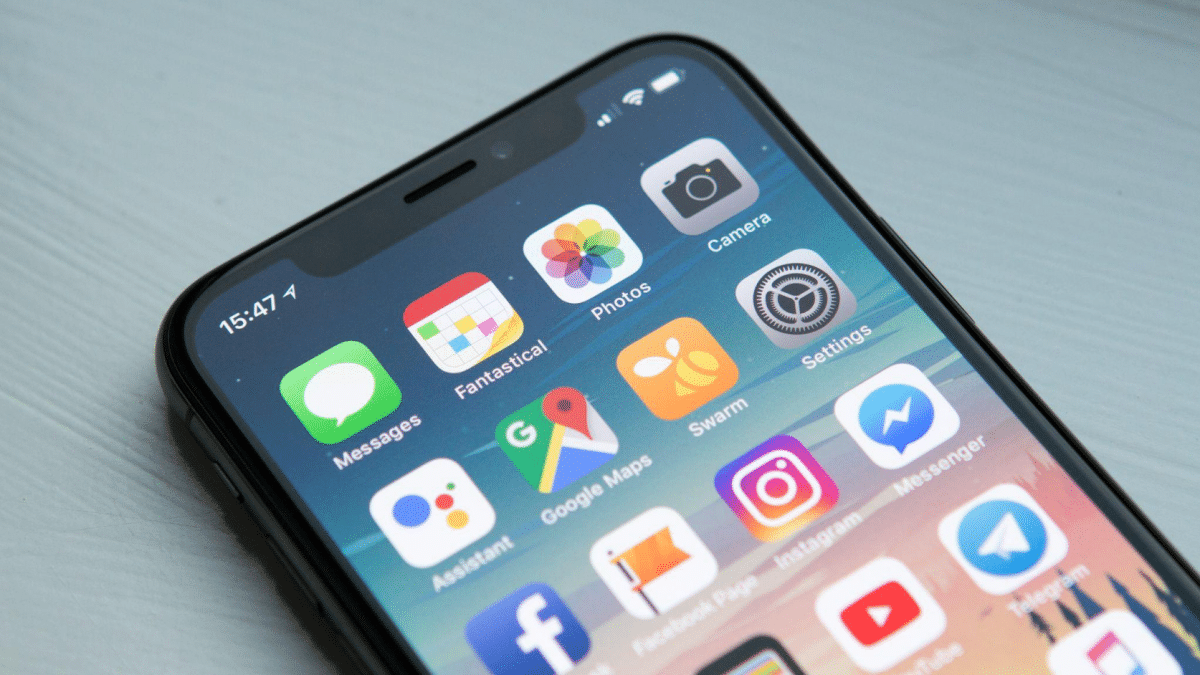
What are the three keys of app development?

Conceptualisation

Before you can even think about beginning to construct your app, and long before you decide to buy app installs to market your app, you first need to come up with a good idea.


This is the first and perhaps most important part of the entire process, and unfortunately, it is also the most difficult. Who doesn’t want to make an app? Anyone with some money can hire a programming team, but without an idea, there will be no app to make.

To come up with an idea, first, you need to identify a gap in the market. Think about an aspect of our lives that could be improved through the use of an app. Your app could do something entirely new, or it could do something that an existing app already does, but better.


Once you have identified this gap in the market, you and your team can run some brainstorming sessions and start outlining the basic premise and function of your app. This is when you will begin to formulate how your app will look, what it will do, and define some of its basic features and functions.

Design

Once you have fully conceptualised your app and drawn up preliminary plans and sketches, you can then move into the design phase. Here, you and your team will begin to write the code that makes up the core of your app and how it functions. This can be a lengthy process, so ensure you have a capable and dedicated team committed to the project.


At the same time, you will also need to design the visuals for your app. This is equally important as the programming side of things, if your app is unattractive and unappealing, it’s never going to generate enough downloads. The aesthetic of your app should be consistent with its purpose and should reflect what the app is designed to do. Think carefully about the colours and shapes you use; these can significantly influence mood and can define how users perceive your product.


Launch

Once you have finished designing your app, the time has come to finally launch it and make it available to the public. Apps are sold on digital platforms like the App Store and Google Play Store, so you’ll need to research these and figure out how to submit your app to them.

You’ll need to market your app as well. Establishing a positive spot on the download charts is essential if you want to succeed. Market your app across all the major social media channels to get maximum exposure.



Latest News
The AirPods Pro 3 is $20 Off
1 Min Read
Exynos 2600 Chip 2nm Process Revealed by Samsung
1 Min Read
New Celebrity Ad Campaign Featuring Travis Scott Released by Beats
1 Min Read
Australia Getting Hypertension Notification Feature
1 Min Read
The 14-inch MacBook Pro with M5 Chip 16GB RAM/512GB is $250 Off
1 Min Read
Noise and Static on AirPods Pro 3 Still Unfixed
1 Min Read
New iMac with 24-inch OLED Display May be Brighter With 600 Nits
1 Min Read
The 15-inch M4 MacBook Air 256GB Is $250 Off
1 Min Read
Internal Kernel Debug Kit from Apple Reveals Tests for a MacBook with A15 Chip
1 Min Read
Apple Currently In Talks With Suppliers for Chip Assembly & Packaging of iPhones in India
1 Min Read
Apple Allows Easier Battery Replacement For M5 MacBook Pro with 14-inch Display
1 Min Read
The Apple Watch SE 3 44mm GPS is $50 Off
1 Min Read

iLounge logo

iLounge is an independent resource for all things iPod, iPhone, iPad, and beyond. iPod, iPhone, iPad, iTunes, Apple TV, and the Apple logo are trademarks of Apple Inc.

This website is not affiliated with Apple Inc.
iLounge © 2001 - 2025. All Rights Reserved.
  • Contact Us
  • Submit News
  • About Us
  • Forums
  • Privacy Policy
  • Terms Of Use
Welcome Back!

Sign in to your account

Lost your password?








