
Imagine having a female to male voice changer tool you can use anytime. The fun possibilities are endless, from online chat for extra privacy protection to various content creation, and even during gameplay when you want to fully immerse yourself into male roleplay. There’s also the prank factor involved if you want to give your friends the surprise of a lifetime.
For female-to-male voice changers, Vozard stands out from the rest due to its excellent compatibility with the most popular platforms to the voice quality itself. Let’s take a look at how Vozard works and how you can use the tool.
How to Change Your Female Voice to a Male Voice
Vozard is an AI-powered voice changer that can turn your voice from female to male. A quick download and install on your computer will unlock the possibilities you can take advantage of with the features.
Natural and Lifelike
The tool uses an advanced algorithm integrated with AI that processes your voice in real-time. Lag is imperceptible, and your voice will really sound like the chosen character. We recommend you play around with the settings and voice options until you find the one you like. You’d be surprised at how real the male voice output will be when you use Vozard.
Robust Sound Library
In the search for a female to male voice changer, Vozard offers a ton of personalities you can be as, from a Stormtrooper to Mickey Mouse in the fantasy department, to real people such as Morgan Freeman or Barack Obama. The beauty is that the platform is constantly adding new voices to keep you coming back for more.
Several Voice-Changing Modes
If you don’t want a real time voice changer, then that’s no problem. Vozard offers two other modes, namely recorded and upload file. In recorded, you use the built-in recorder tool, then change the voice to the one you like. In upload file, you send in a supported audio file and let the AI-powered software do the voice change work for you.
High App and Software Compatibility
Vozard is compatible with almost every online chat, live streaming, and gaming platform, including Roblox, Fortnite, Twitch, Discord, Zoom, and OBS, to name a few. For other content creation, like when you’re uploading to YouTube or Facebook, you can use the upload file or recorded option.
Granular Control and Customization
Users get several granular control and customization options, including the ability to change the tone and pitch. Want to make your voice deeper and more upbeat? A few clicks and you should be there. This feature separates Vozard from the pack as an all-in-one AI voice changer in the market.
Vozard Change Voice From Female to Male in Real-Time Mode
Step 1. Select Real Time Mode
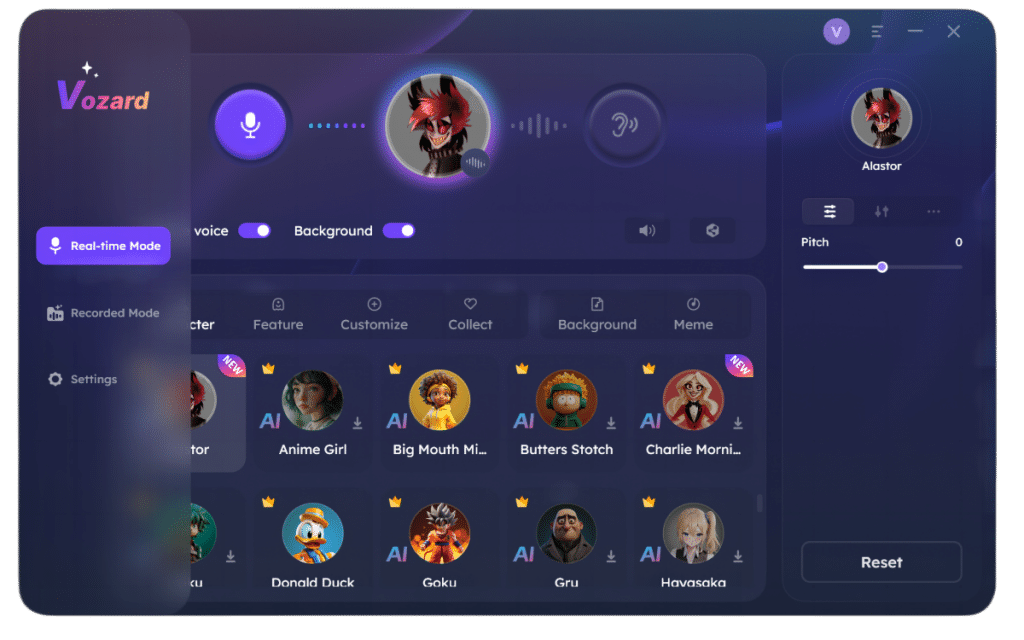
After downloading and installing Vozard, look to the left of the dashboard and choose ‘Real Time Mode’ with the mic icon.
Step 2. Test the Mic Input
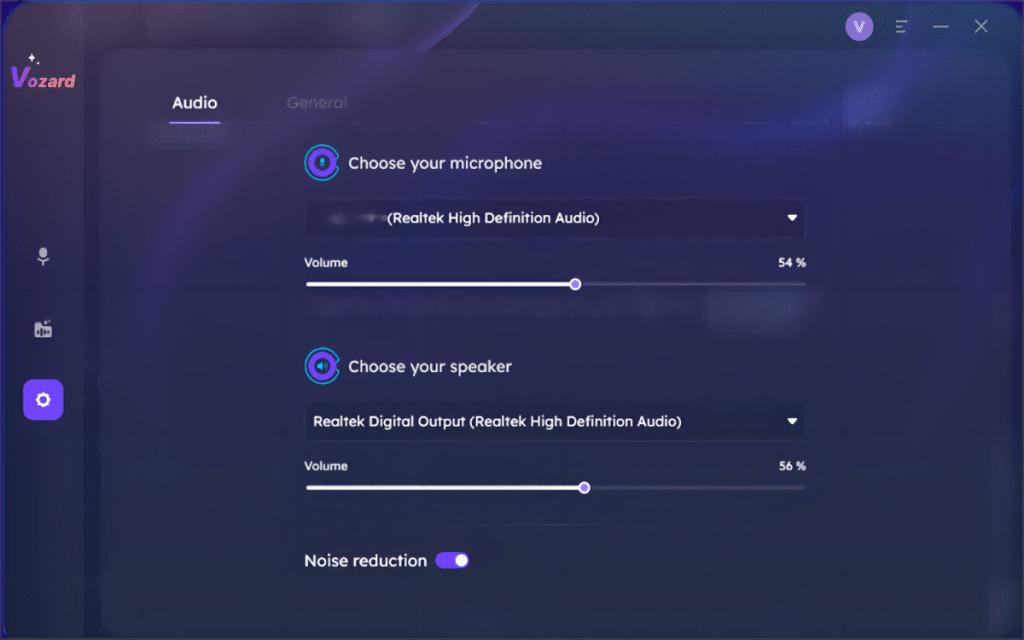
Go into the Settings page and choose the microphone hardware via the drop-down menu, as well as the speaker. From here, you can change the volume of each (mic and speaker), as well as activate Noise reduction for higher-quality audio.
Step 3. Choose Your Male Persona
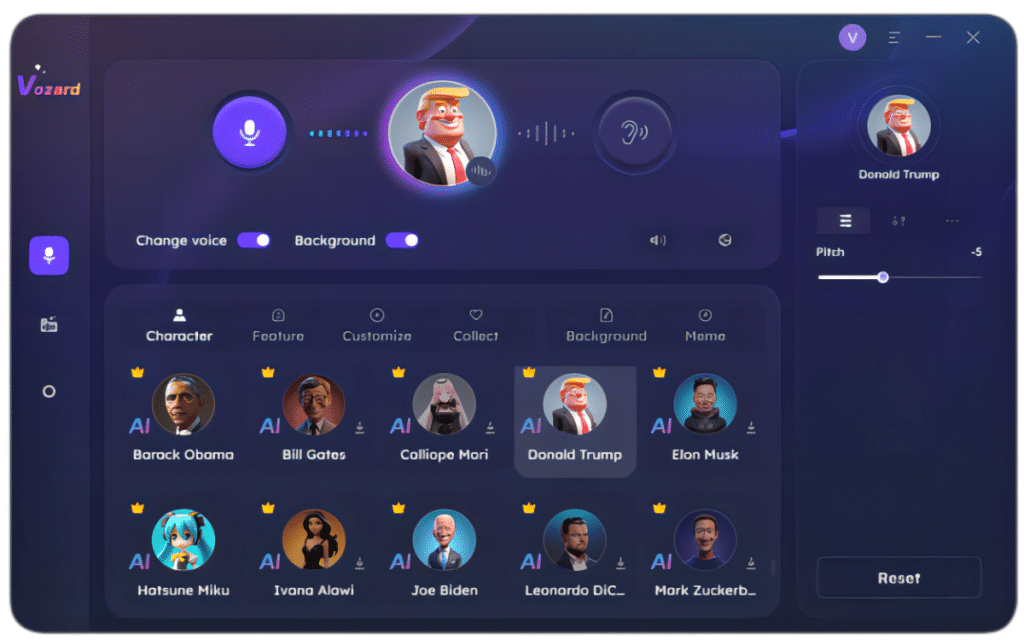
The main page shows you various personas you can choose to change your voice into. It’s divided into several categories, including Cartoon, Celebrity, and Movie. Toggle the ‘change voice’ on and slide the pitch length, throat width, and pitch shift as desired. Try it first before proceeding to log into a game or streaming platform.
Step 4. Speak and Hear the Voice Change in Real Time
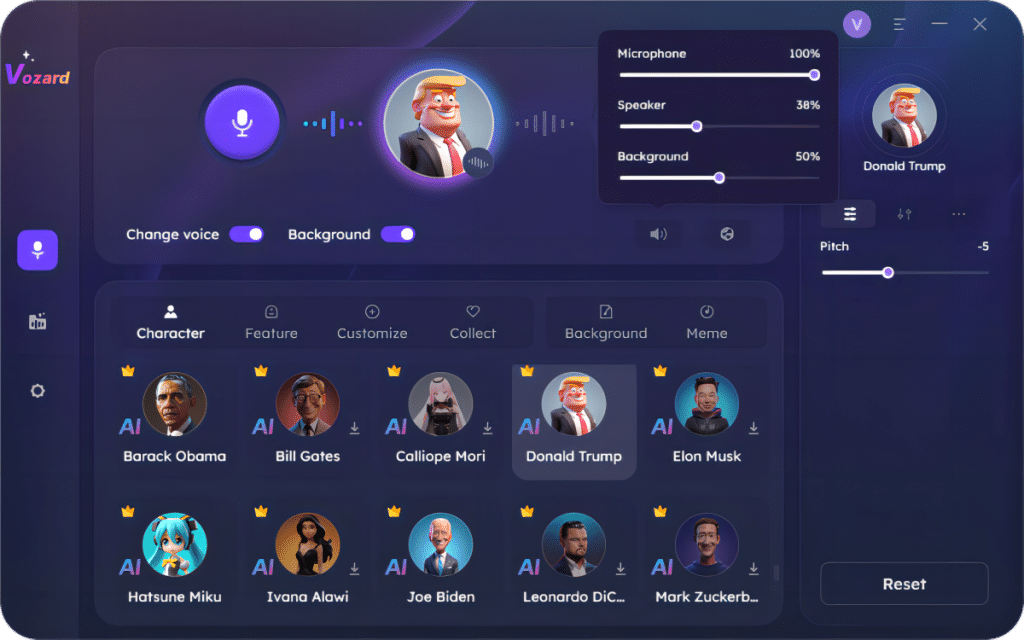
Granular controls such as speaker and mic volume, as well as background and effects, will still be available to you. Play around and see what works!
Vozard Change Voice From Female to Male in Recorded Mode
Step 1. Test Mic Input
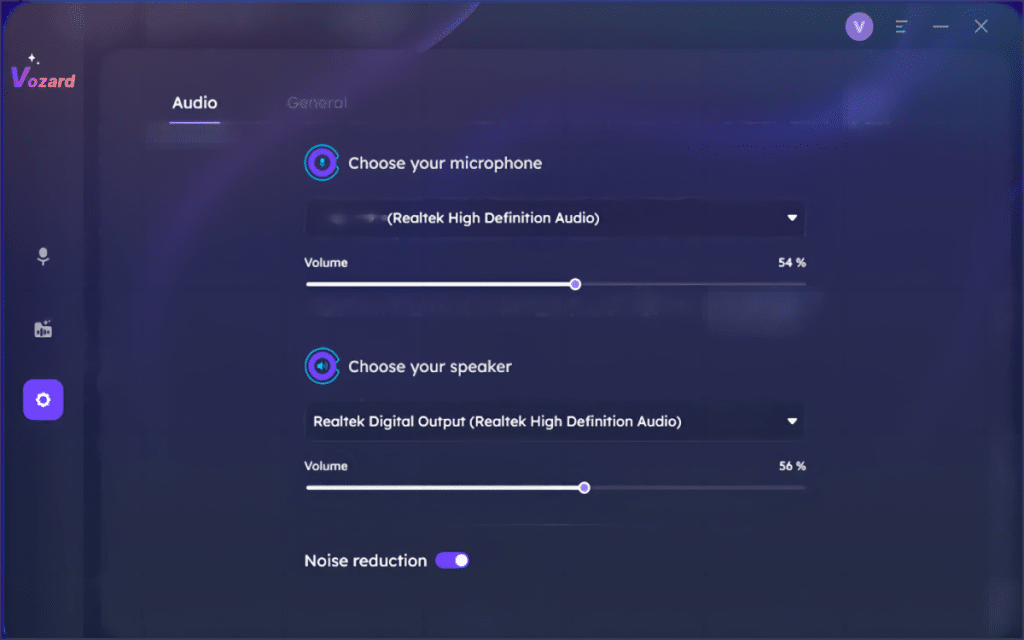
Opt to your preferred mic hardware and speaker, then set the volume for each.
Step 2. Record the Audio
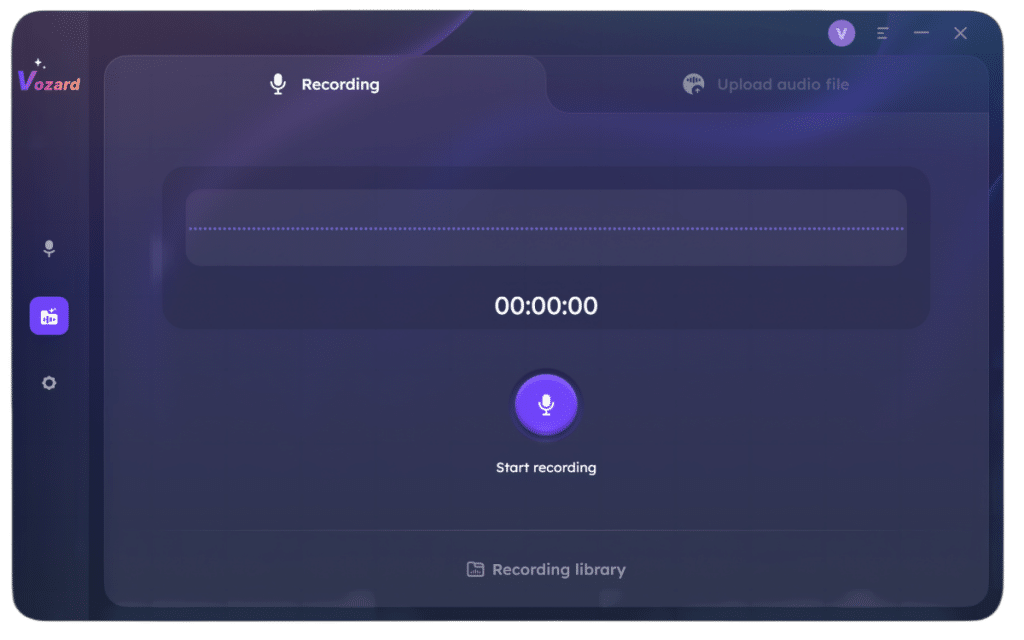
Using Vozard, click on the ‘record’ button and say the content while it’s on. Click on ‘finish’ when you’re done and allow the file to be formed.
Step 3. Change Voice
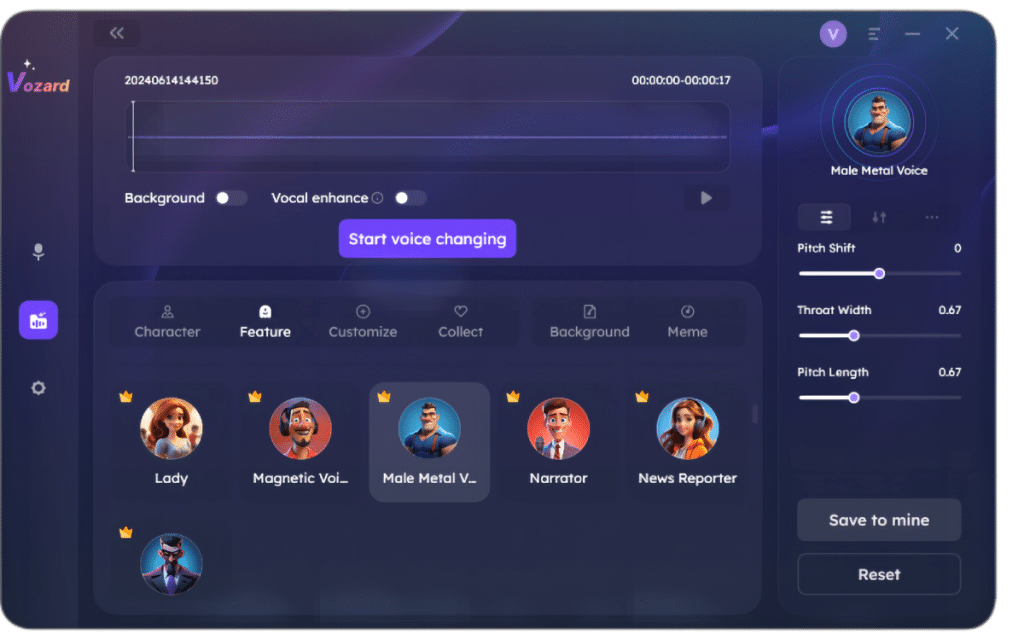
The voice effects will become available after recording is completed. Choose one and customize it according to your liking. A button that says ‘start voice changing will appear’; activate it and the recorded voice should change.
Step 4. Export
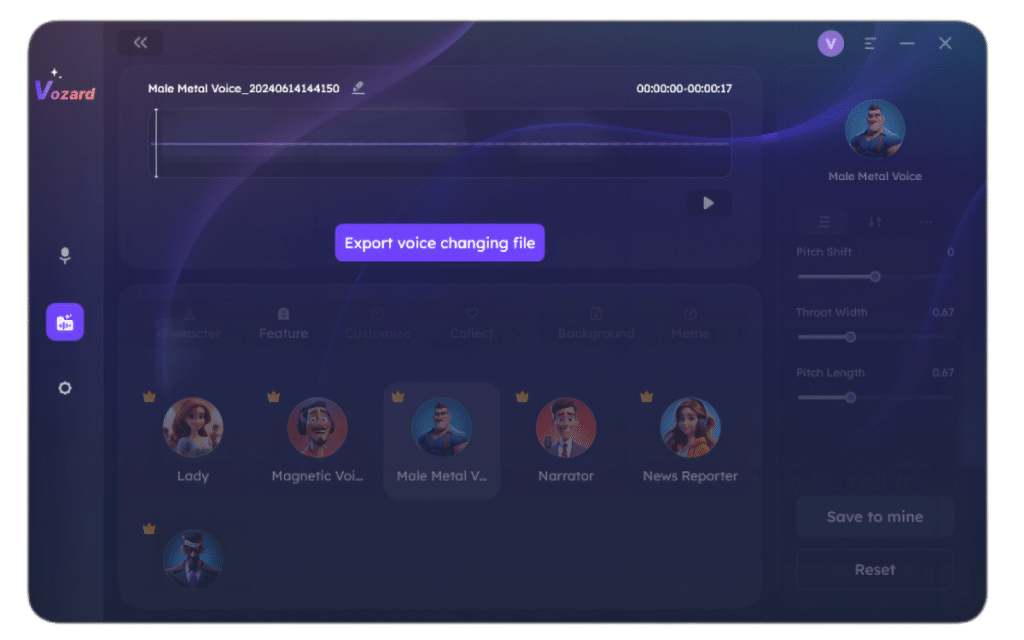
Export the audio file with the new effect and upload.
FAQs about Voice Changer Vozard
Is Vozard free?
The AI voice changer tool offers a free version, but to unlock all the capabilities you will need to subscribe to the service.
Is it safe to use?
Yes, the software is recognized by security leaders as ‘safe’, and it’s SSL-secured as well.
Is changing voices legal?
In itself, voice changers are completely legal, but they may not be in some online games and services.
Conclusion
There you have it, a step-by-step guide to change female voice to male using Vozard. We recommend you try it today.











