
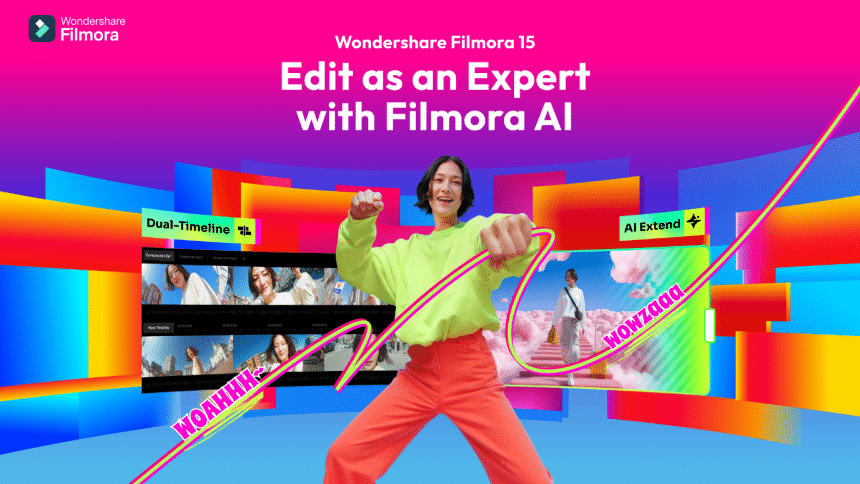
Making studio videos used to need extensive lighting setups, specialized equipment, and lengthy production time. Now, anyone can build that look using Wondershare Filmora V15’s upgraded smart tools. This upgrade introduces a new virtual production workflow that brings studio-level control into an accessible, creator-friendly interface. You can change scenes, adjust brightness, and place effects in seconds. Wondershare Filmora V15 mixes smart design and easy moves for perfect results.
It helps every user make smooth, bright, and realistic cinematic shots. Each click feels quick and clear from start to final post. With this wonderful tool, studio-level video creation is now easy for everyone.
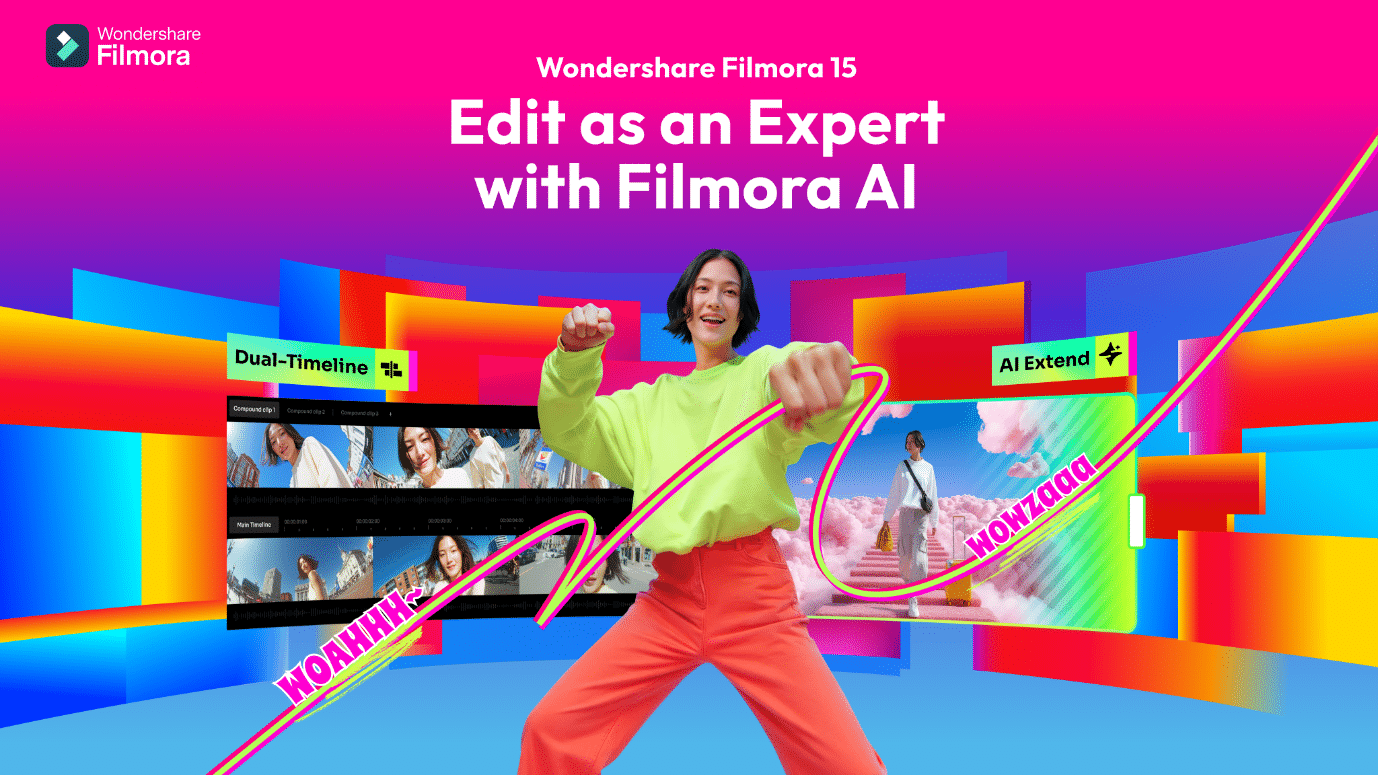
Intro – Democratizing Studio-Grade Tools.
Big studios once controlled how professional videos were made and shared. They relied on heavy lighting equipment, large cameras, and lengthy editing setups every day. Now, that same power fits inside Filmora V15 on any computer. It brings studio-level tools to creators who work from home, anywhere. This tool was built to open access to production power for every storyteller.
This update completely changes how content feels, looks, and moves on screen. AI takes care of hard editing work, so creators focus on ideas. Filmora’s goal is clear: make creative control easy and open to all. It turns small desks into studios where imagination leads every part of editing.
Tech – Smart Tools That Build Each Scene
Filmora V15 adds 3 strong AI tools into its ecosystem that make virtual editing possible. Each one saves time, reduces effort, and helps creators polish faster daily. Together, they turn complex edits into fast, guided creative steps for everyone.
AI Portrait Cutout– Clean Backgrounds Instantly
Manual background isolation often required frame-by-frame adjustments and extensive masking work. Filmora’s AI Portrait Cutout offers advanced Cutout Modes to read motion, luminance, and color. It tracks people, objects, and shapes, and clears the background in seconds. You don’t need green screens, masks, or complex tracing tools anymore. The tool studies each frame carefully to protect edges, hair, and fine details.
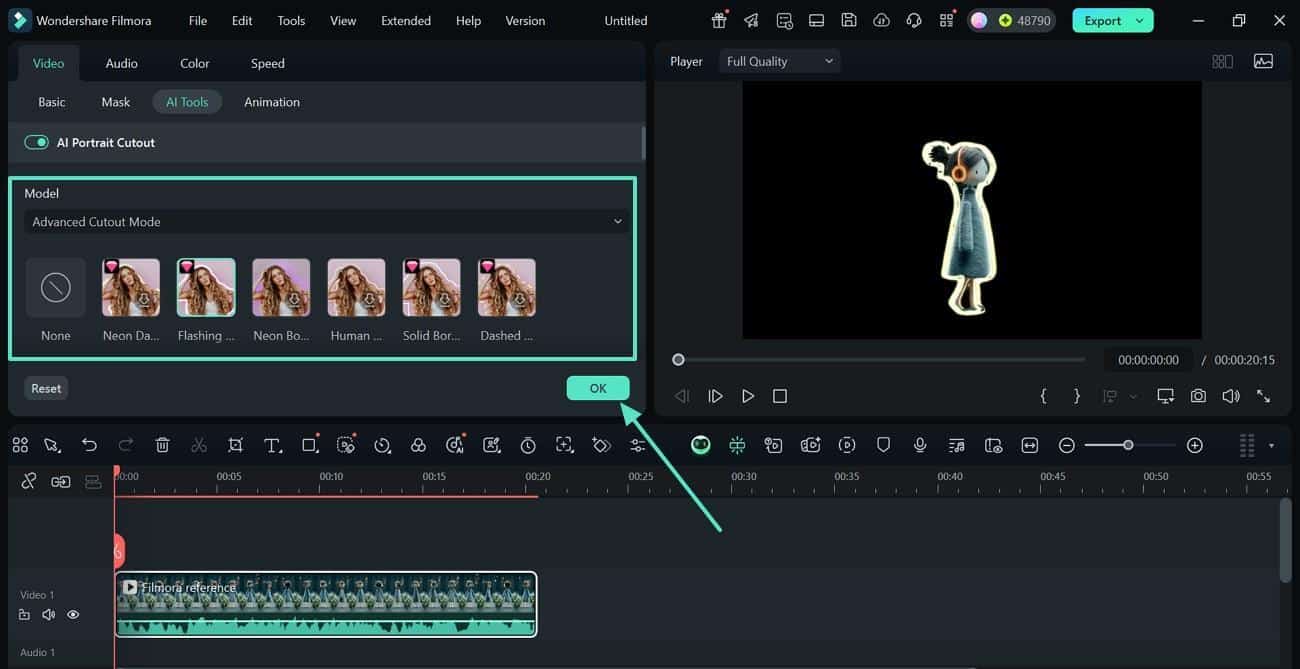
You can blur backgrounds, replace them, or add animated layers behind subjects. Creators can shoot anywhere and still get a bright, studio-ready visual look. AI Portrait Cutout gives every clip clean focus and removes extra setup stress, saving time for vloggers, teachers, and small production teams.
AI Object Remover – Fix Scenes in Seconds
Perfect shots often get ruined by small distractions inside the background frame. Filmora’s AI Object Remover solves this instantly by scanning motion and texture. It removes cables, logos, or passing people with one click. This feature offers a brush tool that allows users to adjust the size and highlight the object they want to remove.
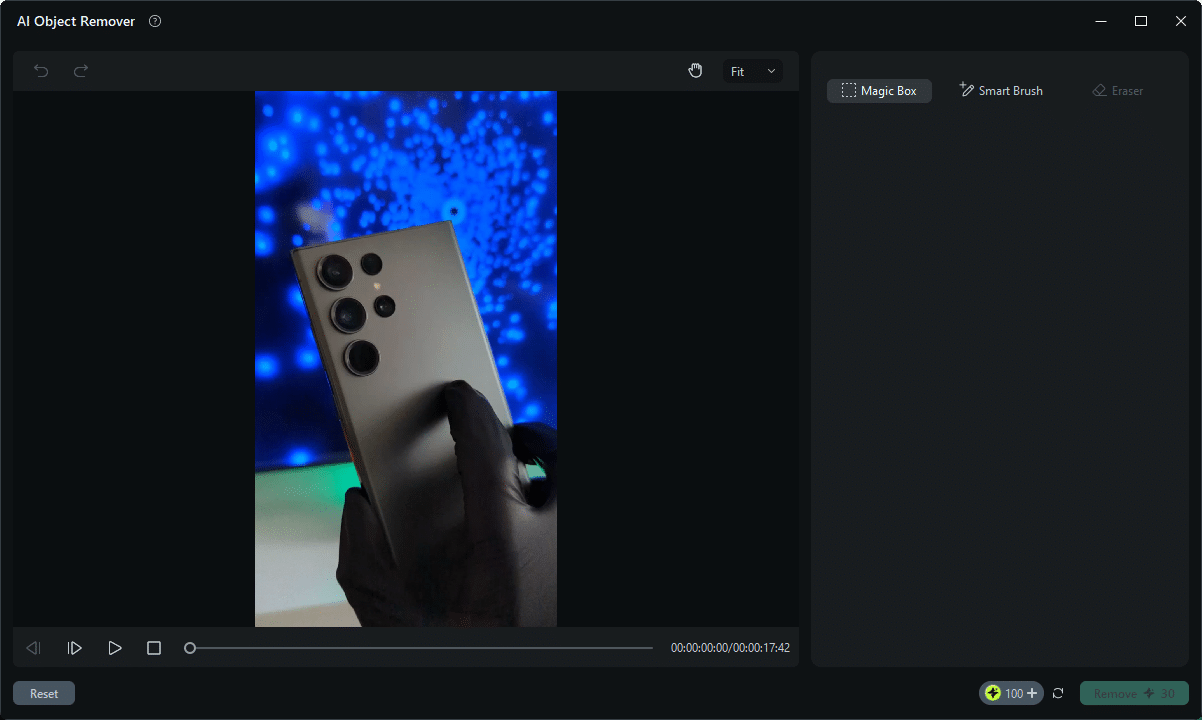
You can also remove unnecessary highlights with the Eraser and have complete control over final outcomes. This means no strange blur marks or broken surfaces after the edit ends. Every frame stays natural, neat, and ready for posting on social platforms. You can keep the focus on the story and emotion instead of fixing errors. It’s a simple tool that brings pro-level repair work to every user.
Auto Captions – Words That Match Every Scene
Filmora V15’s AI Captions tool turns speech in your clip into ready-to-use text automatically. Inside the “Titles” > “AI Captions” panel, you choose a clip under “Choose File to Convert” and set the transcription language. Once you click “Generate,” Filmora listens to the audio and types everything in sync with the speaker’s rhythm. It even adds Dynamic Captions that match beats and pauses to keep energy alive.
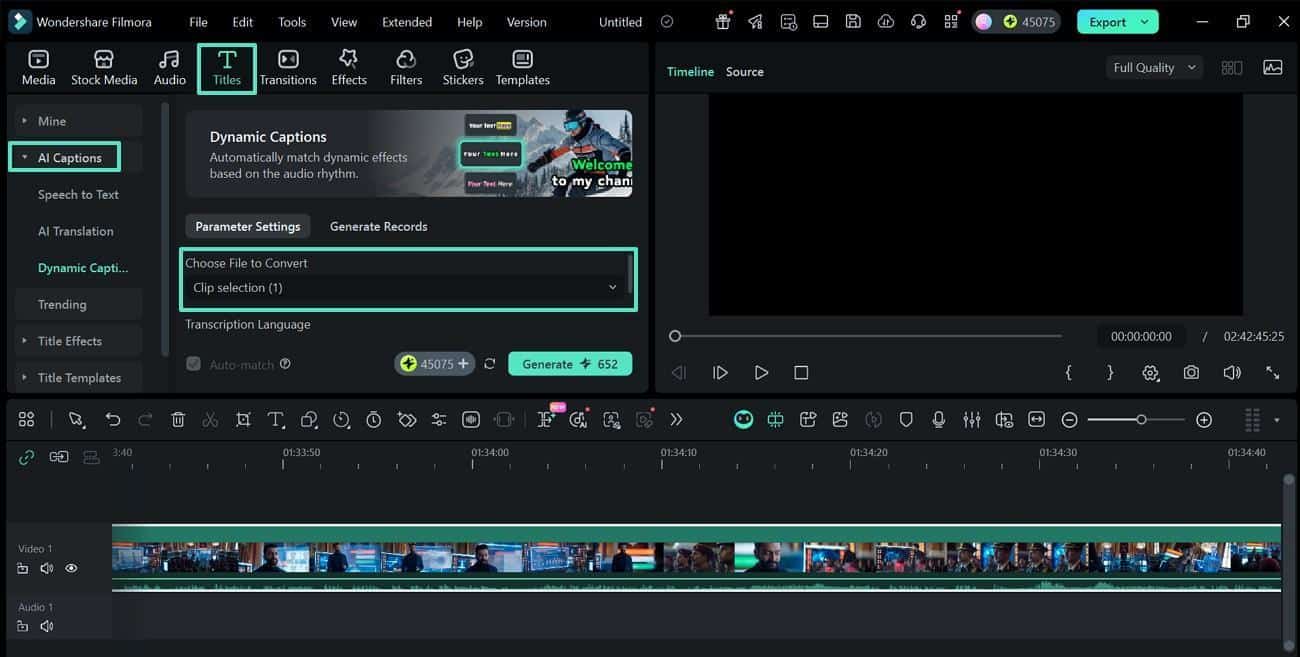
Creators can fine-tune style later: font, color, size, and placement, without re-entering any words. This saves hours of manual typing and keeps captions precise across long projects. Whether you’re building reels, explainers, or vlogs, Filmora V15’s AI Captions make videos clearer, more accessible, and far faster to finish.
Benefit – Speed and Cost Efficiency
Creating great videos used to demand both time and money. Long shoots, multiple tools, and endless edits often slowed creators down. Filmora V15 changes that pattern with AI that keeps your ideas moving. It brings professional results to any desk, helping creators finish faster and spend less. Here’s how Filmora V15 saves both time and cost without losing quality:
Work Faster, Create More
Traditional workflows took hours or full teams to finish one clip. Filmora V15 uses AI that understands timing and motion to guide edits. You can shoot, cut, and post a finished video in one day. This gives creators more freedom to share fresh content often.
Save Money and Stay Consistent
Filmora V15 packs all the tools you need into one app, so you don’t have to pay for extra software. You avoid plug-in fees and time lost between different editors. AI remembers your style and repeats it in new projects easily. That keeps every video uniform while cutting total editing expenses.
Freedom to Focus on Story
You spend less time fixing issues and more shaping strong ideas. Filmora V15 gives studio-level quality without the heavy price tag. It mixes control and speed, so each project feels fresh and fun. This balance defines Filmora’s goal: smart, fast, and human editing.
Conclusion – Wondershare Filmora as the Studio for Everyone
In a word, Filmora V15 proves that smart tools can save both time and cost without losing creativity. Its AI handles the hard parts, letting creators focus on story, style, and rhythm. With smooth performance, quick results, and lower expenses, Wondershare Filmora V15 turns any workspace into a complete studio, making professional video creation simple, fast, and open to everyone.
About Wondershare:
Wondershare is a globally recognized software company founded in 2003, known for its innovative solutions in creativity and productivity. Driven by the mission “Creativity Simplified”, Wondershare offers a range of tools, including Filmora and SelfyzAI for video editing; PDFelement for document management; and EdrawMax, EdrawMind for diagramming. With over 2 billion cumulative active users across all products and a presence in over 200 countries and regions, Wondershare empowers the next generation of creators with intuitive software and trendy creative resources, continually expanding the possibilities of creativity worldwide.











