
YouTube is rolling out DeepMind’s Veo 3 Fast inside Shorts, letting anyone turn a text prompt (or a photo) into an 8-second clip with native audio—and clearly labeling those clips with SynthID watermarks. In simple terms: mobile creators have moved from silent, experimental motion tests to publish-ready micro-videos generated directly on their phones.
For iLounge readers focused on mobile productivity, this shift matters for two reasons. First, Shorts is a distribution engine—creating content inside the platform where you already publish removes workflow friction. Second, Veo 3 Fast’s audio generation (ambient sound, effects, subtle motion noise) makes short clips feel complete without importing external sound packs.
For more advanced control—longer shot duration, cinematic motion, or 4K upscale—creators can now pair Shorts with studio-grade tools such as image animation on AI platform such as GoEnhance AI or a full AI video generator workflow. In practice: use Shorts for speed and reach, use a studio workflow when you need brand consistency and precision.
What’s actually new?
• Eight seconds, but not a gimmick
YouTube’s integration is intentionally short. Eight-second clips are ideal for hooks, transitions, memes, and narrative openers. They deliver story momentum faster than traditional micro-animation tools.
• SynthID is now the default
Every generated clip carries a built-in watermark and AI label for transparency. This matters for agencies and brands who must protect content provenance in campaigns.
When to use Shorts vs. a studio workflow
| Flow | Max length per generation | Audio | Watermark/Label | Best Use Cases | Control |
|---|---|---|---|---|---|
| Shorts (Veo 3 Fast) | 8 seconds | Native ambient/effects audio | Yes (SynthID) | Hooks, teasers, micro-ideas | Prompt + style presets |
| Image-to-video studio | Flexible (shot stitching) | Import/custom | Export-dependent | Product demos, narratives | Camera path, motion design |
| Traditional editors | Unlimited | Manual import | Optional | Editing, assembly | Layer-based timelines |
Takeaway: Think of Shorts as your idea launcher. Think of a studio workflow as your refinement layer.
A practical Shorts-first workflow
You can build fast, effective pieces in minutes using this three-step loop:
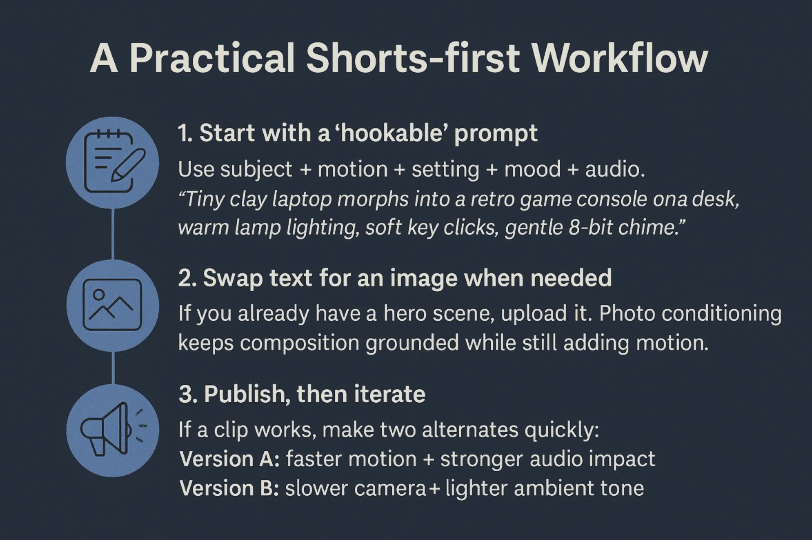
1. Start with a “hookable” prompt
Use subject + motion + setting + mood + audio.
Example:
“Tiny clay laptop morphs into a retro game console on a desk, warm lamp lighting, soft key clicks, gentle 8-bit chime.”
Adding audio intent guides Veo 3 Fast to choose better sound design.
2. Swap text for an image when needed
If you already have a hero scene, upload it. Photo conditioning keeps composition grounded while still adding motion.
3. Publish, then iterate
If a clip works, make two alternates quickly:
- Version A: faster motion + stronger audio impact
- Version B: slower camera + lighter ambient tone
A/B test your first three seconds—this is what determines retention.
Smart use cases we’re already seeing
- Product micro-ads
Three 8-second beats: branding → product detail → context shot. - Event teasers
Atmosphere builds: “crowd murmur → bass pulse → reveal logo”. - Tutorial or review hooks
One visual transformation that sets up a longer story.
Brand safety and professional guardrails
Even though Shorts makes AI video creation easier, creative responsibility still applies:
- Use licensed or original image assets.
- Be cautious with likeness—do not use real people without consent.
- Keep a record of prompts when working with clients.
- Export wisely if you repost outside YouTube—declare AI use when required.
Watermarking isn’t a downside—it builds trust with the audience. Today, viewers care less about whether AI was used and more about whether the result feels well-directed and intentional.
Final thoughts
Veo 3 Fast lowers the effort required to turn ideas into motion. Instead of spending an hour blocking scenes manually, creators can now prototype a concept in under a minute. The winners won’t be those who generate the most videos—but those who generate the most compelling first five seconds.
Use Shorts for momentum.
Use studio tools for mastery.
And use both together to build a sustainable content engine that grows over time.
The 8-second era has begun—not as a limitation, but as a creative catalyst.











