
PDF is the preferred file format for online product brochures, creating training manuals and documents.
PDFs have evolved with the times, and are now as close as being digital versions of real paper rather than the inflexible ones they were before.

Need the best PDF editor for Mac, one that will fit your every need? A quick online search reveals two top PDF editors- the PDFelement and the PDF Expert. But which one is better?
Here’s a comparison between the Pro and Standard version of PDFelement and the PDF Expert for Mac.
For Reading
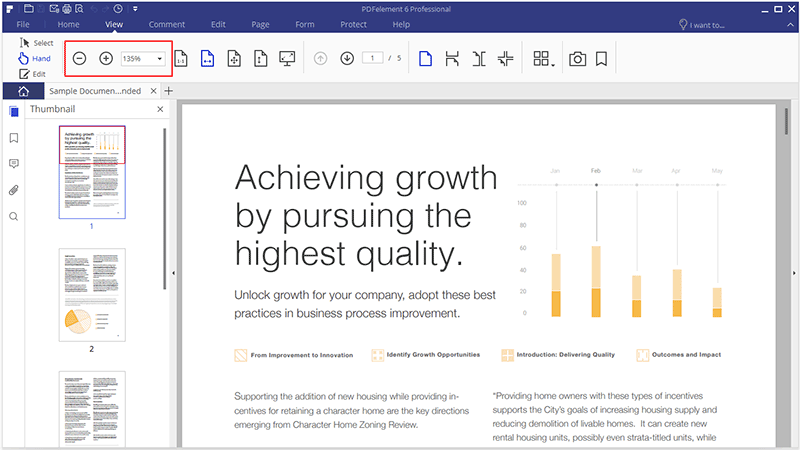
Both PDF Expert and PDFelement Standard are equals when it comes to reading PDF files. The interface is closely simulated to that of real paper. Navigation, highlighting texts and searching through the file can be done quickly and easily.
Zooming, page display and scaling according to screen size is top-notch for both PDF softwares.
For Editing
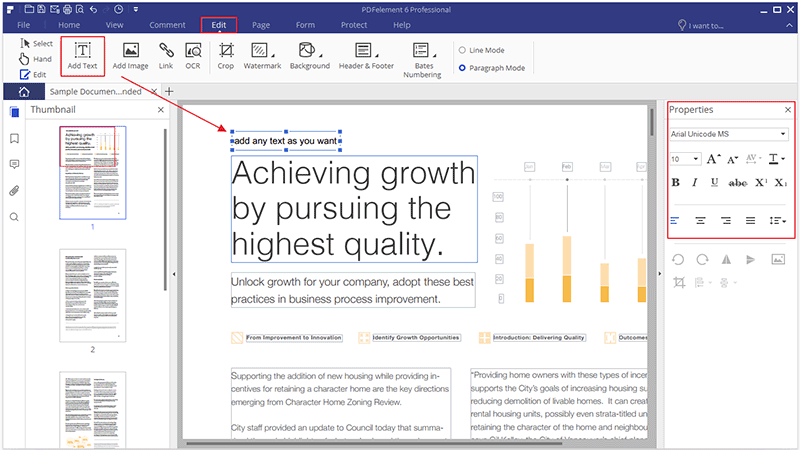
Now comes the more difficult, but integral part of being a PDF program- editing.
People who work with PDF platforms expect a robust plethora of editing options, including copy pasting, signing and of course, changing texts, fonts and colors.
PDFelement has a definitive edge here as it contains everything you need to work on a PDF file. You’ll be able to change the content within the interface, something that PDF Expert lacks. Applying watermarks, changing the background and adding or editing footers and headers won’t be a problem with PDFelement.
For Page Management
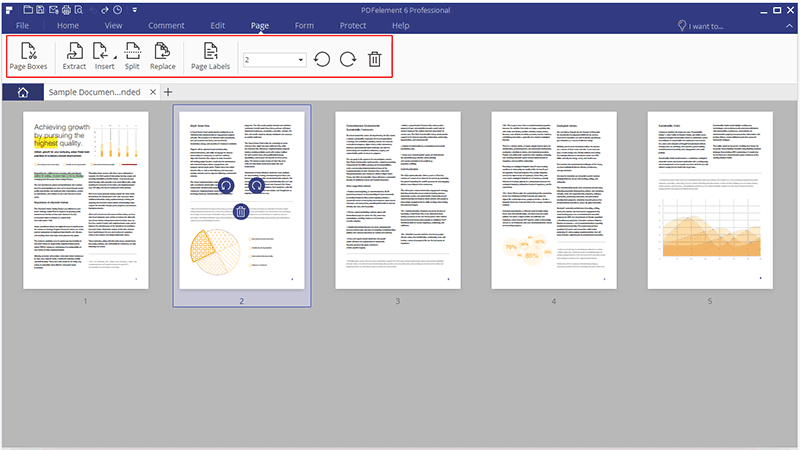
Top PDF editors should also have the ability to number, split, merge and rearrange pages according to the user’s whim.
On a side-by-side for page management, PDFelement comes away with another win. Simply put, PDF Expert does not have any of the capabilities mentioned, especially in the splitting aspect. It may sound like no big deal, but imagine not being able to mix and match the page units the way you want to.
For Conversions
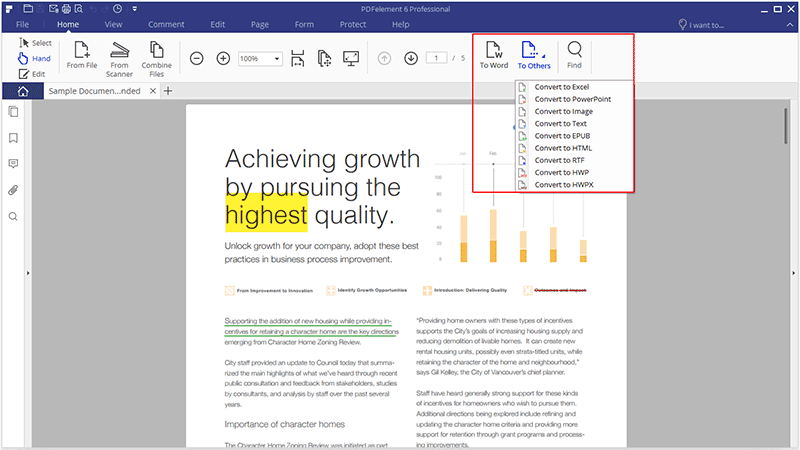
PDFelement automatically wins as PDF Expert doesn’t have any conversion options whatsoever. On the other hand, the Standard PDFelement version supports 8 different file conversions, while the Pro version has support for 12-plus, including the most obscure ones.
For Commenting and Annotations
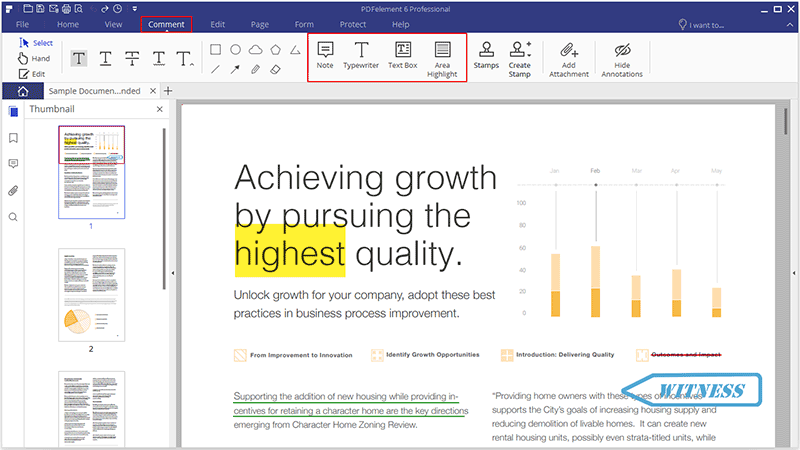
These two functions are necessary for collaborative work. Both PDF Expert and PDFelement are tied in this aspect. This means you’ll be able to comment via text, add sticky notes, underline or strikethrough for emphasis. PDFelement edges out PDF Expert due to having the “add text comments” and not just the “add box” option.
Forms
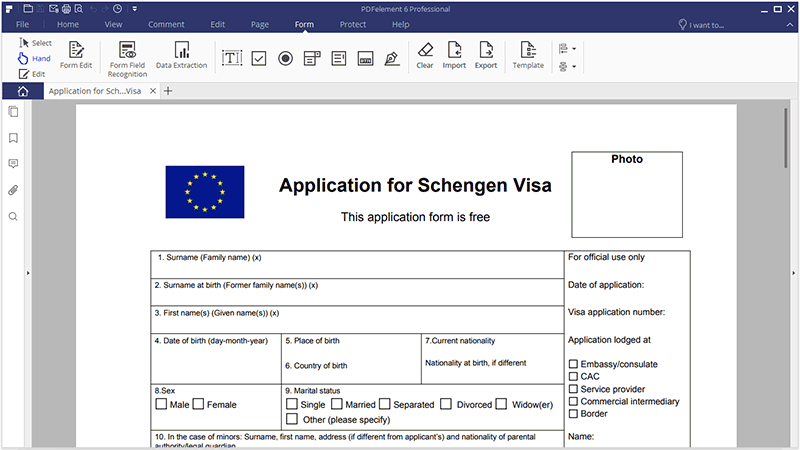
Form-filling should always be included as a feature on all PDF editors, but sometimes you may need additions such as adding radio buttons, boxes and fields and others. When you’ve grown accustomed to having these extra form-filling features, you may find yourself going back to PDFelement, with its neat export and import from multiple documents ability.
Advanced Features
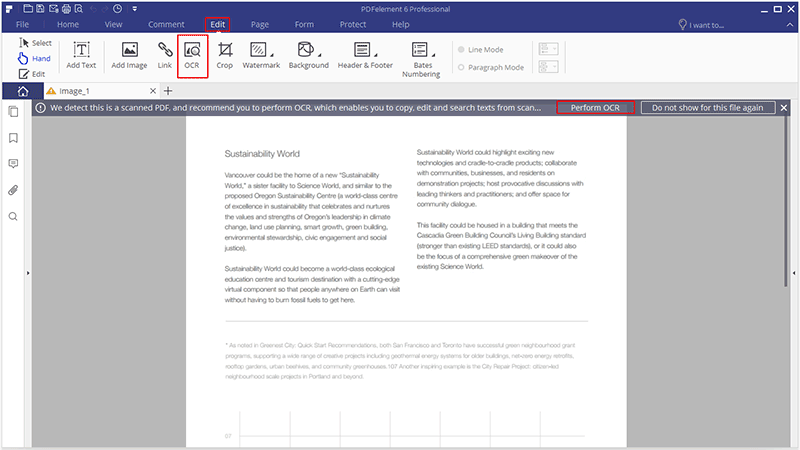
The Standard PDFelement and PDF Expert doesn’t have extra OCR features off the bat, but delve into the Pro version of PDFelement and you’ll find everything there. Batch processing, file size optimization and redaction are all included in PDFelement Pro, as is form field recognition, data extraction and the like.
While PDF Expert has been considered as the best PDF editor for a long time, PDFelement is quickly becoming more and more popular, thanks to having outstanding PDF editing solutions that aren’t possible with PDF Expert.
On a side by side comparison, PDFelement has the makings of a better PDF editor, and it’s cheaper to boot. The developer has made their program available to everyone, so there’s no reason not to try it out and download the free version before deciding to get the paid (and upgraded) one. Additionally, for those that are convinced and are looking to buy PDFelement, you might want to hurry because you can now get 40% off thanks to a special offer that is going to last until the 5th of May.











