
iLoungeiLounge
  • News
    • Apple
      • AirPods Pro
      • AirPlay
      • Apps
        • Apple Music
      • iCloud
      • iTunes
      • HealthKit
      • HomeKit
      • HomePod
      • iOS 13
      • Apple Pay
      • Apple TV
      • Siri
    • Rumors
    • Humor
    • Technology
      • CES
    • Daily Deals
    • Articles
    • Web Stories
  • iPhone
    • iPhone Accessories
  • iPad
  • iPod
    • iPod Accessories
  • Apple Watch
    • Apple Watch Accessories
  • Mac
    • MacBook Air
    • MacBook Pro
  • Reviews
    • App Reviews
  • How-to
    • Ask iLounge
Font ResizerAa
iLoungeiLounge
Font ResizerAa
Search
  • News
    • Apple
    • Rumors
    • Humor
    • Technology
    • Daily Deals
    • Articles
    • Web Stories
  • iPhone
    • iPhone Accessories
  • iPad
  • iPod
    • iPod Accessories
  • Apple Watch
    • Apple Watch Accessories
  • Mac
    • MacBook Air
    • MacBook Pro
  • Reviews
    • App Reviews
  • How-to
    • Ask iLounge
Follow US

Articles

Articles

Top AI PDF Generator in 2025: Turn Your Ideas into Professional PDFs

Last updated: Oct 31, 2025 5:35 am UTC
By Lucy Bennett
Image 1 of article on https://ilounge.pro/articles

In today’s digital era, ideas can strike anywhere—on a laptop during a meeting, on a tablet in class, or on a phone while commuting. What’s often missing, however, is a smooth, efficient way to turn those ideas into polished, share-ready documents. That’s where LightPDF PDF Generator comes in.


Unlike bulky, feature-heavy software that forces you to navigate countless menus, LightPDF PDF Generator keeps things streamlined: just input your text or upload your content, and the system transforms it into a clean, well-formatted PDF in seconds. Whether you’re a student crafting an essay, a professional writing a report, or a creative building a portfolio, the tool eliminates the friction of document creation so you can focus on your content—not formatting.
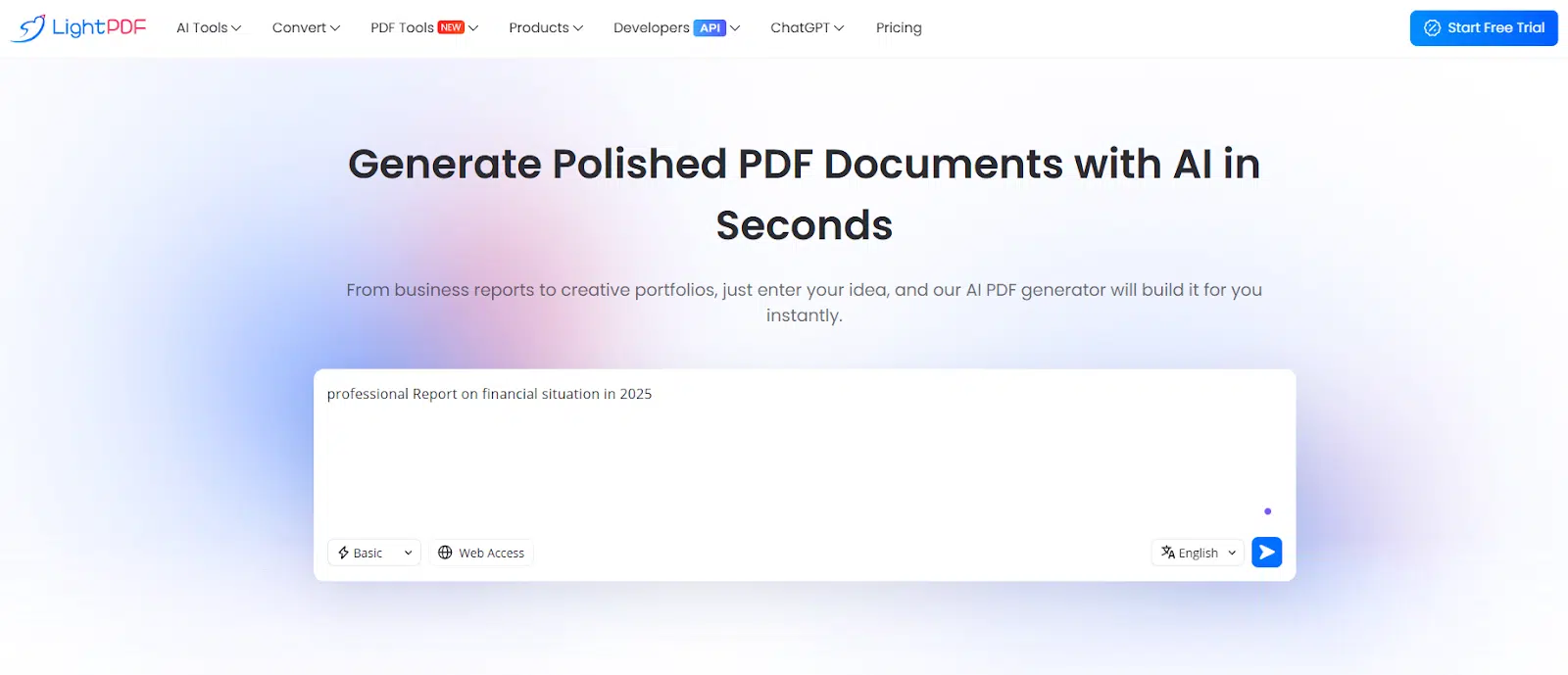
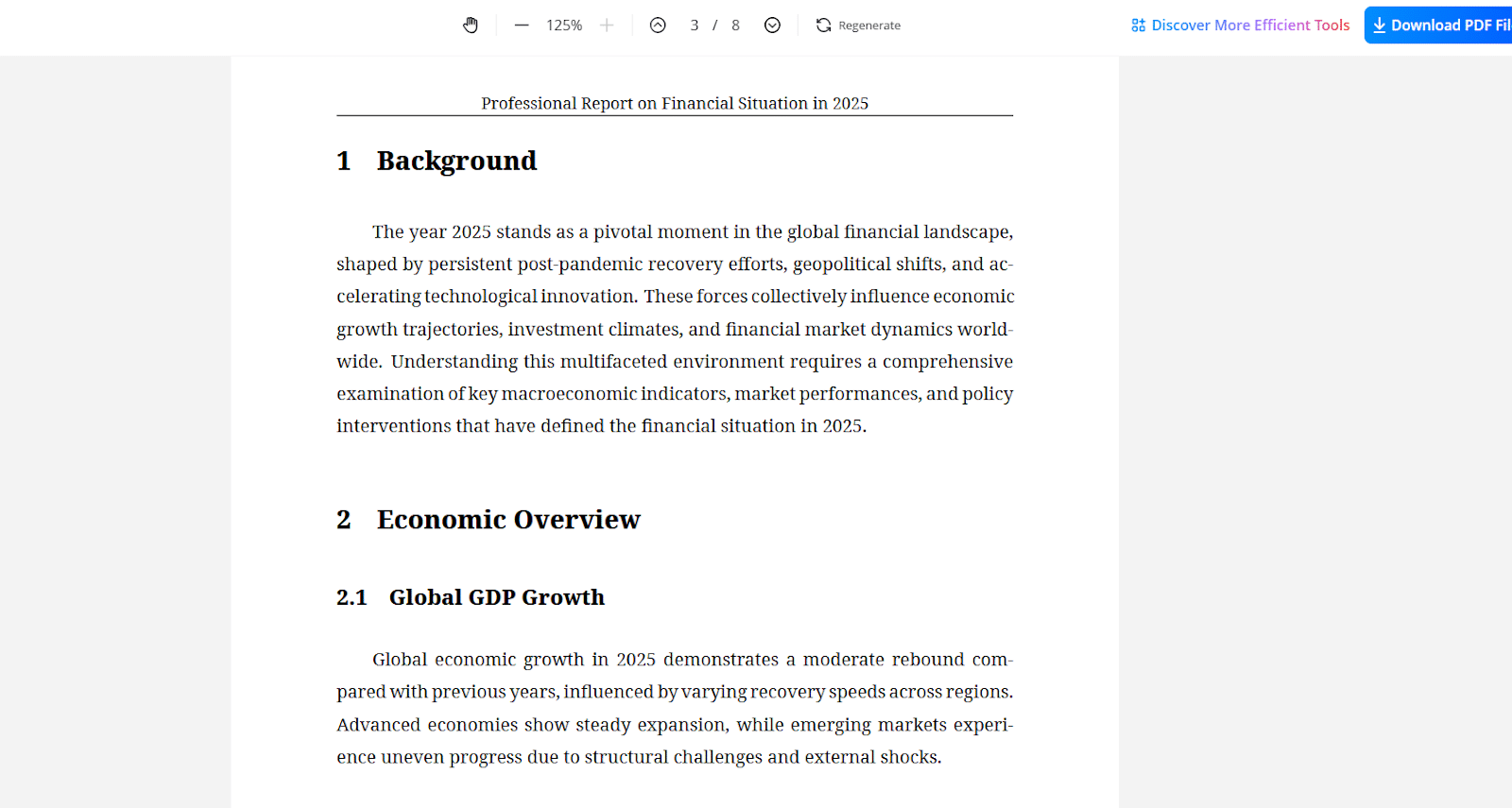
Image 1 of article on https://ilounge.pro/articles
Top AI PDF Generator in 2025: Turn Your Ideas into Professional PDFs

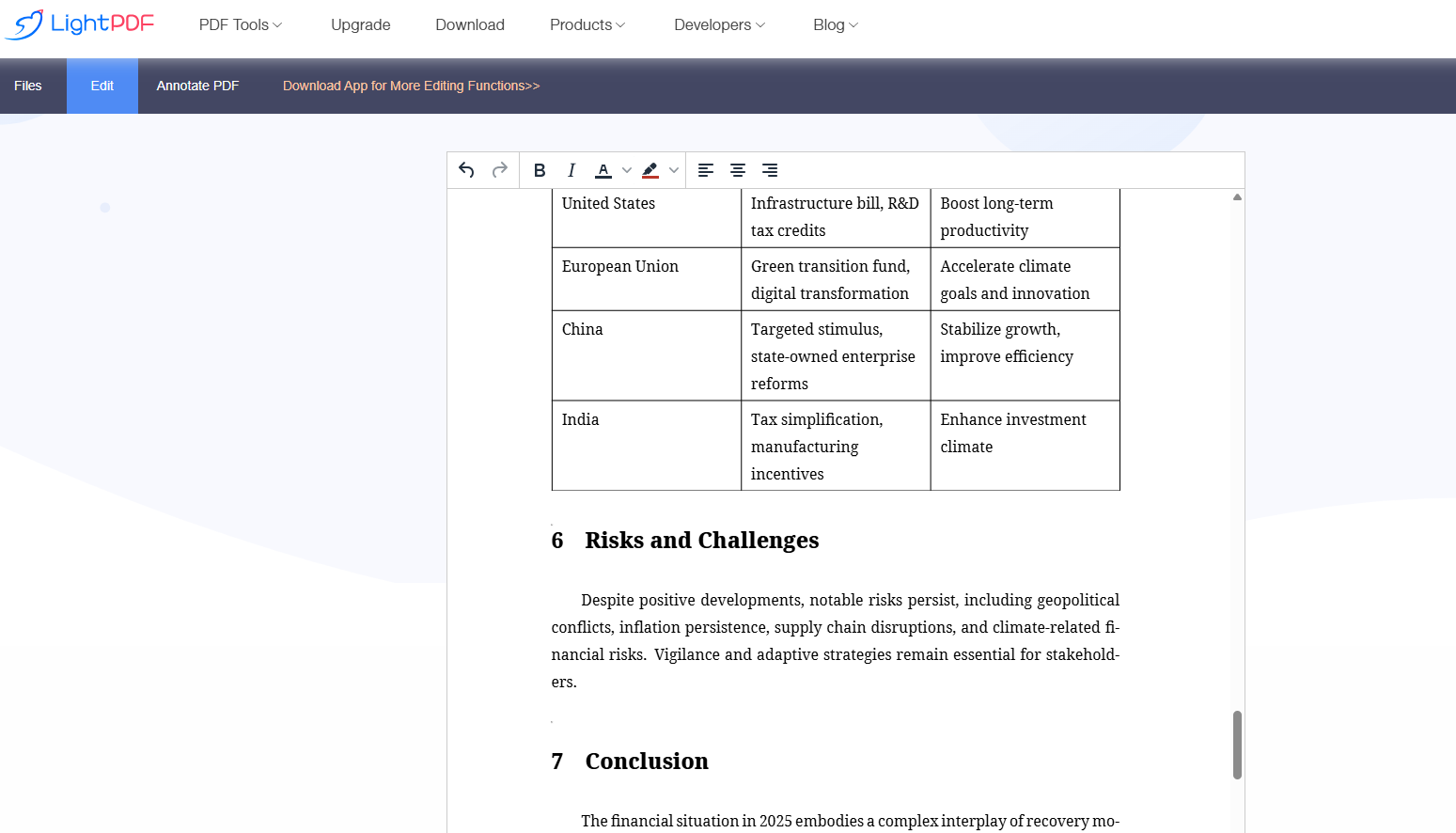
What sets this tool further apart is its multi-language support and flexibility: you can work in various languages, preview your file before downloading to ensure everything looks right, and then choose to refine it with built-in editing features. After the PDF is generated, LightPDF online editor allows you to annotate, highlight, or adjust the layout—no separate software required. This means your document isn’t just finished—it’s customized and polished.

Top AI PDF Generator in 2025: Turn Your Ideas into Professional PDFs

Accessibility is key. Because the generator works entirely online, you can access it from a desktop, laptop, or mobile device—perfect for on-the-go productivity. No installations, no waiting, no hassles.

In summary: if you’re looking for a faster, smarter way to convert ideas into professional-looking documents, LightPDF AI PDF Generator is a strong contender. Its blend of simplicity, speed, multi-language capability and editable output makes it an ideal tool for students, professionals, and creatives alike—especially in 2025, where efficiency and versatility are everything.



Latest News
The Apple Watch Series 11 46mm GPS Is $100 Off
1 Min Read
Clamshell Style iPhone Being Looked Into By Apple
1 Min Read
Foldable iPhones May Have the Largest Battery Ever
1 Min Read
Apple and TSMC’s 10-Year Collaboration May Be Ending
1 Min Read
The 13-inch M5 iPad Pro 256GB Wi-Fi Is $149 Off
1 Min Read
M5 Pro and M5 Max Chips for the MacBook Pro could Roll Out with macOS 26.3
1 Min Read
Mac Ordering Process Revamped
1 Min Read
Check Signed By Steve Wozniak and Steve Jobs Sold For $2.4 Million
1 Min Read
The Anker 140W 4-Port GaN USB-C Charger is $35 Off
1 Min Read
No iPhone Air 2 This Year, according to Latest Report
1 Min Read
New Report Corroborates Split iPhone Release Dates
1 Min Read
Apple Losing More Researchers As They Plan To Release 2 Siri Versions
1 Min Read

iLounge logo

iLounge is an independent resource for all things iPod, iPhone, iPad, and beyond. iPod, iPhone, iPad, iTunes, Apple TV, and the Apple logo are trademarks of Apple Inc.

This website is not affiliated with Apple Inc.
iLounge © 2001 - 2025. All Rights Reserved.
  • Contact Us
  • Submit News
  • About Us
  • Forums
  • Privacy Policy
  • Terms Of Use
Welcome Back!

Sign in to your account

Lost your password?








