
You’ll all agree with me that Minecraft is a popular crafting game. After all, the game has been bought by more than 100 million individuals around the globe ever since it was released in 2012. The only major drawback to this video game is its weak graphics. Fortunately, the graphics can be improved with shaders. Minecraft shaders are add-ons designed to better the graphics of this crafting game. Below, you’ll see some of the best Minecraft shaders from which you can choose. But first things first; how to install a shader.
How to Install Shaders
Shaders can be installed on any device that supports the Minecraft game. It could be a smartphone, tablet, laptop, or desktop. To install a shader on your device, follow these quick steps:
1. Download and Install Optifine. N/B: This is an optimization add-on for Minecraft that lets you improve the look and graphics of the game with high-definition shader and texture packs.
2. Go to MinecraftShader.com and download your favorite shader(s).
3. Launch Minecraft.
4. Options > Video settings > Shaders
5. Go to “Shaders Folder”, drag your downloaded shaders, and click “Done” to install the shader(s).
6. Restart Minecraft!
Top 5 Best Minecraft Shaders
1. BSL Shaders
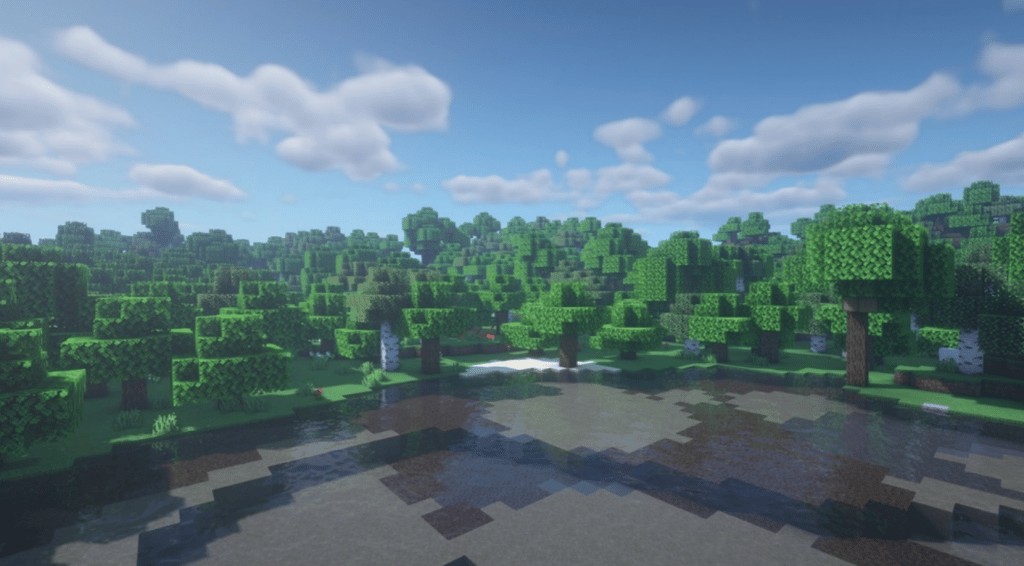
BSL Shaders is one of the best Minecraft shader packs available to improve the Minecraft world’s experience. Compatible with almost any Minecraft texture pack, this software brings you some really beautiful shaders that provide not only extreme visual enhancements but also high customizability.
The shaders include ambient occlusion, customizable clouds and water, real-time shadows, bloom, and volumetric light. Others are motion blur, world curvature, specular and normal mapping, celshading, and so much more. With these shaders, it’s really fantastic to bring the realm in Minecraft to life in a pretty picturesque manner with the best visuals you can ever get for this craft game.
2. Sildur’s Vibrant Shaders
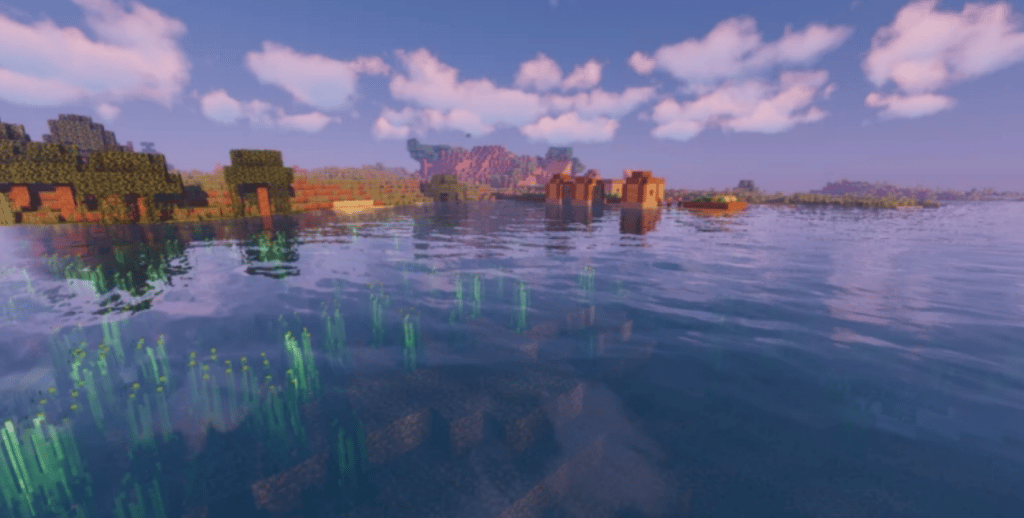
These vibrant shaders will totally transform the boring graphics in your Minecraft game by adding advanced effects such as shadows, reflections, volumetric lighting, ambient occlusion, and bloom. They will enhance your visuals while maintaining high performance and the game’s original theme.
Moreover, this Minecraft shader pack is lightweight and highly customizable. As a result, even the most basic Minecraft-supported device will still run the game with it perfectly well, delivering an excellent and uplifting graphical experience. Plus, it’s regularly updated to continue giving you the best visual experience in Minecraft.
3. Continuum Shaders

Continuum shaders add realistic graphics to Minecraft, taking the game’s experience to another level. It comes with natural lighting effects such as true-to-life clouds, shadows that adjust in shape & angle according to the position of the sun, as well as colour gradients across the skybox.
For optimum results, you need a mighty powerful device. That’s the only minor drawback to this shader pack. However, available is a lite version of this full Minecraft shader pack. So you can consider if you have a basic device and don’t plan to upgrade. The results between the two versions are almost hard to distinguish.
4. Complementary Shaders
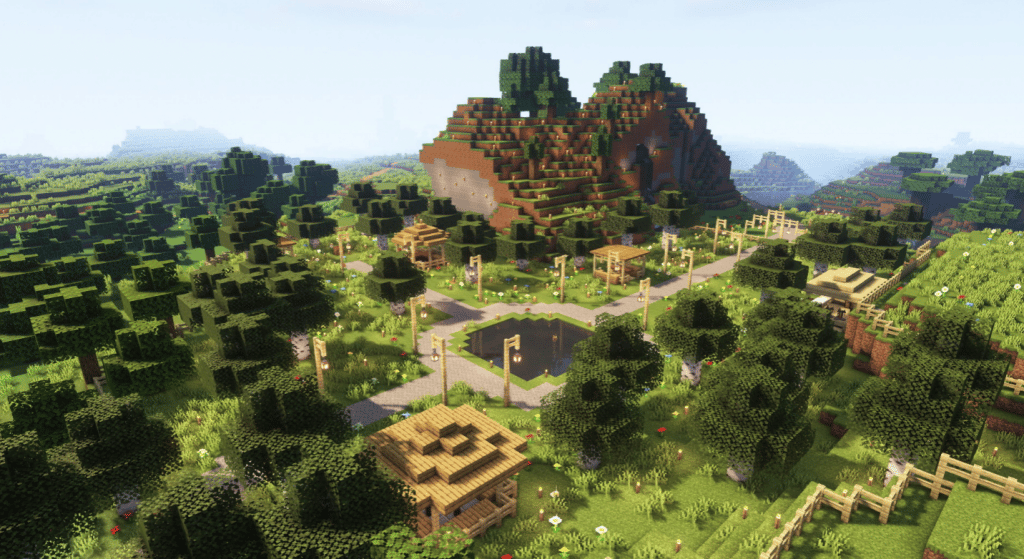
Complementary Shaders is another widely popular Minecraft shader pack. Designed to be good at everything–beauty, gameplay, performance, compatibility, and so on, this shader pack for Minecraft never disappoints. Instead, it provides the most seamless and issueless experience possible when enhancing your Minecraft game’s graphics and visuals.
Plus, the software runs fast and works well with almost every Minecraft-capable device. Also, you can use it with any Minecraft texture pack of your choosing without any problems. Finally, it won’t lead to excessive graphics and visual effects, unlike in the case of other shaders.
5. Naelego’s Cel Shaders
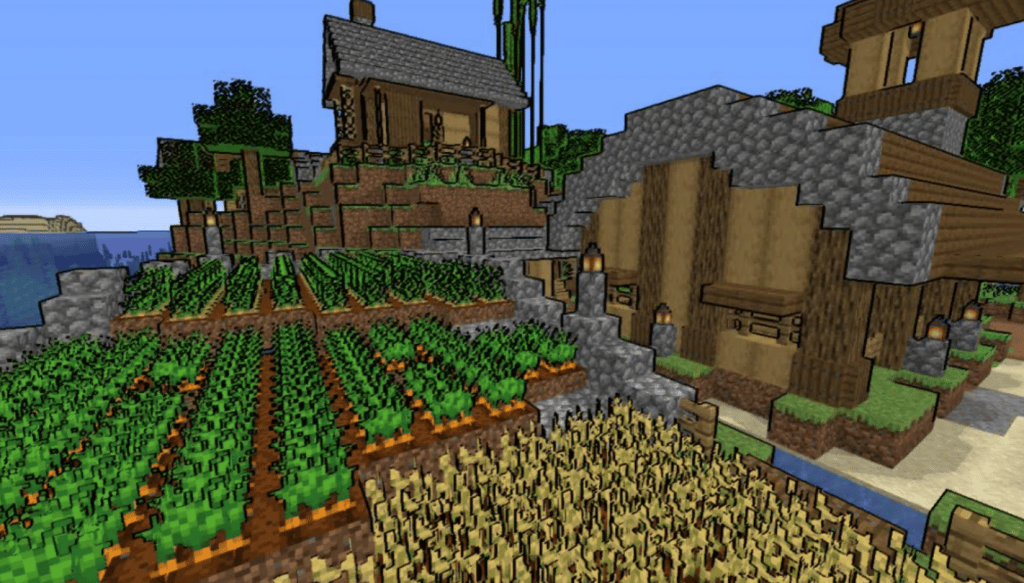
Unlike many shaders that are pretty sensitive to your device’s hardware specifications, these shaders work with any Minecraft-friendly device. That means you won’t need to upgrade your device to get the best experience if you add them to your game. In addition, some of the most unbelievable shaders and graphical effects you’ll get from this software pack includes sparkler, borderlands, distinct black outlines, and bold colours. What other way to give your game a genuine visual overhaul with enduring versatility than this?.
Final Thoughts
While the Minecraft game can be fun and exciting, it has a slight drawback of poor graphics and visual aesthetics. The good news is that you don’t have to contend with this issue. Many software add-ons called “shaders” you can use to improve your graphics exist. These include but are not limited to the above. All you have to do is to download and install them into your Minecraft game.











