

A data loss incident on your device can really be a nightmare in the digital world today. Whether it’s a smartphone, laptop, tablet, or external drive, the reasons behind the loss of data are physical damage, water damage, accidental deletion, malware attacks, and many more. So, with this guide, you’ll be able to recover your data and avoid the risks of losing them for good.
Proper Steps in Case of an Immediate Device Failure
Turn it Off Safely: In case your device shows any failure signs, such as making strange noises, not booting, or even water damage, turn it off immediately to prevent further damage. Continued usage can make the damage worse, thus increasing the difficulty of data recovery.
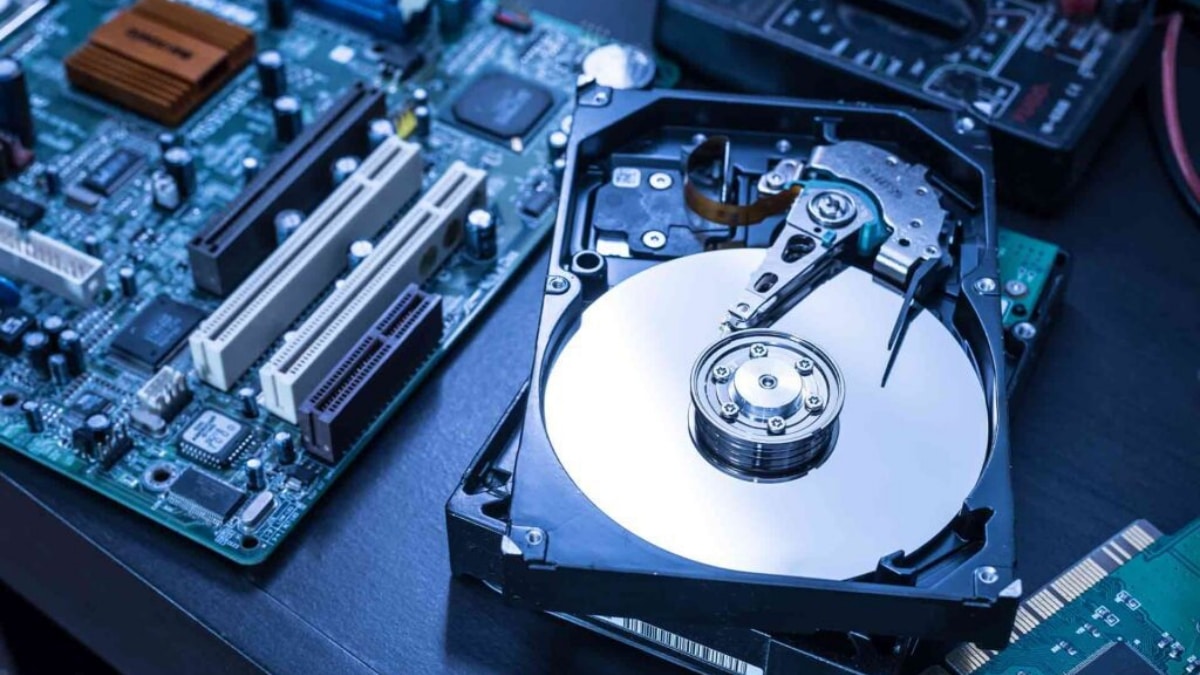
Avoid DIY Repair: One should never try to repair any device independently without proper experience. Improper handling will permanently lose the data or damage the system more. Direct the concern toward the safe and tested recovery process.
Typical Case Histories and Recovery Procedures
Wet Damage Preliminary Steps: Immediately power off the device; do not try to power on the device since water may short-circuit the internal parts of the gadget. Drying: Silica gel packs or raw rice should be used for drying. Pack the device in an air-tight bag with the drying agent for a minimum of 48 hours. This will suck moisture from the internal parts.
Data Recovery After the Device Is Dry: Try powering up the perfectly dry device. If that doesn’t work, pull the hard drive out or an SD card and use an external reader to connect them to another device. This would enable you to access and retrieve your data without even turning on the impaired device.
Physical Damage (e.g., Cracked Screen, Broken Case)
External Monitors/Adapters: For laptops or tablets with broken screens, connect to an external monitor to access your data. This lets you use the device even if the display is not usable.
Removing of Storage Media: If the device does not turn on, remove the hard disk drive or solid-state drive from the device and use an external enclosure to interface the storage media with another computing device to get the data from the storage media directly.
Basic Checks for When Device Will Not Power On: Battery is charged; try a different power source or adapter—it might be as simple as a bad charger.
Recovery Mode: Use its recovery modes, including Safe Mode for PCs or DFU mode for iPhones. In such a way, you are able to diagnose and repair your device without booting into the actual operating system.
External Access: Take out the storage media and connect it externally to access data in this way; there is no need to power on the faulty device.
Accidental Deletion or Formatting
Stop Using the Device: The more it is used, the more likely data is to be overwritten, which makes recovery even harder. Terminate further usage of the device at once in order to preserve the data.
Recovery Software: Use good data recovery software; examples include Recuva, EaseUS Data Recovery Wizard, and Disk Drill to scan and recover deleted files. Many such tools can recover your important files that have been accidentally deleted and which you might have lost through formatting.
How to Stop Further Damage from Virus or Malware Attack
Disconnect from the Internet: Isolate the infected device. By so doing, you will have stopped sharing the malware and saved some of your data.
Use Antivirus Software: Perform a full scan with trusted antivirus tools. This would rid you of the malware and sometimes help in recovering damaged files.
Professional Help: Where the virus has encrypted or severely damaged data, professional data recovery services are going to be needed. Most importantly, with professionals, data that seems lost forever is often retrievable.
Backups
Regular Backups: Back up your data on a regular basis in external drives or cloud services. It can be ensured that you will have all your files if the worst-case scenario occurs.
Cloud Services: Google Drive, iCloud, and Dropbox automatically back up files with easy restoration. This provides an increased level of security, not to mention ease of access, over most other storage methodologies.
Local Backup: For a local backup, you would save on an external hard disk or NAS. The backups should be updated from time to time, in order to keep the latest set of your data in the backup system.
Professional Data Recovery Services: When You Need to Avail of This
Suppose the case becomes severe to the point that your equipment is severely physically and water-damaged, posing a threat to human life, or your DIY method does not work. It is time to avail of professional services.
Choosing a Service: Look out for certified data recovery services that have a positive customer review. Check and see if they have experience with your particular device and the damage you experienced.
Typical Service Process: Evaluation of your device, quote, and then recovery process.
Privacy Protection
Make sure they adhere to privacy protocols that are very strict to prevent unauthorized access to your data.
Preventative Measures
Protective Cases and Covers: Invest in tough cases and screen protectors for protection against physical damages. They are the first line of defense against accidental drops and impacts.
It is advised to avoid extreme conditions with your device. It is important to keep away from water, extreme temperatures, and physical shocks. Proper handling can extend the lifespan of your device to a very large extent.
Regular Maintenance: Regular software updates and scans keep your system running smoothly without any data loss due to software issues.
In respect to these guidelines, one will be able to make a successful recovery of their lost data and protect their devices from future data loss. Regular backup and care in handling are the two main forms of defense against untoward data loss.











