
STEM education is a growing niche in today’s technology-filled world. The mBot Neo by Makeblock is a young learner and hands-on programmer’s step into the fascinating subject of robotics, mechanics, and science and technology.
Parents are too often paralyzed in terms of options when buying STEM toys for their kids. DIY robotics and STEM brand Makeblock seeks to make it easier to get a platform where children can construct their own unique creations with the newly-released mBot Neo.
What Makes mBot Neo Different?
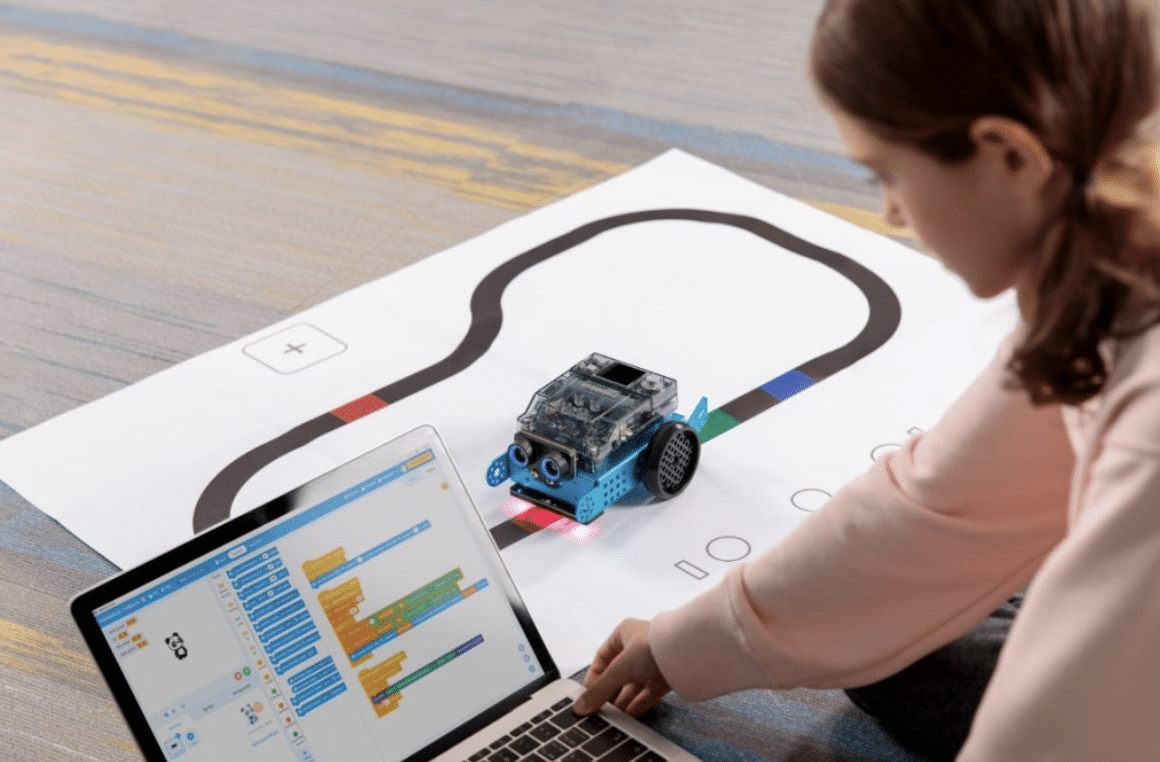
The mBot Neo is designed for lower curve learning and is easy to construct. At the heart of the platform is a Cyberpi microcontroller, in itself a versatile component for coding, compatibility, and communication.
Cyberpi opens up a myriad of possibilities and applications in data science, robotics, artificial intelligence, and computer science. Multiple built-in sensors unlock immense capabilities while allowing the learner to explore different topics. It can act as a standalone smart device to control the mBot Neo, or be integrated into a smart ecosystem once the user gets a hang of robotics.
The ESP32 microprocessor is the heart of mBot Neo and looks like a smaller game controller. At the front is a 1.44-inch full-color display, and there’s a microphone for voice input and a light sensor in the same section. Learners can command their mBot Neo via a 5-way joystick and several other physical buttons. There’s a speaker, a 3-axis gyroscope and accelerometer, and a USB-C port for charging and data transfer. Integrated operating system and memory let learners manage and store up to eight programs, and newer USB technology gives users quick access to data and a more stable signal.

Unlike other STEM toys in the market, the mBot Neo only requires 30 minutes or so of building. From there, learners can veer off on their own and create an app for driving, playing piano, and extend coding lessons. The mBlock platform supports both Python and block-based coding and doesn’t require the user to have a background.
Coding takes place in block-based mode and eventually moves onto Python via the mBlock5 platform. Advanced learners can connect to a network and machine learning to process data from connected devices and even upload it to the cloud.
The mBot Neo offers a step-by-step tutorial, complete with sample projects and curriculums so they can be guided. Educators can even use mBot Neo to show CS and data science fundamentals, as well as IoT and AI concepts. WiFi connectivity and a full-color display eliminate complexities so the learner can focus on the task at hand.
The STEM platform has all the latest technology, including the encoder motors that move precisely and even do rotation controls, a long-lasting battery that’s integrated, and next generations of sensors such as a quad-color sensor and an ultrasonic sensor that covers a wide array of possible applications. Control can be done via a USB connection, Bluetooth, voice, and WiFi.
mBot Neo learners can connect to other mBot Neo devices via the network and allow for a virtual classroom to come together. With an easy-read construction manual and video tutorials, learners can finally understand the gist of robotics at their own pace.
Young learners will appreciate the ease of use of mBot Neo, and more importantly, realize their coding and robotics projects with a single product.
About Makeblock
Makeblock is a renowned STEM toy manufacturer that aims to make DIY robotics fun and easy. Builders and creators can choose from more than 500 electronic modules, programming software, and mechanical parts within the brand’s platform. In the US, Makeblock offers after-sales service and direct mailing to customers. The official global website of Makeblock is www.makeblock.com.
We would like to express our sincere gratitude to Makeblock for generously providing an exclusive coupon code to iLounge visitors. This special offer allows our valued readers to enjoy an additional $10 USD off on their first order, further enhancing their experience with Makeblock’s innovative products.
To take advantage of this fantastic deal, simply enter the promo code “ilounge” at checkout.











