
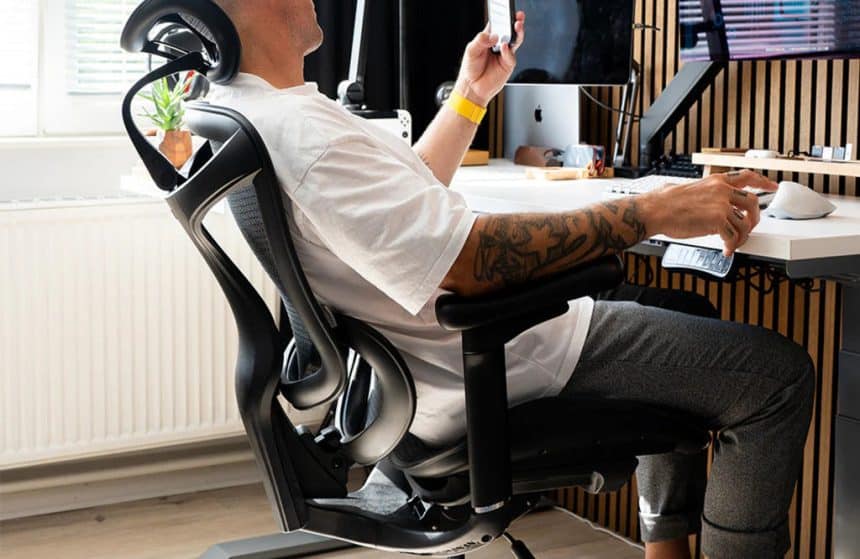
By mid-week many of us in the UK feel that familiar pinch between the shoulders and the slow throb in the lower back. It’s not just workload; it’s the way we sit in spaces never designed to be offices. The hybrid week — two days in, three at home, or vice-versa — asks our bodies to adapt constantly. Ergonomics exists to make that shift easier, so you finish Friday with fuel left for your life.
Ergonomics without the eye-roll
Think of ergonomics as “friction control” for the body. When a set-up reduces friction, good posture happens with less effort. Three levers matter most:
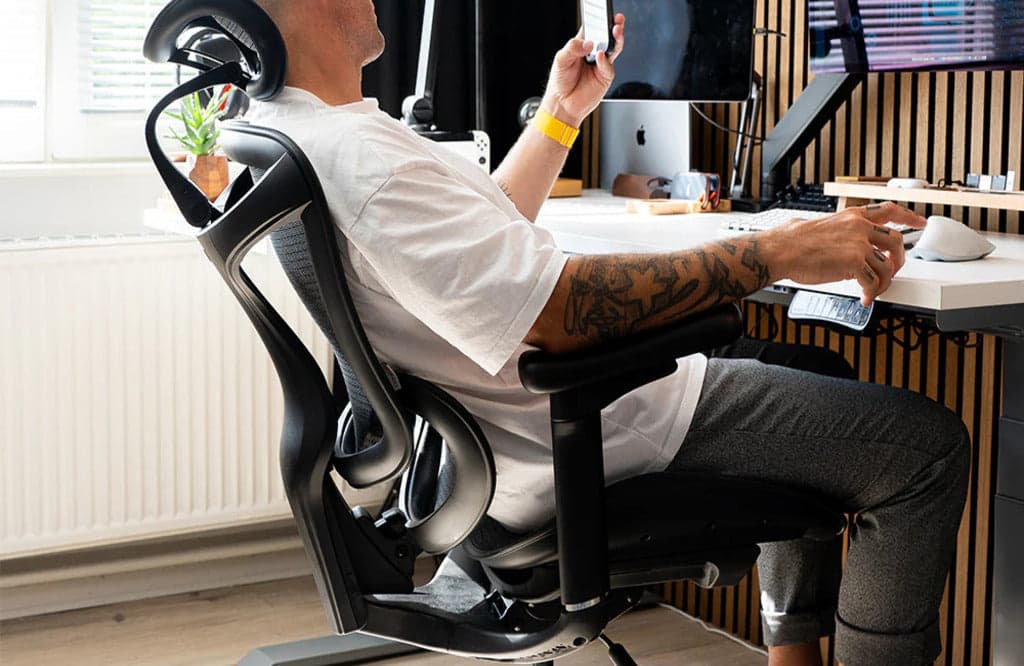
- Posture: keep the spine’s natural S-curve, hips slightly open, shoulders relaxed.
- Support: share load across back, seat, forearms and feet so no area is overworked.
- Motion: change position little and often so blood flow, focus and comfort don’t stall.
Get those right and you’ll feel the difference by lunchtime, not just on your physio bill.
The five-minute home reset (do this every morning)
You don’t need a new room — just a quick ritual:
- Eye line: top of screen at or just below eye level. If you use a laptop, raise it and add a keyboard/mouse.
- Elbows: about 90°, forearms supported by desk or armrests. If your shoulders creep up, lower something.
- Hips: a touch higher than knees; sit back to meet the backrest so the lumbar area is actually used.
- Feet: flat on the floor; if they dangle, a footrest (even a shoe box) will change your day.
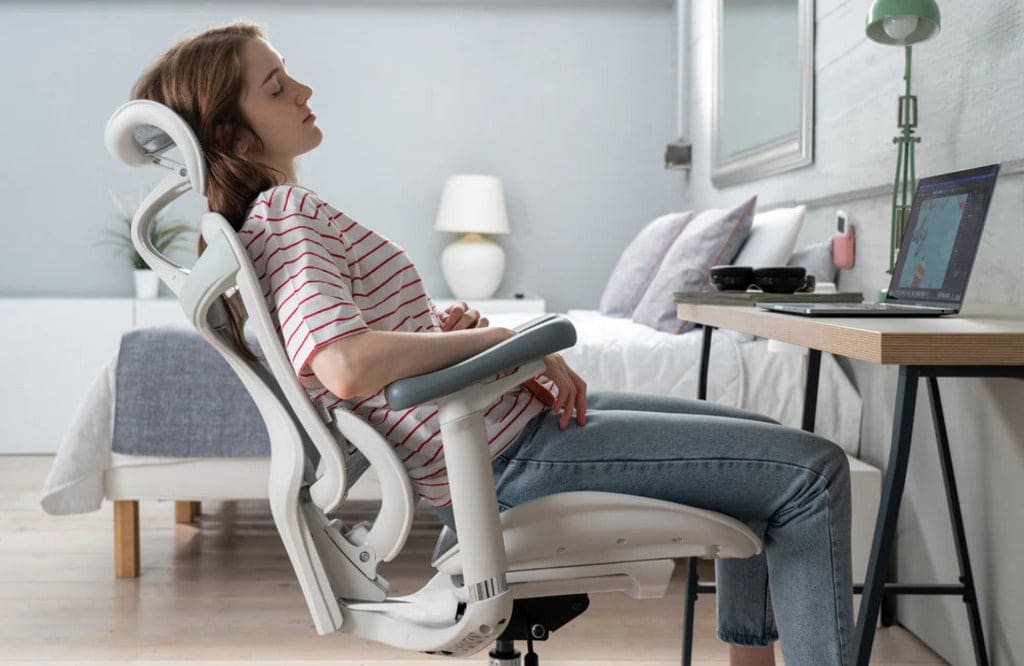
- Angles for tasks: set a “focus” angle (upright), a “reading” angle (slight recline), and a “reset” stretch you do between calls.
The small-home reality: flexible, not fussy
British homes are cosy and often multipurpose. Your workspace may be a corner of the lounge, a bedroom desk, or the kitchen table at 8am. The trick is modular ergonomics:
- A laptop riser and fold-away keyboard that live in a drawer.
- A task light you can swing from paperwork to Zoom with warm, diffuse light to reduce glare.
- A cable tidy and a small tray for the daily essentials — clear surface, clear head.
- A office chair that rolls out at 9 and vanishes at 6.
None of this screams “office”; it simply lets the room go back to being a home after hours.
Movement you’ll actually do
Grand plans fade; micro-moves stick. Try the 30/30 rule: every ~30 minutes, do ~30 seconds of something:
- Stand for the first minute of each call.
- Heel raises while a file loads.
- Look out of the window at something 20 feet away for 20 seconds to relax your eyes.
- Shoulder rolls before you hit “Join meeting”.
Tiny interrupts beat heroic sessions once a week.
Sensory ergonomics: light, sound, climate
Comfort isn’t only about joints.
- Light: daylight if you can; otherwise a warm task lamp aimed at the desk, not your face.
- Sound: soft, consistent background (fan or low music) often focuses better than total silence; noise-cancelling helps in busy homes.
- Air & heat: a stuffy room makes you slouch; crack a window or use a quiet fan to keep you alert without chill.
Choosing a chair (without turning it into a hobby)
You don’t need to memorise every spec sheet. Use this quick buyer’s lens:
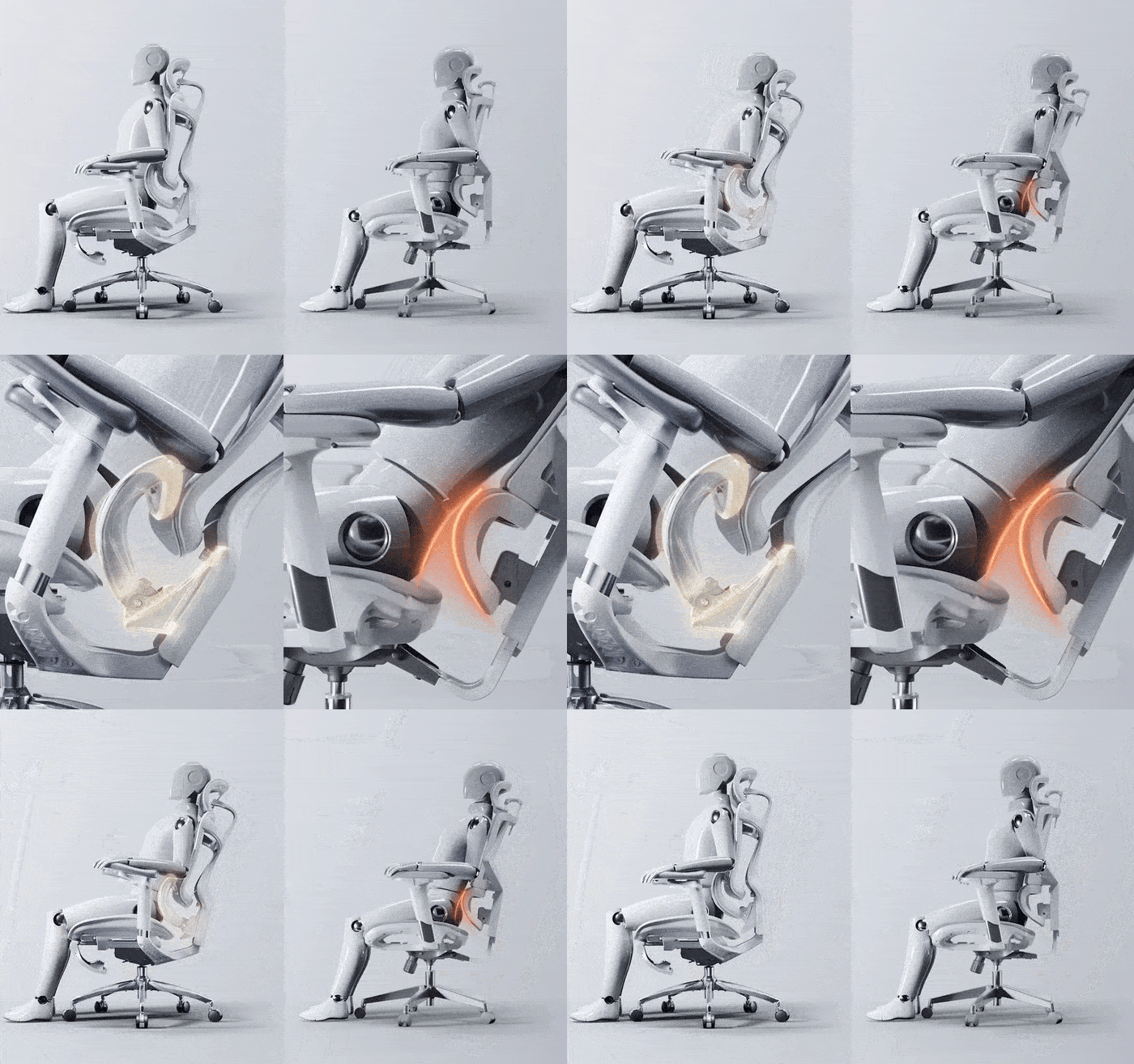
- Adaptive lumbar that stays with your lower back as you lean in and recline.
- Armrests that adjust up/down, forward/back and pivot — so your forearms are supported at desk height.
- Headrest that meets your head when you lean back to think (not push it forward).
- Breathable back (mesh or ventilated) if you run warm.
- Recline you’ll use: at least two practical stops — a “work” angle and a “ponder” angle — with a smooth, weight-sensitive return.
- Fit: feet flat, hips open, back supported without perching. If you’re very tall or have long thighs, check seat depth.
A quiet example (after the principles)
Once you’ve anchored the fundamentals, certain chairs simply make them easier. One example that aligns well with the checklist is the Sihoo Doro C300. It combines a self-adjusting lumbar system that “tracks” your lower back with multi-way armrests, a breathable mesh back and a smooth recline with sensible stop points. The design is understated enough for living spaces, and the adjustments cover most body types used to a hybrid week.
Use it as a benchmark: if a ergonomic chair you’re testing can match that adaptive back support, armrest range and breathable comfort, you’re on the right path — whether you pick that exact model or another that suits your taste and budget.
A hybrid-day routine that sticks
- 09:00 Upright, elbows supported, two deep breaths before opening email.
- 10:30 Shift to your “reading” angle for a report; one minute of calf raises.
- 12:30 Eat away from the screen; give your eyes a real break.
- 14:00 Stand for the first half of a call; reset your seat and armrests after.
- 16:00 Quick window gaze, shoulder rolls, one intentional recline.
- 18:00 Pack the riser/keyboard; let the room become a home again.
Consistency beats intensity.
Common myths, politely retired
- “Good posture is sitting bolt upright.”
Not for hours. The goal is supported variety, not a statue. - “If the chair is expensive, it must be ergonomic.”
Price is not posture. Fit and adjustability matter more. - “Standing desks fix everything.”
They’re great as an option, not a replacement. Alternating positions is the win.
The takeaway
Ergonomics isn’t a furniture fetish; it’s a lifestyle upgrade that makes work feel less like a physical chore. Start with what you control: screen height, elbow support, lumbar contact, feet grounded, regular movement and decent light. Then pick a chair that follows you through the day rather than dictating it. If you want a concrete reference point while you compare, the Sihoo is a sensible yardstick for adaptive support and low-fuss comfort.
Sit well, finish strong — and reclaim your evenings.











