
iLoungeiLounge
  • News
    • Apple
      • AirPods Pro
      • AirPlay
      • Apps
        • Apple Music
      • iCloud
      • iTunes
      • HealthKit
      • HomeKit
      • HomePod
      • iOS 13
      • Apple Pay
      • Apple TV
      • Siri
    • Rumors
    • Humor
    • Technology
      • CES
    • Daily Deals
    • Articles
    • Web Stories
  • iPhone
    • iPhone Accessories
  • iPad
  • iPod
    • iPod Accessories
  • Apple Watch
    • Apple Watch Accessories
  • Mac
    • MacBook Air
    • MacBook Pro
  • Reviews
    • App Reviews
  • How-to
    • Ask iLounge
Font ResizerAa
iLoungeiLounge
Font ResizerAa
Search
  • News
    • Apple
    • Rumors
    • Humor
    • Technology
    • Daily Deals
    • Articles
    • Web Stories
  • iPhone
    • iPhone Accessories
  • iPad
  • iPod
    • iPod Accessories
  • Apple Watch
    • Apple Watch Accessories
  • Mac
    • MacBook Air
    • MacBook Pro
  • Reviews
    • App Reviews
  • How-to
    • Ask iLounge
Follow US

Articles

Articles

The Best Screen Recorder with Auto-Zoom: Smarter, More Dynamic Videos

Last updated: Jul 17, 2025 6:36 pm UTC
By Lucy Bennett
The Best Screen Recorder with Auto-Zoom Smarter, More Dynamic Videos

Old screen recording software and tools have glaring limitations, including low video quality, ballooning file sizes, and non-existent video editing functions. High-quality screen recordings have become the norm, offering top-notch screen recordings for educational content, remote communication, product demos, and professional tutorials.


What is Auto-Zoom in Screen Recording? & Why Auto-Zoom Makes a Big Difference

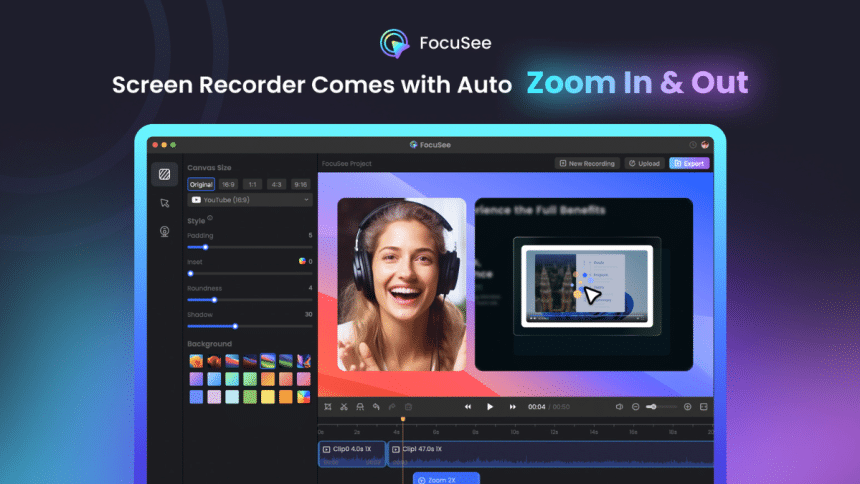
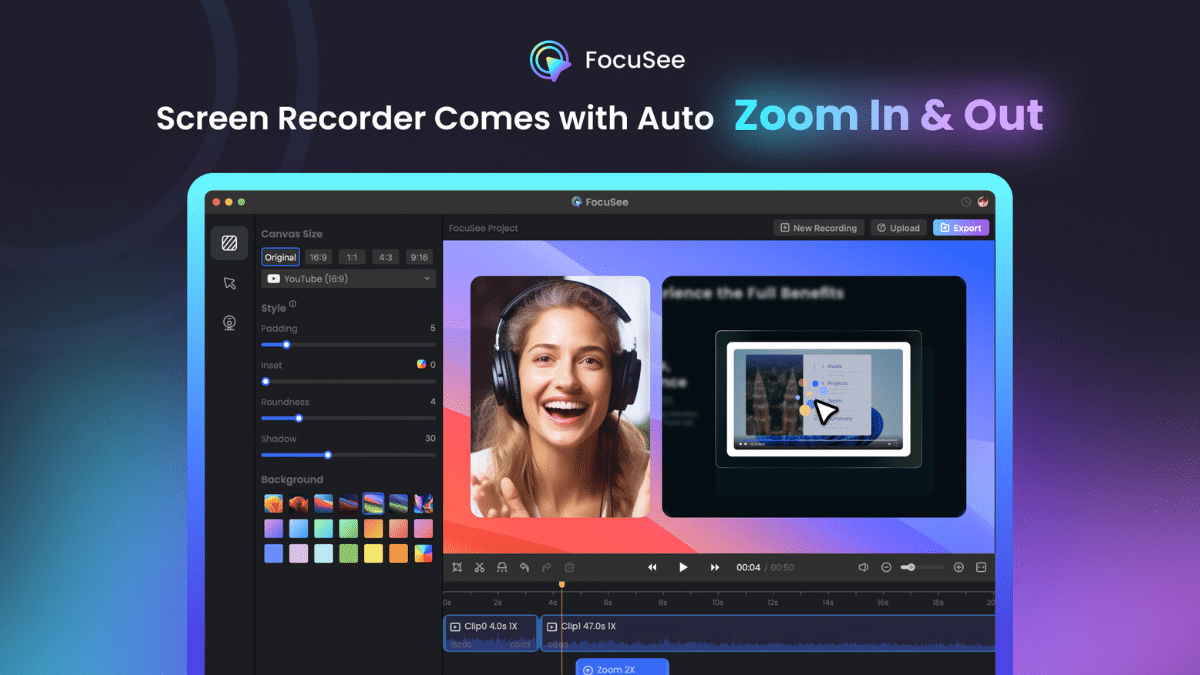
Screen recording auto-zoom directs the attention of the viewer to important areas of focus. It’s automatic, meaning the user doesn’t have to make manual adjustments to what they want to show.
The Best Screen Recorder with Auto-Zoom Smarter, More Dynamic Videos

Auto zoom works well in many scenarios, such as product walkthroughs, online courses, and software tutorials, to name a few. Aside from directing the viewer’s attention to what they should look at, the recording will appear more professional. Furthermore, you won’t need to do zoom editing or manual keyframes in post-production.


Top Screen Recorders with Auto-Zoom

What is FocuSee: Screen Recorder with Auto-Zoom

FoucSee, screen recorder with auto-zoom works on both Mac and Windows, making it a versatile screen recorder for all users. Manual editing time is a thing of the past when you start using its smart and automated features.

Who is FocuSee Best For?

Online marketers, tutorial and course creators, indie developers, and product teams will find FocuSee a top-notch screen recorder with zoom capabilities. If you need to capture your screen and get auto-zoom in the process, then FocuSee is an excellent choice.


Main Features of FocuSee

Professional and Polished Recording

Enhance your video’s appeal with spotlight effects, click effects, cursor styles, border radius, shadow, and customized backgrounds.

Automated and Intelligent Editing

You get automatic cursor tracking and smooth zoom effects, as well as auto captions and editing functions.

Smart Screen Recorder with Auto-Zoom

System and mic audio recording with auto-capture and keyboard shortcuts.

All-in-One

FocuSee has a built-in teleprompter and options to hide and blur texts and faces.

Variety of Export Options

Export in GIF or MP4 in 4K video quality, or create a shareable link for online dissemination.


Other Tools Offering Screen Recorder with Auto-Zoom

Supademo. A platform for creating and sharing product guides and demos. Pricing starts at $27 a month for the Pro version.

Rapidemo. Screen recorder with auto zoom that works on Windows 11 and 10. Offers a one-time purchase of $59 for one license.

Cursorful. A Chrome browser extension with screen recording capabilities. It’s free but has limitations.

Conclusion

FocuSee takes the pain out of manually editing and zooming during screen recordings with modern features. Try it today!



Latest News
The 14-inch MacBook Pro with M5 Chip 16GB RAM/512GB is $250 Off
1 Min Read
Noise and Static on AirPods Pro 3 Still Unfixed
1 Min Read
New iMac with 24-inch OLED Display May be Brighter With 600 Nits
1 Min Read
The 15-inch M4 MacBook Air 256GB Is $250 Off
1 Min Read
Internal Kernel Debug Kit from Apple Reveals Tests for a MacBook with A15 Chip
1 Min Read
Apple Currently In Talks With Suppliers for Chip Assembly & Packaging of iPhones in India
1 Min Read
Apple Allows Easier Battery Replacement For M5 MacBook Pro with 14-inch Display
1 Min Read
The Apple Watch SE 3 44mm GPS is $50 Off
1 Min Read
20th Anniversary iPhone May Launch in Two Years
1 Min Read
Better Image Generation Capabilities and Apple Music Integration Coming to ChatGPT
1 Min Read
A20 Pro Chip Coming to Next Gen iPad Mini OLED
1 Min Read
Amazon has the AirTag 4 Pack Marked $29 off
1 Min Read

iLounge logo

iLounge is an independent resource for all things iPod, iPhone, iPad, and beyond. iPod, iPhone, iPad, iTunes, Apple TV, and the Apple logo are trademarks of Apple Inc.

This website is not affiliated with Apple Inc.
iLounge © 2001 - 2025. All Rights Reserved.
  • Contact Us
  • Submit News
  • About Us
  • Forums
  • Privacy Policy
  • Terms Of Use
Welcome Back!

Sign in to your account

Lost your password?








