
iLoungeiLounge
  • News
    • Apple
      • AirPods Pro
      • AirPlay
      • Apps
        • Apple Music
      • iCloud
      • iTunes
      • HealthKit
      • HomeKit
      • HomePod
      • iOS 13
      • Apple Pay
      • Apple TV
      • Siri
    • Rumors
    • Humor
    • Technology
      • CES
    • Daily Deals
    • Articles
    • Web Stories
  • iPhone
    • iPhone Accessories
  • iPad
  • iPod
    • iPod Accessories
  • Apple Watch
    • Apple Watch Accessories
  • Mac
    • MacBook Air
    • MacBook Pro
  • Reviews
    • App Reviews
  • How-to
    • Ask iLounge
Font ResizerAa
iLoungeiLounge
Font ResizerAa
Search
  • News
    • Apple
    • Rumors
    • Humor
    • Technology
    • Daily Deals
    • Articles
    • Web Stories
  • iPhone
    • iPhone Accessories
  • iPad
  • iPod
    • iPod Accessories
  • Apple Watch
    • Apple Watch Accessories
  • Mac
    • MacBook Air
    • MacBook Pro
  • Reviews
    • App Reviews
  • How-to
    • Ask iLounge
Follow US

Articles

Articles

Tech Tips to Turn Your House into a Smart Home

Last updated: May 3, 2025 7:01 pm UTC
By Lucy Bennett
Tech Tips to Turn Your House into a Smart Home

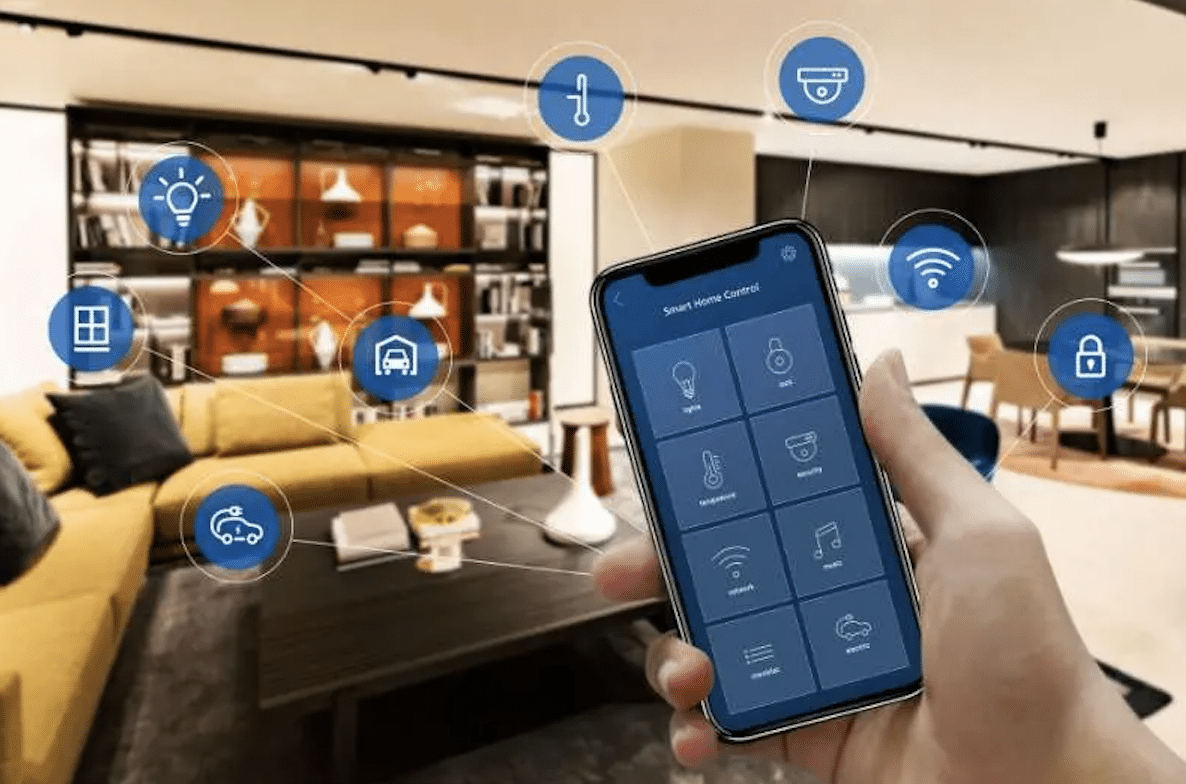
There are plenty of home improvement options to be had when you’ve just moved to a new house. Starting anew at your Otto Place condo, you can turn to these five tech tips and add the Internet of Things for comfort and convenience.


Start with Smart Lights

Smart LED lights are efficient and can be controlled via an app. They go where regular light bulbs go and connect to your home wi-fi. Most of these are plug-and-play, which means you won’t have to do anything except set up the app.
Tech Tips to Turn Your House into a Smart Home

Activate a Smart Display

Smart displays are standalone devices with voice command capabilities. When choosing a smart display, get one that’s compatible with your devices, e.g., Apple, Amazon, or Google. Plug it into a common area, and that’s it. There are a lot of things you can do, including asking it for recipes, letting it control other smart devices, or calling a friend or family member.


Set a Home Routine

Setting a home routine depends on what you want to automate. For example, you can have the lights in the garage turn on at nighttime and off when the morning sun peeks over the horizon. This is a fairly easy task, as you can control these things on a smartphone app.

Switch to Modern Security Cameras

Security is an essential component in every home. Most will usually have a CCTV camera, but you should shop for the latest ones that are smart and have modern features. With it, you can see the inside or outside of your house at any time, even when you’re not at home.

Don’t Forget a Smart Video Doorbell

Lastly, don’t forget to install a video doorbell. This is especially useful for those who shop online and regularly have items delivered on their doorsteps.



Latest News
The Apple Watch Series 11 42mm GPS is $100 Off
1 Min Read
Apple Launching A New Education Hub In India Teaching Robotics and Swift Programming
1 Min Read
Women’s and Men’s Golf Added to Apple Sports
1 Min Read
Apple Adding Civilization VII and Other Games To Apple Arcade
1 Min Read
AirPods 4 ANC Is $59 Off
1 Min Read
Apple Using 2NM Process For Their M6 and A20 Chip
1 Min Read
iPhone 18 Models Will Not Have a Big Redesign
1 Min Read
Launch of MacBook Pro M5 Pro and M5 Max Models is Approaching
1 Min Read
Get the iPad Mini 7 256GB Wi-Fi at $99 Off
1 Min Read
Mozilla Now Allows Turning AI Features Off
1 Min Read
Barcelona Passeig de Gràcia Apple Store Temporarily Closing
1 Min Read
Apple’s Plans to Enter the Smart Glasses Market is Changing the Industry
1 Min Read

iLounge logo

iLounge is an independent resource for all things iPod, iPhone, iPad, and beyond. iPod, iPhone, iPad, iTunes, Apple TV, and the Apple logo are trademarks of Apple Inc.

This website is not affiliated with Apple Inc.
iLounge © 2001 - 2025. All Rights Reserved.
  • Contact Us
  • Submit News
  • About Us
  • Forums
  • Privacy Policy
  • Terms Of Use
Welcome Back!

Sign in to your account

Lost your password?








