
Outside using iTunes, data recovery on the iPhone is largely a hit-or-miss affair.
It’s easy to store photos, music and videos on the iPhone- all you need to do is download the Music app, take a snapshot or save a document in your email. But what happens when all those data get lost, corrupted or overwritten?
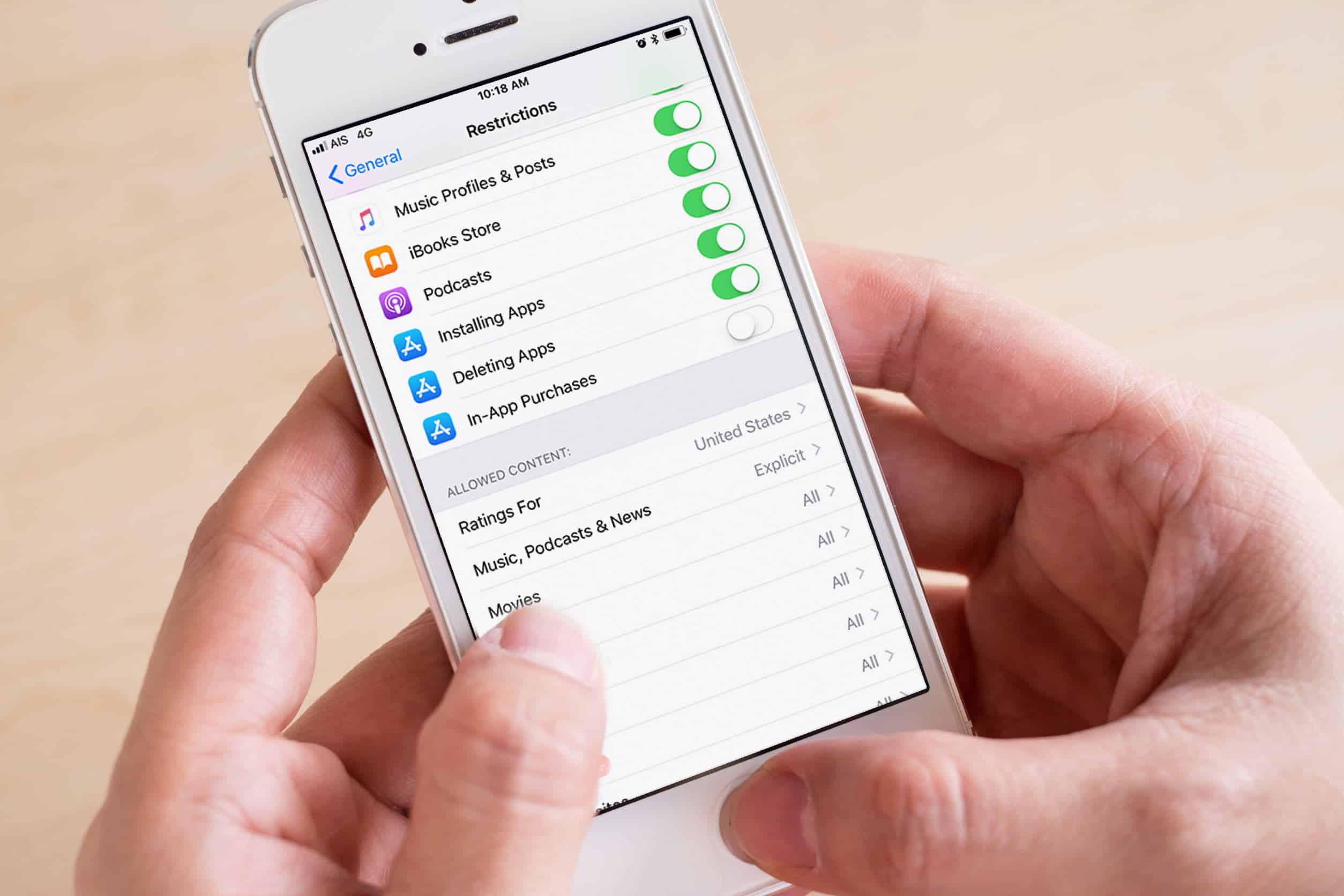
Stellar Data Recovery for iPhone is a very useful tool to recover lost files on any iPhone device. In the program, users get treated to a simple, clean and functional menu, relatively faster file scans than the competition, excellent features and a high recovery rate than other recovery software. Stellar developers say that users can even get their precious photos, videos and digital files from bricked iPhones.
Complete iPhone Data Recovery Software
Stellar for iPhone allows users to recover content such as videos and photos, as well as contacts, messages, appointment notes, documents, Safari bookmarks and even attachments that are inside apps or email platforms. Chat messages on Viber, Whatsapp, Tango and WeChat can also be brought back to life.
Highly Intuitive Interface
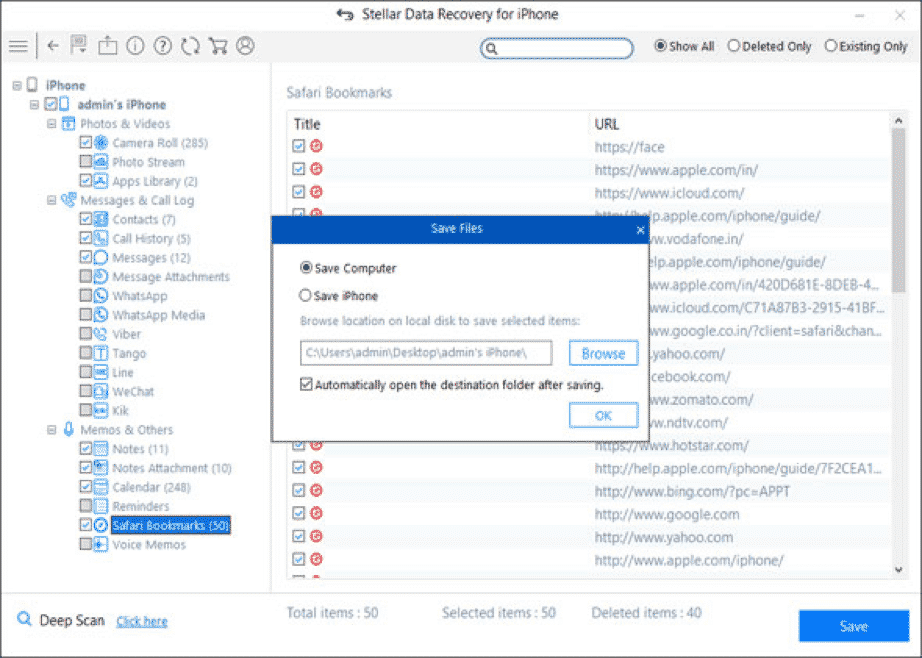
This iPhone data recovery software is so intuitive that anyone can use it to get their lost data back. The interface is clean and the instructions are easy to follow as compared to other apps. The tree-view presentation of recovered files make it easy for users to preview, then select the ones they’d like to get back.
Reliable Recovery In All Data Loss Situations
The program uses an advanced tech algorithm to search all areas of iPhone storage for a more complete solution. It scans your iPhone’s whole memory and leaves nothing out during each recovery session.
Data loss can occur in various instances, i.e., in a stuck loading screen with the Apple logo, black screen of death, incomplete jailbreak, when your phone powers off while updating, on factory resets, accidentally deleted data, broken screen, physical damage, water damage and more.
Multiple Device Data Recovery Supported
Stellar can recover data from a wide variety of iOS devices with an added option of importing to iPhone. If you have an iPhone X, XR, XS, XS Max, 8 Plus, 7 Plus, 6S Plus, 7, 6, 5S, 5, 4S and 4, or an iPad, then you can be sure that Stellar Data Recovery will work.
You can get Stellar for data recovery on Windows and macOS. Each offering will have a free version that allows users to do a scan and a preview of what files can be retrieved. The algorithm and recovery technology is so powerful that you can even get back encrypted iTunes and iCloud backup files.
How To Recover Deleted Data from iPhone Using Stellar Data Recovery for iPhone
Once you’ve installed Stellar, here’s what you should do.
Step 1. Plug your iPhone to the computer via the USB cable.
Step 2. Launch Stellar Data Recovery. Wait for the software to detect your smartphone, then click on “Recover from iPhone”.
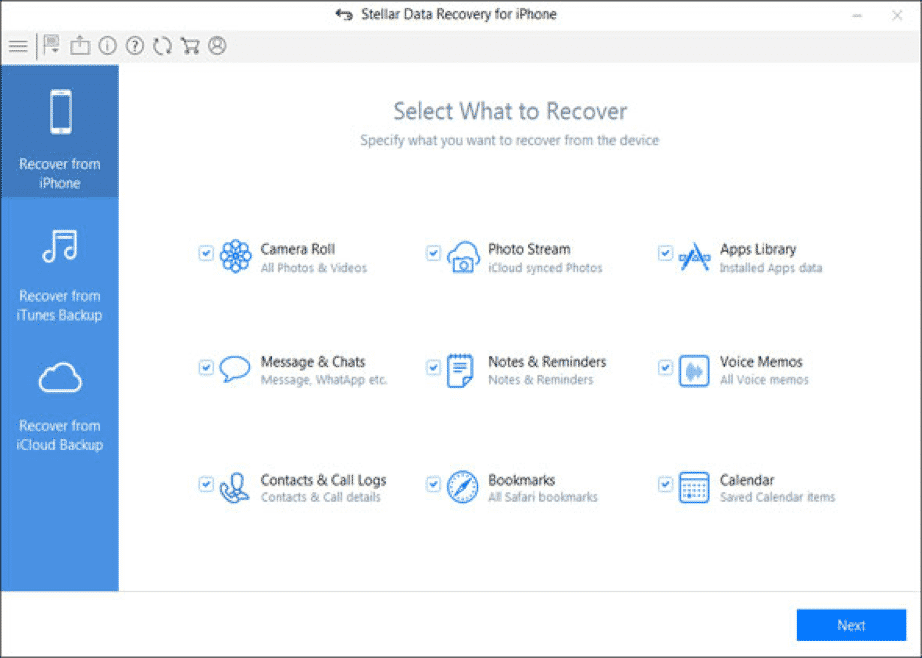
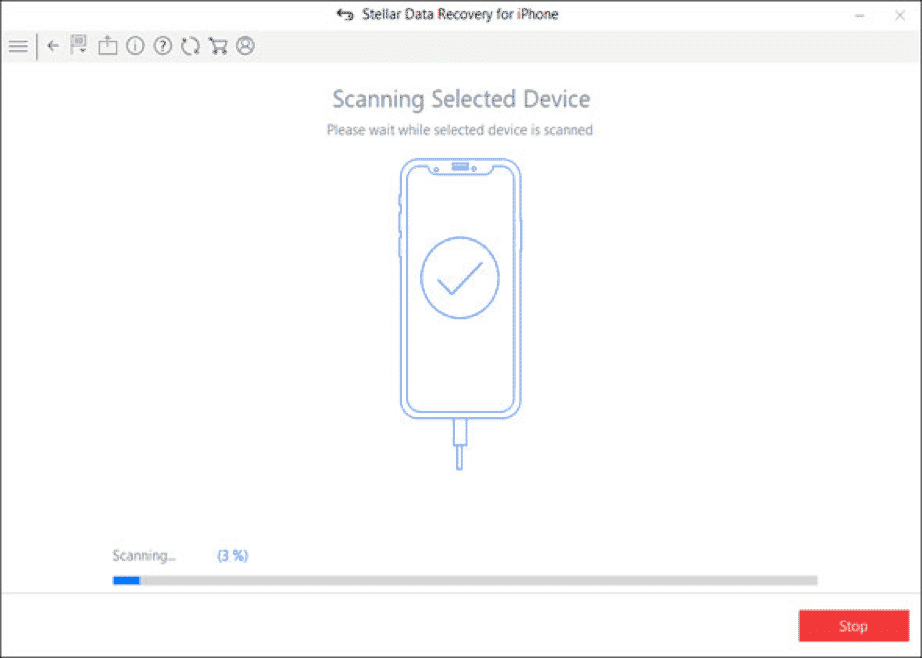
Step 3. Click on “Scan” and Stellar will read through your iPhone’s memory. Wait for the progress to reach 100% before taking any further action.
Step 4. You’ll get a preview of the files you can get back from the iPhone. Choose the ones you like by checking on the box located next to the file names. Here, an option to do a Deep Scan appears if the files you want aren’t in the preview list.
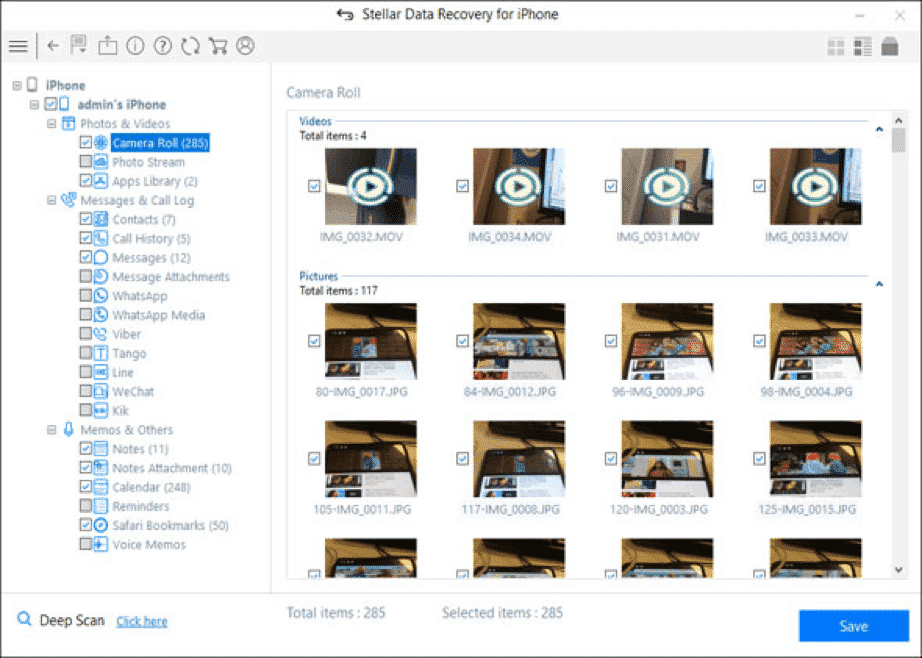
Step 5. Click on Save to start retrieving the files and have it sent to the destination of your choice.
If you’re retrieving lost data from iCloud or iTunes, choose the applicable recovery method then follow the same steps. Getting the free trial lets you explore and dig into lost files without having to spend money. You can upgrade to the paid version to get your data back and benefit from Stellar software’s powerful recovery features.











