
Snapchat has introduced an exciting feature called “Snapchat Planets,” available exclusively through its Snapchat Plus subscription. This innovative addition allows users to visualize their closest friends as planets within a solar system, turning social connections into a cosmic experience.
What Are Snapchat Planets?
Snapchat Planets is a unique way to represent your top eight friends as planets in a solar system. Just like in the real solar system, each planet’s position reflects its proximity to the “sun”—which, in this case, is you. The closer the planet, the more you interact with that friend. Mercury, the closest planet to the sun, represents your best friend on Snapchat, while Neptune, the farthest planet, represents the eighth closest.
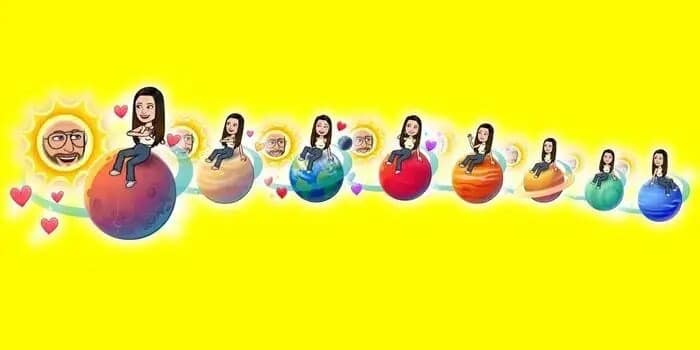
This feature is designed to make the social experience on Snapchat more engaging by adding a layer of gamification and visual appeal. It’s an innovative way to see who you interact with the most and keep track of your closest connections.
How to Access and Use Snapchat Planets
To access the Snapchat Planets feature, you must be a Snapchat Plus subscriber. Here’s how you can get started:
- Subscribe to Snapchat Plus: This feature is only available to users with a Snapchat Plus subscription, which offers additional perks beyond Snapchat Planets.
- Open a Friend’s Profile: Navigate to the profile of one of your friends within the Snapchat app.
- Look for the Solar System Badge: On their profile, you’ll see a badge indicating your position in their solar system.
- Discover Your Planet: Tap the badge to reveal which planet represents your position in their friendship rankings.
Each planet has a corresponding meaning based on its position in the solar system, offering a fun and visual way to understand your friendships.
Understanding the Planetary Rankings
The planetary rankings in Snapchat Planets are straightforward:
- Mercury: Represents your closest friend, the person with whom you have the most interaction.
- Venus: Your second closest friend.
- Earth: The third friend in your solar system.
- Mars: The fourth closest.
- Jupiter: The fifth.
- Saturn: The sixth.
- Uranus: The seventh.
- Neptune: Represents the eighth friend in your solar system.
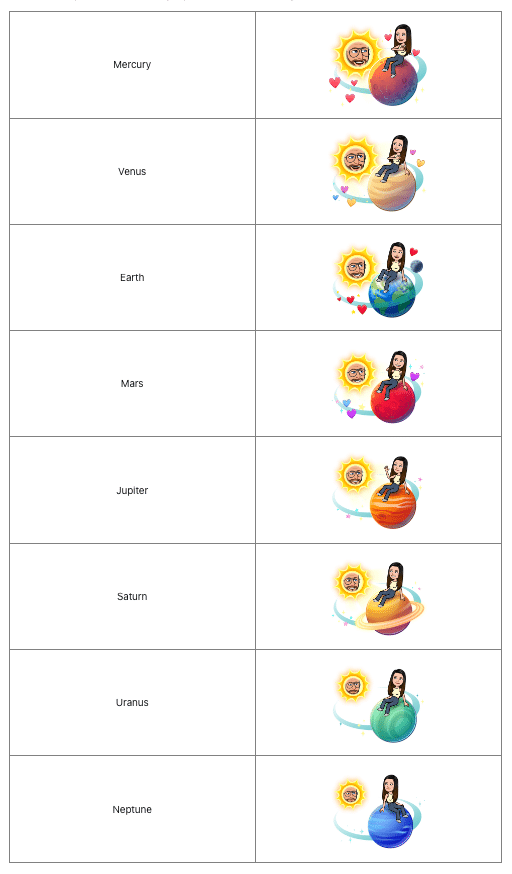
This ranking system uses familiar planetary symbols to make it easy to understand at a glance who your closest friends are, adding a touch of creativity to your Snapchat experience.
Exploring the Snapchat Universe
Snapchat Planets is part of Snapchat’s broader effort to enhance user engagement through personalization and interactivity. The idea is to place the user at the center of their own universe, emphasizing personal connections in a visually engaging way. This feature aligns with Snapchat’s continuous push to innovate and offer new ways to interact with friends.
For those looking to get the most out of this feature, the guide to Snapchat Planets by TUAW offers a detailed breakdown of how to navigate and fully utilize Snapchat Planets. This guide covers everything from accessing the feature to understanding the significance of each planet in your friend’s solar system. Whether you’re new to Snapchat or a seasoned user, this guide provides valuable insights to help you maximize your experience. The guide is an essential resource for anyone interested in diving deeper into this fun and interactive feature.
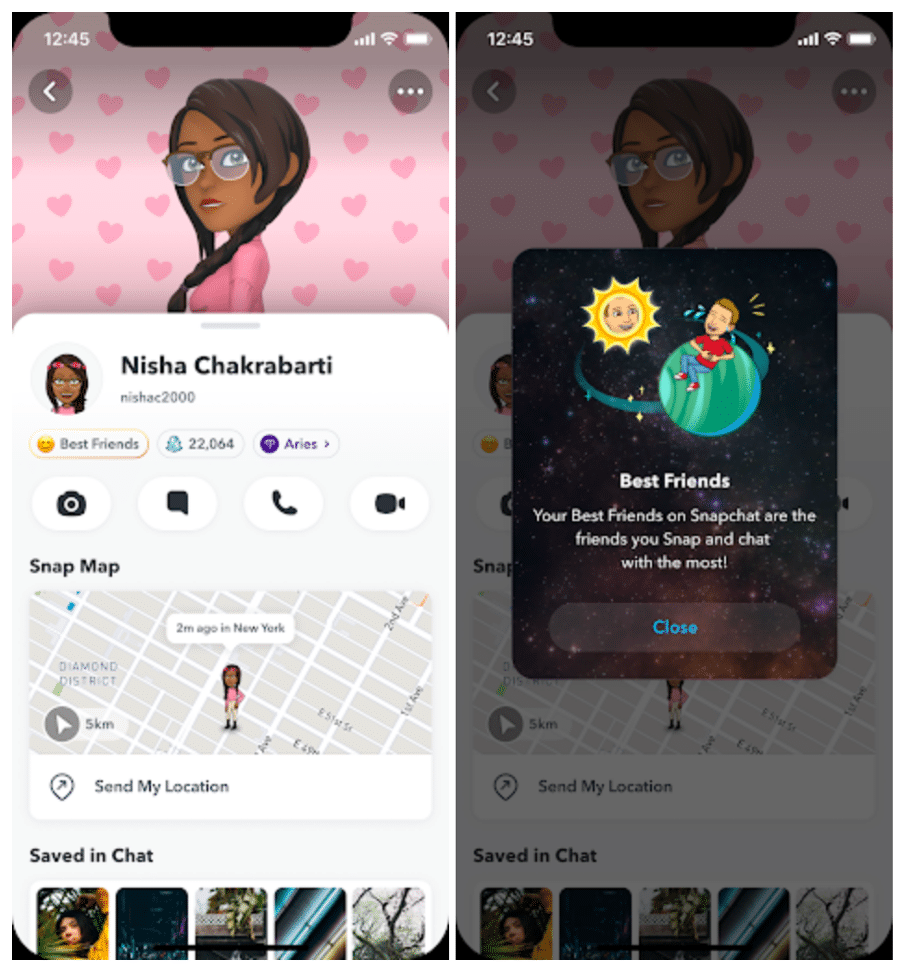
Snapchat Planets adds a fresh, cosmic twist to the way you interact with friends on Snapchat. By turning your closest connections into planets within a solar system, Snapchat Plus offers a unique and engaging way to visualize and celebrate your friendships. Whether you’re exploring this feature for the first time or looking to deepen your understanding, Snapchat Planets brings a new dimension to staying connected.
For those eager to explore this feature, subscribing to Snapchat Plus unlocks a universe of fun and personalized social interactions.











