
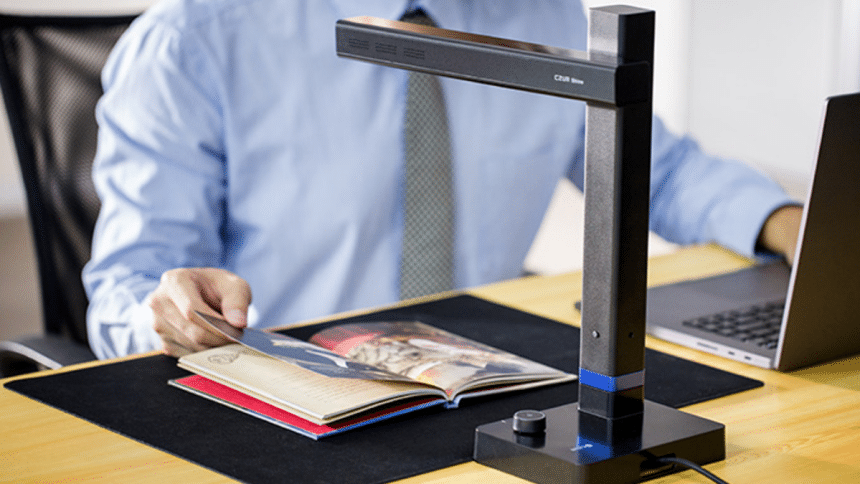
The CZUR Shine Ultra emerges as a leader in the document scanner market, transforming the digitization of documents and book scanning into a seamless experience. With its innovative design, it bridges the gap between physical and digital formats effortlessly, even for thin volumes, making the scanning process straightforward for both professional users and hobbyists.
This review delves into its features and performance, showcasing how it simplifies the task of document digitization.
Overview of Features
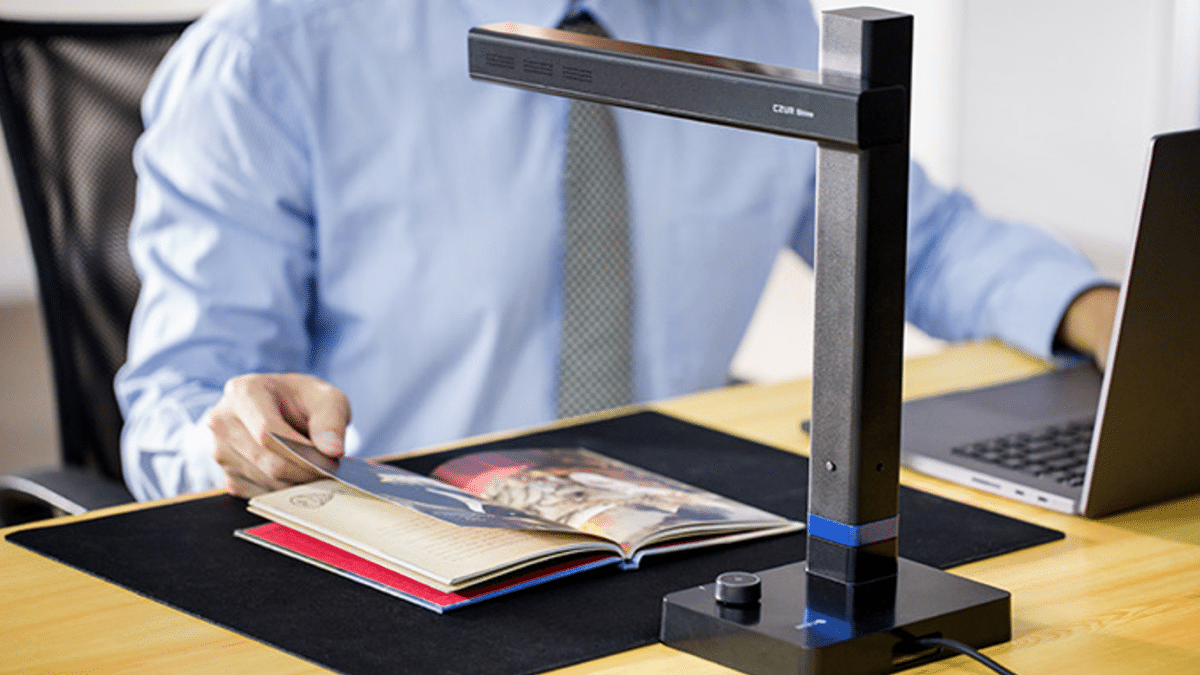
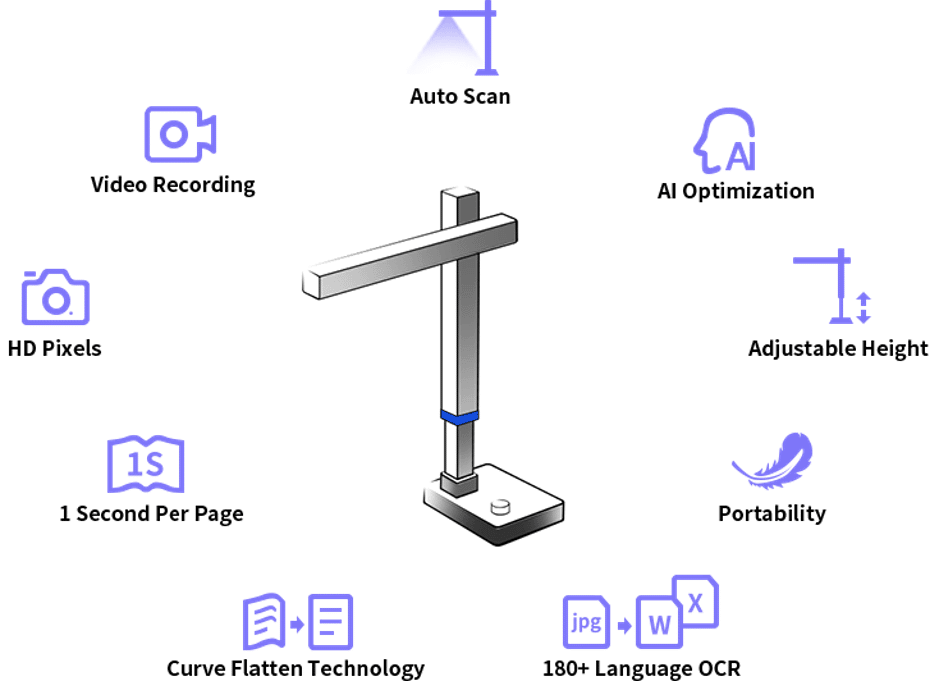
The CZUR Shine Ultra is a high-definition document scanner that stands out for its blend of portability and functionality, catering to the needs of professionals and educators alike. Its retractable design not only saves space but also simplifies the process of digitizing various documents and books.
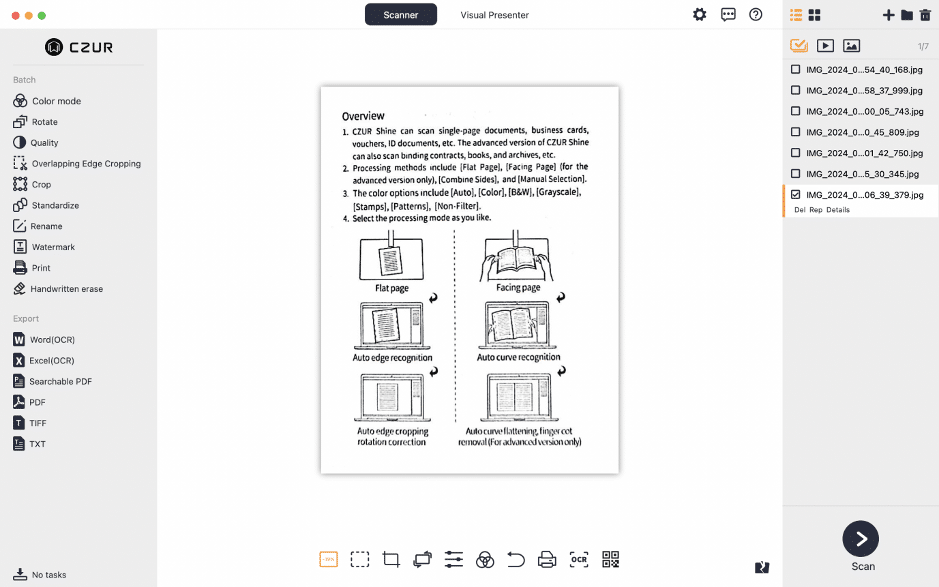
Among its array of features, the scanner offers multiple scanning modes such as Flat Single Page, Facing Pages, and more, each tailored to handle different types of documents efficiently. This flexibility ensures that users can select the mode that best suits the material they are working with, from single sheets to bulky books. Detailed information on each mode can be found in CZUR software manual, available here.
One of the most innovative aspects of the CZUR Shine Ultra is its Curve Flattening Technology. This feature allows the scanner to automatically adjust for the curvature at the spine of opened books, resulting in flat, distortion-free digital images. This technology, combined with Fingerprint Removal Technology, ensures high-quality scans without the need for physical contact with the document, preserving its integrity while eliminating smudges or fingerprints.
The device boasts an exceptional scanning speed, capable of digitizing documents in as little as 1.0 seconds per page. This rapid performance significantly reduces the time required to convert large volumes of material into digital form, enhancing productivity and efficiency.
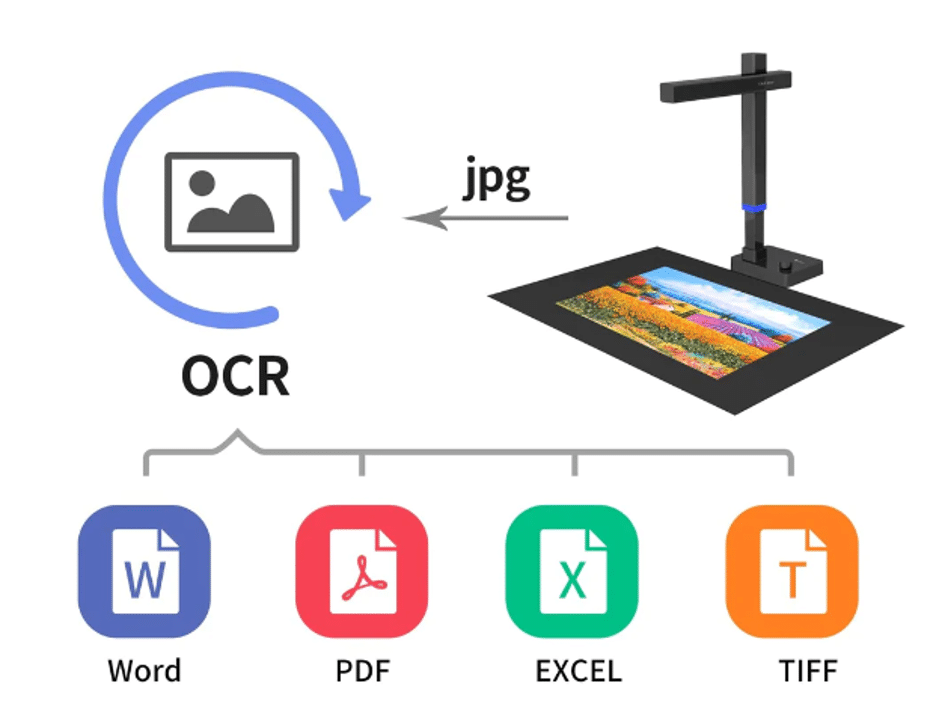
Furthermore, with extensive OCR support for over 180 languages, the CZUR Shine Ultra transforms scanned documents into searchable and editable formats. This feature is particularly valuable for creating digital archives or processing textual data for analysis.
Additionally, the scanner’s Visual Presenter functionality expands its utility beyond mere digitization, offering a dynamic tool for presentations and educational purposes. This allows for real-time display of documents or objects, enriching the learning and sharing experience. For a demonstration of its capabilities, please view the video here.
The CZUR Shine Ultra represents a significant advancement in document scanning technology, marrying speed and versatility with innovative features that streamline the digitization process. Its ability to produce high-quality scans swiftly, coupled with advanced image processing and OCR capabilities, positions it as a comprehensive solution for modern document management and presentation needs.
Complete the Setup
Setting up your CZUR Shine Ultra is a straightforward process. The device comes with a variety of accessories including a USB cable, a black mat, a foot pedal, and finger cots. These accessories enhance the functionality and ease of use of the Shine Ultra.
One of the key advantages of the Shine Ultra is its simplicity and convenience. Unlike many other scanners, it does not require a separate power supply. This makes it highly portable and easy to set up anywhere, whether you’re at home, in the office, or on the go.
After unboxing and assembling the scanner according to the user manual, you’ll need to install the appropriate software on your computer. Once the software is installed, you can connect the Shine Ultra to your computer, calibrate it, and start scanning.
Using Shine Ultra
The CZUR Shine Ultra is a versatile device with a variety of usage scenarios. Let’s explore some real-life examples.
- On-the-Go: The Shine Ultra’s lightweight and foldable design, combined with its plug-and-play functionality that doesn’t require a separate power source, makes it ideal for on-the-go scenarios. Whether you’re a student who needs to scan notes at the library or a business professional who needs to digitize documents while travelling, the Shine Ultra is a convenient solution.
- Home Office: In a home office setting, the Shine Ultra can help digitize important documents, receipts, or even books. Its high-resolution scanning ensures clear, readable scans every time.

- Classroom: The Shine Ultra isn’t just a scanner, it’s also a visual presenter. With its high-definition camera, educators can use it to display real-time images or videos to students. This can be particularly useful for science experiments, art demonstrations, or any lesson where visual instruction is key. It can also be used to magnify small objects or texts, making it easier for the entire class to see. The scanned images or recorded videos can be saved and shared with students for future reference, enhancing the learning experience.
- Art Studio: For artists and designers, the Shine Ultra can be used to digitize sketches, paintings, or other artwork with high-resolution scanning, preserving fine details and colors. This can be particularly useful for creating digital portfolios or sharing artwork online.
Final Thoughts
The Shine Ultra is not just a document scanner. It can also be used to scan books, magazines, and even objects. Its smart processing features like OCR (Optical Character Recognition) make it a useful tool for various applications, from academic research to business administration.
The CZUR Shine Ultra is priced at $199. However, you can get an 8% discount by using the code CZUR40 at checkout.
The CZUR Shine Ultra is a standout choice for those in need of a versatile, efficient, and cost-effective scanning solution. The device’s user-friendly software and robust OCR capability further enhance its utility, making it ideal for various professional and personal applications.











