
Image search is a powerful tool for finding related images based on a search term. But what if you have an image and want to know its origin or find similar pictures? That’s where reverse image search comes in.
Google Reverse Image Search on Mobile
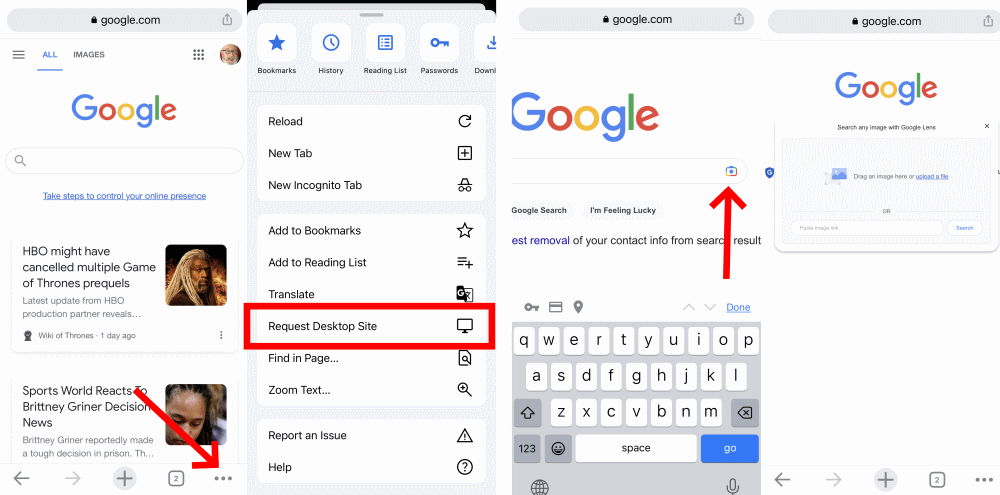
- Open images.google.com on your mobile browser.
- To access the reverse image search function, load the desktop version by following these steps: In Safari, tap the aA icon on the top left and select Request Desktop Site. In Chrome, tap the three-dot menu, scroll down, and choose Request Desktop Site.
- Once in the desktop version, the camera icon will appear in the search bar. Tap it.
- Upload an image from your camera roll or search by URL to initiate the reverse image search.
Additionally, depending on your phone, Chrome supports a reverse image search workaround. When you encounter an image in your browser that you want to search, press and hold your finger on it until a pop-up menu appears. From there, select “Search Google for This Image” at the bottom.

Please note that this method will not work in the Google app or other browsers, including Safari. It exclusively functions in Chrome.
If, for any reason, the above method fails, you can alternatively choose “Open Image in New Tab.” Copy the URL of the image, return to images.google.com, and paste the URL.
Either way, the reverse image search results will then appear, and you may need to click the “More sizes” option at the top to filter the displayed images.
You will also have options to refine your search, such as finding animated GIFs, clip-art equivalents, or exploring images with similar color schemes to the original.
Google Lens also provides a reverse image search option. Lens has its standalone mobile app, but it is also integrated into the Google app, Google Photos, and Google Assistant.
However, Lens primarily focuses on assisting you with tasks like instant translation, object identification, or product discovery, rather than solely finding the source image.
Bing Visual Search on Mobile
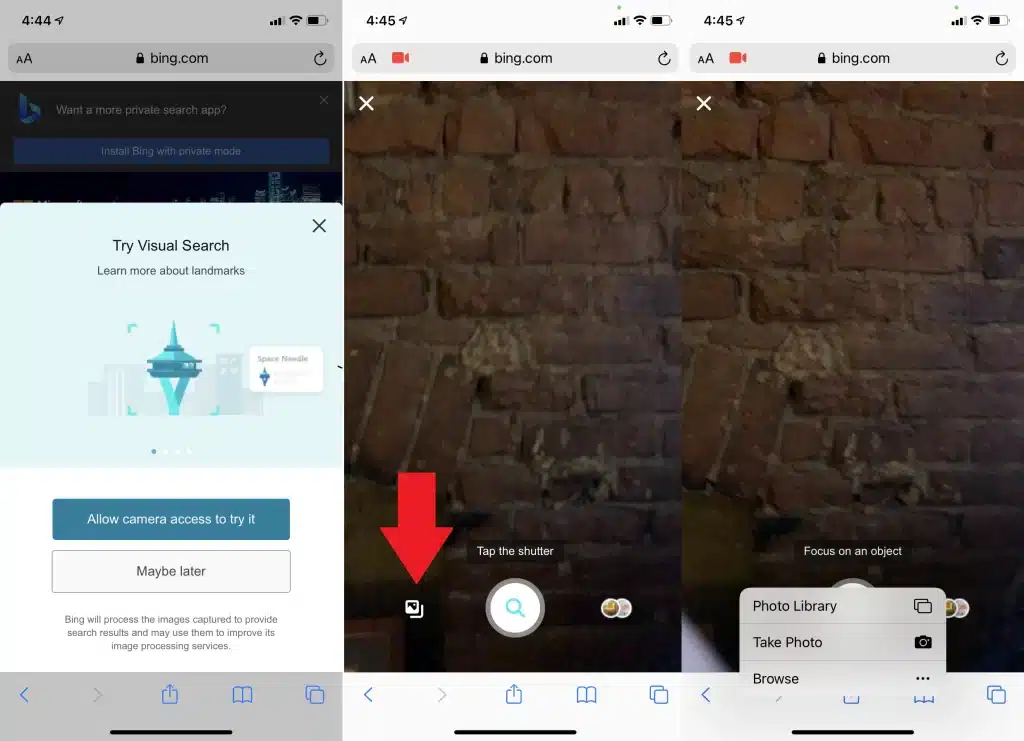
- Use the Bing app or any mobile browser with Bing.
- Tap the camera icon to access the visual search feature.
- Grant Bing access to your camera when prompted.
- Browse your photo library, take a new photo, or use third-party services like iCloud Drive, Google Drive, or Dropbox to select an image for the search.
Third-Party Image Search Engines
Several search engines specialize in image searches, but not all of them seamlessly integrate with default smartphone browsers. Here are a few noteworthy options.
TinEye
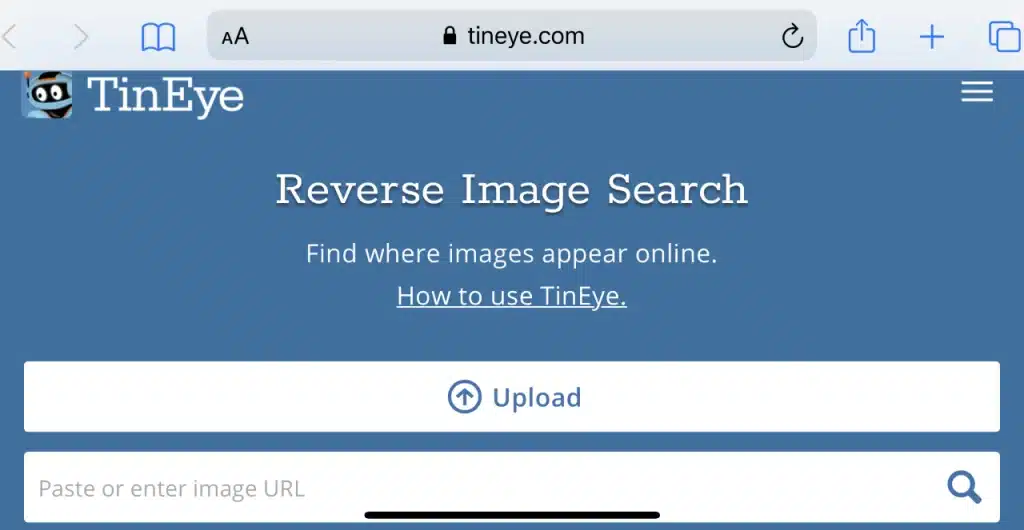
Based in Canada, TinEye has crawled over 56 billion images since its launch in 2008, making it one of the pioneering image search engines. TinEye allows searches via URL, upload, or drag-and-drop on desktops. On mobile devices, simply click on the upload (up arrow) icon to choose options such as taking a photo, using one from your library, or uploading from third-party services.
Image Raider at Infringement Report
Image Raider, which used to be a standard reverse image lookup tool, has now become part of the services offered by Infringement Report. This website is dedicated to assisting photographers, artists, and lawyers in locating works being used without proper attribution or compensation.
While using Infringement Report incurs a cost, it can be worthwhile if you are dealing with copyright infringement issues. You can still utilize the Image Raider tool on your mobile device to paste a URL or upload an image, although the results may be somewhat limited compared to the full-scale search.
Apps for Reverse Image Search
If you prefer using apps rather than browsers, there are dedicated reverse image search tools available for smartphones.
1. CamFind

Available for Android and iOS, this app allows you to take photos with your smartphone and search for similar items, including price comparisons for products.
2. Reversee

Free for iOS, this app directly searches the Google Images database for similar images. Upgrading to the pro version unlocks results from Bing and Yandex.
3. Reverse Image Search: Eye Lens

This iOS app adds an extension to other apps, enabling image searches within Photos, Facebook, and more. Results come from Google, TinEye, and Yandex.
4. Photo Sherlock
For $1.99 on iOS and free on Android, Photo Sherlock provides a comprehensive search of Google and Bing results. You can share photos from various apps, including dating apps, to ensure the authenticity of images.
By leveraging these tools and apps, you can unlock the full potential of reverse image searches on your mobile device. Whether you seek to discover an image’s origin, find similar pictures, or track down copyright infringements, these methods will provide you with the means to navigate the vast world of images with ease.











