
iLoungeiLounge
  • News
    • Apple
      • AirPods Pro
      • AirPlay
      • Apps
        • Apple Music
      • iCloud
      • iTunes
      • HealthKit
      • HomeKit
      • HomePod
      • iOS 13
      • Apple Pay
      • Apple TV
      • Siri
    • Rumors
    • Humor
    • Technology
      • CES
    • Daily Deals
    • Articles
    • Web Stories
  • iPhone
    • iPhone Accessories
  • iPad
  • iPod
    • iPod Accessories
  • Apple Watch
    • Apple Watch Accessories
  • Mac
    • MacBook Air
    • MacBook Pro
  • Reviews
    • App Reviews
  • How-to
    • Ask iLounge
Font ResizerAa
iLoungeiLounge
Font ResizerAa
Search
  • News
    • Apple
    • Rumors
    • Humor
    • Technology
    • Daily Deals
    • Articles
    • Web Stories
  • iPhone
    • iPhone Accessories
  • iPad
  • iPod
    • iPod Accessories
  • Apple Watch
    • Apple Watch Accessories
  • Mac
    • MacBook Air
    • MacBook Pro
  • Reviews
    • App Reviews
  • How-to
    • Ask iLounge
Follow US

Articles

Articles

QR Code Applications for Business

Last updated: Jul 27, 2019 5:16 am UTC
By Lucy Bennett
Oysso

A QR code generator can be an indispensable tool that provides quick, customer-centric and interactive solutions to businesses both big and small.


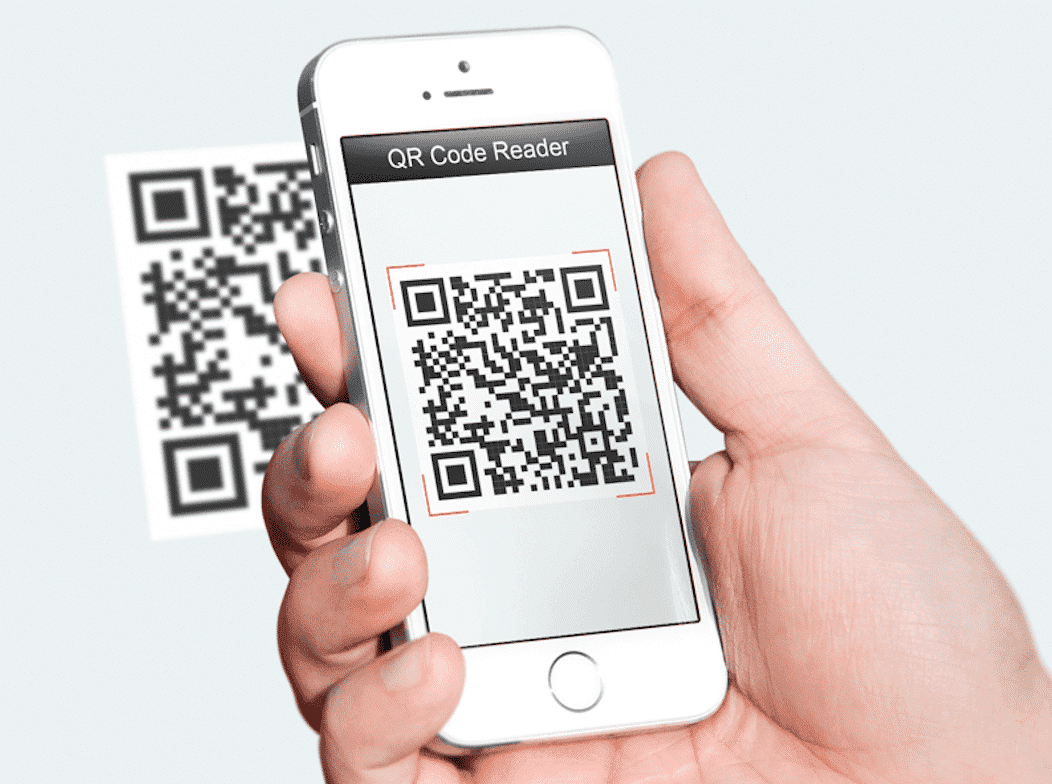
Customers can use their mobile phone’s camera to scan the QR code and get directions to the nearest physical store, a discount code, avail of special offers or to get important information regarding new products or services.
Oysso

Oysso

With Oysso, you can generate QR codes online! It’s 100% unlimited, non-expiring and easy to use.

How Can QR Codes Be Used For Business?

Information. Customers can scan QR to get to the business’ social media page, URL or landing page.

Promotions. Companies can have their audiences scan QR codes located in stores, for example, to get additional price cuts or freebies.


Business Card. An innovative way to present a digital business card will be to scan a QR code to get the company’s contact details.

Fun. A QR code can lead to a funny YouTube video or one that provides a demo of the product a customer just bought.

App Download. Customers can quickly get to the right app and download it to make their digital or electronic product work by scanning the QR.

Businesses can use any of the common applications for QR codes, or combine them for added effect. For instance, customers can scan the QR code on your business’ Facebook page to get directions to your restaurant, then dine in. They can scan another code to post a status update or to get a few dollars off on their next visit.

Moreover, your business can incorporate QR codes onto printed advertising material to save space and give customers the information they need to make a purchase or contact you for questions and concerns. A QR code can easily redirect the viewer to a special landing page where they can get more information before clicking the ‘buy’ button.



Latest News
The Apple Watch Series 11 46mm GPS Is $100 Off
1 Min Read
Clamshell Style iPhone Being Looked Into By Apple
1 Min Read
Foldable iPhones May Have the Largest Battery Ever
1 Min Read
Apple and TSMC’s 10-Year Collaboration May Be Ending
1 Min Read
The 13-inch M5 iPad Pro 256GB Wi-Fi Is $149 Off
1 Min Read
M5 Pro and M5 Max Chips for the MacBook Pro could Roll Out with macOS 26.3
1 Min Read
Mac Ordering Process Revamped
1 Min Read
Check Signed By Steve Wozniak and Steve Jobs Sold For $2.4 Million
1 Min Read
The Anker 140W 4-Port GaN USB-C Charger is $35 Off
1 Min Read
No iPhone Air 2 This Year, according to Latest Report
1 Min Read
New Report Corroborates Split iPhone Release Dates
1 Min Read
Apple Losing More Researchers As They Plan To Release 2 Siri Versions
1 Min Read

iLounge logo

iLounge is an independent resource for all things iPod, iPhone, iPad, and beyond. iPod, iPhone, iPad, iTunes, Apple TV, and the Apple logo are trademarks of Apple Inc.

This website is not affiliated with Apple Inc.
iLounge © 2001 - 2025. All Rights Reserved.
  • Contact Us
  • Submit News
  • About Us
  • Forums
  • Privacy Policy
  • Terms Of Use
Welcome Back!

Sign in to your account

Lost your password?








