

These days, PDFs dominate the workplace with contracts, invoices, research papers, scanned forms, and project reports being the most common examples. They are a gift that binds formatting and ensures universal readability, but this is not always the case when they become scattered. Imagine receiving 15 separate attachments for a client agreement or downloading an academic journal split into multiple parts. That’s where the PDF combining ability comes into one becomes essential.
At first glance, this appears straightforward. Search the web, and you will see dozens of free tools to merge PDFs. However, most of them turn out to be very annoying due to requirements such as file size restrictions, a daily cap on the number of merges, watermarks on every page, or a forced prompt for a premium subscription. For professionals, students, or businesses that use PDF daily, these limitations turn the simplest task into a pain.
That was the reason I set off to experiment with five popular PDF combining tools in 2025. Not just to see which application technically “worked,” but rather which presents smooth, reliable experiences; no hidden charges. And here is what I found to merge multiple PDFs and images easily and completely free.
The Testing Methods
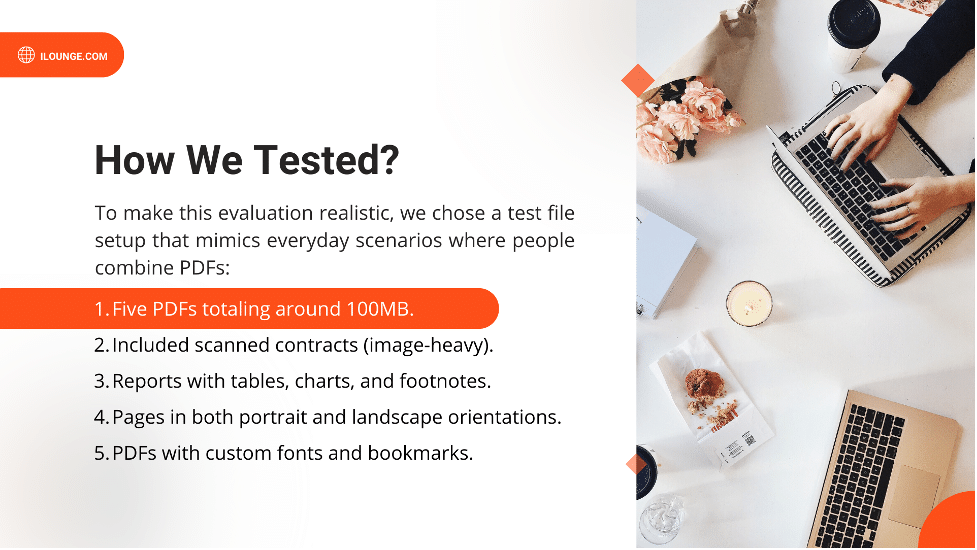
To make this evaluation realistic, I chose a test file setup that mimics everyday scenarios where people combine PDFs:
Type of Files Used
- 5 PDFs totaling around 100MB
- Included scanned contracts (image-heavy)
- Reports with tables, charts, and footnotes
- Pages in both portrait and landscape orientations
- PDFs with custom fonts and bookmarks
The Evaluation Criteria
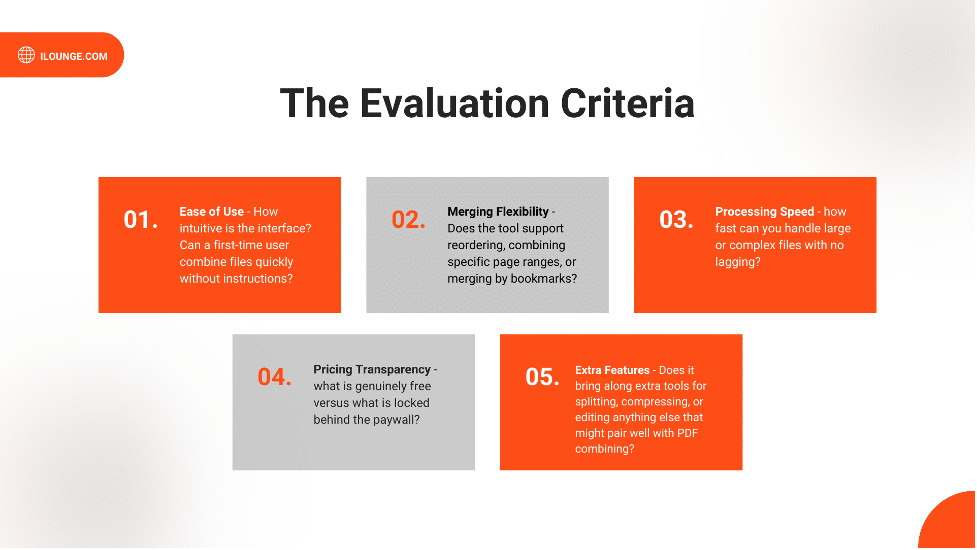
- Ease of Use – How intuitive is the interface? Can a first-time user combine files quickly without instructions?
- Merging Flexibility – Does the tool support reordering, combining specific page ranges, or merging by bookmarks?
- Processing Speed – how fast can you handle large or complex files with no lagging?
- Pricing Transparency – what is genuinely free versus what is locked behind the paywall?
- Extra Features – Does it bring along extra tools for splitting, compressing, or editing anything else that might pair well with PDF combining?
This methodology reflects real-world challenges: combining multi-part contracts, compressing files for email, or stitching lecture notes into a single study pack.
Tool #5: Smallpdf – Simple but Constrained
Test Setup
I uploaded the 5 PDFs to Smallpdf’s “Merge PDF” tool. The interface was clean – drag-and-drop uploads with a preview window for reordering.
Results
- Merged smaller files (under 30MB) smoothly
- Ability to rearrange pages before PDF combining
- Exported clean, watermark-free files
Limitations
- Free version limited to 2 tasks per day
- Larger files triggered an upgrade prompt
- Couldn’t merge by bookmarks or specify ranges across multiple documents
- Paid plans include:
- Pro Plan – $10/month (annual billing) or $15/month (monthly)
- Team Plan – $8/user/month (annual) or $12/user/month (monthly)
Verdict
Easy but restrictive. Great if you only occasionally need to combine small PDFs – say, submitting two forms as one document for a school application. But not reliable if you frequently handle large files or multiple tasks daily. Smallpdf is polished and quick, but better suited for casual users.
Tool #4: PDFCandy – Decent for Small Jobs
Test Setup
I combined the 5 PDFs into a single file, focusing on how it handled both image-heavy and text-rich content.
Results
- Successfully merged files without a watermark
- Allowed basic reordering of uploaded documents
- The download was quick for medium-sized files
Limitations
- Free plan limited to 100 pages per file
- Performance slowed significantly with large scanned files
- One free task per hour
- The following are the paid options available:
- Web Monthly Plan: $6/month — access to the web version with no hourly limits, up to 500 MB per task, and priority processing
- Desktop + Web Annual Plan: €4/month (billed annually, approximately $4) — includes both web and desktop tools, same task limits
- Desktop + Web Lifetime Plan: $99 (one-time payment) — lifetime access to both versions
User Scenario
Good for combining short, simple documents – like invoices or receipts for expense reporting. Not built for complex, large-scale PDF combining.
Verdict
Usable but capped. Practical for light tasks, but restrictions kick in fast.
Tool #3: Sejda PDF – Polished but Capped
Test Setup
I used both Sejda’s web and desktop versions to check consistency. Both supported rearranging, splitting, and merging by page ranges.
Results
- Intuitive, modern dashboard
- Could merge specific page sets or even/odd pages
- Supported multiple layouts without errors
Limitations
- Free tier capped at 50 pages or 3 tasks/hour
- Couldn’t batch-download individually merged files
- Advanced functions (like merging by bookmarks) required upgrading
- Below are the pricing options:
- Week Pass: $5 for 7 days of access to the web version.
- Monthly Subscription: $7.50 per user per month with recurring billing.
- Annual Subscription: $63 per user per year (about 30% savings compared to monthly)
User Scenario
A strong option if you only occasionally need to merge reports or presentations and don’t mind the hourly limit. Less useful for power users.
Verdict
Sleek but restricted. Sejda feels professional but operates like a “trial mode” unless you pay.
Tool #2: Adobe Acrobat Online – High Quality, High Cost
Test Setup
I uploaded the 5 PDFs, paying attention to how well fonts, tables, and images were preserved.
Results
- Thumbnail-based view made rearranging effortless
- Output fidelity was flawless – charts, fonts, and images retained
- Merged quickly for smaller files
Limitations
- Free plan restricted uploads to 20MB per file
- Forced login to download
- Paid plans start at $12.99/month or $9.99/mo (PDF Pack)
User Scenario
Perfect if you’re already subscribed to Adobe and want professional results. But for free users, it’s essentially locked.
Verdict
Top quality, but paywalled. Adobe delivers unmatched precision but isn’t accessible for casual or cost-conscious users.
Tool #1: iLovePDF 2 – Best Free Merge PDF Solution
Test Setup
I uploaded all 5 PDFs (~100MB total) into iLovePDF 2’s “Merge” tool, testing both speed and output quality.
Results
- Completed the merge in ~15 seconds with no errors
- Handled large files without compression or cutoff
- Preserved bookmarks, tables, and mixed orientations
- Offered post-merge options: compress, split, or re-merge selectively
Why It’s the Best
- Truly free – no file size or usage caps
- Flexible – merge by full documents or select specific pages
- Clean output – no watermarks, no formatting loss
- Extra features – compress large files, split sections, edit text
- No login required – instant, hassle-free usage
User Scenario
Ideal for professionals managing contracts, students consolidating lecture notes, or businesses archiving scanned reports.
Verdict
Fast, free, and unlimited. iLovePDF2 is the best overall choice for combining PDFs in 2025. For a step-by-step walkthrough, check out below YouTube video tutorial on how to combine PDFs for free.
<iframe width=”1216″ height=”584″ src=”https://www.youtube.com/embed/3CPXex6EdRQ” title=”Merge PDFs for Free with OCR | Combine PDFs and Images with Free PDF Merger” frameborder=”0″ allow=”accelerometer; autoplay; clipboard-write; encrypted-media; gyroscope; picture-in-picture; web-share” referrerpolicy=”strict-origin-when-cross-origin” allowfullscreen></iframe>
Comparison Table: Merge PDF Tools Ranked
| Rank | Tool | Ease of Use | Flexibility | Free Plan | Price (Paid) | Best For |
| 1 | ILovePDF 2 | 5/5 | 5/5 | Unlimited | Free Free Free | Anytime for large files, professionals, and students |
| 2 | Adobe Acrobat | 4/5 | 5/5 | 20MB cap, needs sign-in | $9.99/mo (PDF Pack)/$12.99/mo (Pro) | High-fidelity corporate merging |
| 3 | Sejda PDF | 4/5 | 4/5 | 50 pages or 3 files per hour | $7.50/mo (also $5 weekly / $63 yearly) | Light but polished tasks |
| 4 | PDFCandy | 4/5 | 3/5 | Up to 100 MB, one free task/hour | $6/mo (also $48/yr or $99 lifetime) | Small documents, personal tasks |
| 5 | Smallpdf | 3/5 | 2/5 | 2 tasks/day | $10/mo (annual) or $15/mo monthly | Occasional, lightweight use |
Suggestions for the Improvement of Tools
- ILovePDF 2 may strengthen its dominance by introducing a dedicated mobile or desktop application.
- Adobe Acrobat could appeal to a wider audience with a budget-friendly, “merge-only” subscription tier.
- Sejda would significantly improve usability if the hourly cap were removed.
- PDFCandy has room to grow by increasing file size and page limits for free users.
- Smallpdf could boost accessibility by raising its free daily task allowance and adding OCR-based merging support.
Common PDF Combining Frustrations (and Fixes)
Problem: File too large for the free tool
Fix: Use iLovePDF 2 – handles large PDFs without size caps
Problem: Need to merge specific pages only
Fix: Sejda and iLovePDF2 allow range selection and page picking
Problem: Output has watermarks
Fix: Avoid Fotor-style traps – choose tools that guarantee watermark-free PDF combining.
Problem: Forced sign-ups slow the process
Fix: Stick to tools like iLovePDF 2 that don’t require accounts.
Bottom Line
In today’s workflows, combining PDFs is more than a convenience – it’s a necessity. While many tools advertise free PDF combining, most bury frustrating restrictions behind paywalls, logins, or watermarks. Adobe Acrobat may set the standard for precision, but its cost places it out of reach for many. Sejda, PDFCandy, and Smallpdf are usable for light or occasional tasks, yet their limits quickly get in the way. iLovePDF2, on the other hand, delivers what others promise: unlimited, fast, and reliable merging without hidden strings. For professionals, students, and businesses alike, it’s the most practical choice in 2025.












