
Are you looking for a free office suite to work with text documents, spreadsheets or presentations on your mobile device? Are you tired of being dependent on the Microsoft software? If this is the case, you might be interested in giving ONLYOFFICE Documents a try.
What is ONLYOFFICE Documents?
ONLYOFFICE Documents is a free and easy-to-use app for iOS-based devices that allows you to create, edit and view text documents, spreadsheets and presentations on your iPhone or iPad. Also, the app makes it possible to have access to files stored in the cloud by connecting third-party platforms, such as ONLYOFFICE Workspace, Nextcloud, ownCloud, Dropbox, Google Drive, etc. Using the app, you can even edit documents collaboratively with other users in real time.
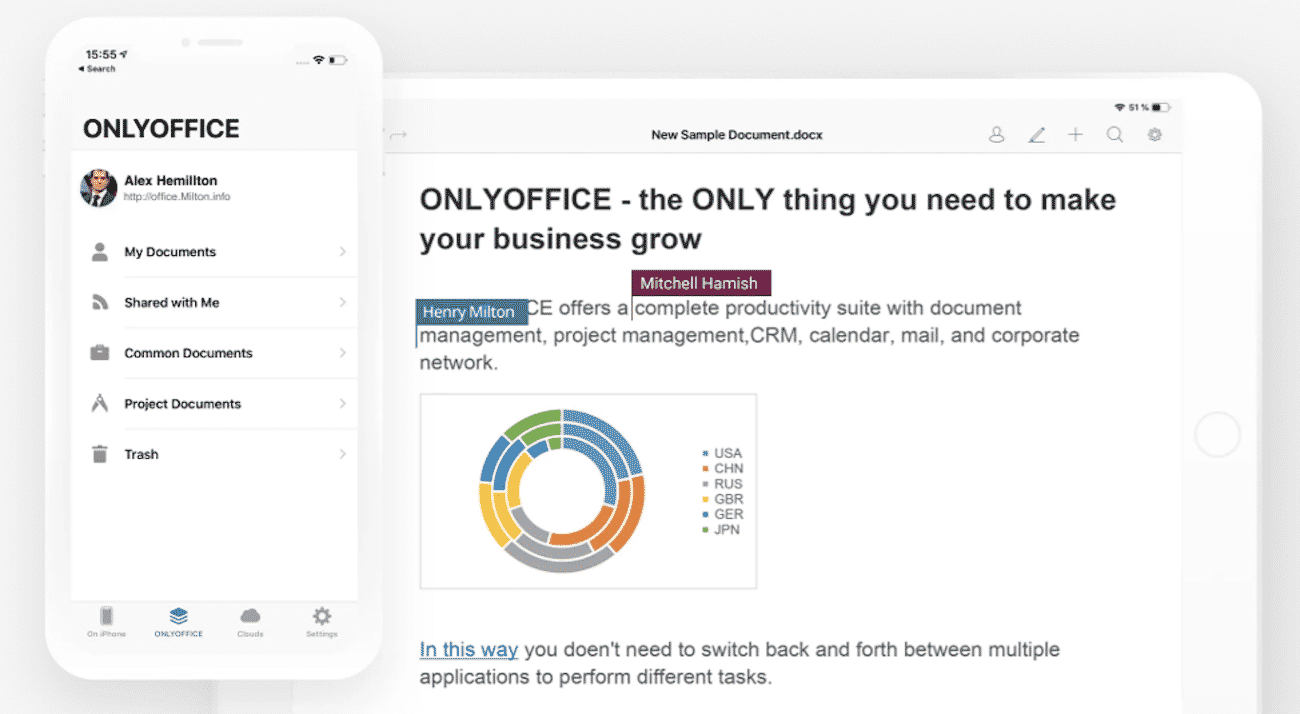
Main features
ONLYOFFICE Documents offers three editors that come with a set of editing and formatting tools making it easier to work with files on a mobile device. Using this app, you can:
- View and edit text documents, spreadsheets and presentations on device;
- Open PDF files and images for viewing;
- Play audio and video files;
- Manage files — copy, move, delete or sort them if necessary;
- Access file storages, like Dropbox, Google Drive, Box, Nextcloud, ownCloud and any other cloud service via the WebDAV protocol;
- Connect ONLYOFFICE Workspace for online collaboration;
- Co-author documents with other users in real time by leaving comments and tracking changes;
- Import files from third-party applications like iTunes, Files, etc;
- Print documents via AirPrint.
ONLYOFFICE is completely free and offers no paid subscriptions. Moreover, using the app, you will see no annoying advertisements, which makes the user experience more pleasant.
Text editor
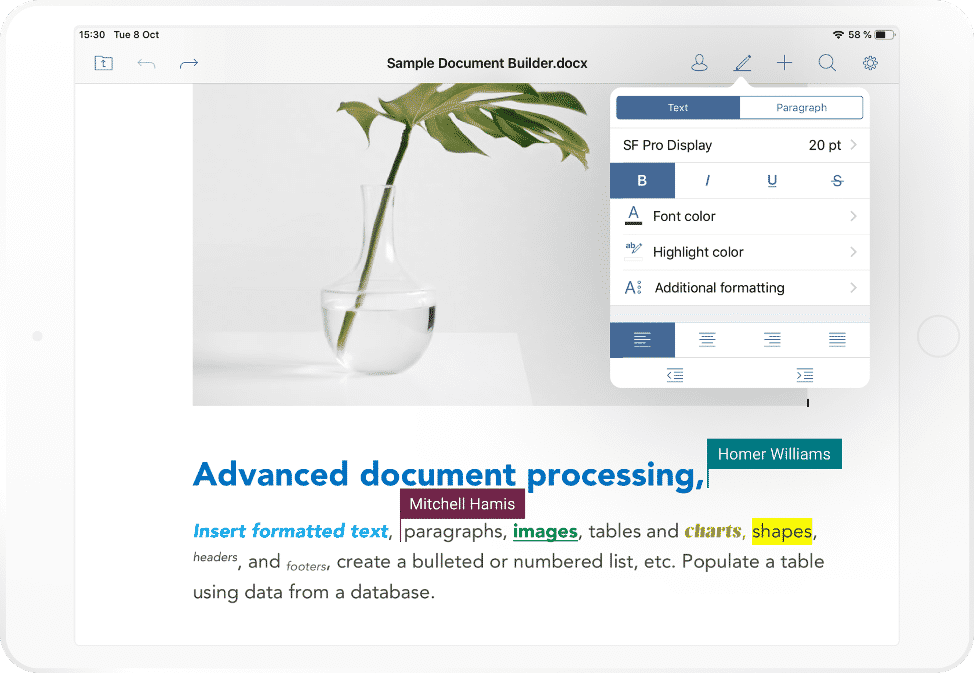
The ONLYOFFICE text editor comes with multiple text processing tools. You can apply different paragraph styles, change fonts, add bulleted and numbered lists, adjust line spacing, insert various elements (tables, images, charts, shapes, etc.) and much more. Thus, you can create text documents of any size and complexity and print them directly via AirPrint.
Spreadsheet editor
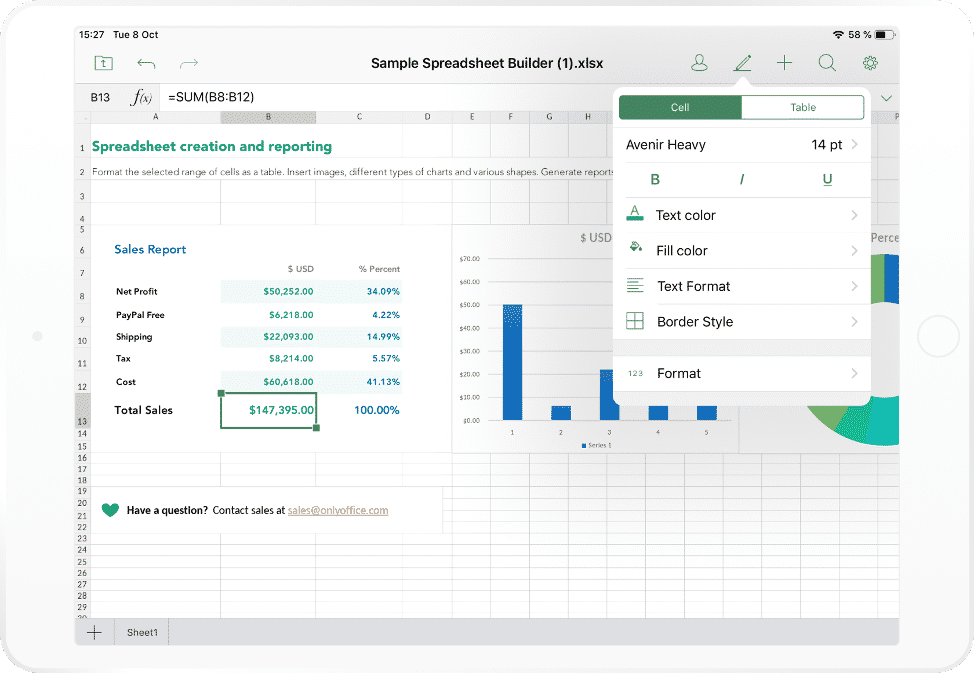
The spreadsheet tool allows you to manage data and perform basic calculations. You can edit and format text in cells, create as many sheets as you need, apply multiple cell styles, sort and filter data, insert images and links, work with rows and columns and use more than 450 formulas.
Presentation editor
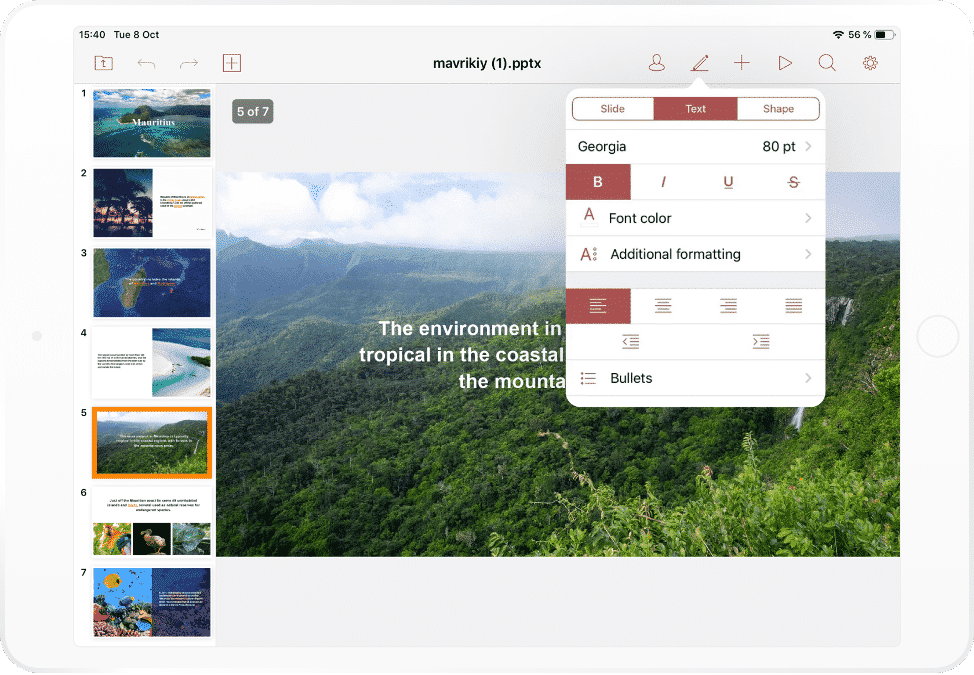
The ONLYOFFICE presentation editor makes it possible to create colourful slides. It lets you choose the required slide type and add as many slides as you need. Additionally, you can select a theme, change the background colour and layout, insert images and transitions, add visual objects (autoshapes, charts and graphs) to make your presentation visually appealing.
Collaborative features
If offline work with documents is not enough for you, there is a solution. You can connect ONLYOFFICE Documents to ONLYOFFICE Workspace (either deployed on-premises or in the cloud) or ONLYOFFICE Personal (a free cloud office for personal use) and start collaboratively editing files together with other users. Right from the app, you can share a document with an individual or a whole group giving them full access, read-only or review permissions. If necessary, you can deny their access at any moment.
While collaborating in real time, you can leave comments in the text for other co-authors as well as manage theirs — add replies, resolve, edit and delete any comment.
Also, you can enable the Track Changes feature that allows you to see the changes that were made to the document by others. If you like the changes, you can accept them all at once or review them one by one. If you don’t, please feel free to reject them. While using Track changes, you can switch between three display modes (Markup, Final and Original) to see the document with all the changes or only with the changes accepted/rejected.
Why download ONLYOFFICE Documents?
Of course, a mobile app can’t provide the editing experience that you would get using a desktop program. Mobile platforms imply some restrictions in document editing but in some situations, it’s vitally important to be able to quickly make some changes to a document on the go without having access to a computer or laptop. And this is when ONLYOFFICE Documents shines.
This app is free, and its functionality is available without any in-app purchases. You can download and use it to create and edit text documents, spreadsheets and presentations on device. The ability to connect third-party files storages allows you to keep and manage all your documents in one place, which is very convenient.
The app is also good if you want to stay in touch with your colleagues or friends, as it lets you share and co-edit files online wherever you are.
Overall, ONLYOFFICE Documents is an alternative office suite for iOS that is great both for online and offline document editing. Download it from App Store right now:











