
Apple Music is popular among iOS users for Apple’s seamless ecosystem and its extensive music library. Its vast collection of songs, albums, and playlists has attracted many people. However, users also find that after the subscription expires, they can’t listen to the downloaded music anymore. Well, this vexing point can be addressed by MuConvert Apple Music Converter, which allows you to convert Apple music to MP3 for offline listening without limitations. In the following part, this post will give you a deep review of MuConverter Apple Music Converter, enabling you to grasp its key features and details.
Introduction of MuConvert Apple Music Converter
MuConvert Apple Music Converter is a tool designed to convert Apple Music songs into different formats, making it possible for you to enjoy Apple Music on various devices and platforms. It allows you to listen to Apple music even if your subscription expires.
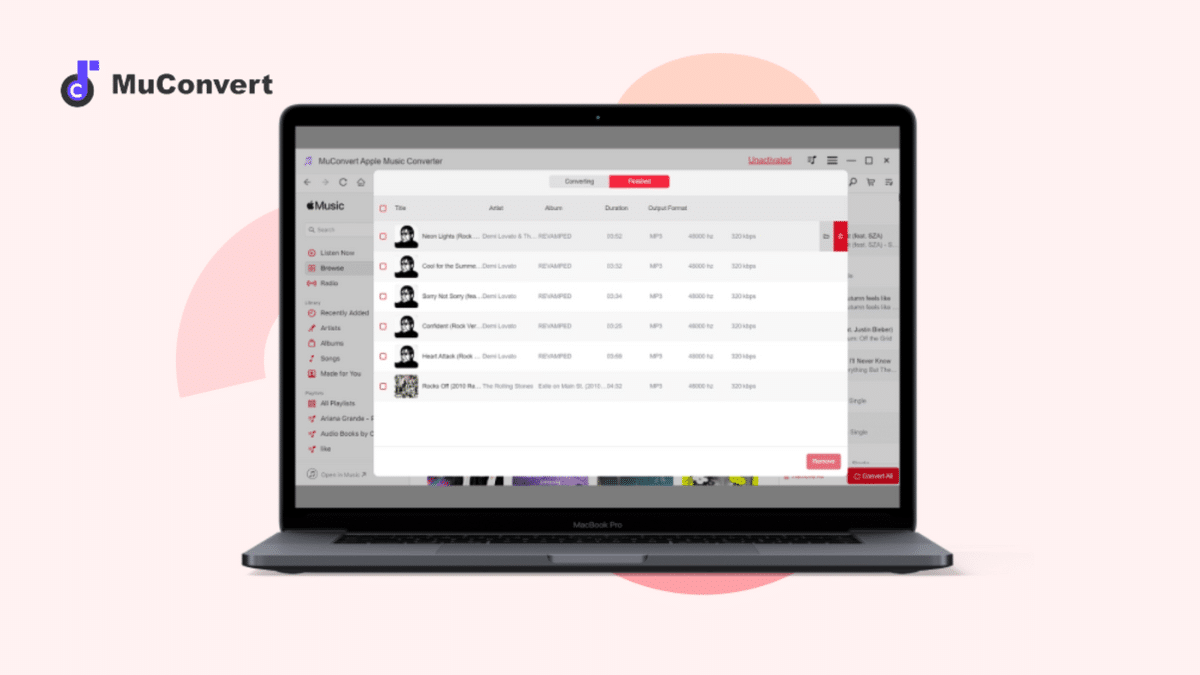
By converting Apple Music with MuConvert, you can obtain music files that are compatible with a broader range of devices and enjoy Apple Music more freely!
Key Features of MuConvert Apple Music Converter
MuConvert Apple Music Converter stands out as an effective tool for people like you seeking to unlock the full potential of the Apple Music library. Its key features collectively contribute to its appeal. Let’s give it a look!
Superior Music Output Quality
MuConvert Apple Music Converter is designed to maintain the original audio quality of Apple Music songs during the conversion process. You can change the sample rate from 22050hz to 48000hz, and the bit rate from 128kbps to 320kbps according to your needs. This ensures you enjoy music without compromising on sound quality.
DRM-Free Output Formats
MuConvert Apple Music Converter supports a variety of output formats, including popular ones like MP3, M4A, WAV, and FLAC. As MuConvert specializes in removing the DRM protection from Apple Music tracks, and by removing it, you can choose the format that best suits the needs and requirements of different devices.
Advanced Conversion Technology
MuConvert is optimized for efficient conversion, providing you with a fast and smooth experience when converting Apple Music files. The converting speed can be set at up to 10x. You can convert multiple Apple Music songs simultaneously with MuConvert, saving time and effort.
User-Friendly Design for Effortless Operation
MuConvert Apple Music Converter features an intuitive and user-friendly interface. The built-in Apple music web player makes it easy to follow and accessible to users with varying levels of technical expertise. With clear instructions, the straightforward design simplifies the operation and the conversion process.
Preservation of Original ID3 Tags
MuConvert Apple Music Converter preserves the ID3 tags of a music file, including details like the title, artist, album, genre, album art, etc. It allows you to easily identify and organize your downloaded music based on relevant information. With MuConvert, you will not only get high audio quality of the music but also the accompanying metadata.
How to Convert Apple Music to MP3 using MuConvert Apple Music Converter
With accessively attractive features, MuConvert Apple Music Converter provides accessively easy usage. Try to follow the steps below to start your conversion journey. From now on, enjoying Apple Music without limitations will not be a problem anymore!
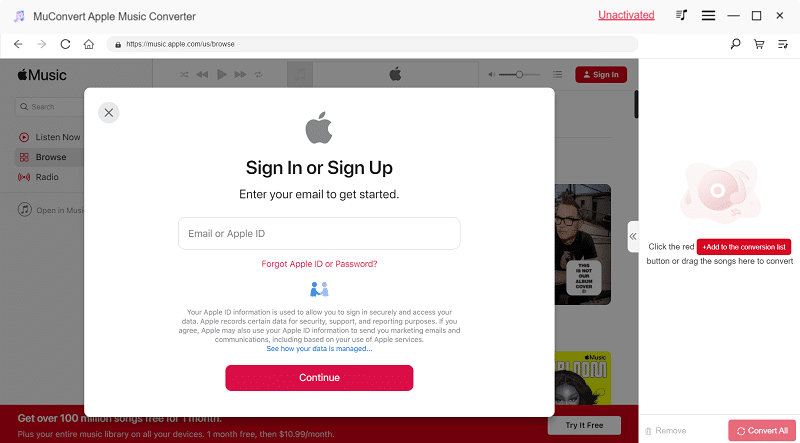
Step 1. Download and install MuConvert Apple Music Converter. Open MuConvert on your computer, and sign in with your Apple ID.
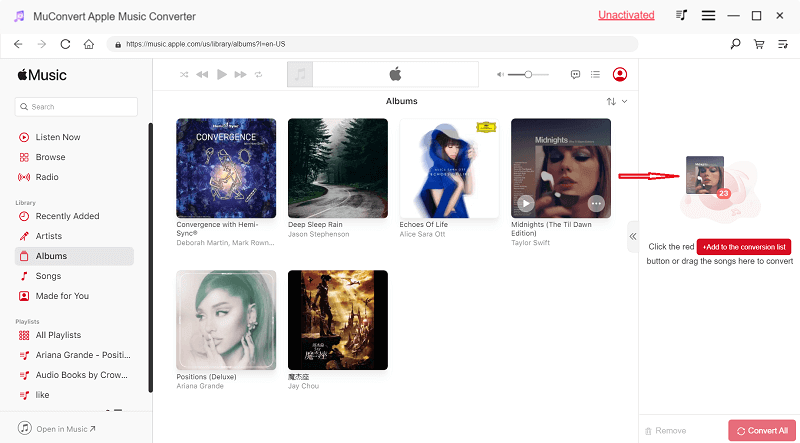
Step 2. Choose the Apple Music files you want to convert. Then, drag the music you want to download onto the download bar on the right side of the page.
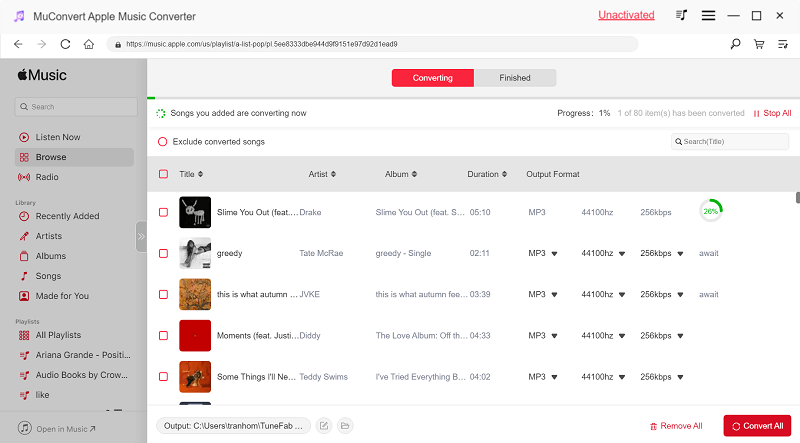
Step 3. Tick the songs you want to download. Find the output option as shown below. Select “MP3” or your preferred format from the available options.
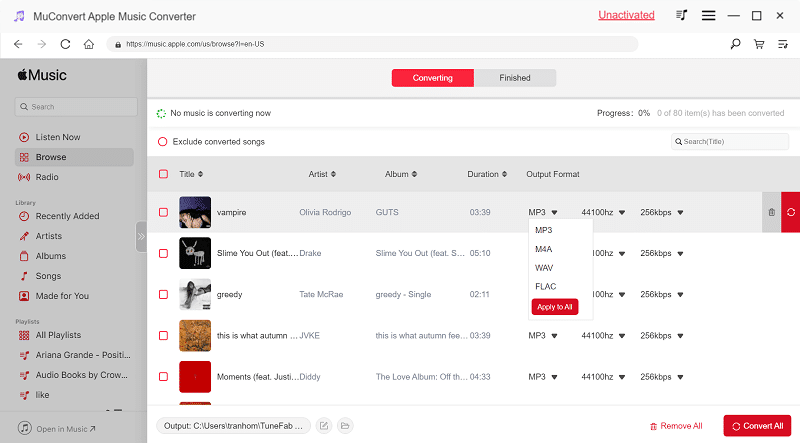
Step 4. Finally, Click “Convert All” in the down-right corner to initiate the conversion process. Once the conversion is complete, you can freely enjoy app music without subscription barriers.
System Requirements
Now, you must be clear about the specific steps of how to use MuConvert Apple Music Converter to convert Apple Music into MP3 files. The next step is to figure out whether your downloading device can support you to do so. Check the parameters below:
| MuConvert Apple Music Converter System Requirements |
| Windows Operating System | Windows 7 or later on 64bit required |
| Mac Operating System | Mac OS X 10.12 or higher (5X speed is not supported) |
| Processor | 1GHz Intel/AMD processor or above |
| Resolution | 1024×768 display or above |
| RAM | 512MB or higher of RAM |
Pricing and Subscription Plans of MuConvert Apple Music Converter
MuConvert Apple Music Converter has different pricing and subscription plans, striving to provide its customers with the most suitable choices. Absolutely, MuConvert offers you the chance to experience its performance. The free trial is open to all new users. Don’t hesitate to press the download button to give it a try!
1-Month Plan: $14.95
1-Year Plan: $59.95
Lifetime Plan: $89.95
Achieve free tech support/lifetime update with any of above plans.
Safety of Using MuConvert Apple Music Converter
MuConvert Apple Music Converter is 100% safe to use. Many tools in the market may pose risks, including the potential for viruses or malware, however, MuConvert won’t let you have such worries. It’s totally virus-free and ad-free. Everything will be easy and clean, without any hidden danger. What’s more, using MuConvert Apple Music Converter won’t put your account at risk of being banned. You are allowed to use MuConvert worry-free.
Conclusion
In conclusion, MuConvert Apple Music Converter is a wonderful tool for users seeking to unlock the full potential of their Apple Music library. Its key features, including DRM removal, support for various output formats, user-friendly interface, and fast conversion speed, collectively contribute to its appeal. MuConvert’s ability to enhance the flexibility and accessibility of Apple Music content makes it won’t go wrong choice for those looking to elevate their music streaming experience.











