
Introduction
This review delves into the features and performance of PDFelement, one of the popular PDF editors for Mac, to assist you in determining if it’s the ultimate solution for your PDF-related tasks on Mac. This user-friendly evaluation aims to reveal whether PDFelement stands out as the perfect choice among PDF editors for Mac.
Part 1. Overview of Wondershare PDFelement
At the onset, Wondershare PDFelement is like any other PDF editing tool. It offers everything you’ll expect from one: annotation, text editing, PDF combining and converting, and other file manipulation tools. Where it shines is its ability to combine all these distinct PDF features into one intuitive and user-friendly tool.
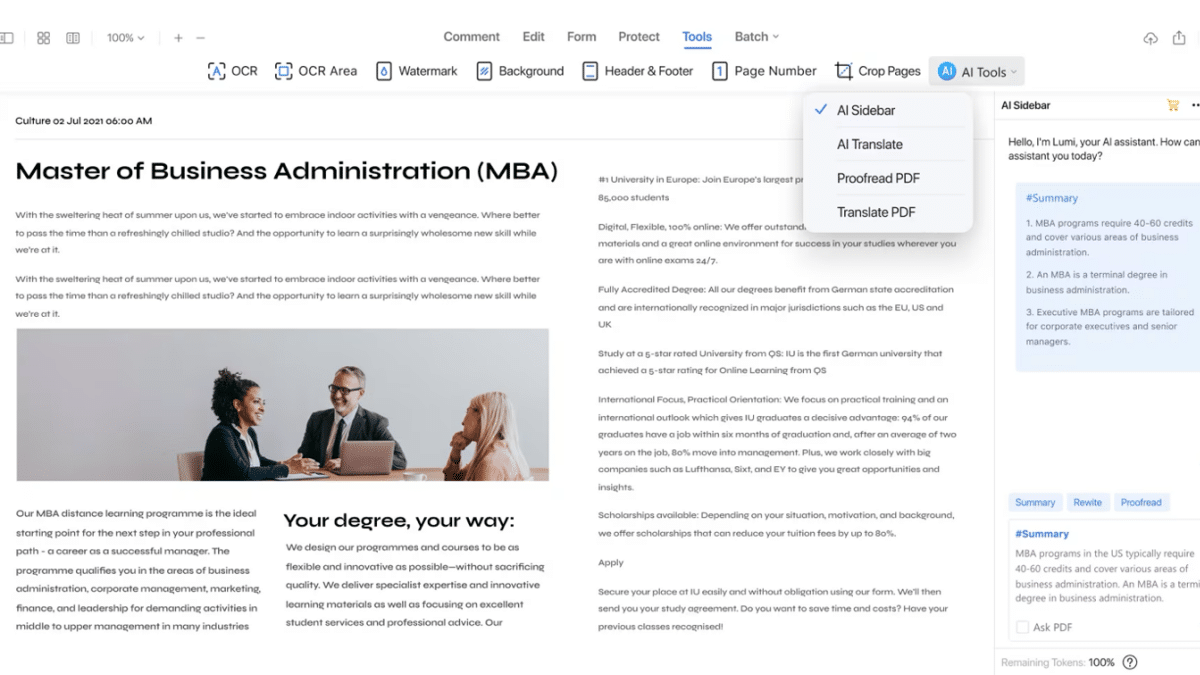
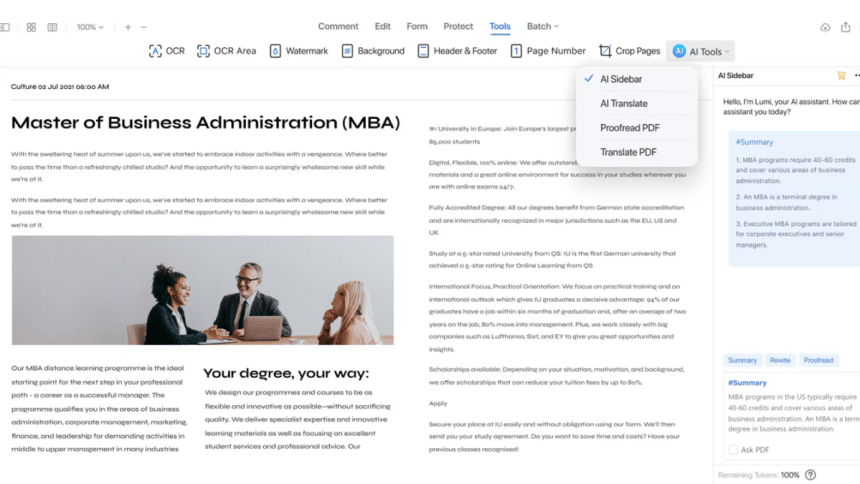
Furthermore, PDFelement offers AI tools such as translation and a dedicated chatbot to help you better understand or analyze PDF texts. It also supports Optical Character Recognition to help you with those pesky, unsearchable PDFs.
Overall, Wondershare PDFelement is a powerful PDF editor for Mac that has everything you need – and more. In the following parts, we’ll review its features and overall effectiveness as a tool.
Part 2. An Overview of the Features of Wondershare PDFelement
Here’s an overview of the features of Wondershare PDFelement:
- Powerful editing capabilities. Modify text, add or remove content, and alter text properties precisely, offering a comprehensive toolkit for effortlessly refining and customizing PDF documents.
- AI tools. Featuring an AI chatbot, translation, and proofreading tools, PDFelement leverages artificial intelligence to enhance the editing experience, providing intelligent assistance for efficient and error-free document handling.
- Sign PDF. Seamlessly authenticate and secure documents by electronically signing PDFs within PDFelement, ensuring a streamlined and fast process for document verification.
- Batch PDF processing. Accelerate workflow efficiency by swiftly handling multiple files simultaneously. This saves you time and effort when managing large volumes of documents.
- PDF conversion. Enjoy versatility in file formats with PDFelement’s robust PDF conversion capabilities, facilitating seamless transitions between different document formats.
- Scan PDF. Effortlessly digitize physical documents by scanning them directly into PDFelement, providing a convenient solution for transforming hard copies into digital files.
- PDF OCR. Unlock the potential to convert scanned PDFs or images into editable and searchable text, enhancing document accessibility and usability.
- Compress PDF. Optimize file size without compromising quality, making document sharing and storage more efficient with PDFelement’s compression feature.
- Annotate PDF. Foster collaborative document review by adding comments, highlighting sections, and inserting annotations, facilitating effective communication and feedback within PDF documents.
- Organize PDF. Streamline document management by arranging pages, merging or splitting documents, and ensuring a structured and coherent flow within PDFs.
- PDF form creation and editing. Tailor documents to specific needs by effortlessly creating and editing PDF forms, providing a versatile solution for users engaged in form-centric workflows.
Part 3. A Review of Wondershare PDFelement’s User Experience
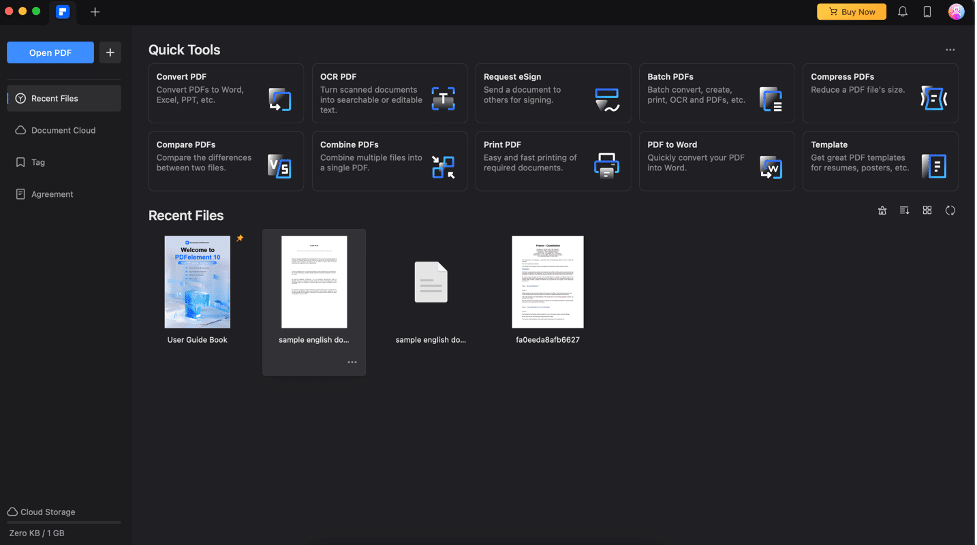
Navigating Wondershare PDFelement begins with a visual treat—a sleek and beautiful homepage. Accessibility is paramount, as all necessary tools are effortlessly within reach.
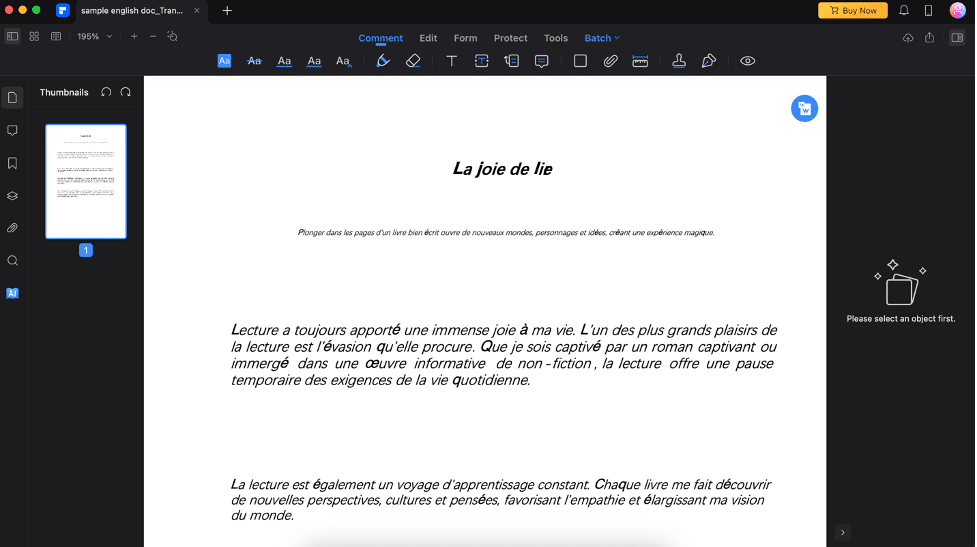
When delving into PDF editing, a well-designed interface awaits. While lacking labels for buttons in editing mode, intuitive icons compensate for clarity. If you need more clarification, hover over the icons to see what they do.
Wondershare PDFelement in Action
Amid a demanding study session, PDFelement did well as my companion. It’s incredible how it seamlessly blends powerful editing capabilities into a study session. In the annotation mode, adding insightful comments or highlighting crucial information is easy by simply clicking or dragging through text. The AI tools, from chatbot assistance to swift translation and proofreading, redefine real-time efficiency.
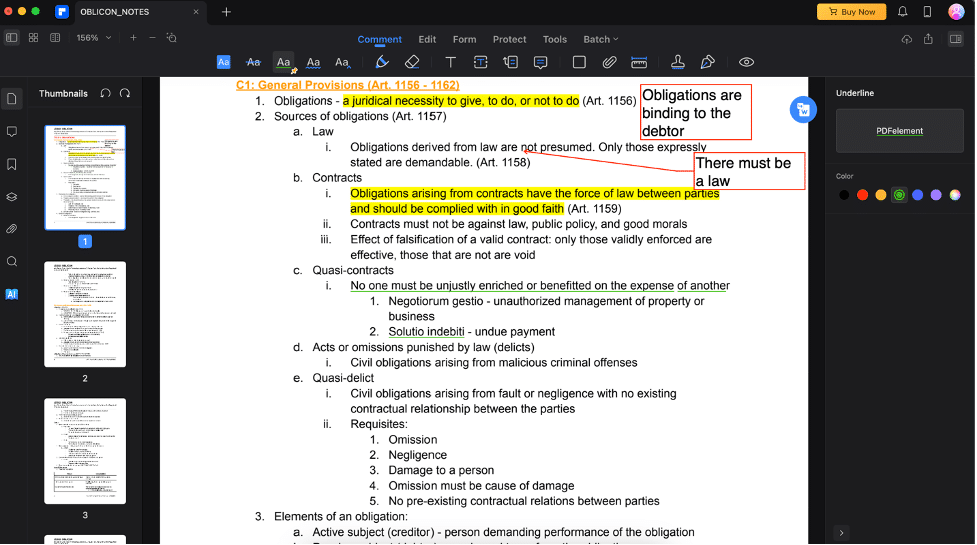
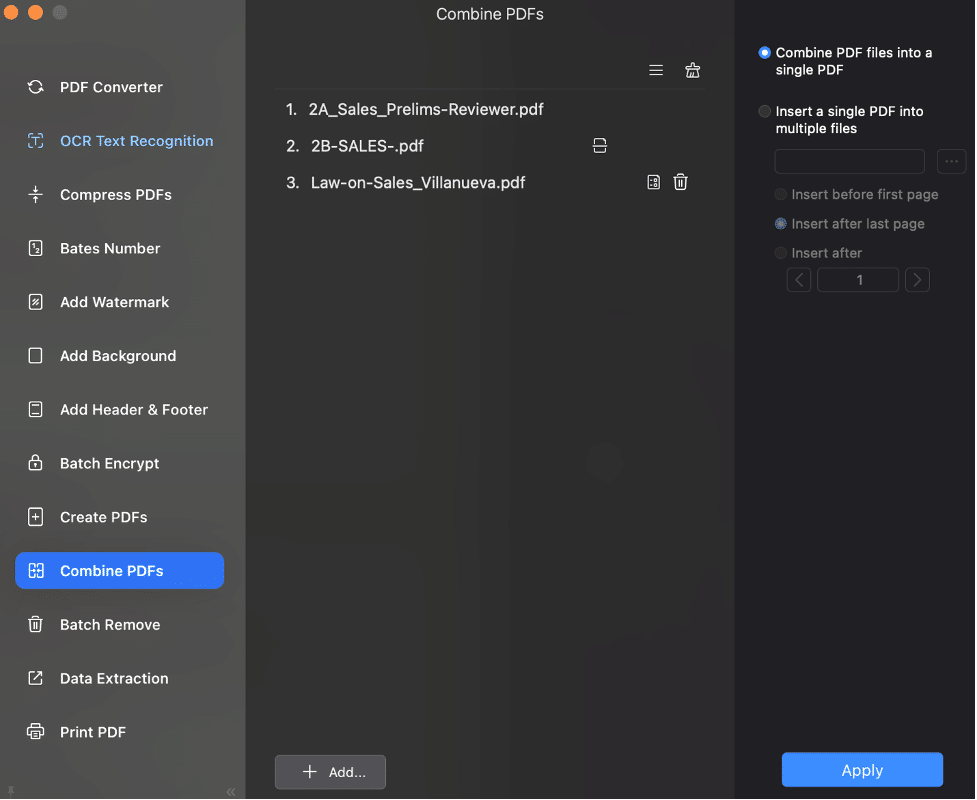
Further, signing and managing multiple PDFs become second nature with the batch processing feature. This way, all the review materials I needed were compiled into one file, removing the need to switch files whenever new information was needed.
User Reviews on Wondershare PDFelement
While looking for user reviews to help choose a PDF editor for Mac, I later realized that many people shared my sentiments as I used it.
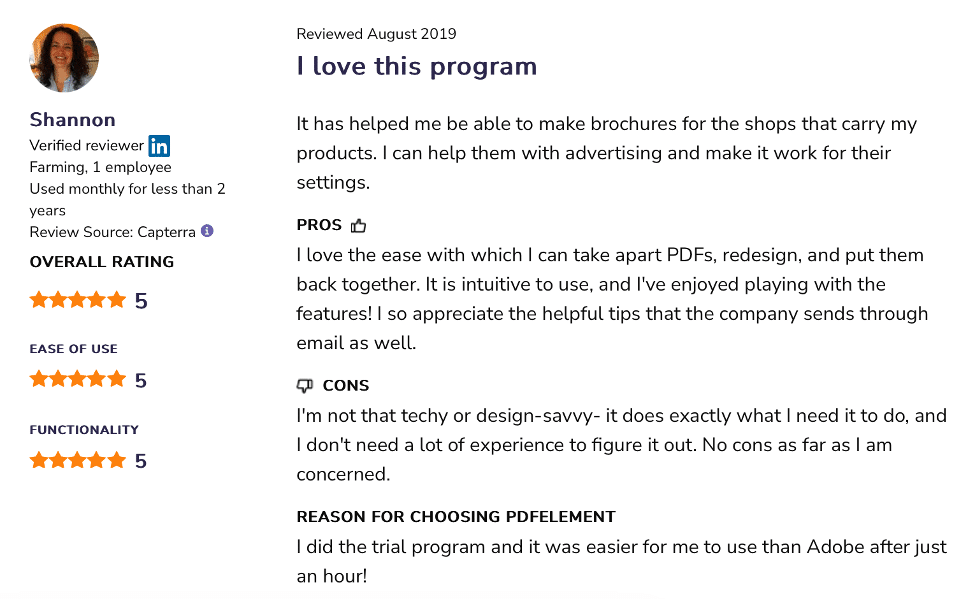
For example, this comment from Software Advice by user Shannon highlights the program’s intuitiveness and ease of use. She even goes so far as to state that Wondershare elements were easier to learn versus Adobe.
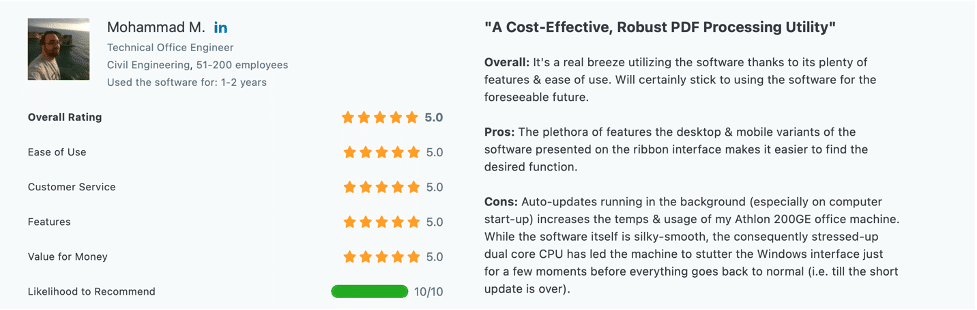
Further, user Mohammad M. from Capterra also says that PDFelement has many features – and they’re all very effective. This proves that Wondershare PDFelement is not your normal PDF editor for Mac. It gives you features that are usable and powerful.
Part 4. Prices and Plans of PDFelement
Of course, one of the most important considerations for a tool is its price. Thankfully, Wondershare PDFelement can deliver all its powerful features for an affordable price. Here’s an overview of the prices:
- US $29.99 – Quarterly Plan
- US $79.99 – Annual Plan
- US $129.99 – Perpetual Plan
If you’re a student like me, I have some good news. Wondershare PDFelement offers everything for the cheaper US $47.99 annual plan and only US $99.99 for the perpetual plan.
Also, Wondershare PDFelement offers a free 7-day trial. You can check out its features and how it feels before committing and paying upfront.
Part 5. System Requirements
Of course, Wondershare PDFelement for Mac, as a tool, also needs its computer resources to work. Here’s what it needs from your end:
- Supported OS: macOS 10.15 to macOS 13 (Apple M1, M2 Compatible)
- Processor: Intel Pentium 4 or higher processor on your Mac.
- Memory: 512 MB of memory (RAM), 1 GB recommended
- Disk Space: 1.5GB of free hard disk space for application files
As you can see, it’s pretty light even if it offers tons of features. That’s a great pro for this app.
Verdict on PDFelement
Wondershare PDFelement impresses with its versatile features and user-friendly interface, offering a robust solution for Mac users. It should definitely be your go-to PDF editor for Mac.
Here’s a concise overview of its pros and cons to help you decide:
| Pros | Cons |
| Powerful editing features Low system requirements Affordable pricing Easy-to-learn Has a free version/Trial version for access to all features | AI tools are only accessible in Pro (paid) mode Lack of labels in PDF editing mode may be a hassle for some |
Conclusion
In conclusion, navigating the demands of the digital era as a student or professional requires a reliable PDF editor for Mac. Through this review, you’ve discovered that Wondershare PDFelement is a commendable choice. This tool does its best to elevate user experience, recognizing the widespread adoption of Macs for enhanced productivity.
Its intuitive interface and robust features streamline document editing and contribute to an efficient and organized workflow. As you navigate the evolving landscape of digital demands, having a trusty companion like PDFelement ensures that Mac users can meet the challenges of a dynamic environment. This will empower them to excel in their academic or professional endeavors.











