
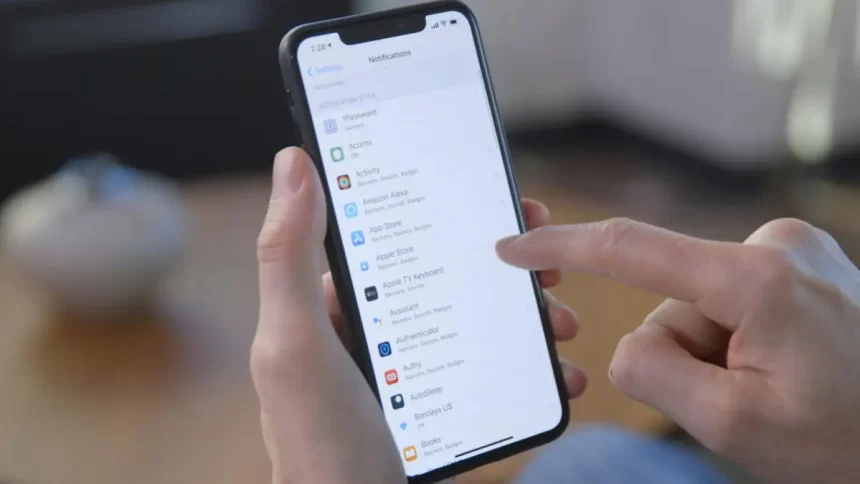
It’s no secret that most Big Tech companies harvest user data. Apple, on the contrary, stands out as a privacy-friendly business, and the iOS ecosystem has outstanding security features. With iPhone 15 just a summer away, Apple is already testing the iOS 17, and we have much information regarding its security improvement.
Whether you’re new to iPhones and iPads, or an old-timer, most users do not utilize all these devices have to offer. Some features aren’t explicitly stated, and sometimes the lack of cybersecurity knowledge causes some doors to be unlocked.
Below you’ll find tips on maintaining a secure iOS ecosystem in 2023.
Enable Advanced Data Protection for iCloud
The long-awaited feature was included in iOS 16.2 update and provides end-to-end encrypted iCloud backups. End-to-end encryption means the files can be accessed solely by the owner that uploaded them to the cloud. Even if iCloud leaks data (which has happened before), no third party can decrypt and misuse it, nor can files be accessed by Apple employees or law enforcement.
Advanced-Data Protection is particularly important for users who store private or work-related information on iCloud. Here’s how to turn it on:
- Enable two-factor authentication for Apple ID;
- Make sure your device is updated to iOS 16.2 or later;
- Go to Settings -> [Your name] -> iCloud -> Advanced Data Protection -> Account recovery. Set up at least one recovery option;
- Head back to the Advanced Data Protection tab and turn it on.
Be careful about setting up the recovery options, and write the recovery key somewhere safe. Because end-to-end encrypted data cannot be accessed by anyone other than the owner, you cannot retrieve it if you lose access and the recovery code.
Updates to Safari Private Browsing
Private browsing is the equivalent of Incognito mode on Chrome, but better. Apple is enhancing private browsing to resist advanced tracking and fingerprinting surveillance and prevent websites from following users across multiple pages. They will add more privacy-friendly photo-sharing options, strip URLs of tracking information, and a lock feature on private browsing when the user is away from the device.
Additionally, Safari will now autofill one-time verification makes, protecting them from spyware. However, we’d like to mention that using a professional third-party password manager is still the best way to secure iOS accounts from unauthorized access. Storing passwords in a browser is not a good idea as they are not primarily cybersecurity software. You will make your iOS ecosystem way more secure if you utilize its built-in security features like multi-factor authentication and additional cybersecurity software.
New Check-In Feature
Let’s not forget that physical security is just as important as online privacy. The Check-In feature looks very promising. It allows the user to set up a travel destination and let selected contacts know when they arrive. If the user changes direction and moves away from the destination, Check In can issue warnings, including the user’s location, battery level, and other useful information.
This feature sounds amazing for tourists and families. Most of us already have a habit of updating family members on the voyage status, and this comfy feature automates it. Furthermore, you don’t have to worry about contacting someone in case of trouble, as Check-In will send them crucial details immediately.
Use Find My Phone
Losing your phone happens even to the most careful, and most smartphone brands already have a solution. Apple’s is called Find My Phone, and it’s self-explanatory. It will reveal the iPhone’s location even if it’s turned off or disconnected from Wi-Fi, although it’s best done within 24 hours. Furthermore, you can order the phone to start playing a sound, which is amazing when you lose it in the house. Here’s how to enable it on iOS:
- Go to Settings;
- Navigate to Find My;
- Tap on Find my [device] and turn it on;
- Enable Find My Network if you believe your device is offline;
- Enable Send Last Location to have the device location sent to Apple when the battery is dying;
- Enable Share My Location to share it with friends or family.
This feature only works if your Location Services are on. Navigate to Settings -> Privacy & Security -> Location services and turn it on.
Conclusion
Apple is continuously upgrading its ecosystem with new privacy and security features, and it looks like iOS 17 has much to offer. Although there will undoubtedly be more improvements, we outlined the ones we believe are extremely important with current online surveillance and cybercrime status.











