
Virtually all iPhone and iPad users should set the iOS password for individual devices. This forces anyone who tries to use the device to enter the password before they can unlock it or access anything on the device, and also requires the same password before any user can make changes to some system preferences. Setting a device access code is very simple and if your iOS device never leaves home, work or school, or has no personal data on it, it should be considered an easy but necessary security tip for all users to secure their device and data.
Why is your iPhone/iPad/iPod Touch turned off? Invalid access code entries are responsible for this problem. A locked iOS device is only available with a PIN or Touch ID. If you or others incorrectly enter the password too many times, iOS will turn off your device to protect your data and privacy.
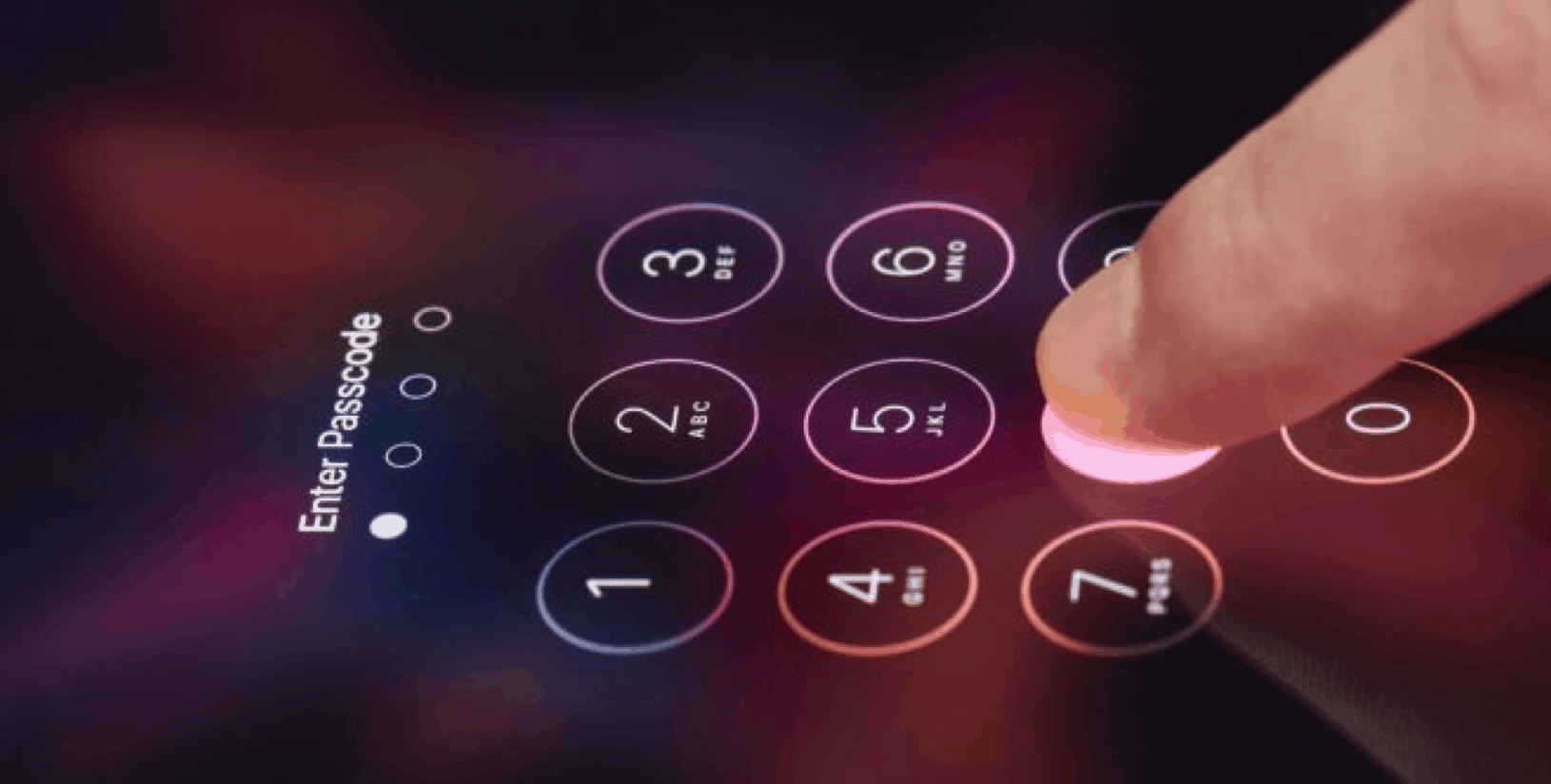
When people forgot his/her iPhone password, many of them will try to enter the password they remembered. But if you enter your passwords incorrectly 5 times in a row, your iPhone is turned off for 1 minute. The more times you enter the wrong passwords, the longer the shutdown period. Well, after incorrectly entering the iPhone security code 10 times, the system automatically deletes the entire contents of the device.
All the consequences resulted from the rather trivial function of iOS. The situation that the system automatically deletes the entire contents happens in such a way that there is no physical possibility to read any data from the locked phone. A coin has two sides. A locked iPhone restricts the owner’s access either.
Apple customer service will not be able to connect to the solution to the lock issue because the company does not have access to personal user account information. In this case, the smartphone owner should rely only on himself. You can protect yourself from the inconvenience by configuring your iPhone properly, such as Remove iPhone Passcode.
If you don’t know yet, there is a software called Joyoshare iPasscode Unlocker that allows you to access your iPhone without entering a password. The software simply removes the password protection from the device and allows access to it in any way.
Top Features of Joyoshare iPasscode Unlocker for Mac
Joyoshare iPasscod Unlocker is a very popular utility that will help you take full control of your iPhone or other iDevice. You need to think about security threats, and ethical issues regarding Joyoshare to unlock an iPhone without a password? Not worried because Joyoshare unlocking an iPhone with iPasscode Unlocker is legal, 100% secure, and does not involve unethical hacking. Listed below are some of the amazing features of this software.
Unlock iPhone or Other iOS Devices Screen Passcode Safely
and Instantly
Not only hacker programs help if you try to unlock the passcode, but older device like an iPhone 4 is quite vulnerable to “opening” in the hands of nonprofessionals working in specialized service centers to repair electronic devices. What’s more, unlocking will take a lot of time. Using Joyoshare to remove iPhone passcodes, you will have a safe and instant unlocking.
Unlock iPhone Passwords in All Situations
It may not always happen that you forget your iPhone screen passcode or someone else logs into your iPhone and locked it. All can be very annoying. Fortunately, Joyoshare can help you in all occasions that you forget or fail to unlock your iPhone screen passcode.
Compatible with the Latest iOS Version & iDevice
Models
But after downloading the latest iOS versions, some applications are not yet compatible or you feel that your iPhone is running slower with the latest version of iOS, or maybe you are still in love with the previous version of iOS.
They are no problems at all, thanks to Joyoshare put continuous effort into iPasscode Unlocker, it is only a few of the software that are compatible with an old iPhone 4, and the latest iOS 13. For those who are using an old version of iPhone, it is typically a perfect option.
How to Remove iPasscode From iPhone Or Other iDevices with
Joyoshare iPasscode Unlocker
To start with, a guided video will help you better understand how the utility works, and how well it will be doing.
Using Joyoshare iPasscode Unlocker is the preferred option because it costs you less effort. Here’s how to unlock an iPhone without a password using iPasscode Unlocker for Mac, thanks for its good compatibility, you can also use it on a Windows computer.
Step 1: Launch Joyoshare iPasscode Unlocker and Connect iPhone to your Mac
Start Joyoshare iPasscode Unlocker program on Mac and connect with an original USB cable. Hit “Start” button and the program will automatically detect your device.
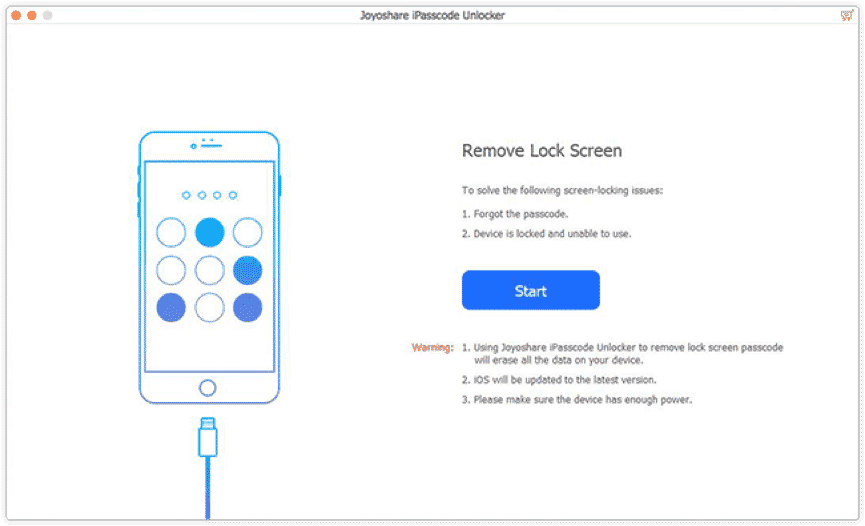
Step 2: Confirm Your iPhone Information and Download Firmware Package
When your iPhone is detected successfully, you need to confirm your iPhone info including model version, iOS version, etc. If there is anything wrong, just correct it manually. Then download the firmware. If the download fails, click the “Copy” link to download it in a browser.
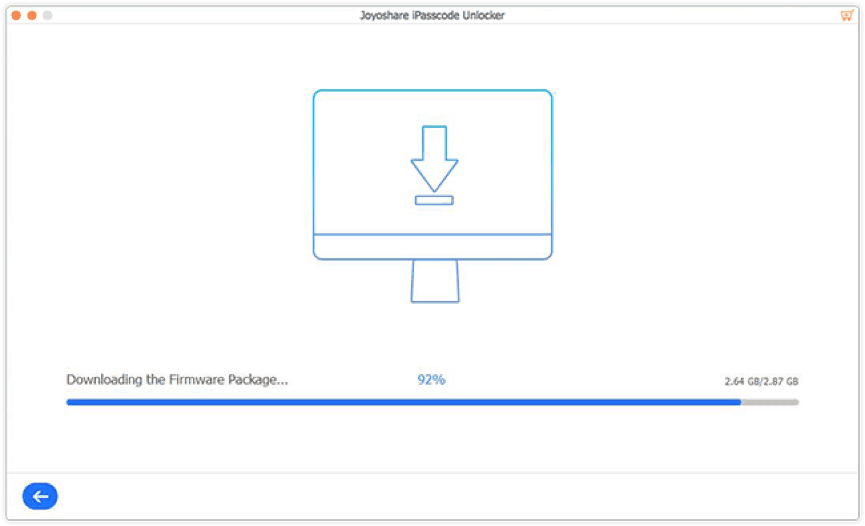
Note: If detection is failed, you need to put your iPhone into DFU or Recovery mode manually.
Step 3: Remove Locked Screen Passcode
Until the firmware package is downloaded successfully. Hit “Unlock” button, it does as it advertising, your iPhone will be unlocked within a few seconds.
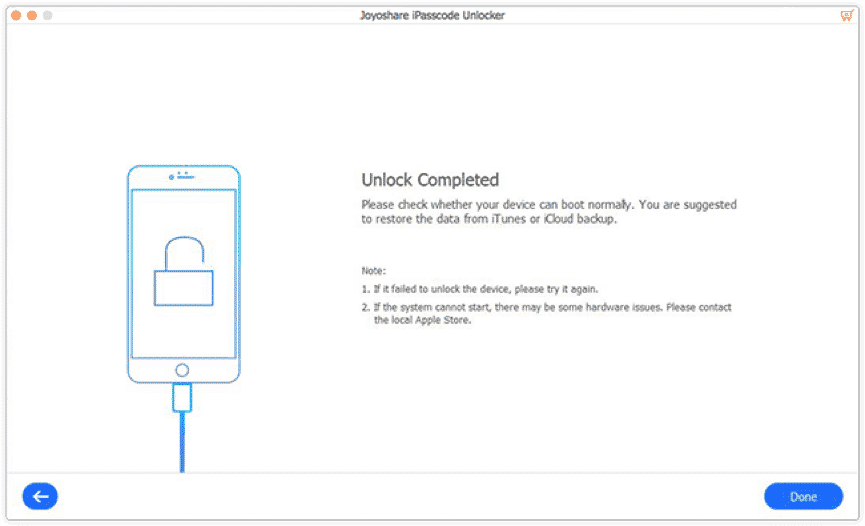
When the iPhone is turned off due to incorrect password entries, it doesn’t have access to files and advanced features. Does this mean losing data and iPhone forever? The answer is No! But in case, there are several methods that can bring lost data or files to life. And you can learn about these methods in another article on the website.
Conclusion
There are quite a few producers of this type of software, each program has its individual characteristics that distinguish it from others, Joyoshare strives to unify certain functions that make the iPasscode Unlocker program more efficient.
The most important features of a good iPhone unlocker program of this type are of course effective and secure. An additional important element is the program speed and not too heavy load on the system during work. Joyoshare iPasscode Unlocker is doing all very well.











