
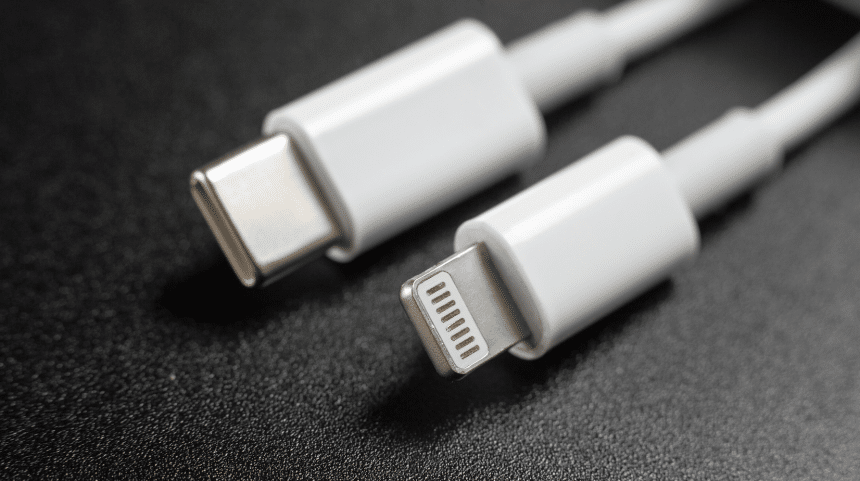
Apple has transitioned to using USB Type-C ports on the iPhone 15 models, moving away from the proprietary Lightning port used on previous iPhone models. This change brings the iPhone in line with most other consumer electronics that have adopted the ubiquitous USB-C standard. But what exactly are the differences between these ports and charging standards?
This guide examines the technical specifications and real-world performance of Lightning, USB 2.0, and the latest USB 3.2 Gen 2 ports.
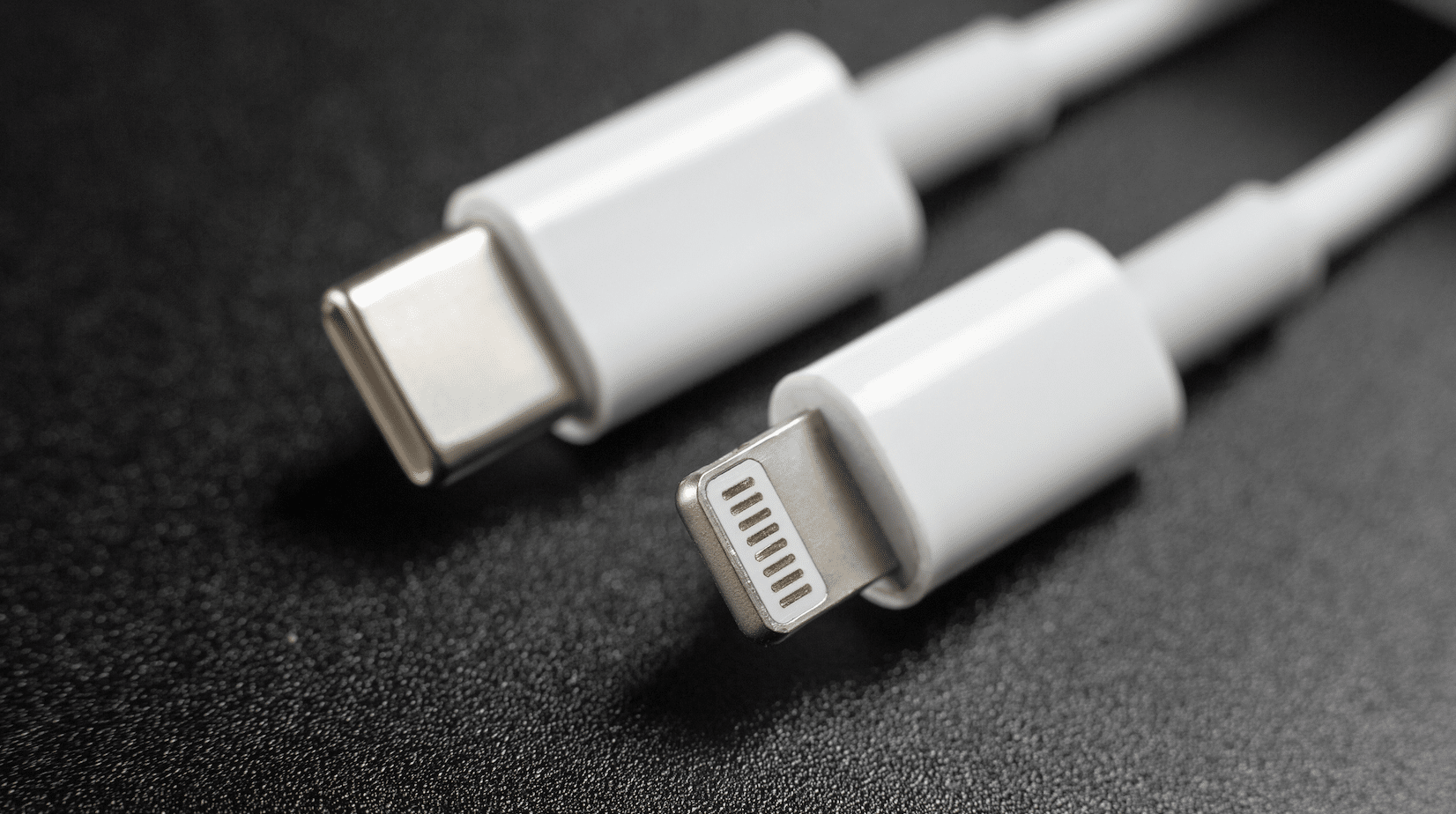
Which iPhones Use Which Port
- iPhone 5 (2012) to iPhone 14 (2022): Lightning port
- iPhone 15 and iPhone 15 Plus (2023): USB Type-C 2.0
- iPhone 15 Pro Max and iPhone 15 Pro (2023): USB Type-C 3.2 Gen 2
All previous iPhone models, from the iPhone 5 to the iPhone 14, used Apple’s proprietary Lightning port for data transfer and charging. The just-released iPhone 15 line is the first to switch to USB-C. Apple has used two different USB standards for the models, with the more affordable iPhone using USB 2.0 and the Pro branded models using USB 3.2 Gen 2.
Lightning Port
The Lightning port was introduced by Apple in 2012 alongside the iPhone 5. This 8-pin reversible connector replaced the old 30-pin dock connector used on earlier iPhone models. Some key specifications of the Lightning port:
- Compatible with USB 2.0 for data transfer
- Charging speed up to 18W with a compatible power adapter
- Reversible connector plugs in either orientation
- Compatible with USB Power Delivery for fast charging
When used in practice, Lightning is capable of syncing photos, and music, and backing up phone data at USB 2.0 data speeds. For charging, Apple provides 5W and 12W power adapters with iPhones, with fast charging up to 18W supported with higher wattage USB-PD adapters.
Overall, the Lightning connector provides decent charging speeds and USB 2.0 data rates in a compact and convenient reversible design. But it lacks support for faster USB 3.x and Thunderbolt data speeds.
iPhone 15 USB-C 2.0
USB 2.0 is an older USB standard that offers data transfer speeds up to 480 Mbps, the same as Lightning.
For charging, Apple hasn’t released the official charging speeds for the iPhones. It has been reported that the non-Pro iPhone 15 phones support Power Delivery 2.0 with up to 18W charging. Apple claims that you can achieve a 50% charge in 30 minutes.
Independent testing has revealed that these iPhones can achieve 27W when using a USB-C plug that supports 30W with 9V3A output.
While USB 2.0 is sufficient for charging smartphones, tablets, and other lower-powered devices, it does not support fast charging standards that newer Android is capable of. And its max data transfer speeds top out at 480 Mbps, much slower than USB 3.x.
USB Type-C 3.2 Gen 2
The iPhone 15 Pro models feature a USB-C port compatible with the latest USB 3.2 Gen 2 standard. This provides major bumps in both maximum data transfer speeds and charging power delivery:
- Data speeds up to 10 Gbps (10x faster than USB 2.0).
- Reversible connector plugs in either orientation
- More durable design with ~10,000 insertions
- USB PD charge rates of up to 27W (for iPhones).
In real-world usage, USB 3.2 Gen 2 enables data syncing and file transfers much faster than either Lightning or USB 2.0.
USB 3.2 Gen 2 can theoretically support power delivery up to 240W. However, both the iPhone 15 Pro models are limited to 27W, and Apple claims the same charge speeds as the lower-spec models with a 50% charge in 30 minutes.
Independent tests have shown that Apple’s 30W power adapter can charge the iPhone 15 Pro Max in 2 hours 11 minutes versus 2 hours 21 minutes when using the 20W adapter.
Currently, no devices use 240W PD. The MacBook Pro 16-inch is the only device that goes up to 140W power delivery while competing Windows laptops are still limited to 100W power delivery.
Comparison Summary
- Lightning offers decent charging and USB 2.0 data speeds but lacks support for USB 3.x/Thunderbolt.
- The USB-C port on the non-Pro iPhone 15 models is USB 2.0, providing the same performance as Lightning but with the ubiquitous USB-C connection.
- USB-C 3.2 Gen 2 enables future-proof 10Gbps data speeds and theoretical 240W charging.
So, in summary, the move to USB-C 3.2 Gen 2 brings the iPhone up to speed with the latest connectivity standards for both data transfer and charging. While Apple has not yet unleashed the full potential of USB-C 3.2 Gen 2, the new port lays the foundation for faster charging and data syncing.
Furthermore, the shift to USB-C removes the need for proprietary cables. You can use the same USB chargers and cables that are used for Android phones and many modern laptops











