
Protect your data
Through a process as sophisticated yet straightforward as OTP (One-Time Password) sent from a secure SMS gateway, another level of protection can be added to your private information.
Since 2013, there have been 14,717,618,286 data records lost or stolen according to Breach Level Index. That equates to 4,082 data records compromised every minute.

Breach Level Index points out that only 4% of breaches were ‘secure breaches,’ meaning that encryption used rendered any stolen data useless. So only 4% of all 14.72 billion data records were ‘safe’ due to encryption. That’s an alarmingly low percentage for such a large number.
Did you know that the most popular password in the world is ‘123456’? Although these highly predictable passwords may be temporary or only used for “unimportant” accounts, it still provides an easy way for hackers to gain access to private information. It is no surprise then that there have been so many data breaches with such a lack of concern at the first security point: username and passwords.
Put up an extra security wall
Passwords that include a combination of uppercase and lowercase letters, numbers, and special characters are considered complex and secure. However, even with the implementation of complex passwords, more than 90% of all passwords are vulnerable to hacking, according to a 2013 Deloitte study.
Two Factor Authentication, or 2FA for short, adds a sophisticated and time-sensitive layer of security on top of traditional username and password combinations used at login. 2FA can be implemented in many ways, but most secure, convenient, and popular is via SMS One Time Password (OTP).
A year-long study conducted by Google, University of California, and New York University shows how successful SMS OTP is as a security measure. SMS OTP prevented 100% of automated bots from accessing login credentials and online data and blocked 96% of bulk phishing attacks and at least 76% of targetted attacks.
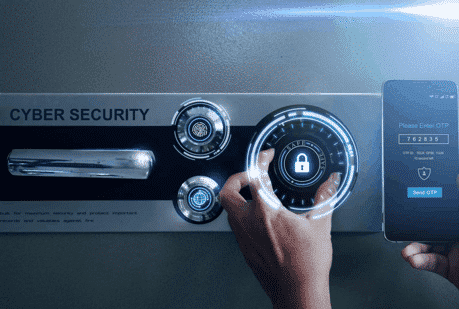
One-Time Passcode
Single-use, automated passcodes that are sent as a form of 2FA. These passcodes are time-sensitive, usually only valid for 5-10 minutes, and must be entered to verify an online action, like logging into an account or confirming payment.
SMS OTP is the same but sent via text message. As an offline form of 2FA, there is less risk that the passcode can be intercepted and compromised. Users can manually enter it or use a retrieval function to prove their identity quickly and efficiently before moving to the next step.
Two Factor Authentication
2FA has become the industry standard in protecting data. As a subset of multi-factor authentication, ways to verify identity can be separated into three categories (not just OTP):
- Information: knowledge committed to memory, like a password, a PIN or an answer to a user-specific question (for example, ‘What was the street name you lived on as a child?’)
- Object: a tangible possession like a key card or pass, or a soft token like an SMS login code sent to a handset
- Physical attribute: an iris scan or a biometric fingerprint pattern
2FA typically includes inputting a username and password combination (information), and then, once the first step is confirmed, a passcode from a security key or text message.
If the first step in 2FA is approved, but the second step isn’t, any further access or processes are blocked. So the person or bot trying to complete the action cannot move past the second step of authentication, triggering a security alert that the account may be a target of fraud.
Having an extra layer of security is not only advised but necessary in today’s digital age.

Save time with OTP retrieval
OTP autofill and retrieval options are available on smartphones, so you don’t even need to leave the app to get the code. It’s like predictive text, so instead of memorizing the temporary code and typing out each character, your mobile handset has the code ready in your keyboard.
Through a secure API, both iOS and Android systems retrieve OTP passcodes from specially formatted messages. Due to this, third-party apps do not have unauthorized access to your messages.
SMS OTP retrieval for desktop
Accessing secure passcodes from your handset to desktop has also gotten much easier with recent developments. If your desktop and mobile handset are paired, your desktop can retrieve SMS OTP direct from your handset. Then the passcode can be entered straight into the web browser or application.
Businesses have the duty of care to their customers to protect their online data and private information, so offering robust and secure SMS OTP is a must. Online users should be savvy and take responsibility for what data they choose to share online. 2FA via SMS OTP is the industry standard in cybersecurity as it is the most accessible, convenient, and robust data protection solution.











