
iLoungeiLounge
  • News
    • Apple
      • AirPods Pro
      • AirPlay
      • Apps
        • Apple Music
      • iCloud
      • iTunes
      • HealthKit
      • HomeKit
      • HomePod
      • iOS 13
      • Apple Pay
      • Apple TV
      • Siri
    • Rumors
    • Humor
    • Technology
      • CES
    • Daily Deals
    • Articles
    • Web Stories
  • iPhone
    • iPhone Accessories
  • iPad
  • iPod
    • iPod Accessories
  • Apple Watch
    • Apple Watch Accessories
  • Mac
    • MacBook Air
    • MacBook Pro
  • Reviews
    • App Reviews
  • How-to
    • Ask iLounge
Font ResizerAa
iLoungeiLounge
Font ResizerAa
Search
  • News
    • Apple
    • Rumors
    • Humor
    • Technology
    • Daily Deals
    • Articles
    • Web Stories
  • iPhone
    • iPhone Accessories
  • iPad
  • iPod
    • iPod Accessories
  • Apple Watch
    • Apple Watch Accessories
  • Mac
    • MacBook Air
    • MacBook Pro
  • Reviews
    • App Reviews
  • How-to
    • Ask iLounge
Follow US

Articles

Articles

iCloud Mail Notifications Not Working On iPhone and iPad, After iOS UPDATE

Last updated: Jul 5, 2021 11:24 am UTC
By Jaydan Mcfarlane
iCloud Mail Notifications Not Working On iPhone and iPad, After iOS UPDATE

What is iCloud in general? it’s so much more than just photos/ it’s a lot of things. iCloud is Apple’s cloud-based ecosystem of applications and tools that you can use on almost any device: windows, mac, iPhone, and iPad. probably not an android though. so we’re gonna leave those out of almost any device.


But long story short iCloud really is a service when it comes down to it, they provide an email account. They provide a place for you to organize your contacts, your calendars, your notes, and your reminders. However, people experienced some problems with iCloud mail and also other mail apps. They are getting “cannot verify server identity” errors on iPhone or any other mail notification issue.
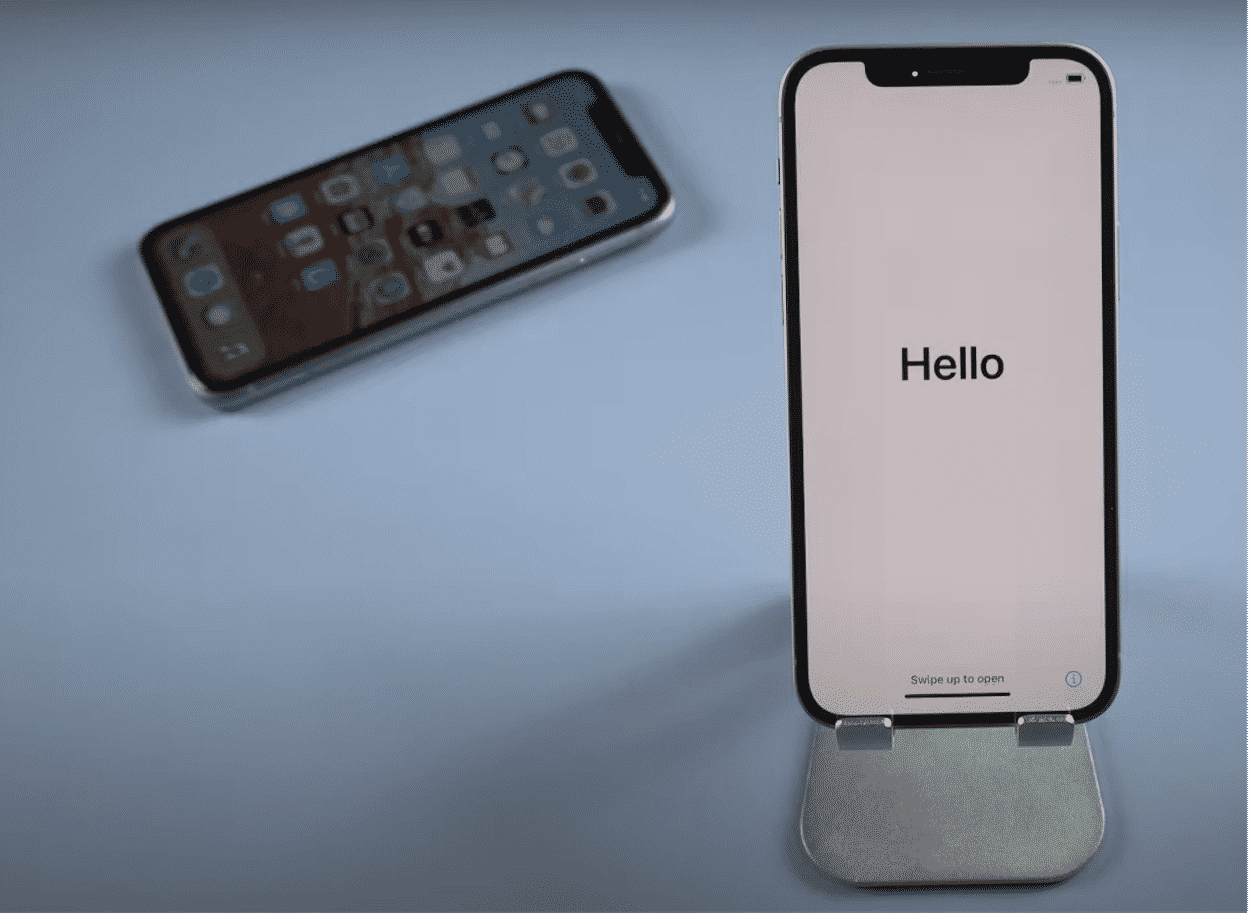
iCloud Mail Notifications Not Working On iPhone and iPad, After iOS UPDATE

I am going to show you how to fix iCloud. Email, push notifications are broken. After 15 updates on iPhone, iPad, and iPod Touch, without wasting any time. the notification problem on iphone 12. After the recent update, they are supposed to get notifications from social media such as WhatsApp, Facebook, Instagram, and more. but the problem is no matter how hard. These tips will get rid of this problem.


You will need a valid email address with any webmail service for this procedure and you should be able to sign in to that email account to begin with this procedure.

1. Check Notification Settings

First,you need to check if your notification toggle is on or off.

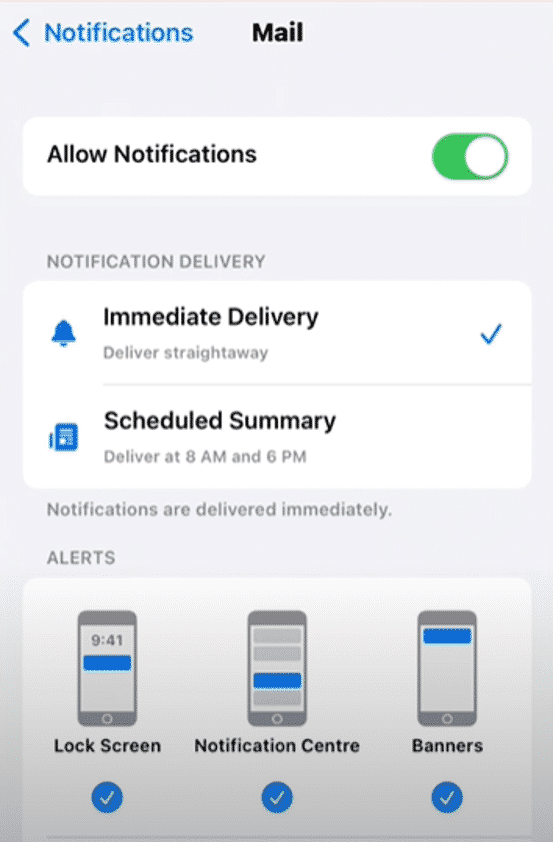
1. Tap on the Settings app. Tap on the notification, scroll up, tap on mail option.

2. You can see the option Allow notification. If it is off, Click on the toggle  button to turn it on.

iCloud Mail Notifications Not Working On iPhone and iPad, After iOS UPDATE

3, Select. Immediate delivery. That’s it. You can see the picture.

4. Also, you can see the LockScreen, Notification center and Banner. Make sure all these options are on.

If this method is not working,apply the next step.

2. Enable Background Apps Refresh

1. Open Your Settings app. Tap on General,

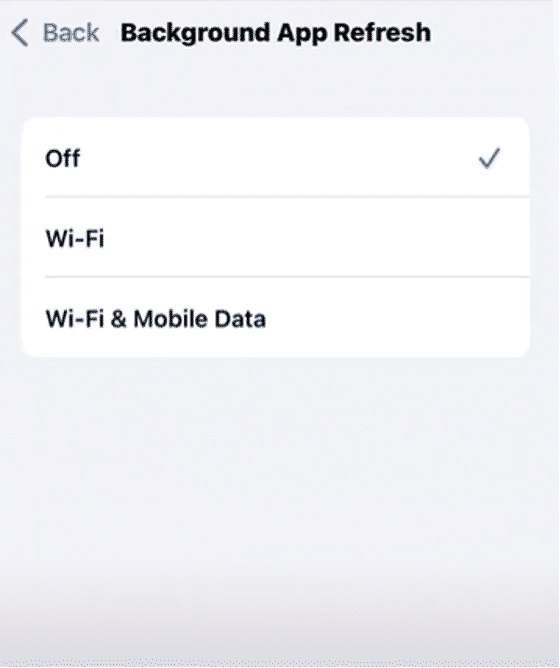
2. Scroll down a little bit, Now, Tap on Background App Refresh.again tap on Background app Refresh.
iCloud Mail Notifications Not Working On iPhone and iPad, After iOS UPDATE

3. Here, You can see three options.

  • Off
  • Wifi
  • Wifi & Mobile Data

Make sure, you need to select the third option Wifi & Mobile Data.


3, Sign out, Apple ID and Sign in back

1. Open Setting. Tap on the Apple ID,
iCloud Mail Notifications Not Working On iPhone and iPad, After iOS UPDATE

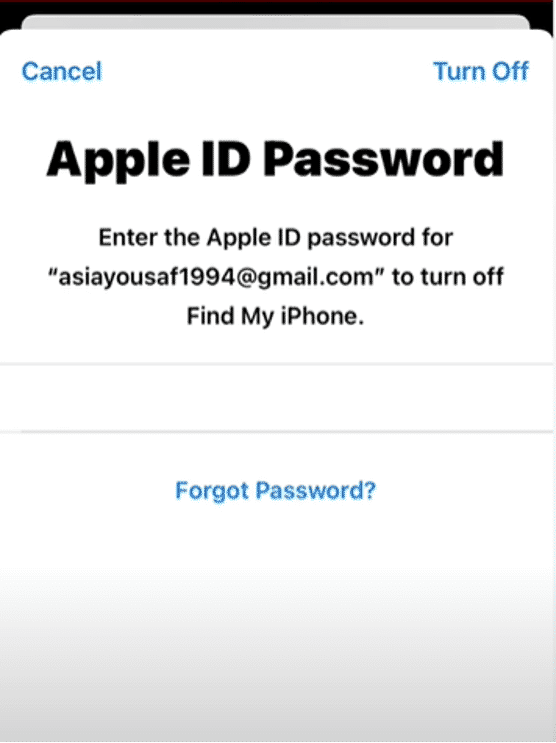
2. Scroll down a bit. At the bottom, you can see the option Sign out.

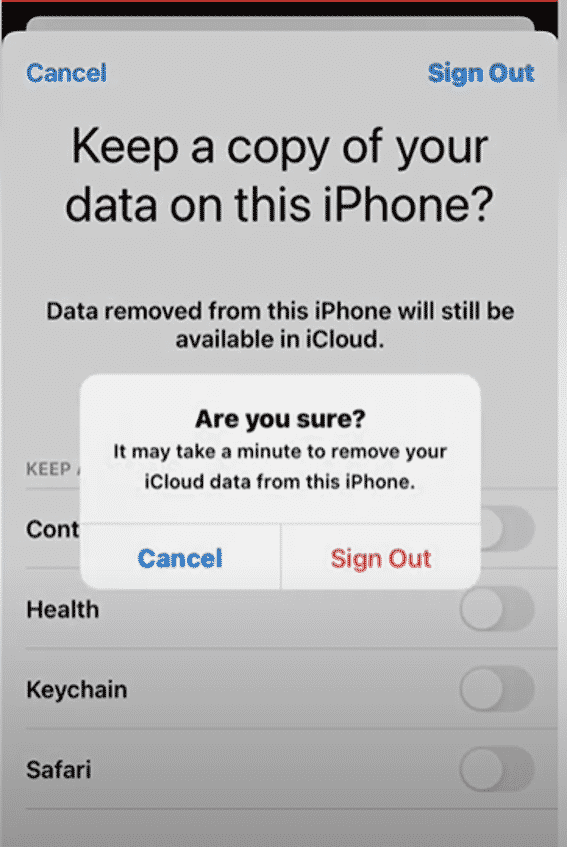
3. Type your Apple ID password and tap on Turn off.
iCloud Mail Notifications Not Working On iPhone and iPad, After iOS UPDATE

4. Now, It will ask you for confirmation.Tap on Sign Out again.Now, wait, It will take a few seconds to finish. It copies iCloud data to sign out.

iCloud Mail Notifications Not Working On iPhone and iPad, After iOS UPDATE

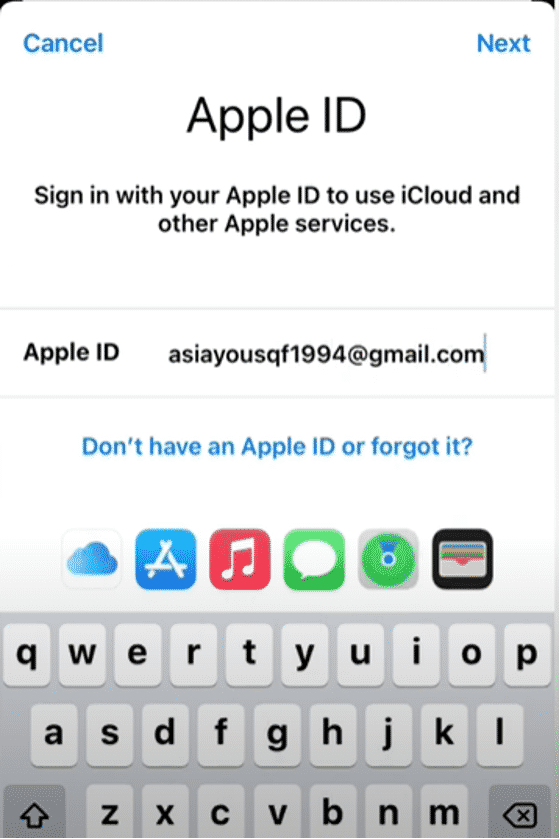
5. You can see the picture. Click on the Sign in to your iPhone.

iCloud Mail Notifications Not Working On iPhone and iPad, After iOS UPDATE

6. Enter your Apple ID. Tap on Next. Type your Password.It will take a few seconds to complete.
iCloud Mail Notifications Not Working On iPhone and iPad, After iOS UPDATE

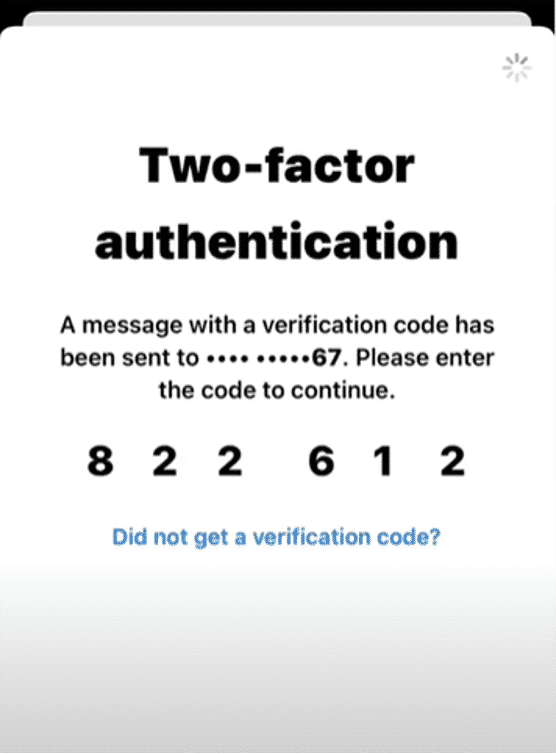
7. Enter your two-factor authentication code and Sign into iCloud. Again type the iPhone Passcode.

4. Reset AllSettings

1. Tap on the Settings app. Tap on the General option. Scroll down and tap on the Reset option. And tap on reset all settings, enter your iPhone passcode.

Now, It will notify you that “This will reset all settings, no data or media will be deleted”.

2. Tap on the Reset all settings option to confirm this action.

5, Check For iOS update

1. Tap on the Settings app. Tap on General, tap on software update, you can see on screen that 15 is up to date. If you have any update available, download and install the update and fix this problem on iPhone and iPad.



Latest News
The 14-inch MacBook Pro with M5 Chip 16GB RAM/512GB is $250 Off
1 Min Read
Noise and Static on AirPods Pro 3 Still Unfixed
1 Min Read
New iMac with 24-inch OLED Display May be Brighter With 600 Nits
1 Min Read
The 15-inch M4 MacBook Air 256GB Is $250 Off
1 Min Read
Internal Kernel Debug Kit from Apple Reveals Tests for a MacBook with A15 Chip
1 Min Read
Apple Currently In Talks With Suppliers for Chip Assembly & Packaging of iPhones in India
1 Min Read
Apple Allows Easier Battery Replacement For M5 MacBook Pro with 14-inch Display
1 Min Read
The Apple Watch SE 3 44mm GPS is $50 Off
1 Min Read
20th Anniversary iPhone May Launch in Two Years
1 Min Read
Better Image Generation Capabilities and Apple Music Integration Coming to ChatGPT
1 Min Read
A20 Pro Chip Coming to Next Gen iPad Mini OLED
1 Min Read
Amazon has the AirTag 4 Pack Marked $29 off
1 Min Read

iLounge logo

iLounge is an independent resource for all things iPod, iPhone, iPad, and beyond. iPod, iPhone, iPad, iTunes, Apple TV, and the Apple logo are trademarks of Apple Inc.

This website is not affiliated with Apple Inc.
iLounge © 2001 - 2025. All Rights Reserved.
  • Contact Us
  • Submit News
  • About Us
  • Forums
  • Privacy Policy
  • Terms Of Use
Welcome Back!

Sign in to your account

Lost your password?








