
There comes a time when all iPhone or iPad owners will have to sell their devices eventually. When this happens, the usual option is to do a factory reset so it’ll be like a brand-new device, operating system-wise. However, there’s no promise that your personal data, such as photos, videos and documents won’t be retrieved or used for nefarious purposes.
Stellar Eraser for iPhone is a better solution for those who want a complete and thorough wipe of their iPads or iPhones. This ensures that when you sell your device, the recipient won’t be able to collect data and will have to use it as is.
What is Stellar Eraser?
Stellar Eraser is billed as ‘the best iPhone Data Eraser Tool’ around. Basically, it’s an app that you can use to wipe all your personal data to stop potential data leaks from happening.
iPhone owners can’t help but worry when they sell their smartphones. Since we use it everyday, all our life’s details, such as photos, apps, personal information and financial data are stored in it. Even when you sell your iPhone at a reputable marketplace or via the trade-in program you can’t be too safe.
This is where Stellar Eraser comes in handy- you can do a purge of your iPhone or iPad data just before you hand it to its new owner. The way Stellar does this is that the iPhone data will be unrecoverable no matter the method, and this includes chats, messages, emails, passwords and contacts, among others.
Selling, Recycling or Donating Your iPod Touch, iPad or iPhone?

Stellar Eraser for iPhone covers a variety of Apple devices, including the iPod Touch, iPad models (Air, mini and Pro), and of course, all iPhone models dating back to the 4th generation.
The good thing about Stellar Eraser is that it only takes a few minutes to do a data clean, and it will be permanently removed and irretrievable by any standard. Furthermore, you can use any computer that’s reasonably fast and runs on macOS or Windows.
This step is absolutely essential for anyone who is in the process of donating, recycling or selling their iOS device. Data security and privacy today is at a premium, which makes Stellar Eraser a must-have for Apple users.
Completing a data wipe on an iPhone or iPad using Stellar Eraser is easy, too. There’s virtually no experience required, and the tool is intuitive and fast. It works even if the iPhone is old and you’ve forgotten the password, and it removes third party app data stored in your smartphone as well.
Interestingly enough, the eraser tool also works on broken iPhones and those that have broken screens. Water damaged and physically damaged iOS devices can be detected by Stellar and processed before handed over to a new owner.
How to Wipe Your iPhone or iPad
To effectively delete data on your iPhone you will need to have Stellar Eraser for iPhone on your computer. Luckily, there’s a free trial or demo version you can download on the developer’s official site. If you’re fully satisfied with what the eraser tool can do you can go ahead and unlock the full version.
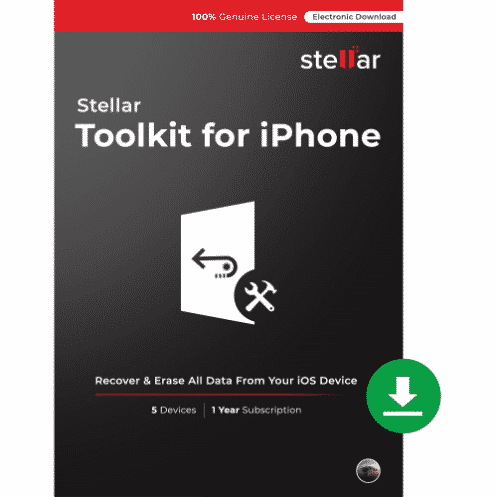
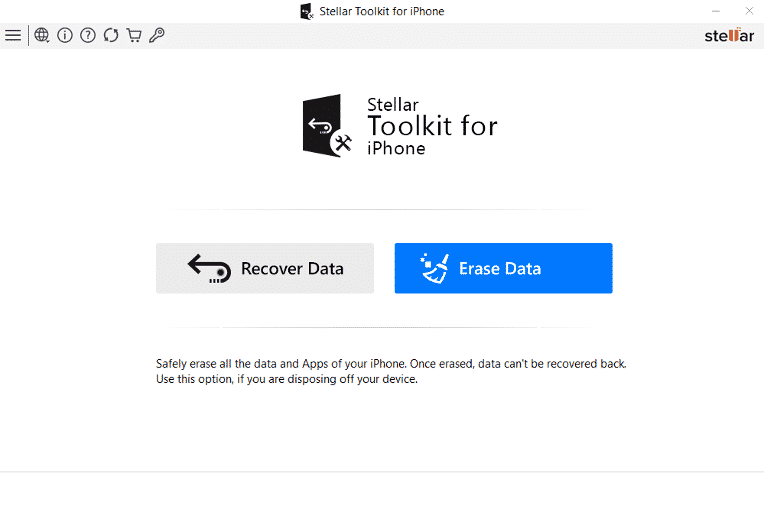
Stellar Eraser is part of the Stellar Toolkit suite. Boot up the software, then connect your iOS device using a cable to the computer so it can be recognized. Once the tool is up, you should choose ‘erase data’ and read the warning beneath the option. It’s best to back up all your data onto another drive so you won’t lose important documents, photos and others before deleting them.
Stellar recommends you use the ‘erase data’ if the intent is to dispose of the device. To start the wipe, you will need to point to the target device; if it’s connected to the computer then it should show up in the options. Stellar does another disclaimer- all data will be erased, and the device must not be synced with iCloud or the effort will have gone to waste. All data will be restored if this is the case.
If you want to proceed, just click or tap on ‘Yes’ and Stellar will work its magic. Then, just wait for a few minutes until the process is done, and press ‘ok’ on the prompt.
Stellar Eraser – a Trusted Tool Expert
When it comes to dealing with data you should always go with reputable and trusted professionals.
Stellar has an excellent rating in both reviews and the TrustPilot platform. That said, there shouldn’t be any worries about the tool capturing important data, as it’s primarily an iPhone erase app. Aside from being an excellent iPhone eraser, Stellar is quick and responsive all throughout the process, and it doesn’t take up too much space in your hard drive either.
The tool’s technology deletes 100% of data in an iPhone via overwriting. After the procedure is done, the iOS device is brought back to original factory settings, albeit in a more thorough way. Apple product owners will no longer have any doubt that the information they have can be retrieved and can move on to the next device upgrade.
Should You Use Stellar Eraser for iPhone?
Stellar Eraser for iPhone separates itself from the pack by having a thorough deletion engine that works on virtually every iOS device. It’s not your usual data remover app because after it’s done there’s no way you can retrieve the deleted files afterwards.
Stellar Eraser not only removes photos, videos and documents, but also those from third party apps, such as WeChat and more. Furthermore, your contacts, call logs, messages and browser bookmarks and others will be wiped, rendering the iPhone in a new-like state.
If you’re thinking of selling your iPhone, iPad or iPod Touch, don’t forget to back up your data to another drive or computer first. Then, use Stellar Eraser for iPhone to delete those data and ensure they can’t be recovered in any way. Once you hand off your device you can concentrate on the other aspects of your life, thanks to Stellar Erase.











