
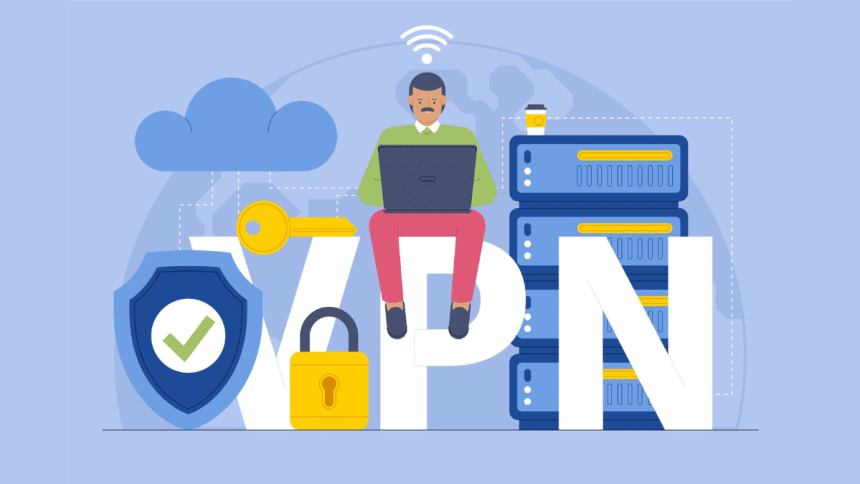
Every day, users around the world are facing challenges when trying to access their favorite websites, streaming service, and other online platforms due to geo-restricted policies. As the demand for online content increases, these policies are becoming strict. Whether it is government restrictions, region deals, or exclusive shows, proxies allow users to achieve unrestricted browsing with ease.
Of all the methods available for bypassing restrictions, using a free proxy is the simplest and most economical way. In this article, I will outline the details of how proxies function, their effective use, and the reason why Floppy Data’s high quality, fast free proxy is perfect for complete bypass access.
Defining Geo-Restrictions And How Proxies Operate
Websites and streaming services often impose geo restrictions to block access to users from certain countries. Your IP address contains geographical information about where you are located and the website uses that data to determine if granting access is appropriate. If your location is not in the set list of authorized countries, access to the site will be blocked, or at best, only a limited experience will be provided.
Between your system and the internet, a proxy server serves as an intermediary. Browsing with a proxy enables routing of requests through a different IP address assigned by the proxy server. As a result, you can look like you are surfing the web from a different location accomplishing a geo-restricted bypass.
Steps To Reach Geo-Restricted Sites Through Free Proxy
Reaching geo-locked sites using free proxies is uncomplicated. You don’t need to be a guru in technology to succeed. This is how to enable the geo locked content the easy way:
Step 1: Choose A Good Free Proxy Provider
Not every free proxy is fit for the job. Some might provide low speed, unreliable connections, and even poor security measures. That is why it’s important to make use of a reputable provider, such as FloppyData’s Free Proxy. FloppyData offers proxy servers that are fast, secure, and easy to use, which guarantees great prosy browsing without restrictions of any kind.
Step 2: Choose The Server Location You Wish To Use
Having gained access to a free proxy provider, select a server that is in the area where the content you require is located. So for example:
If US-only streaming services are required to be watched, choose from the list of proxy servers that are based in the US.
To access websites for the UK only, become a proxy user of the UK.
Step 3: Setup the Proxy on Your Browser
Most providers of proxies have preset proxy addresses which, can be used with the browser settings.
Open the browser settings (whether it is Chrome, or Firefox, or Edge).
In the network subsection, choose the proxy settings option.
Input the proxy server address and port number provided by FloppyData.
Save settings.
Many providers of proxies also provide web proxies, which let you input a URL directly on their web page and surf with a different IP without changing your browser settings.
Step 4: Now You Can Access The Content You Want
Now that you are connected, go to the site or application you couldn’t reach before. You should now be able to see all the content as if you were in that specific country.
Pros of Using FloppyData’s Free Proxy for Geo-Unblocking
When selecting a Proxy provider, one must consider the quality and speed of service. The standards set forth by FloopyData reflect what can only be hoped for at other services; free and fast proxies.
High Speed: Unlike many free proxies, FloppyData does not lower the speed and are not unpopular among users for providing smooth video streaming and internet browsing.
Reliability: Frustrating disconnections are a thing of the past, as FloppyData has high uptime, ensuring no interruptions or sudden loss of access.
Multiple Locations: Nobody wants to be forced with a specific location to access geo-restrictions. Now, with multiple server locations this problem is eliminated.
Stronger Protection: FloppyData’s proxies conceals your IP address, thus ensuring an additional layer of online privacy.
Common Use Cases for Free Proxies
In addition to bypassing geo-restrictions, free proxies are utilized all over the Internet for various purposes. These include the following:
Streaming international content: View shows and sports that aren’t available in your region.
Accessing blocked websites: Get within the reach of the government in restricted areas.
Finding better deals online: Differences in prices set by certain sites depending on region.
Researching anonymously: Surf the internet undetected with no risk of exposing your IP address.
Conclusion
With the help of a geo-proxy, you can now access your preferred content from almost any part of the world without restrictions. Regardless, the quality of the geo proxy service hired has a considerable influence on the client’s browsing experience. If you need to unlock web sites restricted in your region, FloppyData’s free proxies offer the fastest, safest, and the most modern solutions while caring about your privacy.











