
It can be amusing to know that people sometimes forget their iPhone passwords, but you certainly wouldn’t want it happening to you. The circumstance may vary from one person to another, but it all ends with the same question- ‘how to unlock iphone passcode?’
In the event that you do find yourself unable to get into your iPhone due to incorrect passcode, here’s what you can do.

Method 1. Install and Use EaseUS MobiUnlock
EaseUS MobiUnlock is an all-in-one tool that offers a complete unlock iPhone solution. It has a one-click bypass on every screen passcode you might encounter for all iOS devices.
If an iPhone locked to owner who is wondering what to do if he forgot his iphone password, then here’s a step-by-step procedure.
Step 1. Connect your iPhone and Choose Recovery Mode
Open your computer and connect your iPhone via USB cable. Open the MobiUnlock software, then choose Recovery Mode. Follow the prompts as you get your iPhone ready to be unlocked.
Step 2. Choose the Firmware and Download It
MobiUnlock will automatically detect your iPhone’s version and model. You will also need to check the firmware or download the one you need. The app takes the guesswork out by verifying if it’s the correct one automatically.
Step 3. Unlock and Use Your iPhone
Wait for MobiUnlock to process the lock code, then when everything’s ready, just click the ‘Unlock’ button. Enter the verification code as seen on-screen, then you’ll be able to use your iPhone again.
MobiUnlock boasts the highest success rate of its kind, and fixing the ‘forgot iPhone passcode’ is smooth and seamless. Furthermore, you can use the software to remove Apple ID for iPad, iPhone, and iPod Touch or remove iCloud account without having to spend more than 30 minutes to get it done. Install IPSW filewithout iTunes is also possible using this step.
Method 2. Use Your iPhone’s Recovery Mode
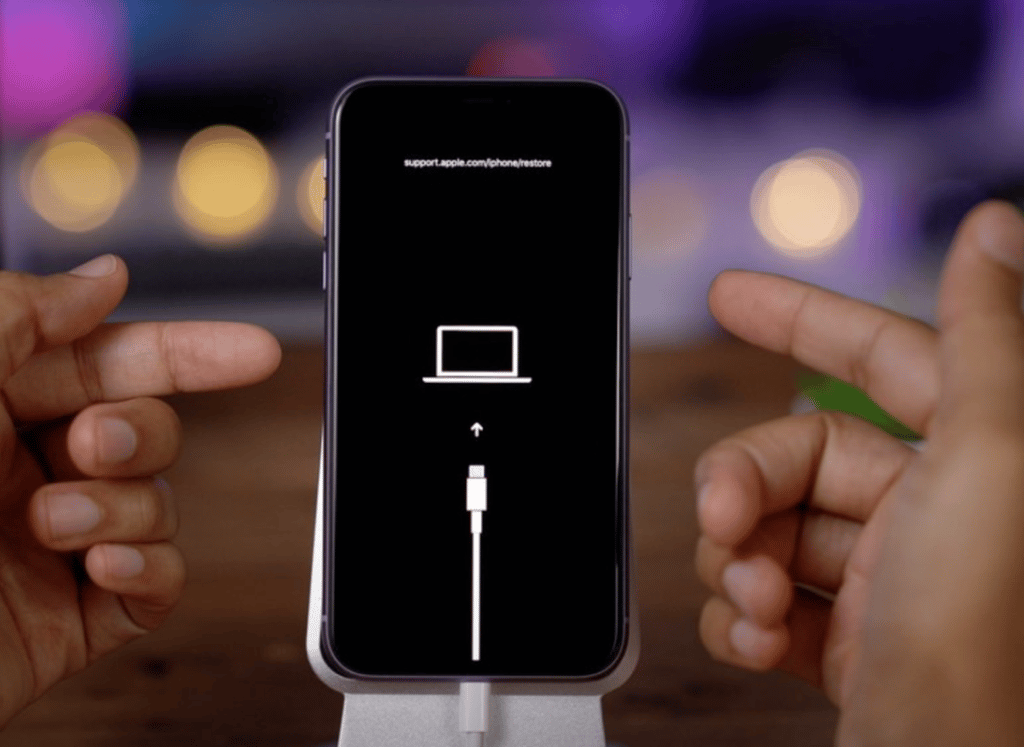
With this method, you can reset your iPhone and restore it with iTunes.
Step 1. Turn Off your iPhone
Shutting off your iPhone depends on the model, but it’s usually done by pressing and holding the power button until a screen prompt shows up. Wait until your phone is completely off before going to the next step.
Step 2. Connect to Computer and Activate Recovery Mode
Going into Recovery Mode will again require a different input depending on the iPhone model you have. This usually entails pressing and holding two different hardware buttons, e.g., the power, volume down, or the home button until the phone turns on and heads into the right mode.
Step 3. Restore your iPhone
If done correctly and while connected to a computer with the latest iTunes software, your iPhone should boot up in Recovery Mode. Find the iPhone in iTunes, then click the button that says ‘Restore’. It’s worth noting that doing this can erase all your saved data and settings.
Method 3. Unlock iPhone via iCloud
iCloud is an optional method of how to unlock your iphone when you forgot the password. This works if you enable the Find My network and have access to your iCloud account.
Step 1. Sign In to Apple ID
Use a different iOS device, such as an iPad or another iPhone and log in with your Apple ID.
Step 2. Locate the Device and Erase
Choose the iPhone you want to unlock on the ‘All Devices’ dropdown screen and click on it. You can choose to Play Sound, Lost Mode, or Erase iPhone. Choose ‘Erase iPhone’ and have it unlocked, then set it as a new device.
Conclusion

EaseUS MobiUnlock gives you a way to unlock iPhone passcode, even Screen Time passcode without getting your data and content erased. The iPhone unlock tool is compatible with the latest iOS 16 version and on Windows and Mac. Try it today.











