
Introduction
As gamers and avid Pokemon Go lovers, even you would have walked places to catch the rarest Pokemon. But, of course, Pokemon Go can be demanding to travel places and know where you are needed to go next. But wouldn’t getting them without moving from your vicinity be a blessing?
So why don’t you get hold of the best Pokemon Go Spoofer iOSand fake your location inside the game? While frequent updates identify the players using spoofing apps and ban their accounts, finding the best tool and preventing getting caught can be challenging. So keep reading to know the safe, reliable software that lets you fake locations and catch Pokemons effortlessly.

The Best Pokémon Go Spoofer for iPhone and Android – iToolab AnyGo
iToolab AnyGo – Pokemon Go spoofer iOS is one of the best iOS and Android location spoofers in the market. With this tool, you can spoof Pokémon Go GPS location and simulate GPS movement naturally along any custom path using a joystick or keyboard to take better control without effort. It provides you three modes to fake location and gets the rarest Pokemon without actually moving at home.
iToolab AnyGo changes fake GPS Pokemon Go iOS in simple clicks without jailbreak iPhone. You can collect your favorite locations and routes from spoofing next time. It tweaks your directions freely in 360 degrees, setting the GPS spot to move automatically. In addition, you can mock GPS locations on limitless devices at the same time. The program also works well with social apps (location-based) and AR games.
Key features:
– Fake location of many devices simultaneously
– Simulate GPS movement along any custom path
– Saves history records automatically for future use
– Use Joystick to have a better GPS control
– lets you spoof GPS locations over WiFi, wirelessly
– lets you adjust speeds and use Realistic Mode to simulate reality
– Does not require technical expertise
How Does iToolab AnyGo Work?
To use iToolab AnyGo, first, download and install the product on your Windows or Mac and tap Start to select your iOS or Android device.
Step 1: Select your device OS and follow these steps to connect it to Windows or Mac before changing location. Enable Developer Mode on iOS 16 or enable USB Debugging on Android (including the latest Android 13) for the first connection.
Connect iOS Devices
Enable the Developer Mode on iOS 16:
- Connect your iOS with AnyGo and follow the guide that will display on the tool’s interface to enable Developer Mode on iOS 16.
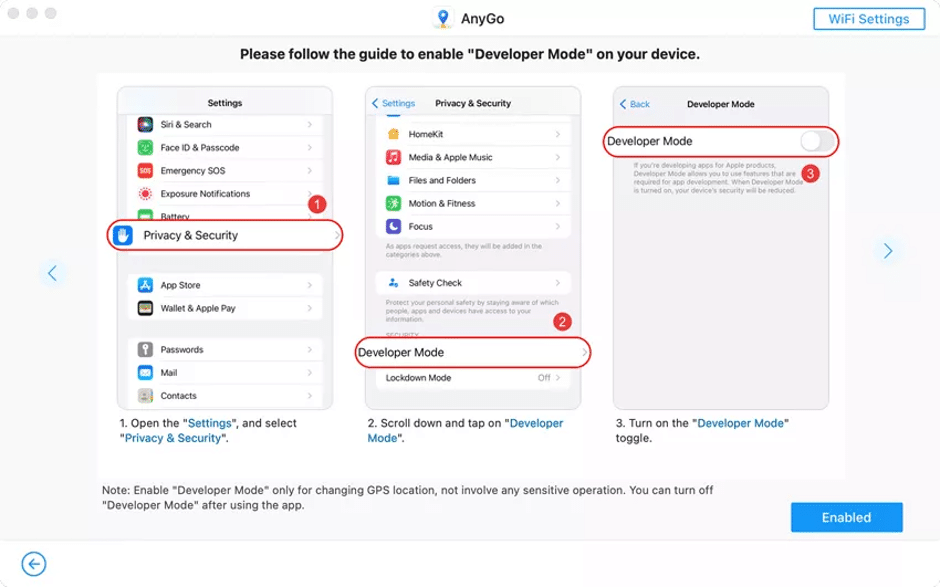
- Open Settings > Privacy & Security > Developer Mode, turn on the Developer Mode toggle, and restart the device.
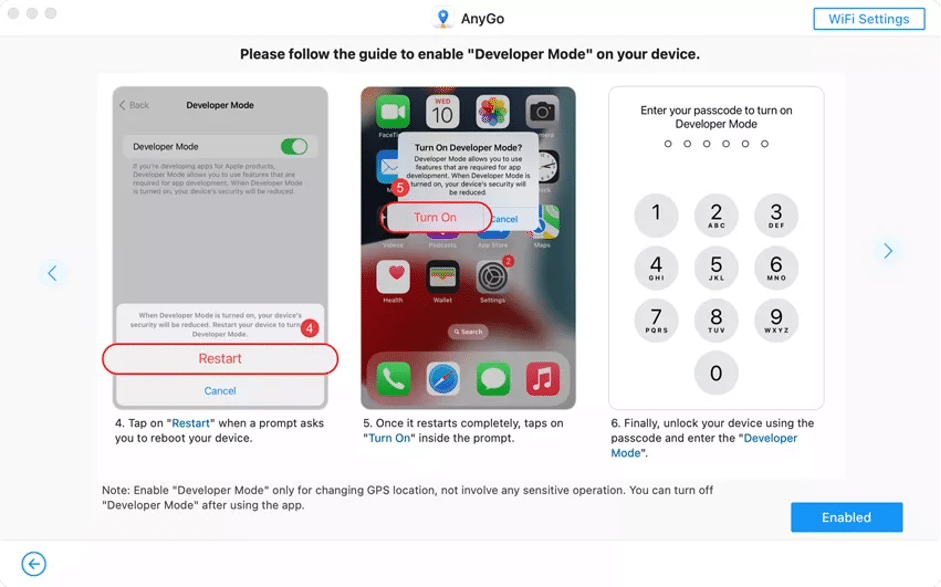
- Click Turn On and unlock your phone using the screen lock pattern or password.
Now, open iToolab AnyGo and use its features to spoof your location.
1. Teleport to Any Location
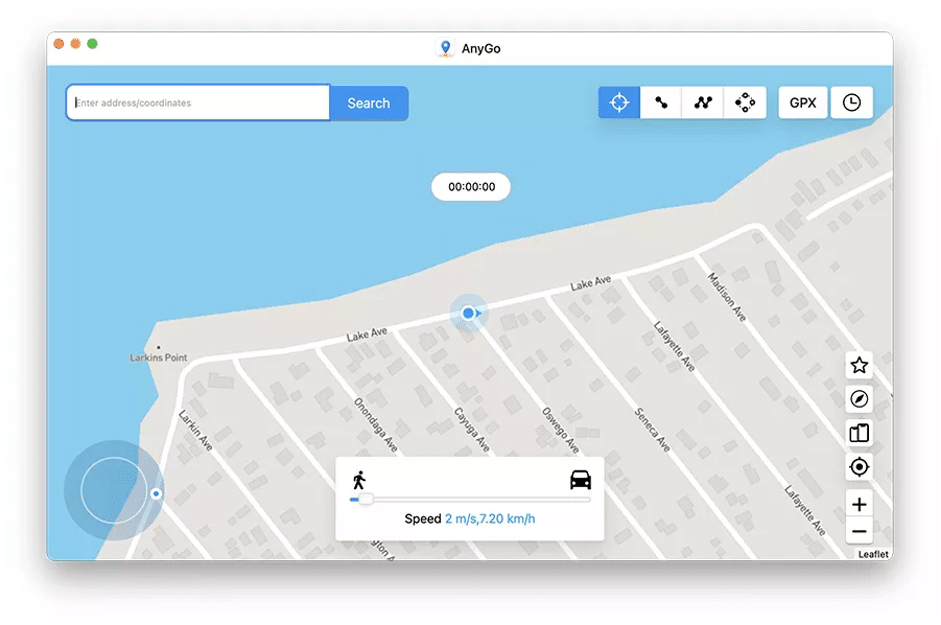
You can teleport to any place in the world with iToolab AnyGo. Click the Teleport mode at the screen’s upper-right corner, and using the Search Bar, enter the location you want to go and click on it. Then, press the Go button to teleport. You will find that the location on the iPhone, iPad, or iPod has been teleported to that place.
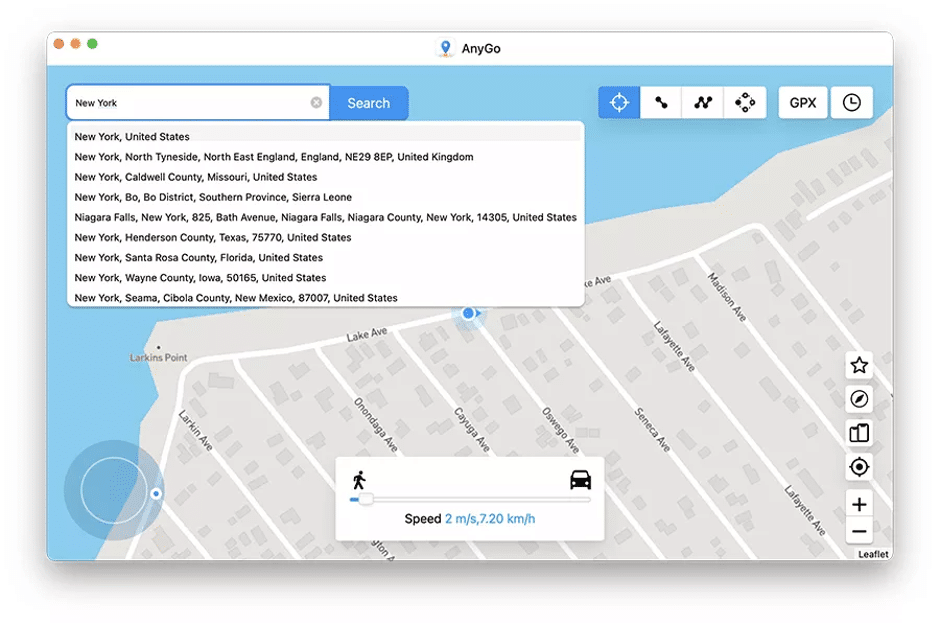
2. Simulate Movement
With AnyGo, you can simulate and move along a route in two spot-mode or multi-spot modes.
Use Two-Spot Mode:
Step 1: Click the Two-Spot Route at the upper-right corner and select any place you want to go on the map.
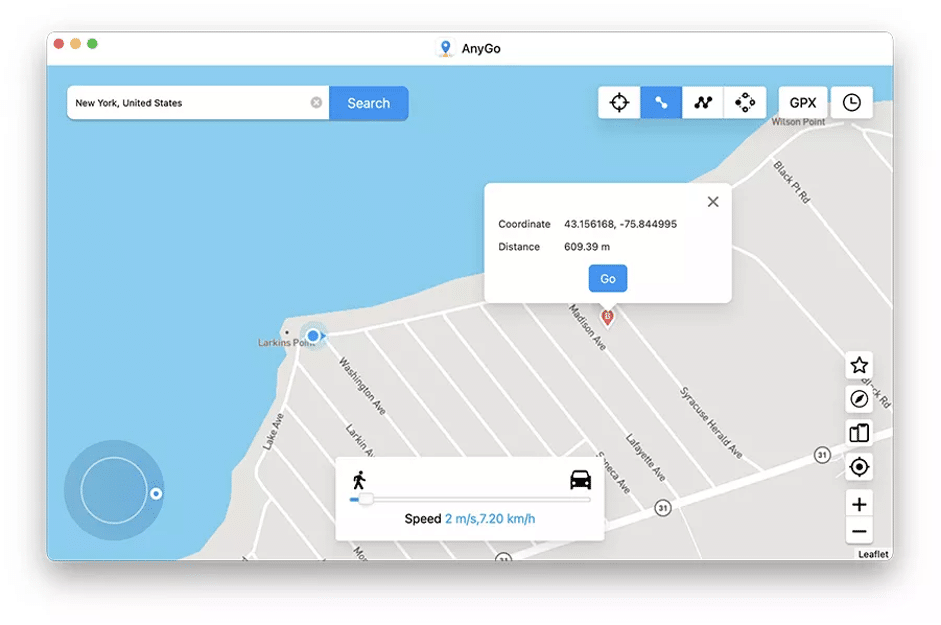
Step 2: Adjust the speed in the process using a slider at the bottom. Select the Realistic Mode for different speeds. Choose walking, cycling, or driving speed and tap the Go button.
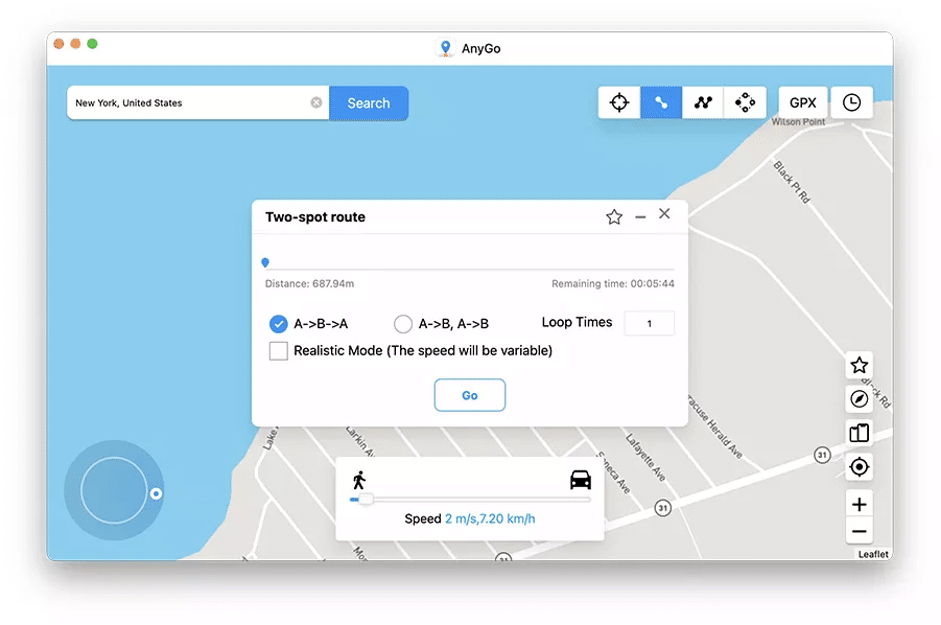
Step 3: In the pop-up box appearing, set the number of times you desire to repeat the route. Press the Go button again to get moving.
Use Multi-Spot Mode:
Step 1: Click Multi-Spot mode at the upper-right corner to pass through many places on the map and select all the locations (along a specific route) you want to visit.
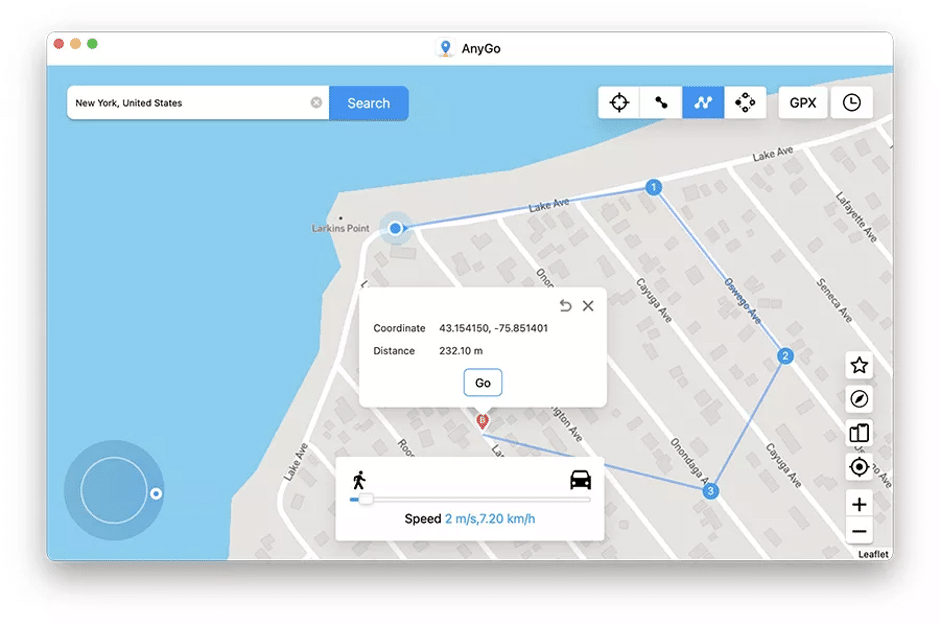
Step 2: Select the moving speed, and tap Go.
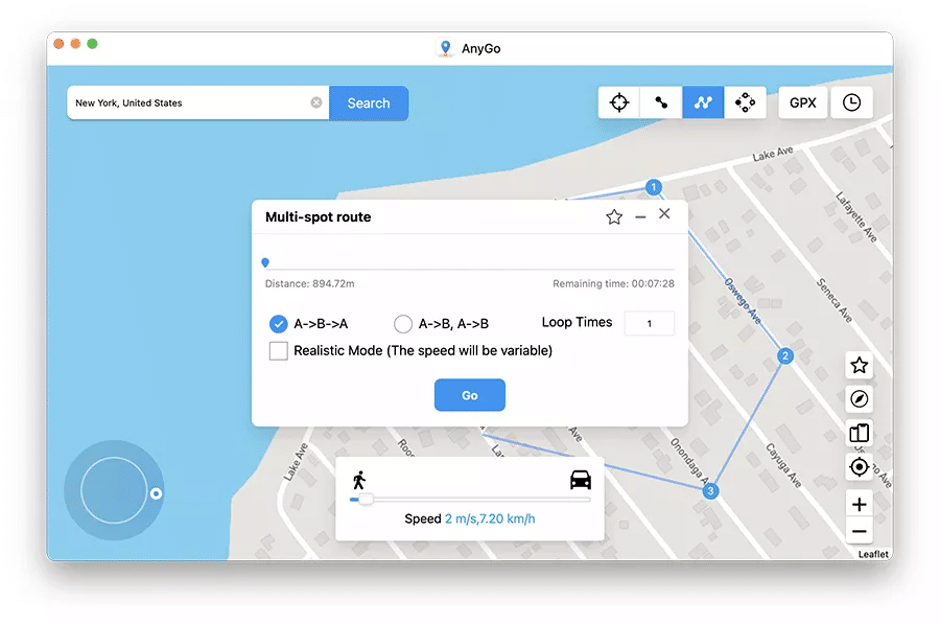
Step 3: Specify the number of times you want to move along the chosen path and click Go to start the simulated movement. For a natural experience, you can activate Realistic Mode.
3. Import GPX Files
With AnyGo, you can import the local GPX files to simulate your movement.
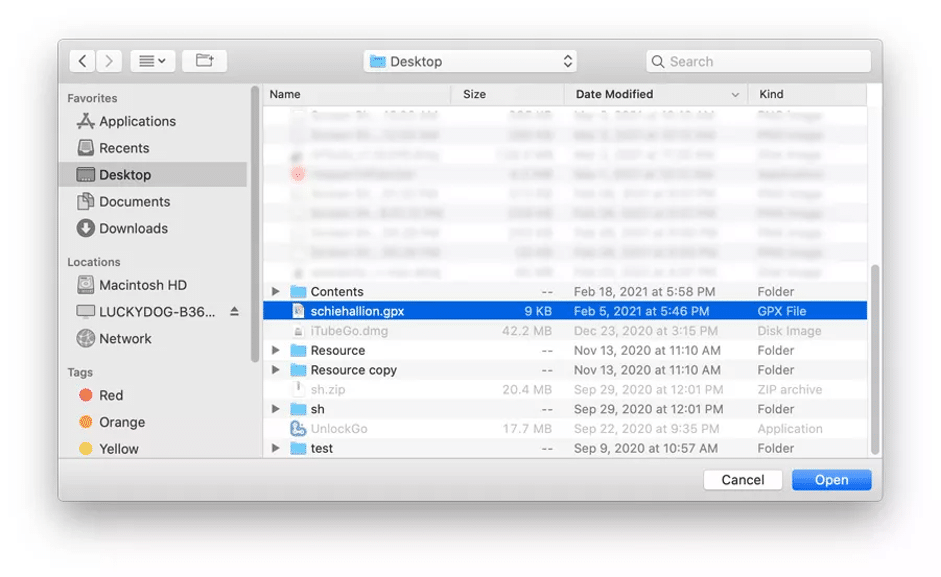
Step 1: Click the GPX icon at the upper right corner and select the GPX file you want to use. Import it on AnyGo.
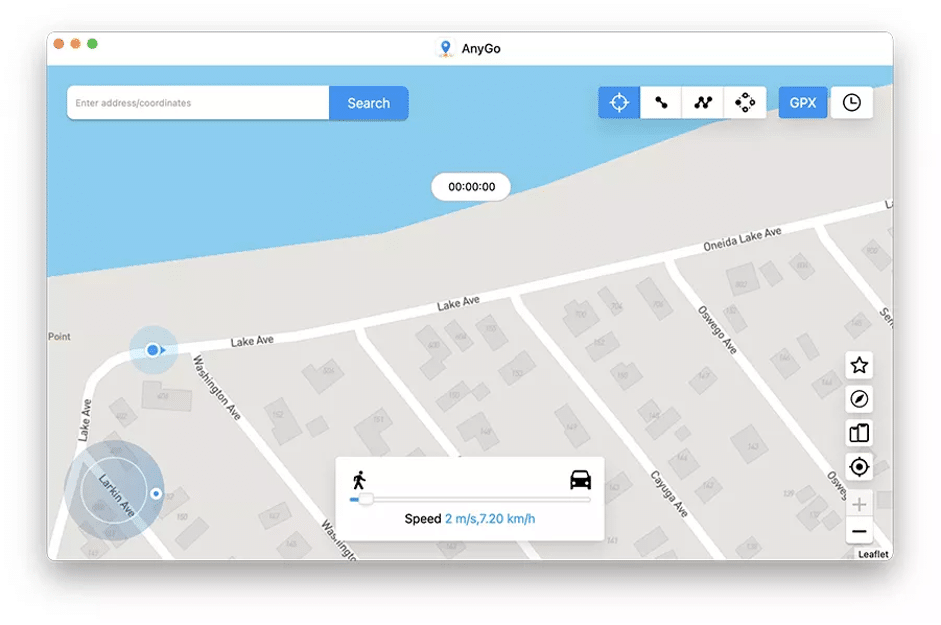
Step 2: Select the number of times you want to repeat the route, tap the Go button, and start following the route in the GPX file.
4. Jump Teleport to Custom Destinations
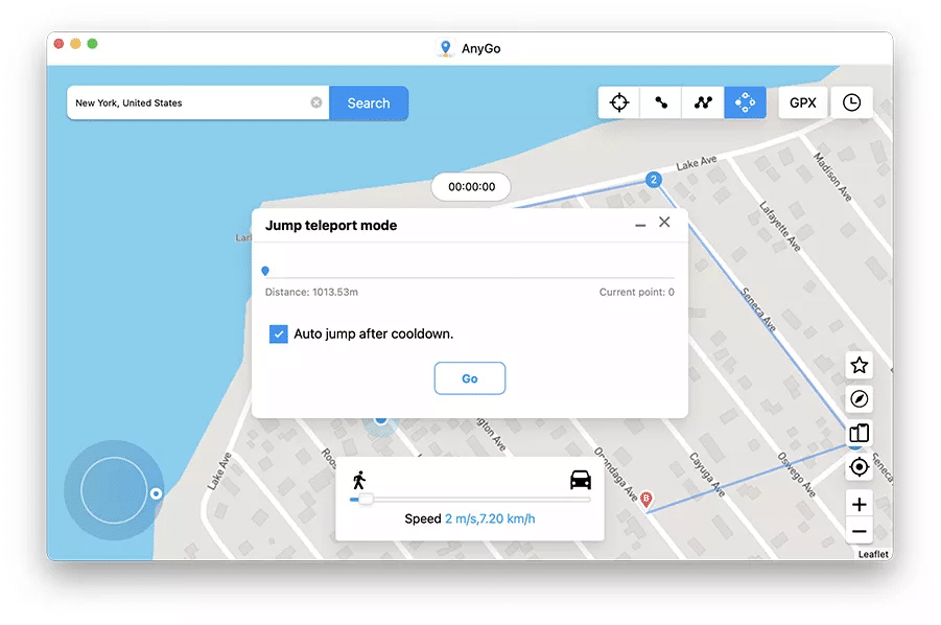
Jump teleport lets you jump manually or automatically from one location to another.
Jump Manually
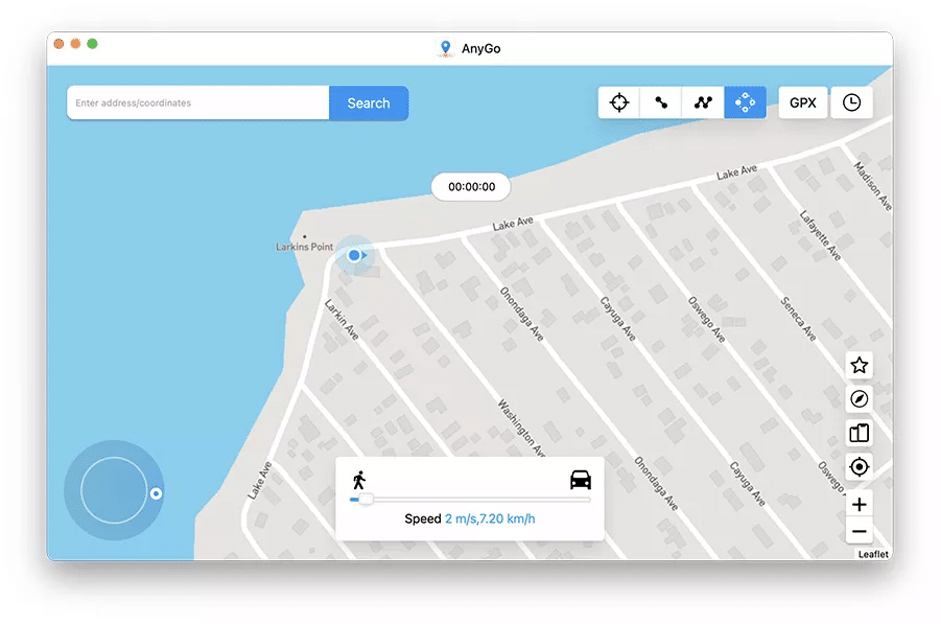
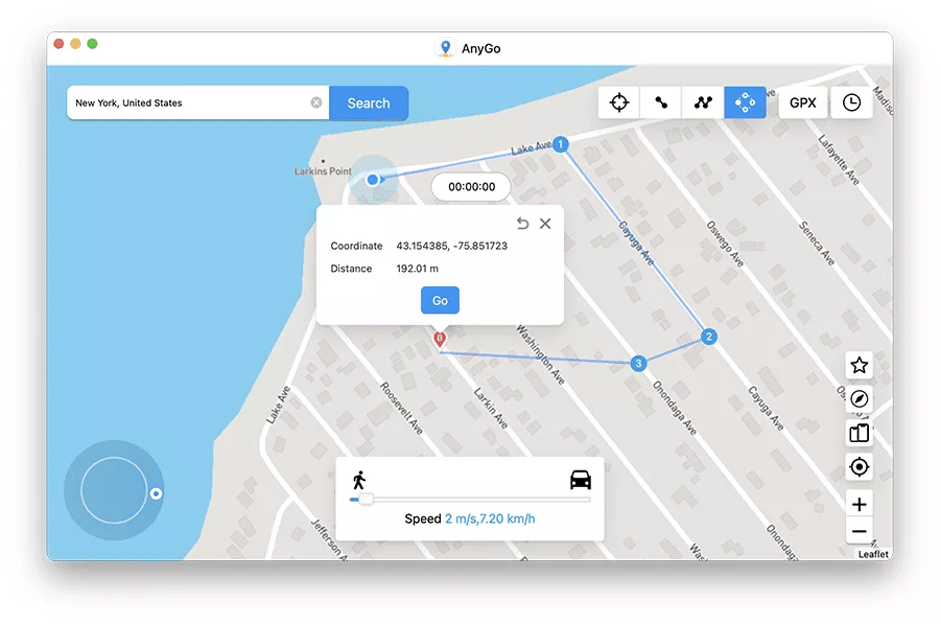
Step 1: Open AnyGo and connect your iOS to see your current location. Click on Jump Teleport Mode and select the locations you want to jump, and create a custom route. Click the Go button.
Step 2: Click the Next button to continue the jump and reach the next stop directly. Once all points are complete, tap Done to finish it and OK to leave it.
Jump Automatically
When playing the Pokemon Go game, select the Auto jump after Cooldown, as it sets the time automatically as per the distance, which is quite helpful.
5. Spoof Multiple iOS Devices GPS
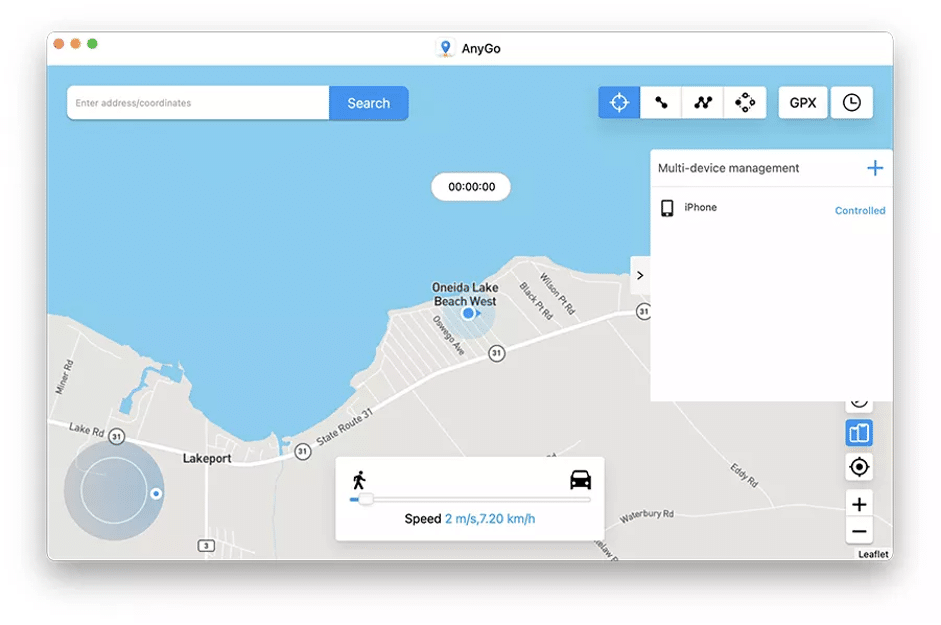
With iToolab AnyGo, you can plug multiple iPhones, iPads, and iPods into a computer and change their locations at the same time. Just enter the Multi-device mode and add your devices. Then you can change their locations.
What Makes iToolab AnyGo the Best Pokemon Go spoofer?
iToolab AnyGo is, undoubtedly, the best tool that lets you spoof Pokemon Go iPhoneand Android in a few simple clicks. Its other functions include, but are not limited to;
1. Compatible with Multiple Apps:
The tool is compatible with many gaming, social, dating, navigation, and real-time tracking apps.
2. Controls GPS Movements with a Keyboard
You can easily control the GPS movement using the keyboard keys W, A, S, and D, or Up, Down, Left, and Right directional keys.
3. Enables Cooldown Timer
With Cooldown Timer, you can plan your following action on Pokemon Go.
4. Customize the Speed
iToolab lets you simulate cycling, walking, and driving at a fixed or variable speed from 3.6km/hour to 100km per hour.
5. Customize Cycle Times
iToolab AnyGo lets you walk in circles or repeat the route with a custom number of times, and you can even pause and resume your movement anytime.
Pricing Strategy
iToolab AnyGo is available in three flexible subscription plans:
| Windows PC | Mac OS | |
| Monthly Plan | USD 9.95 | USD 12.95 |
| Quarterly Plan | USD 6.65/Month | USD 6.65/Month |
| Annual Plan | USD 3.32/Month | USD 4.16/Month |
| Lifetime Plan | USD 69.95 | USD 79.95 |
This Pokemon Go spoofer iOS works seamlessly and flawlessly on all iOS devices 7.0 and above (including the latest iOS 16), iPhone/iPad, and Android devices 7.0 and later (including Android 13). It also works perfectly on Windows 7 to Windows 11 and Mac OS 10.12 to 13 (macOS Ventura). With the coupon code LABR8F, you can get a 20% extra discount on each plan. The subscription plans auto-renew, allow you to cancel anytime, and offer a 30-day money-back guarantee.
The Bottom Line
Pokemon Go is an exciting game as long as you have many players to interact with in your area. Otherwise, it could get dull quickly. However, with the safe tool iToolab AnyGo – iOS Location Spoofer, you can move places without actually moving and play with new trainers globally. Moreover, you can spoof Pokemon Go GPS on iOS and teleport to any corner of the world, regardless of weather restrictions, from your home with simple clicks.











