
iLoungeiLounge
  • News
    • Apple
      • AirPods Pro
      • AirPlay
      • Apps
        • Apple Music
      • iCloud
      • iTunes
      • HealthKit
      • HomeKit
      • HomePod
      • iOS 13
      • Apple Pay
      • Apple TV
      • Siri
    • Rumors
    • Humor
    • Technology
      • CES
    • Daily Deals
    • Articles
    • Web Stories
  • iPhone
    • iPhone Accessories
  • iPad
  • iPod
    • iPod Accessories
  • Apple Watch
    • Apple Watch Accessories
  • Mac
    • MacBook Air
    • MacBook Pro
  • Reviews
    • App Reviews
  • How-to
    • Ask iLounge
Font ResizerAa
iLoungeiLounge
Font ResizerAa
Search
  • News
    • Apple
    • Rumors
    • Humor
    • Technology
    • Daily Deals
    • Articles
    • Web Stories
  • iPhone
    • iPhone Accessories
  • iPad
  • iPod
    • iPod Accessories
  • Apple Watch
    • Apple Watch Accessories
  • Mac
    • MacBook Air
    • MacBook Pro
  • Reviews
    • App Reviews
  • How-to
    • Ask iLounge
Follow US

Articles

Articles

How to Set Up a Retro Arcade Machine at Home

Last updated: May 26, 2025 12:29 pm UTC
By Lucy Bennett
How to Set Up a Retro Arcade Machine at Home

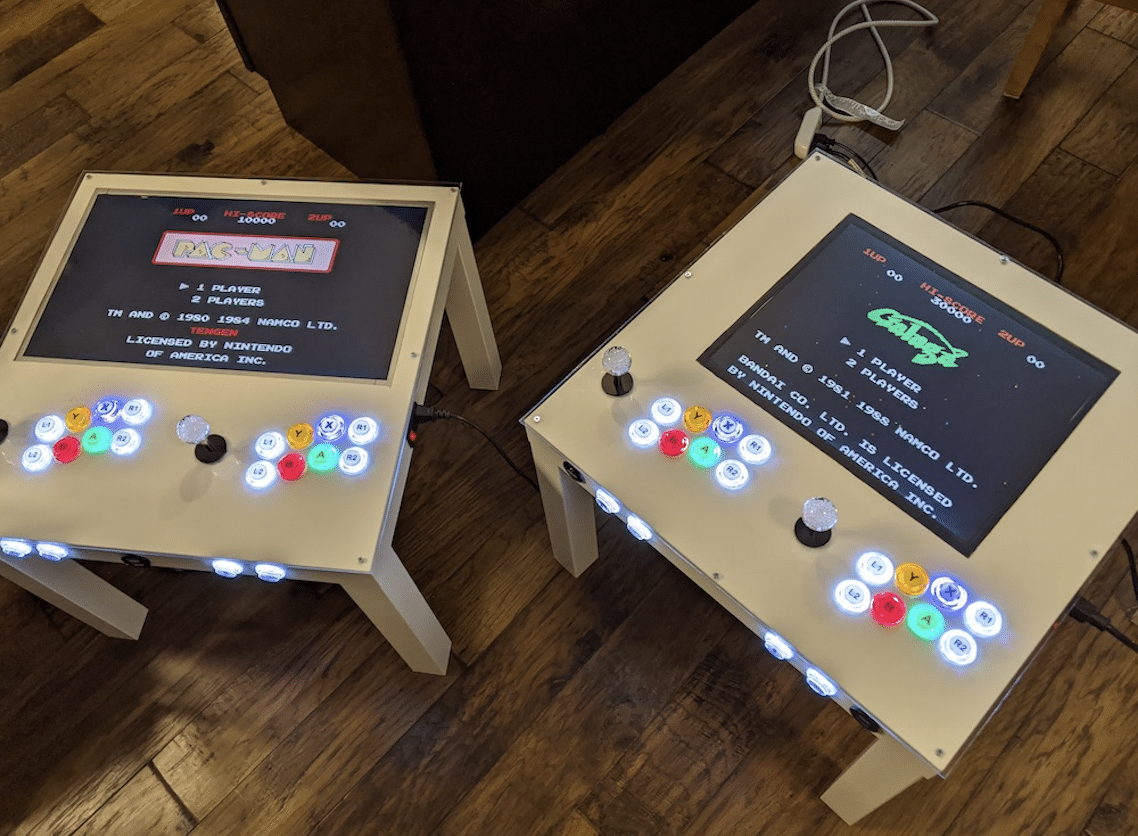
Find yourself reminiscing about the golden age of gaming often? Why not relive the glory days by building your very own arcade machine at home? It’s not that hard, and you get to reuse an old computer or tablet that’s been gathering dust. You can even invite friends or family members for game night in your condo at Canberra Crescent Residences. Here’s how to get started.


Choose the Games You Want to Play

There are thousands of retro games you can choose from. You can either go with a favorite or a game that holds a dear memory, or try something new. It’s a good idea to make a list of all the retro titles you want and the software that runs them.
How to Set Up a Retro Arcade Machine at Home

Research the Software and Understand How to Install It

The software that runs retro games is called an emulator, and they’re usually free to download online. With the list you have, look up the emulator for the games. You can get an idea of the process by visiting the emulator’s official website.


Use an Old Computer, Tablet, or TV

Give your old devices a second lease of life by repurposing them. It could be an old laptop or tablet that has seen its prime. Or, it could be an old TV that has an HDMI port.

Install and Set It Up

Download and install the emulator on the old machine, then run and test the settings until you’re happy with it. Add some flair by attaching an accessory, such as a game controller or an arcade stick, through the USB port so you can get the full arcade experience.

Play and Enjoy!

Now it’s all come down to this. Run the emulator, load the game, and play to your heart’s content. Invite a friend over and have some retro fun together!



Latest News
The Apple Watch Series 11 46mm GPS Is $100 Off
1 Min Read
Clamshell Style iPhone Being Looked Into By Apple
1 Min Read
Foldable iPhones May Have the Largest Battery Ever
1 Min Read
Apple and TSMC’s 10-Year Collaboration May Be Ending
1 Min Read
The 13-inch M5 iPad Pro 256GB Wi-Fi Is $149 Off
1 Min Read
M5 Pro and M5 Max Chips for the MacBook Pro could Roll Out with macOS 26.3
1 Min Read
Mac Ordering Process Revamped
1 Min Read
Check Signed By Steve Wozniak and Steve Jobs Sold For $2.4 Million
1 Min Read
The Anker 140W 4-Port GaN USB-C Charger is $35 Off
1 Min Read
No iPhone Air 2 This Year, according to Latest Report
1 Min Read
New Report Corroborates Split iPhone Release Dates
1 Min Read
Apple Losing More Researchers As They Plan To Release 2 Siri Versions
1 Min Read

iLounge logo

iLounge is an independent resource for all things iPod, iPhone, iPad, and beyond. iPod, iPhone, iPad, iTunes, Apple TV, and the Apple logo are trademarks of Apple Inc.

This website is not affiliated with Apple Inc.
iLounge © 2001 - 2025. All Rights Reserved.
  • Contact Us
  • Submit News
  • About Us
  • Forums
  • Privacy Policy
  • Terms Of Use
Welcome Back!

Sign in to your account

Lost your password?








