
iLoungeiLounge
  • News
    • Apple
      • AirPods Pro
      • AirPlay
      • Apps
        • Apple Music
      • iCloud
      • iTunes
      • HealthKit
      • HomeKit
      • HomePod
      • iOS 13
      • Apple Pay
      • Apple TV
      • Siri
    • Rumors
    • Humor
    • Technology
      • CES
    • Daily Deals
    • Articles
    • Web Stories
  • iPhone
    • iPhone Accessories
  • iPad
  • iPod
    • iPod Accessories
  • Apple Watch
    • Apple Watch Accessories
  • Mac
    • MacBook Air
    • MacBook Pro
  • Reviews
    • App Reviews
  • How-to
    • Ask iLounge
Font ResizerAa
iLoungeiLounge
Font ResizerAa
Search
  • News
    • Apple
    • Rumors
    • Humor
    • Technology
    • Daily Deals
    • Articles
    • Web Stories
  • iPhone
    • iPhone Accessories
  • iPad
  • iPod
    • iPod Accessories
  • Apple Watch
    • Apple Watch Accessories
  • Mac
    • MacBook Air
    • MacBook Pro
  • Reviews
    • App Reviews
  • How-to
    • Ask iLounge
Follow US

Articles

Articles

How to set up a proxy server on Android: detailed instructions

Last updated: May 29, 2024 6:37 pm UTC
By Lucy Bennett
How to set up a proxy server on Android detailed instructions

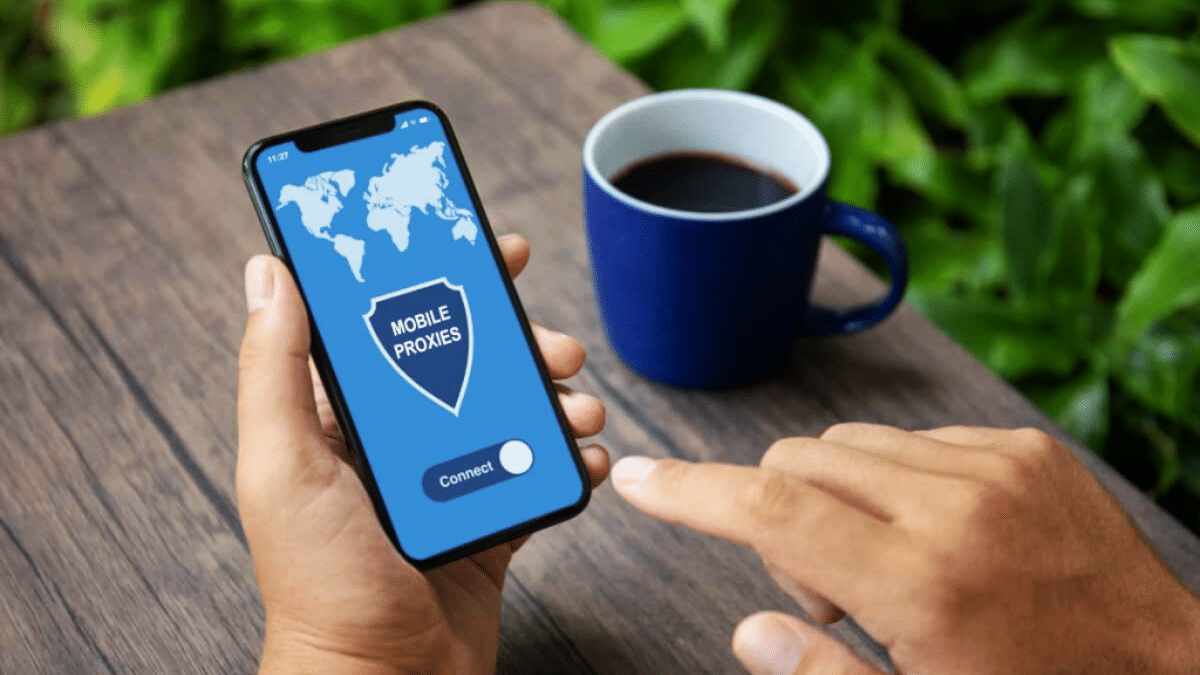
Setting up a proxy on android is generally as easy as it is on PC. Read this guide to learn how to connect a proxy server to your smartphone in a few simple steps.


If you need a proxy server but for one reason or another you find it difficult to choose a proxy, we can recommend you to use Polish mobile proxies from Proxy-Hobbit. This company offers proxy servers, which, according to our observations, have an excellent level of hiding your real IP address and stable performance.
How to set up a proxy server on Android detailed instructions

Normal setting

This is the simplest algorithm, which does not require installation of special programmes and is suitable if you just need to connect a proxy and do not intend to use additional functionality offered by applications.


To connect proxy on android, follow this algorithm:

  • Go to your phone’s settings.
  • Select the menu item responsible for network/Wi-Fi.
  • Find the network you are connected to.
  • Select the network settings and find the menu item ‘Proxy’, select the manual setting.
  • Specify manually the data from the proxy – IP address, port.

Done, after that you should have your proxy working. Items 4 and 5 may be slightly different depending on the phone model – for example, in some brands you will need to click on router settings, in others – the menu item with proxy will be immediately visible.


Configuring with ProxyDroid

ProxyDroid is an application for setting up a proxy server on Android. The first thing you need to do is to get root rights on your smartphone. There is no universal instruction on how to do this – each phone may have its own procedure. Look online to find out how to do it for your model, and then come back to this guide.

After getting root privileges, follow the steps below:

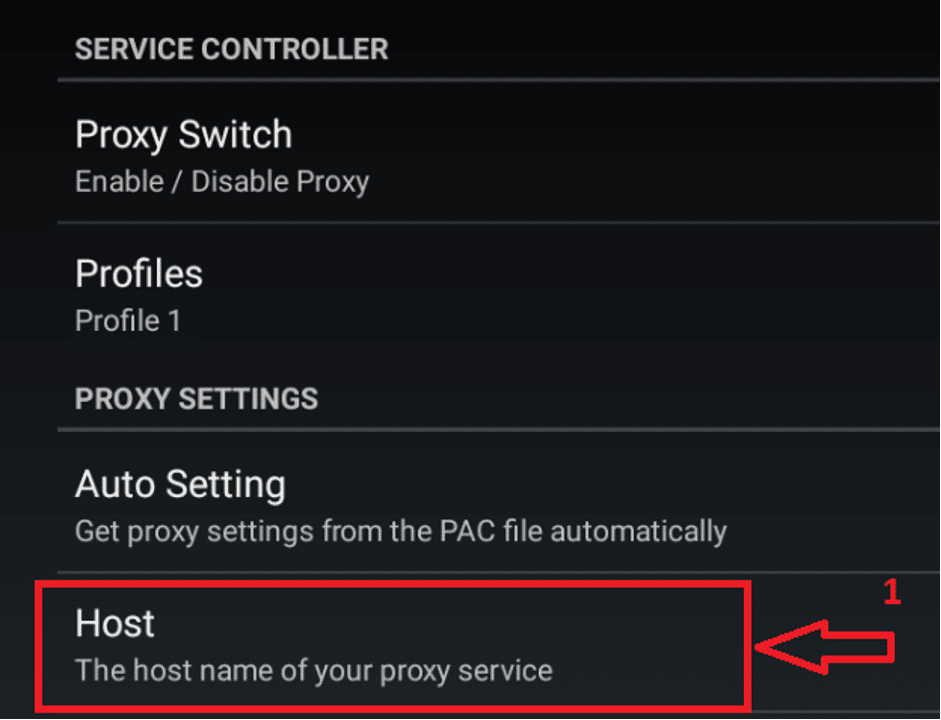
Open the app and select the ‘HOST’ menu item, specify the IP address of the proxy there.

How to set up a proxy server on Android: detailed instructions
  • Below that, select the ‘Port’ menu item and type in the port of your proxy.

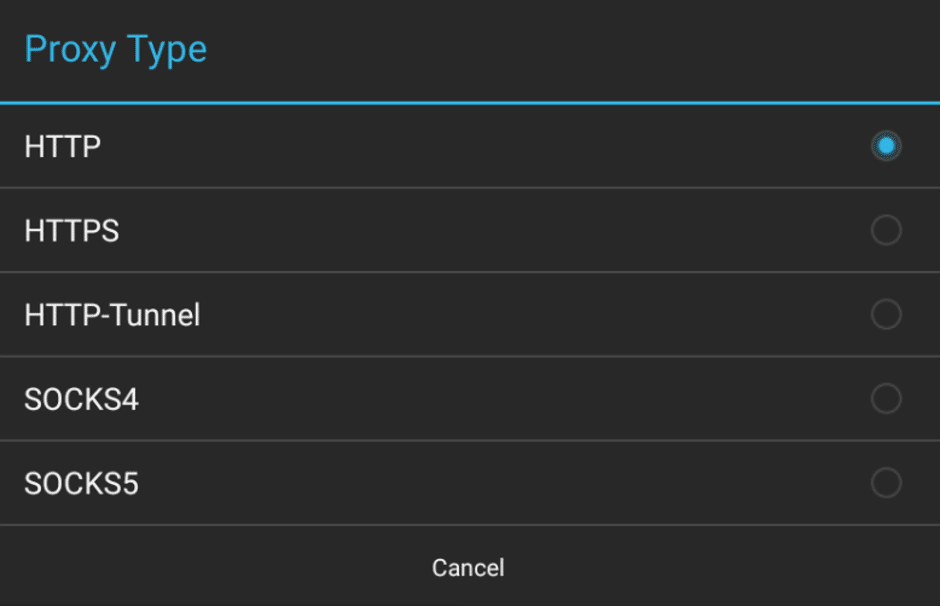
Under the port item there is a proxy type, click on it and specify your type. For example, if you have a SOCKS5 type proxy, click on that item in the menu.
How to set up a proxy server on Android: detailed instructions
  • If you are using a proxy with a login and password, scroll down until you see the ‘Enable Authentication’ menu item. Enter your proxy login and password below.
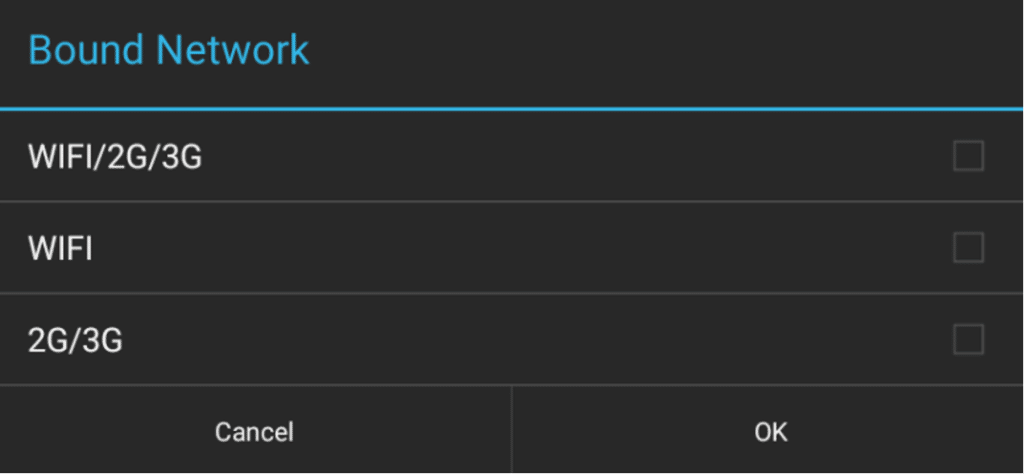
  • Select ‘Bound Network’ and specify the networks to which the proxy server will connect:
How to set up a proxy server on Android: detailed instructions
  • If you want auto-connection, tick this option – it is located above the button about the Bound Network.

Next, scroll to the very top and slide the ‘On/Off’ slider. Done, now you have successfully finished setting up Android proxy.


Configuring with Droni

If you don’t know how to set up a proxy on android without getting root privileges, try another Droni app, you can work with it immediately.

The algorithm of actions is as follows:

  • Open the programme and swipe the top menu to the left, going to the settings section.
  • In the settings select the menu item ‘Not Wi-Fi’
How to set up a proxy server on Android: detailed instructions
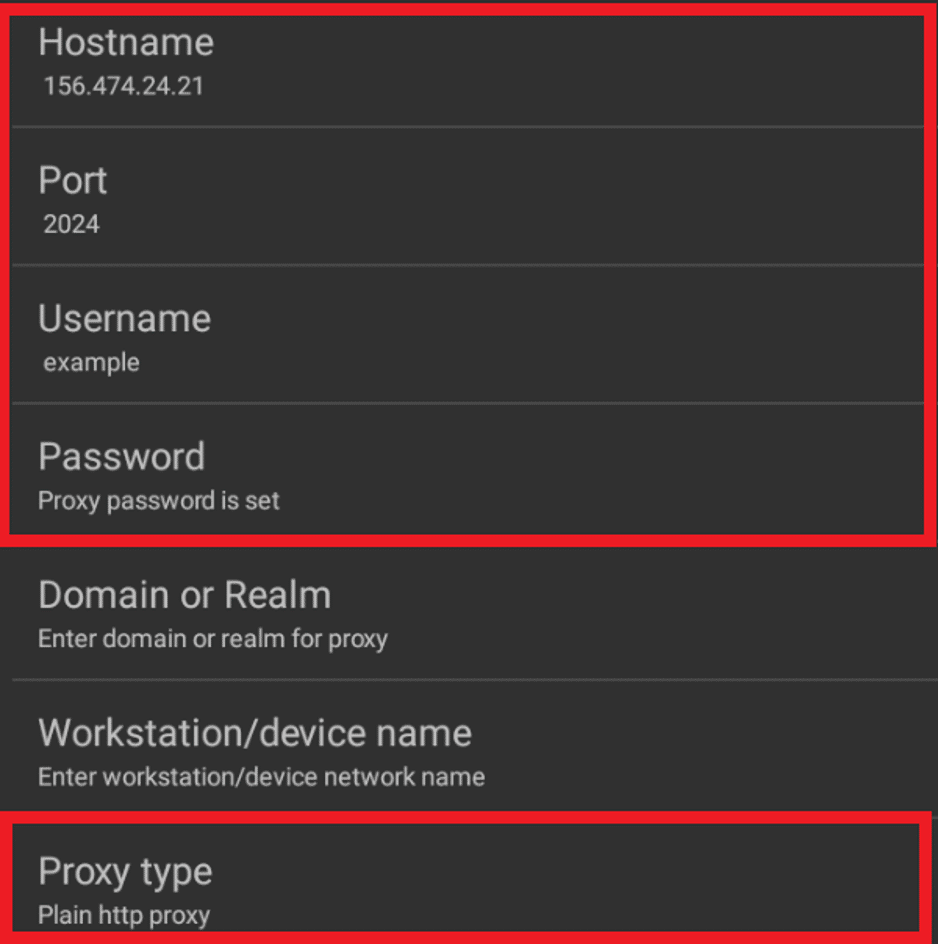
  • Once in the submenu, specify in turn: the Hostname of the proxy server (IP address), port, if necessary also the user login and password. Also specify the type of proxy, this item is located just below the password.
How to set up a proxy server on Android: detailed instructions
  • Go back to the first section ‘Log’ and click ‘OFF/ON’.

After that you will see the text, if the proxy works – the application will send ‘proxy listening on’ and then the address with the port will follow.

Now you know how to set up a proxy server on android.


Latest News
The AirPods Pro 3 is $20 Off
1 Min Read
Exynos 2600 Chip 2nm Process Revealed by Samsung
1 Min Read
New Celebrity Ad Campaign Featuring Travis Scott Released by Beats
1 Min Read
Australia Getting Hypertension Notification Feature
1 Min Read
The 14-inch MacBook Pro with M5 Chip 16GB RAM/512GB is $250 Off
1 Min Read
Noise and Static on AirPods Pro 3 Still Unfixed
1 Min Read
New iMac with 24-inch OLED Display May be Brighter With 600 Nits
1 Min Read
The 15-inch M4 MacBook Air 256GB Is $250 Off
1 Min Read
Internal Kernel Debug Kit from Apple Reveals Tests for a MacBook with A15 Chip
1 Min Read
Apple Currently In Talks With Suppliers for Chip Assembly & Packaging of iPhones in India
1 Min Read
Apple Allows Easier Battery Replacement For M5 MacBook Pro with 14-inch Display
1 Min Read
The Apple Watch SE 3 44mm GPS is $50 Off
1 Min Read

iLounge logo

iLounge is an independent resource for all things iPod, iPhone, iPad, and beyond. iPod, iPhone, iPad, iTunes, Apple TV, and the Apple logo are trademarks of Apple Inc.

This website is not affiliated with Apple Inc.
iLounge © 2001 - 2025. All Rights Reserved.
  • Contact Us
  • Submit News
  • About Us
  • Forums
  • Privacy Policy
  • Terms Of Use
Welcome Back!

Sign in to your account

Lost your password?










