
Photographs are a fabulous way to take a trip down the memory lane. They allow us to cherish the moments in the past and the captured memories do nothing but bring a smile on our face.
For a long time, digital cameras have been adding date stamp watermark to the images which is liked by some people but is a real problem for many others.

Photos with a watermark imprinted on them may look meaningful at first and you may feel that it’s giving them some perspective. Being lost in the moment and clicking endlessly is great, but when it comes to sharing them on social media or with other people, the timestamps present on it actually “spoil” the whole vibe!
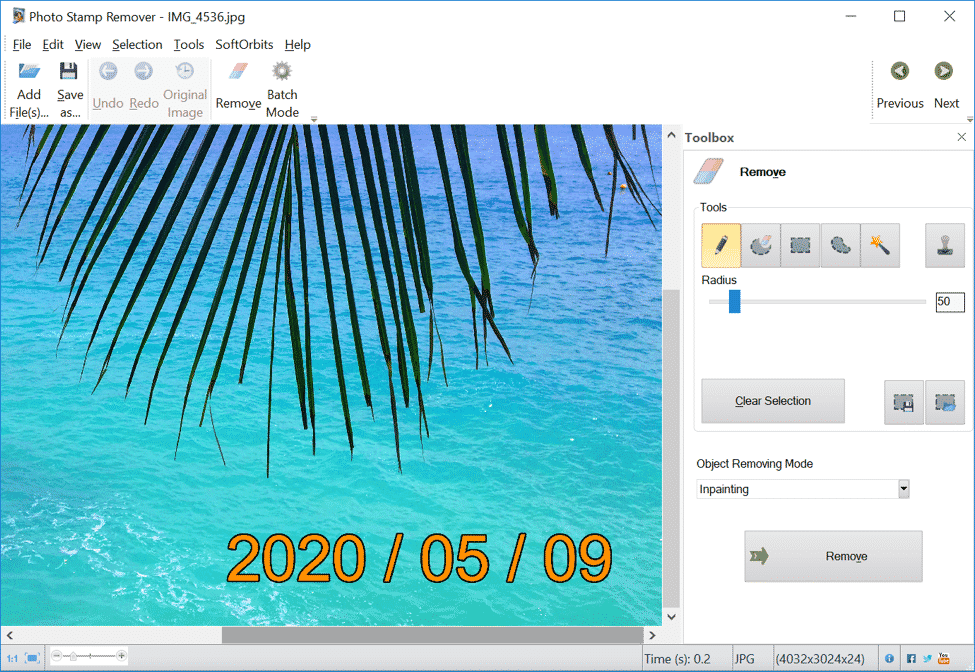
Reasons To Remove Date Watermark From Photos
Date stamp photos are convenient to organize, and many times people have a huge collection of snaps with date and timestamp embedded on them because they didn’t know or forgot to switch off the setting for the same in their camera or smartphone.
Almost every device comes with an option to enable or disable the date stamp from images, and the EXIF data can be used for keeping a track of the dates.
Why should you remove the date watermark from photos?
Different people have different reasons to get the watermarks removed from their pictures. The following are some of the most common ones.
. Distraction
Whenever an individual clicks a picture, the goal is to put the focus on a particular individual or place, or an object. But having a timestamp resting on one of the corners can create a distraction in the image as it is the first thing that catches people’s eye.
. Clean Images
There’s no denying that photo watermarks make pictures look untidy. A label or extra information on a photograph does not make them frame-worthy and is annoying to look at.
. Professional
Professional photos are meant to have a clear background, a smart pose, and definitely zero labels or watermarks. Watermarks serve no purpose at all and are a nuisance in a perfect picture.
How To Remove Watermark From Photo
Nowadays, removing the date from photos isn’t a challenge anymore and has become simpler than ever. It has become possible with the availability of several sophisticated tools and software.
One of the most reliable ones is Watermark Remover Online.
A robust tool to get rid of watermarks, date stamps, and people from the photos, Watermark Remover is quick and easy to use. It can make your pictures look neater and free from any extra labels, and specializes in a great set of advanced tools.
The software comes with a plethora of advantages, including the following:
. Effortlessly Removes Dates From Photos
If you want to remove date from photos , this software has you covered. The best part is it allows the users to remove a batch of date stamps at once, helping them save a lot of time and effort.
. Allows Color Selection
Photo Stamp Remover comes with a lot of fantastic features, and being able to select date stamp by color is one of them. The color is chosen according to the selected area, and the date is smoothly removed.
. Leaves No Traces on Images
If you’re worried your photos will have traces because of using software to get rid of date stamps, keep such thoughts aside! Using an ultimate tool like Watermark Remover will leave your photos looking flawless.
How To Remove Date Stamp Watermark From Photo with Photo Stamp Remover
Using Photo Stamp Remover to remove dates from photos is one of the most convenient methods. It can be done just by following these simple steps.
Step 1. Add a Photo
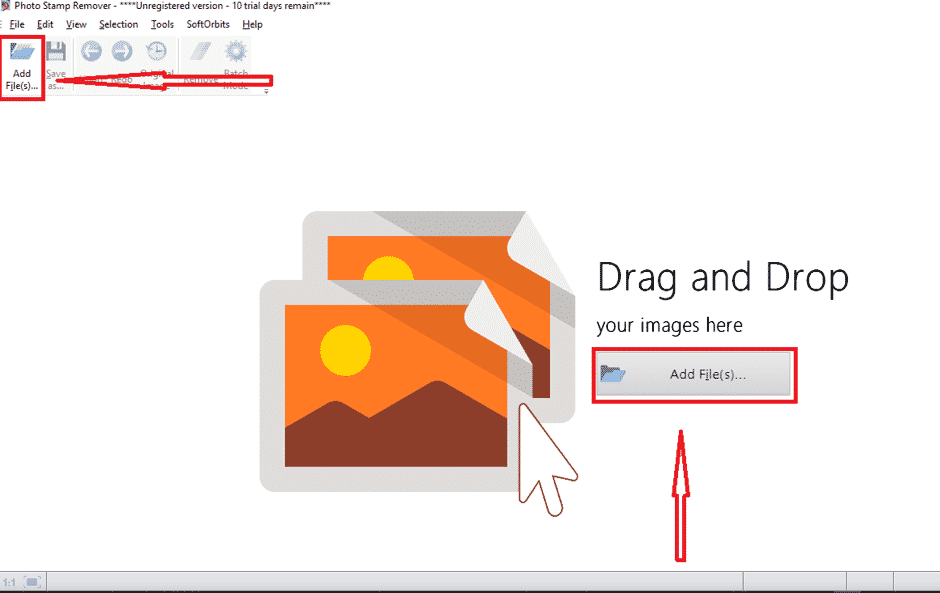
The first and foremost step to start editing your pictures for removing datestamps from them is to add them to the software. This can be done clicking on “Add File” and follow the instructions for uploading.
Step 2. Select Date Stamp by Color
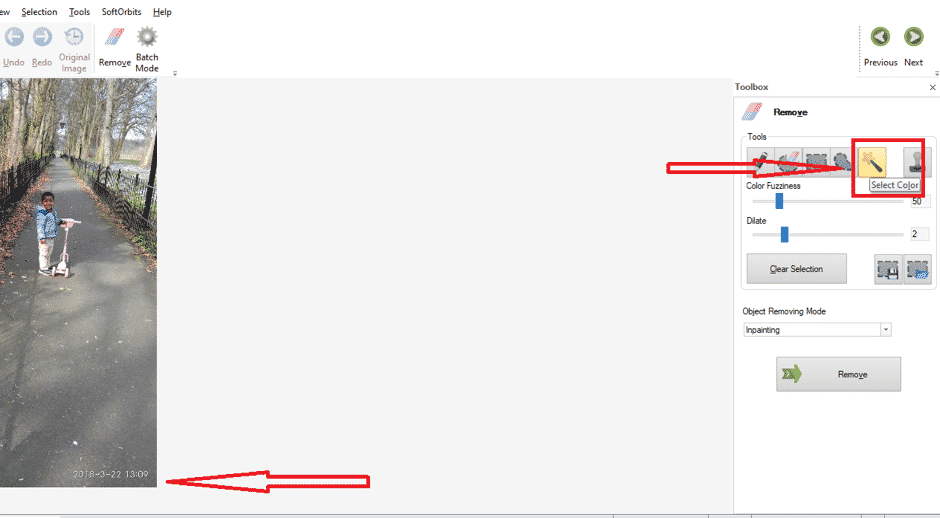
Select the date you want to remove, and by using the color selection tool, the software will identify the color automatically. Also, if there’s more than one color in the selected area, you can choose the shade manually too.
Step 3. Adjust the Parameters
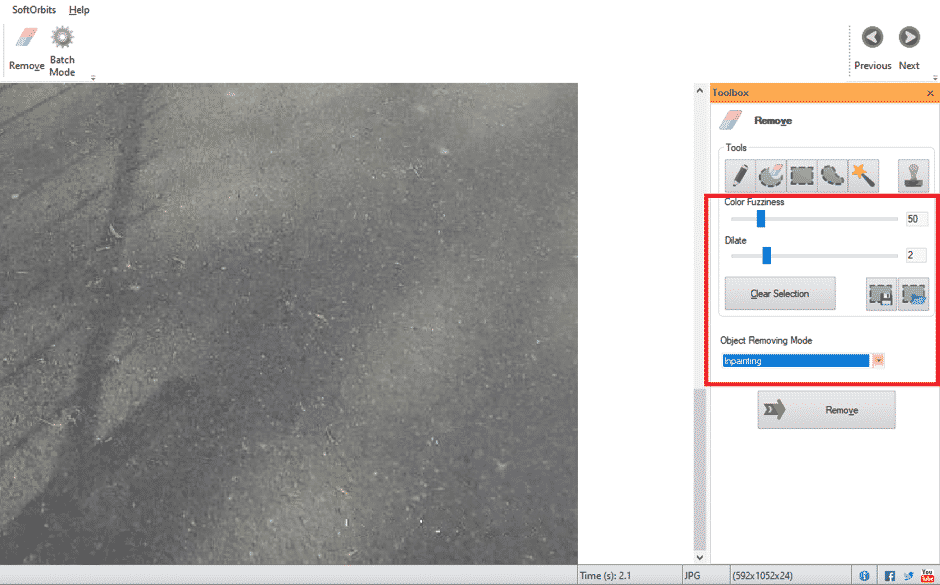
After selecting the date area and color, you can make adjustments to the parameters and remove the date from your snap.
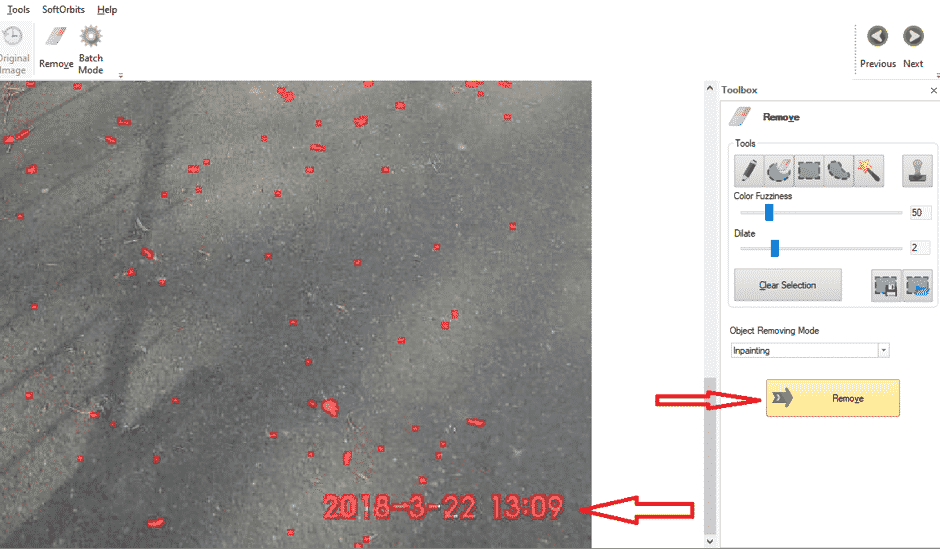
Step 4. Save Your Photo
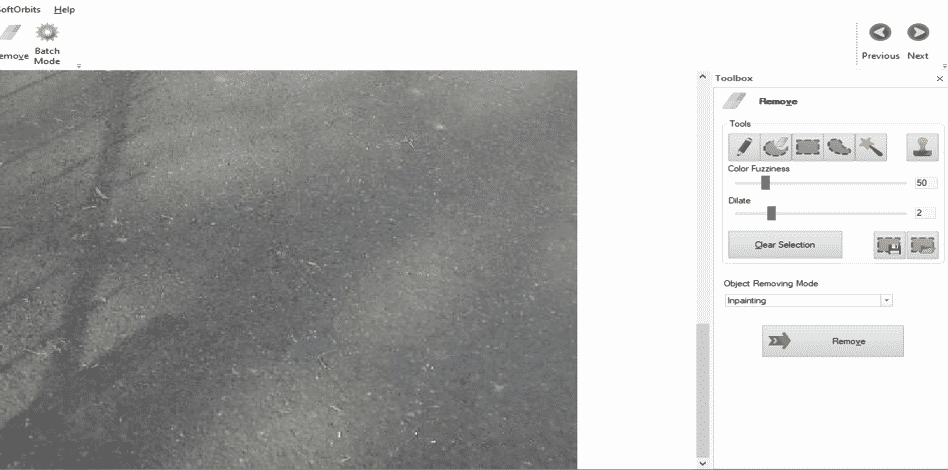
Once the date has been removed, and you’re happy with the result, you can click on save and add it to your system.
Step 5. Run Batch Mode
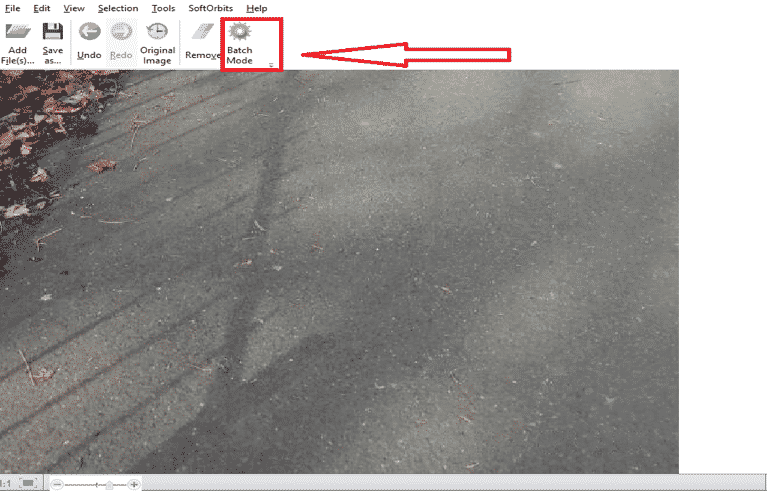
Now that you’re aware of editing a photo with Photo Stamp Remover, you can add a bunch of photos together and run the batch mode to process all your pictures in a single click.
Alternate Ways to Remove Date From Photo
In addition to the above software, there are many other techniques to keep your photos away from distractions such as date or time stamps. For instance,
- You can simply crop the part of your picture that has text on it. Make sure it isn’t deleting a focused object on your image.
- Timestamps can also be removed by altering the settings on your phone or camera.
- There are other software for deleting dates off from your photos such as Adobe Photoshop, Inpaint etc. But they can be expensive, take a lot of your time and make the process complex.
Summing Up
These days, photos can be edited professionally and as the users want them to be. It is no more a complicated task that could be done with limited tools such as paint or Adobe. Now individuals do not have to throw away photos with dates embedded on them, and rather fix them with powerful software available.











