
Emptying your Windows computer’s Recycle Bin can lead to dread once you realize that there are files that you don’t want deleted. As you may know, there’s practically nothing you can do within the Windows operating system to recover the files you’ve lost.
There is, however, another method you can take. iMyFone D-Back Hard Drive Recovery Expert for Windows can give you back your precious documents, videos and photos in the event of a Recycle Bin wipe. Here’s a surefire yet easy way on how to recover deleted files from Recycle Bin after emptying Windows 11/10/8/7.

Recover Deleted Files that are Not in Recycle Bin Using iMyFone D-Back
The emptied files in your Windows Recycle Bin cannot be retrieved without the help of a third party tool. If you are experiencing this scenario, then your best course of action is to download a robust yet easy-to-use tool like iMyFone D-Back Windows Recovery Expert.
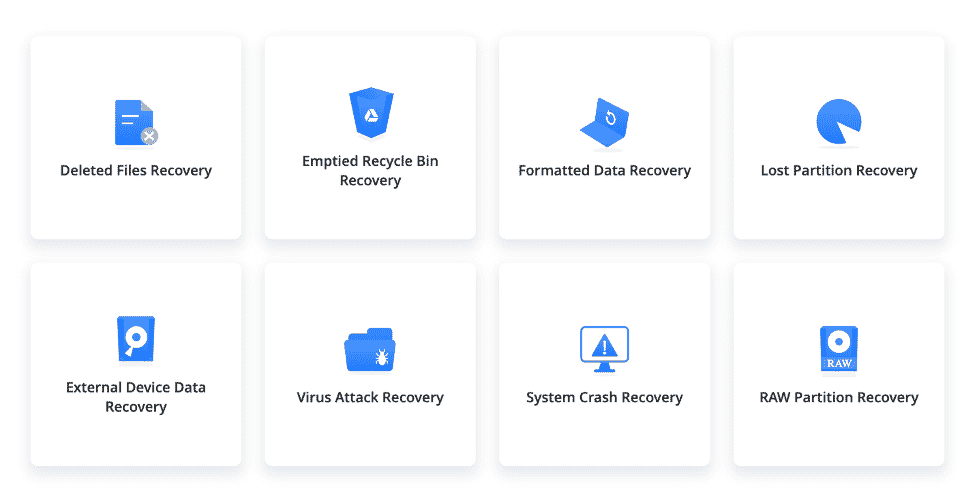
iMyFone’s D-Back Hard Drive Recovery software can get back your deleted files in various situations, such as accidental permanent deletion, physical damage, accidental formatting and more. Also, the tool can retrieve more than 1,000-plus types of data, including photos, videos, archives and documents, among others.
How to Recover Permanently Deleted Files from Recycle Bin on Windows
Step 1. Get the iMyFone D-Back Hard Drive Recovery Software
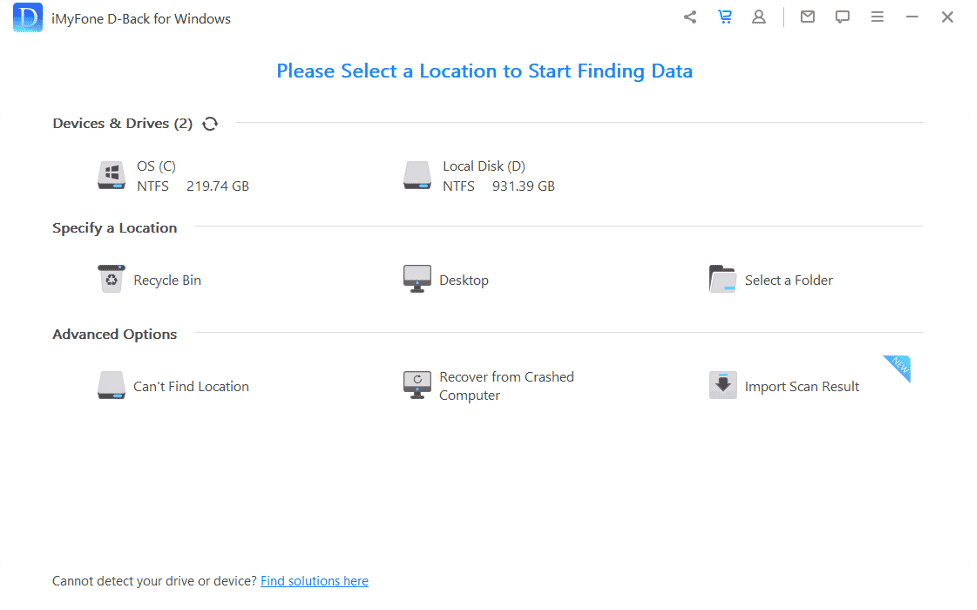
The first step is to visit the official iMyFone D-Back Hard Drive Recovery Expert website and download the software for free. Launch the program and choose the ‘recycle bin’ recovery option once you’re looking at the D-Back interface.
Step 2. Do a ‘Scan’ and Wait for the Results
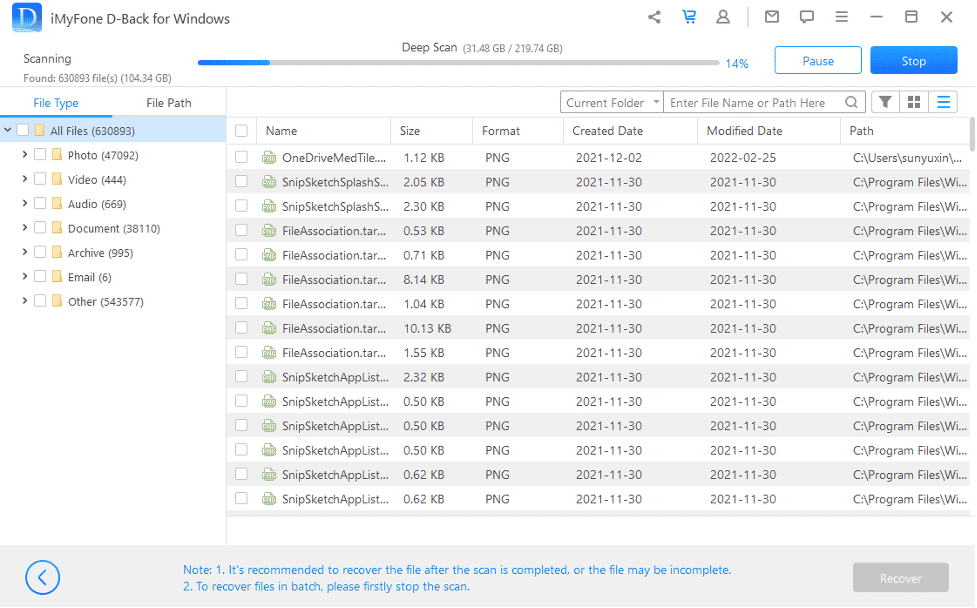
Click the ‘Start’ button so D-Back Hard Drive Recovery can begin looking for the deleted files. You may need to wait a few minutes depending on the size of your Windows PC hard drive before the pop-up ‘Scan Completed’ message is displayed.
The Windows file recovery software allows you to pause or stop the search anytime you want. This can become handy if you’ve already found the file you want to retrieve.
Step 3. Choose the Files You Want and ‘Recover’
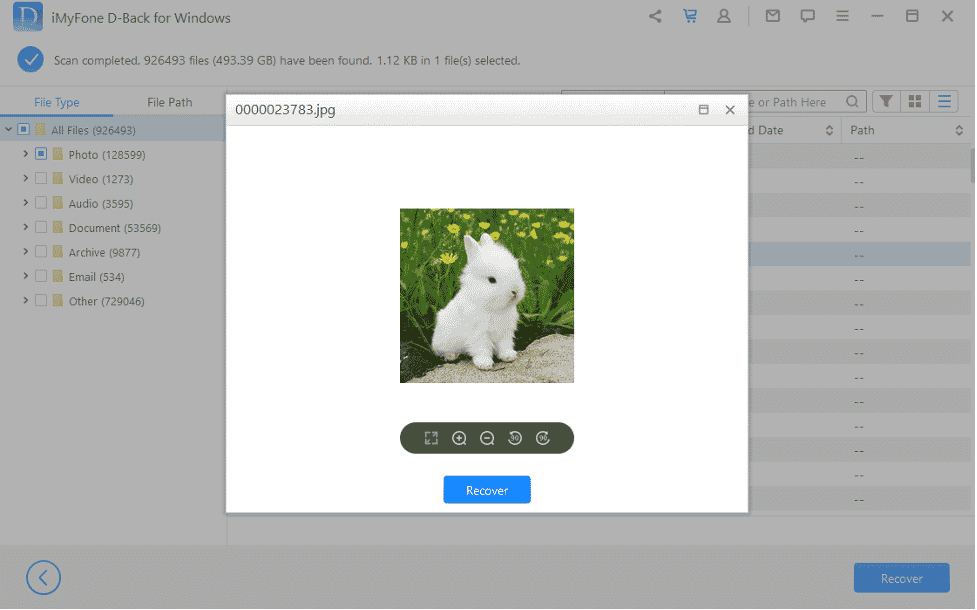
Once the scan is complete you can choose from among the listed files. Click on the ‘Recover’ button and iMyFone D-Back will recover the file and put it back to your preferred hard drive location.
Can You Recover Deleted Files from Recycle Bin after Emptying without Software?
There are several ways on how to recover deleted files from recycle bin within Windows, namely through Windows Backup, restoring previous Windows Versions and OneDrive.
Most of these options are complicated- Windows backup, for one, requires you to have a backup in place, while restoring previous versions has to be set up before you can use the function. Also, while OneDrive can be a lifesaver you will have to have uploaded the file into the cloud to be able to retrieve it.
Luckily, tools like D-Back Hard Drive Data Recovery can eliminate these drawbacks and allow you to recover files that are deleted from the Recycle Bin. The software can help if you forgot to back up to the cloud or haven’t set up a Windows backup or previous version.
Summary
Losing important files with simple mistakes can be heartbreaking, but there are software such as iMyFone’s D-Back to solve that problem. The robust data recovery tool can retrieve photos, word documents and other files that you’ve lost in the Recycle Bin in just a few minutes. It’s convenient and won’t require any additional work, such as delving into your Windows system to try and restore previous backups or image versions.
After using the iMyFone D-Back Hard Drive Recovery Expert you can continue working or doing your daily tasks.











