
iLoungeiLounge
  • News
    • Apple
      • AirPods Pro
      • AirPlay
      • Apps
        • Apple Music
      • iCloud
      • iTunes
      • HealthKit
      • HomeKit
      • HomePod
      • iOS 13
      • Apple Pay
      • Apple TV
      • Siri
    • Rumors
    • Humor
    • Technology
      • CES
    • Daily Deals
    • Articles
    • Web Stories
  • iPhone
    • iPhone Accessories
  • iPad
  • iPod
    • iPod Accessories
  • Apple Watch
    • Apple Watch Accessories
  • Mac
    • MacBook Air
    • MacBook Pro
  • Reviews
    • App Reviews
  • How-to
    • Ask iLounge
Font ResizerAa
iLoungeiLounge
Font ResizerAa
Search
  • News
    • Apple
    • Rumors
    • Humor
    • Technology
    • Daily Deals
    • Articles
    • Web Stories
  • iPhone
    • iPhone Accessories
  • iPad
  • iPod
    • iPod Accessories
  • Apple Watch
    • Apple Watch Accessories
  • Mac
    • MacBook Air
    • MacBook Pro
  • Reviews
    • App Reviews
  • How-to
    • Ask iLounge
Follow US

Articles

Articles

How to Put the New AirPods 4 in Bluetooth Pairing Mode: A Complete Guide

Last updated: Jan 15, 2025 10:19 am UTC
By Lucy Bennett
How to Put the New AirPods 4 in Bluetooth Pairing Mode A Complete Guide

The AirPods 4 arrived a couple of months ago with a few changes. The most notable of the changes were the lack of ear tips. Most people still consider them way below par when compared to the 2nd generation Airpods 2.


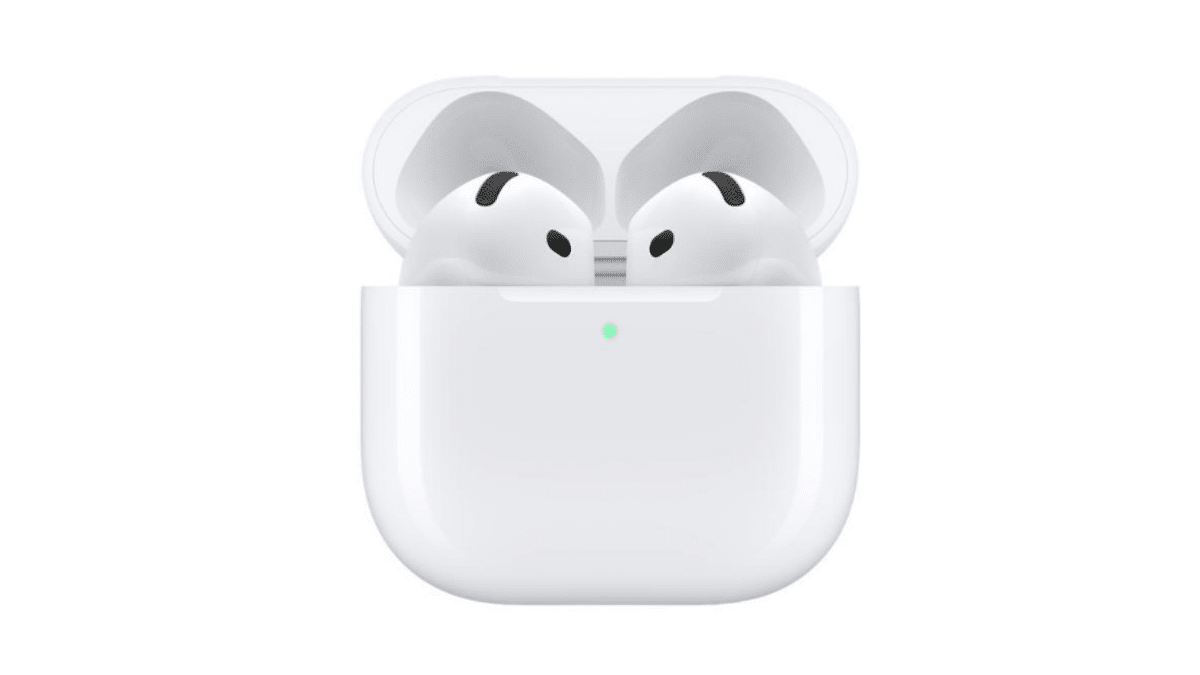
Both the ANC and the non ANC versions of the new Airpods came with a slightly updated case that might throw off even seasoned Airpods users. Especially when you are trying to put them in bluetooth pairing mode.
How to Put the New AirPods 4 in Bluetooth Pairing Mode A Complete Guide

Besides the fact that these are now Type – C, they got rid of the physical pairing button and replaced it with a touch capacitive button.  

How To Put Your AirPods 4 in Pairing Mode?

When you want to connect Airpods to a non-Apple device, you have to manually put them in Bluetooth pairing mode. Then you can connect to Windows computers, Smart TV’s, android phones e.t.c. That’s how you connect Airpods 4 To Android Phones and tablets


There used to be a physical button on the case to allow you to do this but that’s no longer the case with these new ones. Now we have a touch sensitive button right below the Airpods light. It’s exactly the same process save for the fact that this time we’re using a touch sensitive button you can’t actually see. You just have to believe it’s there!

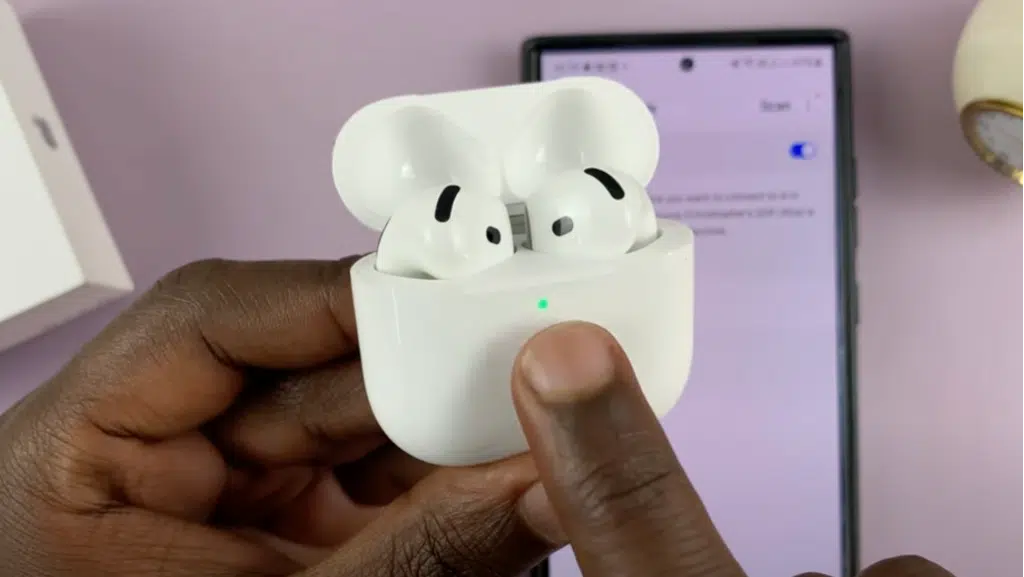
To put the new Airpods 4 in bluetooth pairing mode, first make sure the airpods are inside the case and the lid is open. then simply double tap on the touch capacitive button right below the case light.

How to Put the New AirPods 4 in Bluetooth Pairing Mode: A Complete Guide

When you see the light on the case blinking a white light rapidly, you’ll know they are in bluetooth pairing mode.

Keep in mind that there’s no haptic feedback from the touch button. You just have to make sure you’re hitting the right spot during the double tap.

Now you can scan for available Bluetooth devices with your phone, tablet, PC or Smart TV. It should be listed among available devices as ‘Airpods’

Select the Airpods and proceed with the connection instructions depending on your specific device you’re connecting to.


Troubleshooting Pairing Issues

If you encounter issues while pairing your AirPods 4, here are a few tips:

  • Reset the AirPods 4: Place them in the case, close the lid, wait 15 seconds, and then try again.
  • Charge Your AirPods: Ensure both the case and earbuds have enough charge. Plug them in for about 30 minutes to 1 hour.
  • Restart Your Device: Sometimes, restarting the device you want to pair with can resolve connectivity issues.
  • Check Compatibility: Ensure your device supports Bluetooth and meets the requirements for connecting with AirPods 4.
  • Factory Reset The Airpods: If everything seems to check out but the Airpods are still not connecting or going into pairing mode, you can try a Factory reset. This usually eliminates problems like that.
  • Warranty: If you have tried everything and you still can’t put them in Pairing mode, you might want to return them to the nearest Apple Store. All Airpods 4 come with at least one year Warranty.


Latest News
The 14-inch MacBook Pro with M5 Chip 16GB RAM/512GB is $250 Off
1 Min Read
Noise and Static on AirPods Pro 3 Still Unfixed
1 Min Read
New iMac with 24-inch OLED Display May be Brighter With 600 Nits
1 Min Read
The 15-inch M4 MacBook Air 256GB Is $250 Off
1 Min Read
Internal Kernel Debug Kit from Apple Reveals Tests for a MacBook with A15 Chip
1 Min Read
Apple Currently In Talks With Suppliers for Chip Assembly & Packaging of iPhones in India
1 Min Read
Apple Allows Easier Battery Replacement For M5 MacBook Pro with 14-inch Display
1 Min Read
The Apple Watch SE 3 44mm GPS is $50 Off
1 Min Read
20th Anniversary iPhone May Launch in Two Years
1 Min Read
Better Image Generation Capabilities and Apple Music Integration Coming to ChatGPT
1 Min Read
A20 Pro Chip Coming to Next Gen iPad Mini OLED
1 Min Read
Amazon has the AirTag 4 Pack Marked $29 off
1 Min Read

iLounge logo

iLounge is an independent resource for all things iPod, iPhone, iPad, and beyond. iPod, iPhone, iPad, iTunes, Apple TV, and the Apple logo are trademarks of Apple Inc.

This website is not affiliated with Apple Inc.
iLounge © 2001 - 2025. All Rights Reserved.
  • Contact Us
  • Submit News
  • About Us
  • Forums
  • Privacy Policy
  • Terms Of Use
Welcome Back!

Sign in to your account

Lost your password?









