

Account takeover fraud in e-commerce is a growing concern for businesses and shoppers alike. Cybercriminals are constantly finding new ways to steal personal information and hijack accounts, leading to financial loss and a damaged reputation.
To protect your customers and business, it’s crucial to implement strategies that prevent these attacks. By using the right tools and staying vigilant, you can safeguard your online store from account takeover fraud.

Understanding Account Takeover Fraud in E-commerce
Account takeover fraud in e-commerce happens when a hacker gains access to a customer’s account on an online store and uses it to steal money, make purchases, or gather personal information. This type of fraud is a serious issue that affects both businesses and consumers.
Implementing e-commerce fraud prevention measures, such as strong authentication methods, monitoring suspicious activity, and educating customers, can significantly reduce the risk of account takeover and protect both parties from financial harm.
How Does Account Takeover Fraud Happen?
Fraudsters usually gain access to accounts through methods like phishing, where they trick users into giving away passwords, or by using stolen usernames and passwords from other websites (this is called credential stuffing). Once the hacker gains access, they can change the account details, make unauthorized purchases, or even lock the real owner out.
Why Should You Care?
Account takeover fraud is more than just an inconvenience, it can lead to significant financial loss for businesses and upset customers. When a customer’s account is hacked, they may lose trust in the store, causing them to stop shopping there. Businesses can also face fines and legal issues if customer data is exposed.
The Growing Risk
As e-commerce continues to grow, so does the number of cybercriminals targeting online stores. The rise in digital transactions makes it even more important for businesses to understand and prevent account takeover fraud before it causes serious damage.
Proven Strategies to Prevent Account Takeover Fraud in E-commerce
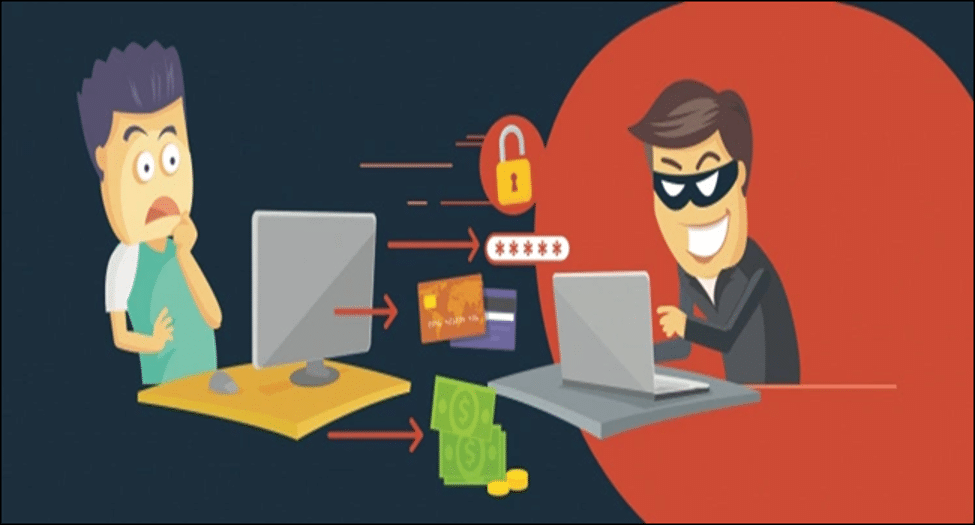
Preventing account takeover fraud in e-commerce is essential for protecting both your business and your customers. Luckily, there are proven strategies that can help keep your online store secure.
1. Implement Multi-Factor Authentication (MFA)
One of the best ways to prevent account takeovers is by adding an extra layer of security with multi-factor authentication (MFA). MFA requires users to verify their identity with more than just a password.
For example, they may need to enter a code sent to their phone or use an authentication app. This makes it much harder for hackers to gain access, even if they know the password.
2. Enforce Strong Password Policies
Encourage customers to create strong, unique passwords by setting rules on your website. Strong passwords should include a mix of letters, numbers, and symbols. You can also recommend using password managers, which generate and store complex passwords securely. Regular password updates and checks will further strengthen security.
3. Monitor Account Activity
Regularly monitor your customers’ account activity for suspicious behavior, such as multiple failed login attempts or logins from unusual locations. Automated systems can alert you when something seems off, allowing you to take action quickly, like locking the account or requiring a re-verification.
4. Use Fraud Prevention Tools
There are various tools available to detect and block fraudulent activity. For example, you can use CAPTCHA systems to stop automated bots from attempting to take over accounts, or employ IP geolocation to check if login attempts come from unexpected regions. These tools help prevent fraud before it happens.
Leveraging Technology and Tools to Combat Account Takeover Fraud
Technology plays a key role in preventing account takeover fraud in e-commerce. By using the right tools, businesses can detect and block suspicious activities in real-time, keeping customers and their data safe.
1. AI and Machine Learning for Fraud Detection
Artificial intelligence (AI) and machine learning (ML) are powerful tools that can help spot patterns and detect fraud. These technologies analyze customer behavior, like login locations, shopping habits, and account activity, to identify suspicious behavior.
For example, if a user suddenly logs in from a different country or starts making unusual purchases, the system can flag the account for review. The more the system learns, the better it gets at catching fraud early.
2. Captcha Systems and Anti-Bot Tools
Bots are often used by cybercriminals to try and take over accounts by guessing passwords or flooding login forms with fake attempts. To stop this, businesses can use CAPTCHA systems, which require users to solve simple puzzles (like identifying traffic lights in a photo) before logging in. This ensures that only real people can access accounts, preventing bots from gaining access.
3. IP Geolocation and Device Fingerprinting
Another tool businesses can use is IP geolocation, which checks the location from where a user is trying to log in. If someone is logging in from a new or unexpected location, the system can trigger an alert or ask for extra verification.
Device fingerprinting is also useful; this technology creates a unique identifier for each user’s device. If the device changes or seems unfamiliar, it can be flagged, providing an extra layer of protection.
4. Fraud Prevention Platforms and Services
Many third-party services specialize in fraud prevention, offering tools that work behind the scenes to monitor transactions, block fake accounts, and detect fraud attempts. These platforms often integrate easily with e-commerce sites and provide real-time protection, ensuring that your store is always secure without needing constant manual monitoring.
Building a Secure E-commerce Environment: Best Practices
Creating a secure e-commerce environment is crucial to prevent account takeover fraud and protect your customers’ sensitive information. By following some best practices, you can build a safer online store and keep fraudsters at bay.
1. Educate Your Customers on Account Security
Your customers are your first line of defense against fraud. Educate them about how to create strong, unique passwords and recognize phishing attempts. Provide easy-to-follow guides on securing their accounts and highlight the importance of multi-factor authentication (MFA). When customers understand the risks and know how to protect themselves, they’re less likely to fall victim to fraud.
2. Offer Secure Payment Methods
Ensure your online store uses secure, trusted payment gateways like PayPal or credit card processors with encryption. This way, sensitive payment information is protected during transactions. Additionally, consider using tokenization, which replaces sensitive card details with a unique identifier, keeping your customers’ financial data safe from potential breaches.
3. Regularly Update Website Security
Outdated software and plugins can create security vulnerabilities. Make sure to update your e-commerce platform, plugins, and security software regularly. Implement SSL certificates to encrypt data and ensure all communication between your website and users remains private. These updates help prevent hackers from exploiting weaknesses in your system.
4. Have a Fraud Response Plan in Place
It’s important to be prepared in case an account takeover or other fraud incident occurs. Develop a fraud response plan that includes clear steps for identifying fraud, notifying affected customers, and investigating the issue. By having this plan in place, you can act quickly to minimize damage and reassure your customers that you take their security seriously.
Conclusion
Preventing account takeover fraud in e-commerce isn’t just about protecting your bottom line, it’s about earning your customers’ trust. By using smart security practices, you can keep your business secure and your customers safe from fraud. Stay proactive and secure your e-commerce site today.











