
Most of us have a mobile device on us throughout most of the day, if not constantly. But we often underestimate the security vulnerabilities associated with these devices – and this is especially true if you’ve never been the victim of a cybercrime in the past.
What are the best practices for mobile device security? And how can you consistently practice better security hygiene with your mobile device?
How Cybersecurity Protects You
Everyone needs to learn and practice cybersecurity. Good cybersecurity habits rarely require technical knowledge and are often easy to implement, but they can prevent a wide variety of technological threats. There are a surprising number of cybercriminals out there, all of whom would be happy to obtain your password, hack into your mobile device, and compromise your personal information. Good cybersecurity hygiene can prevent the vast majority of would-be attacks, ultimately protecting your most sensitive information and your finances.
These are some of the best strategies for mobile device security hygiene.
Physically Secure Your Mobile Device
First, don’t neglect physical security. There are lots of habits and strategies you can use to keep your device digitally protected, but none of those behaviors are going to matter if someone physically takes your phone. Avoid leaving your phone out in the open, where other people could take it. If you’re using your phone in public, keep a relatively tight grip.
Stay Up to Date
One of the most important things you can do is stay up to date. That means routinely updating not only your operating system, but also the individual apps on your phone. The easiest way to stay up to date is to enable automatic updates, allowing your apps and your phone itself to update themselves whenever relevant. If you don’t want to turn on automatic updates, pay attention to notifications and manually update these items on a regular schedule.
This is important because developers naturally and regularly find security vulnerabilities in their work. It’s only a matter of time before the next operating system vulnerability is revealed, and most of the apps on your phone have holes that could be exploited by a competent cybercriminal. The good news is that these developers are always on the lookout for vulnerabilities and ways to patch them; whenever they encounter a whole insecurity, they create and issue a patch to fix it. However, this patch is only going to protect you if you actually install it, so you need to take proactive measures to ensure you stay up to date at all times.
Use Better Authentication Standards
You can make your phone more secure by using better authentication standards. For starters, you can choose a strong password to unlock your phone and enable biometric unlocking so that only your face or fingerprint can unlock the device.
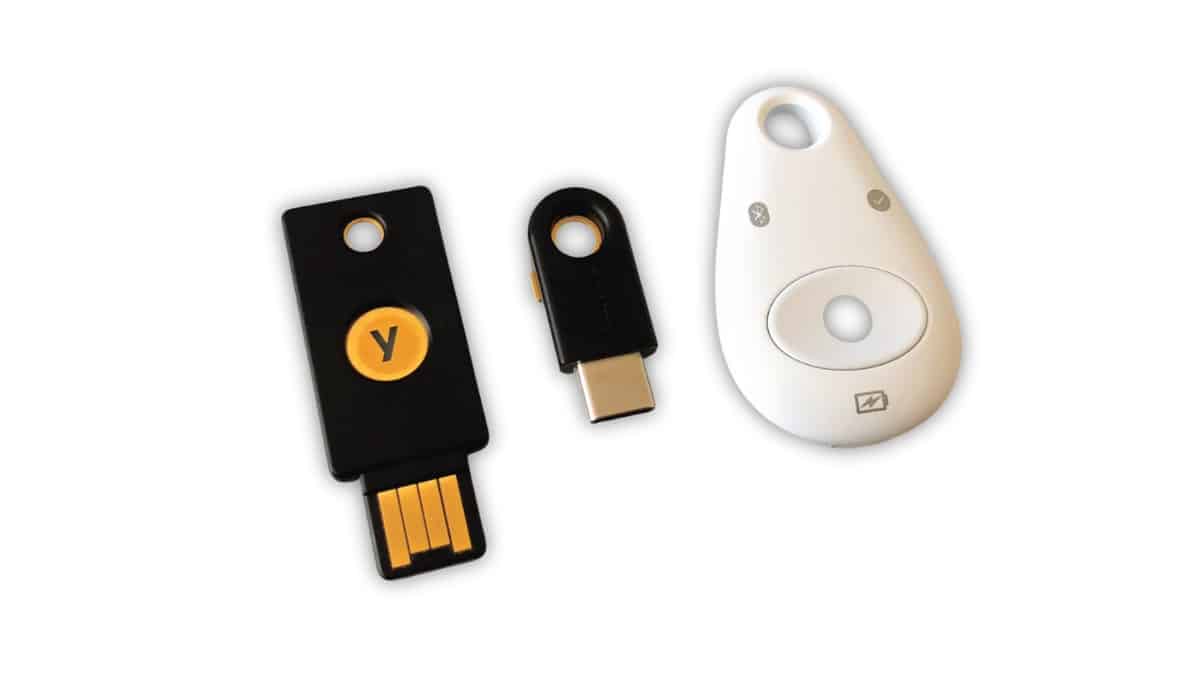
Similarly, multifactor authentication can make your accounts stronger. You should consider using multifactor authentication on any app or website that allows it. In case you aren’t familiar, multifactor authentication forces you to validate your identity in multiple ways, such as by providing a password and then providing a unique code sent to your mobile device. It can take some extra time, but it’s going to keep you safer.
Only Use Official App Stores
If you want to stay protected, only use official app stores. With some mobile devices, it’s relatively easy to install third-party software through alternative channels. However, app stores are generally safer since official app stores thoroughly review each app before listing it.
Limit Personal Information Shared With and Stored in Apps
You should generally limit the amount of personal information you share with and store in apps. If an app asks you to share information with it, think carefully before you do. Adjust app-specific settings to restrict what you share, and be careful what information you volunteer when using the app.
This is important because each app is produced and run independently. If the app or the company running it are compromised, any information of yours that they have could also be compromised. Limiting the information you share limits your vulnerability in this dimension.
Delete Unnecessary Apps
For similar reasons, you should delete any apps you no longer use or no longer want. Every app installed on your mobile device is another potential vulnerability. Minimizing the number of apps on your device is a way of minimizing those vulnerabilities.
Avoid Public Wi-Fi
Public Wi-Fi is convenient, and there may be times when it’s your only option, but as a general practice, you should avoid public Wi-Fi, as it can be a vector of attack. Primarily rely on secured connections and if you’re forced to use public Wi-Fi, do so carefully.
Consider Using Security Software
Depending on your goals and security tolerance, consider using security software on your phone. Security software can help protect you against certain types of threats and scan for malware.
Be Careful When Using Chargers and Cables
Exercise caution when using other chargers and cables. These instruments can be modified to siphon information from your phone or otherwise collect your personal information or infringe on your privacy. Only use chargers and cables that you trust.
Use the Lost Device Function
Finally, turn on the Lost Device function, assuming there’s one available. This way, if your device is ever lost or stolen, you’ll have a way to track it down and potentially get it back. Unfortunately, this may not stop your personal data from getting stolen, but it will at least allow you to physically recover the device.
There’s no way to make your mobile device fully resilient to cybercrime. With enough time, dedication, and resources, the most skilled hackers on the planet can find a way to penetrate almost any defense.
However, the vast majority of cybercriminals are mere opportunists who will be thwarted by even the most basic best practices. If you follow the strategies in this article, your mobile device should be invulnerable to the most common criminals and most common attack patterns.











