
iLoungeiLounge
  • News
    • Apple
      • AirPods Pro
      • AirPlay
      • Apps
        • Apple Music
      • iCloud
      • iTunes
      • HealthKit
      • HomeKit
      • HomePod
      • iOS 13
      • Apple Pay
      • Apple TV
      • Siri
    • Rumors
    • Humor
    • Technology
      • CES
    • Daily Deals
    • Articles
    • Web Stories
  • iPhone
    • iPhone Accessories
  • iPad
  • iPod
    • iPod Accessories
  • Apple Watch
    • Apple Watch Accessories
  • Mac
    • MacBook Air
    • MacBook Pro
  • Reviews
    • App Reviews
  • How-to
    • Ask iLounge
Font ResizerAa
iLoungeiLounge
Font ResizerAa
Search
  • News
    • Apple
    • Rumors
    • Humor
    • Technology
    • Daily Deals
    • Articles
    • Web Stories
  • iPhone
    • iPhone Accessories
  • iPad
  • iPod
    • iPod Accessories
  • Apple Watch
    • Apple Watch Accessories
  • Mac
    • MacBook Air
    • MacBook Pro
  • Reviews
    • App Reviews
  • How-to
    • Ask iLounge
Follow US

Articles

Articles

How To Make A Portfolio Website – Mobirise Website Builder

Last updated: Apr 20, 2019 6:16 am UTC
By Lucy Bennett
How To Make A Portfolio Website - Mobirise Website Builder

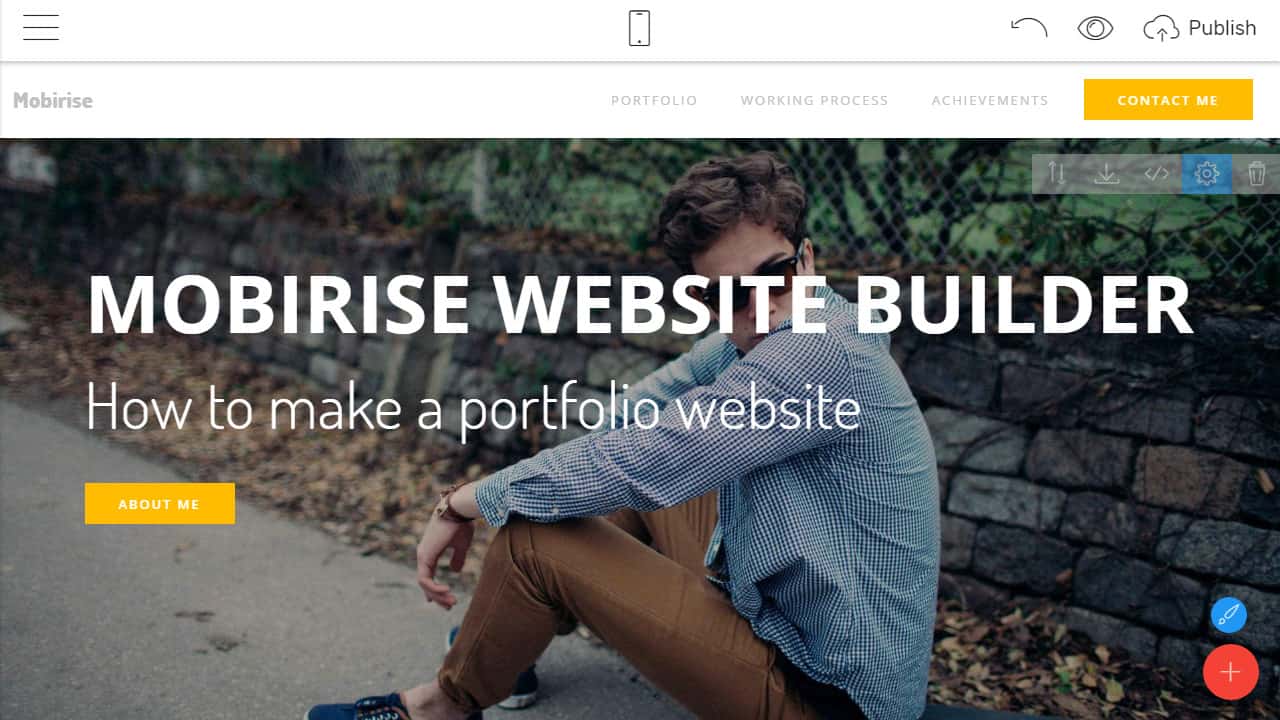
Mobirise can very well be your all-in-one solution when you need to build a website portfolio that can share and host digital content.


What is Mobirise?
How To Make A Portfolio Website - Mobirise Website Builder

Mobirise Website Builder is a free app that’s available for download on the Mac and Windows OS. It can quickly and easily set up a website for online resumes, landing pages and online portfolios.

Key Features

Bootstrap and AMP Support

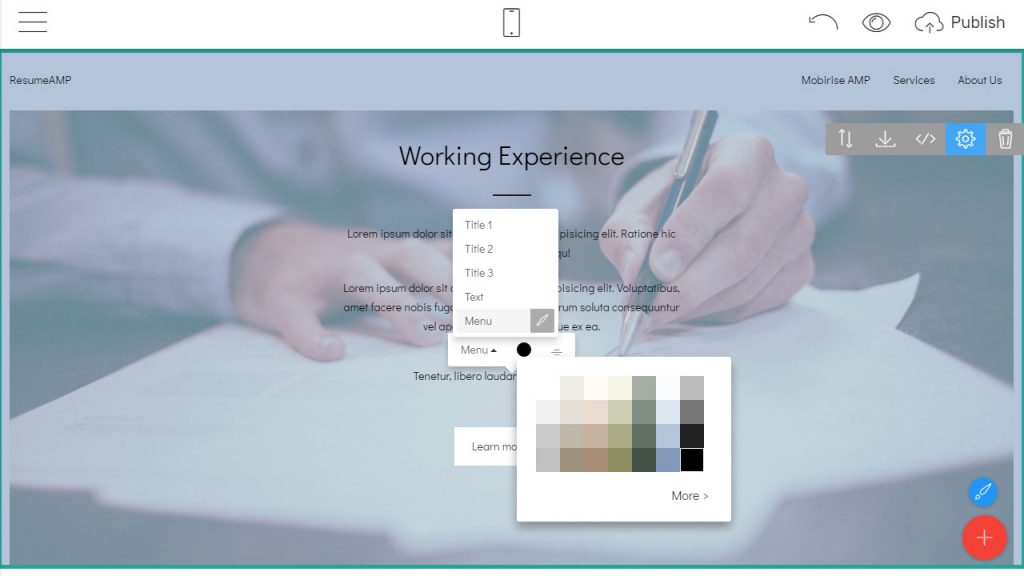
The templates within Mobirise are powered by Bootstrap 4 and AMP, making it capable, reliable and ready to display AMP-supported pages and dynamic content.
Bootstrap and AMP Support

Minimalistic Interface

Looking for a simple, yet robust site builder that has a built-in WYSIWYG editor? Mobirise has it. You can create beautiful, responsive websites in under an hour and without needing any technical or programming knowledge.


No Coding Required

It’s the perfect tool for everyday people as there’s virtually zero coding and it’s free for non-profit and commercial use.

Beautiful Website Themes and Templates

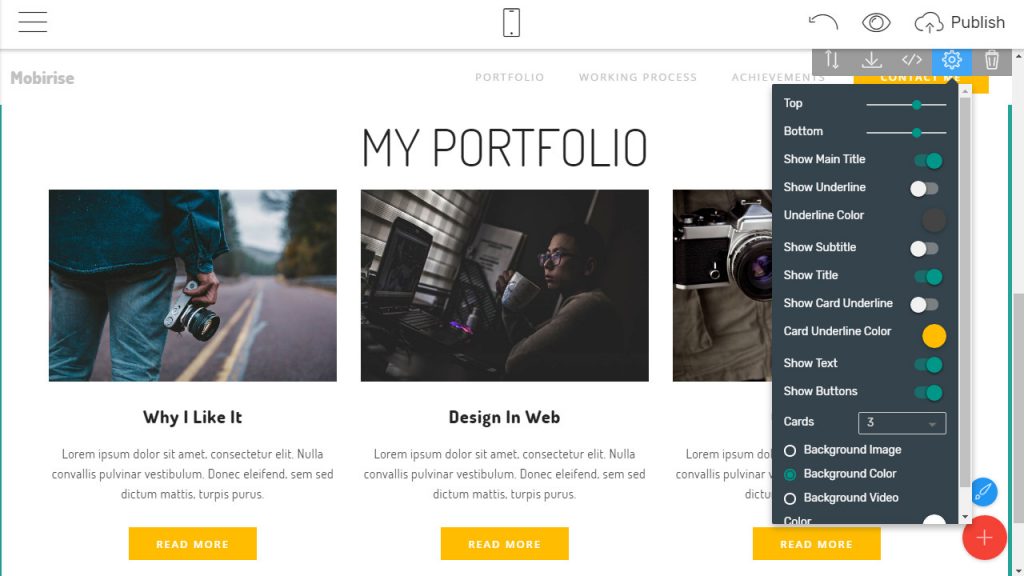
Users can choose from thousands of available templates, blocks and themes and a dozen different options on how to deploy them. Form your blocks to get a unique website each and every time.
Bootstrap and AMP Support

How To Make A Portfolio Website

1. Choose Your Template

Take a moment to browse through the available selections of Portfolio Website Templates. There are many modern versions you can use, including the ResumeAMP, the PortfolioM4 and others.


2. Customize Your Project

The site starts as a blank slate you can fill up with blocks. The good thing about this is that you won’t have any limitations- put in as much or as little as you’d like. Some of these blocks include footers, contact forms, carousels, galleries, headers and menus. Applying to your portfolio is mainly a drag-and-drop affair.

3. Publish Your Website

Before publishing, check how your online portfolio looks by clicking on “Mobile View” inside the builder. If you’re satisfied, proceed with publishing via free Mobirise hosting, as a Github Page, FTP or local drive.

Mobirise Website Builder is an excellent tool that can help any business, industry or startup achieve their online goals. It’s free and doesn’t require knowledge of codes. Anyone can create a virtual canvas where they can showcase their finest work.



Latest News
The Apple Watch Series 11 46mm GPS Is $100 Off
1 Min Read
Clamshell Style iPhone Being Looked Into By Apple
1 Min Read
Foldable iPhones May Have the Largest Battery Ever
1 Min Read
Apple and TSMC’s 10-Year Collaboration May Be Ending
1 Min Read
The 13-inch M5 iPad Pro 256GB Wi-Fi Is $149 Off
1 Min Read
M5 Pro and M5 Max Chips for the MacBook Pro could Roll Out with macOS 26.3
1 Min Read
Mac Ordering Process Revamped
1 Min Read
Check Signed By Steve Wozniak and Steve Jobs Sold For $2.4 Million
1 Min Read
The Anker 140W 4-Port GaN USB-C Charger is $35 Off
1 Min Read
No iPhone Air 2 This Year, according to Latest Report
1 Min Read
New Report Corroborates Split iPhone Release Dates
1 Min Read
Apple Losing More Researchers As They Plan To Release 2 Siri Versions
1 Min Read

iLounge logo

iLounge is an independent resource for all things iPod, iPhone, iPad, and beyond. iPod, iPhone, iPad, iTunes, Apple TV, and the Apple logo are trademarks of Apple Inc.

This website is not affiliated with Apple Inc.
iLounge © 2001 - 2025. All Rights Reserved.
  • Contact Us
  • Submit News
  • About Us
  • Forums
  • Privacy Policy
  • Terms Of Use
Welcome Back!

Sign in to your account

Lost your password?








