
Snapchat’s Live Location feature is designed to help friends and family know where you are in real time. It’s useful for meeting up, staying safe during travel, or simply keeping in touch. But there are also many everyday situations where people want a bit more privacy. That’s why questions like can you fake a live location on Snapchat, or how to fake live location on Snapchat on iPhone are searched so often.
The good news is that changing what Snapchat shows is possible. The key is understanding how Snapchat reads location data and choosing a location changer that actually works in real-world use rather than relying on outdated tricks or unstable apps. This guide walks through the essentials in a clear, practical way so you can decide what approach makes sense for you.
Can You Fake Live Location on Snapchat?
In short, yes, but not directly inside Snapchat. Snapchat doesn’t include a built-in setting to manually edit your location. Instead, it reads the GPS signal coming from your iPhone and shares that information in real time. Because of this, the only reliable way to show a different place is to change the device’s GPS location itself.
This distinction explains why many common ideas don’t work:
- VPN services only change your internet IP address, not your GPS coordinates.
- Simple fake location apps from the App Store usually can’t override system-level GPS.
- Jailbreak tweaks may work temporarily but often create security risks or stop working after iOS updates.
For a stable result, most users rely on a fake GPS location spoofer that modifies location at the system level rather than inside a single app.
What Makes a Reliable Fake Location Method?
Before trying any location faker for iPhone, it helps to know what separates reliable tools from frustrating ones.
- No jailbreak required: Modern iOS security makes jailbreak solutions risky and short-lived.
- True GPS simulation: Snapchat checks real coordinates, so the method must change the actual GPS signal.
- Natural movement support: Instant jumps across long distances can cause glitches or suspicious behavior. Realistic walking routes are safer.
- Compatibility with current iOS versions: Many free tools stop working after updates, which leads to unstable Live Location sharing.
Because of these factors, desktop-based GPS changers have gradually become the most dependable option for iPhone users.
How to Fake Live Location on Snapchat in a Stable Way
If your goal is to make Snapchat display a different place, the safest path is to adjust the iPhone’s GPS data before opening the app. One commonly used approach is a computer-assisted location changer that simulates movement without modifying Snapchat itself.
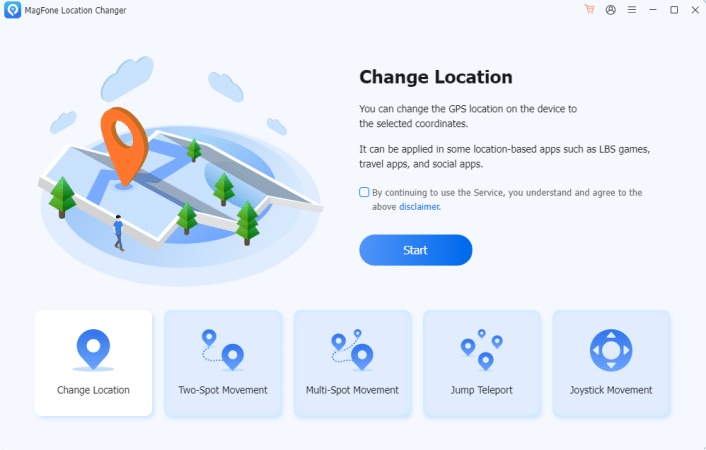
Tools like MagFone Location Changer follow this model. Instead of altering the Snapchat app, they change the system-wide GPS position, which Snapchat then reads as if it were real. This avoids jailbreak risks and usually provides more consistent behavior across iOS updates. Here’s a simplified walkthrough of how this process typically looks in practice.
Step 1: After installing the MagFone Location Changer software on Windows or macOS, connect your iPhone with a USB cable and confirm the trust prompt. Click Start button to proceed.
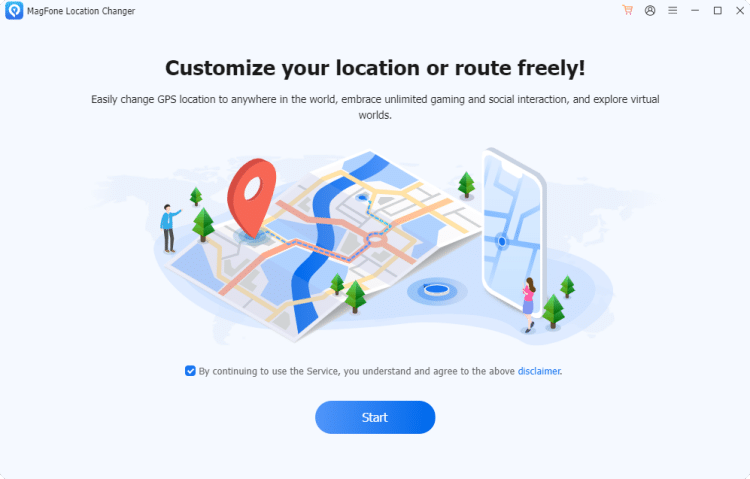
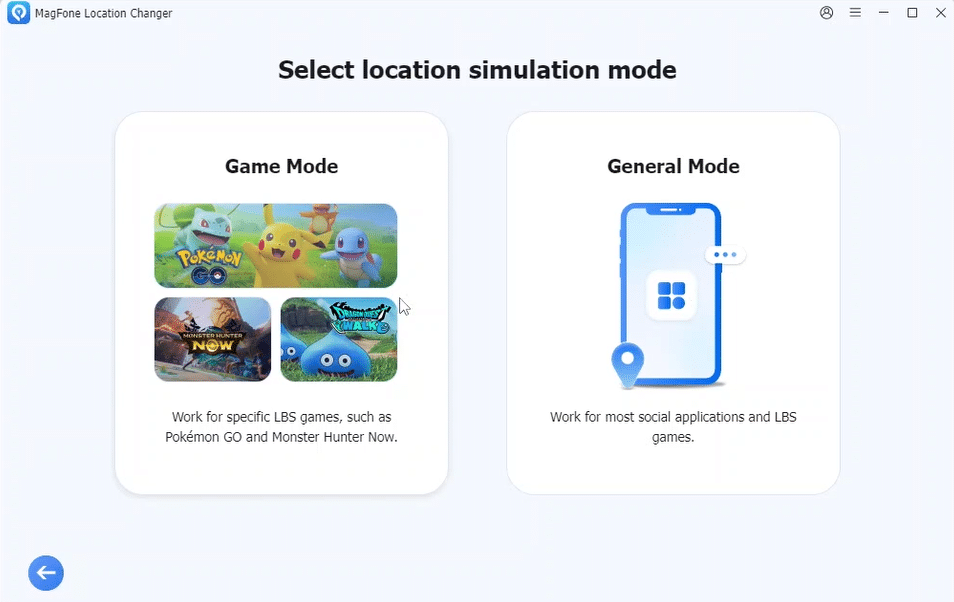
Step 2: Since we need to fake live location on Snapchat, select General Mode here. If you want MagFone Location Changer to work as a Pokémon GO spoofer, choose Pokémon GO Game Mode instead.
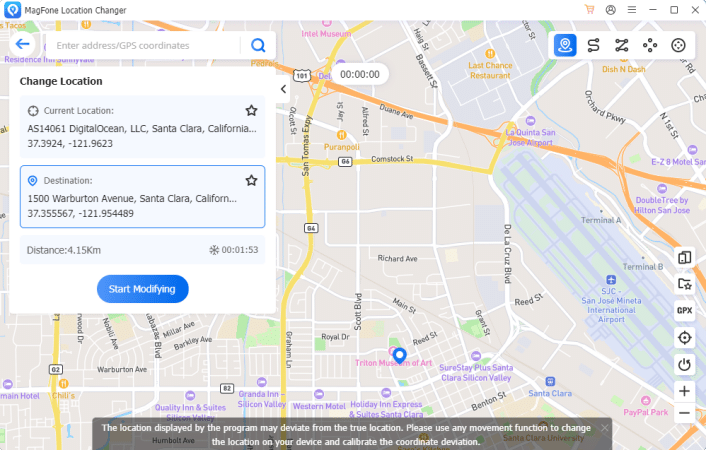
Step 3: After entering the map, search for a destination or click directly on a map. Once click the Start Modifying, the iPhone begins reporting that location system-wide.
Step 4: Open Snapchat and share Live Location. When Snapchat launches, it simply reads the updated GPS signal, so the fake live location appears instead of the real one.
This type of workflow is generally more stable than relying on random mobile spoofing apps, especially for users who want a long-term fake GPS location solution on iPhone.
Are Free Fake GPS Tools Worth Trying?
Many people look for a fake GPS location spoofer free download, but free solutions often involve trade-offs:
- Limited compatibility with newer iOS versions
- Frequent crashes or sudden location reset
- Ads, revoked certificates, or security concerns
- Unstable Snapchat Live Location sharing
In contrast, computer-based GPS simulators usually prioritize stability and consistent system-level control. Even when not fully free, they tend to provide a smoother long-term experience.
Common Reasons People Fake Snapchat Location
Not every user is trying to hide something. In real life, the motivations are often practical:
- Protecting privacy from constant tracking
- Avoiding unnecessary worry from family members
- Testing location-sharing features safely
- Exploring app behavior in different regions
When used responsibly, changing location is less about deception and more about personal control over digital visibility.
Frequently Asked Questions
1. Does airplane mode freeze Snapchat location?
No. Once Live Location resumes, Snapchat updates to the real GPS again.
2. Can Snapchat detect fake GPS?
Detection usually relates to unrealistic movement patterns, not just spoofing itself.
3. Is jailbreak required to fake location on iPhone?
No. Modern system-level location changers work without jailbreak.
Final Thoughts
So, can you fake live location on Snapchat? The answer is Yes if you change the actual GPS signal rather than relying on VPNs or unstable apps. The most practical approach today involves System-level GPS simulation, natural realistic movement, and tools that stay compatible with iOS updates.
For iPhone users who want a smoother and more dependable experience, solutions designed specifically for safe fake GPS location control, such as MagFone Location Changer which tend to provide the most consistent results without complicating the device. Ultimately, faking a live location isn’t just about changing a dot on a map. It’s about managing privacy, flexibility, and peace of mind in a world where real-time location sharing has become the norm.











