
In today’s data driven world; digital storage devices have integrated themselves into every aspect of our lives. The secure management and disposal of data-bearing devices and the sensitive data stored on them has become a necessity for businesses and individuals alike. Whether you are selling your MacBook or donating it to someone, it’s crucial to ensure that your personal and confidential files are permanently erased from the system.
Using standard methods like deleting or dragging items to the trash can give you a false sense of security that your personal files and folders are gone, but in reality, only the pointers to your data have been removed. Your data is still present on the system and can be recovered using a freely available data recovery tool.

So, What’s the Solution?
We recommend using a professional file eraser utility that adheres to globally recognized data overwrite standards such as NIST 800 Clear and DoD 5220.22. We will share step-by-step instructions with you for downloading and installing a popular File Eraser software – BitRaser File Eraser Mac. The software is capable of permanently erasing files, folders, partitions, free space, internet traces, and more. In this article, we will showcase you how to erase files & folders on your Mac.
How to Erase Files & Folders Using BitRaser File Eraser Mac?
Once the software is installed, you must activate it using the ‘activation key’ that was sent to your registered E-mail.
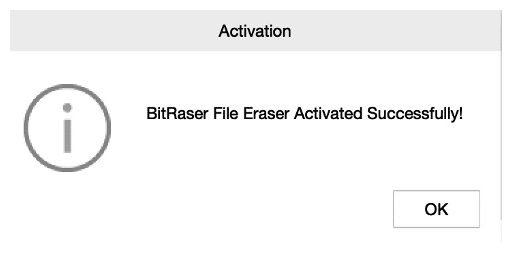
Step 1: Click on Activation Key icon and enter the ‘Activation Key’, then click on ‘Activate’. You will see the message ‘BitRaser File Eraser Activated Successfully!’ Click ‘OK’

Now, that your software has been installed and activated you can begin the process of erasing files & folders.
Important: In case you are using Mac with an M1 or M2 chip, the software requires ‘Full Disk Access’ to perform data erasure.
How to Assign Full Disk Access in Mac with M1 or M2 chip?
- Go to System Settings and click onthe ‘Privacy & Security’ tab.
- Click on ‘Full Disk Access’.
- Select the application ‘BitRaser File Eraser’ and give it full disk access.
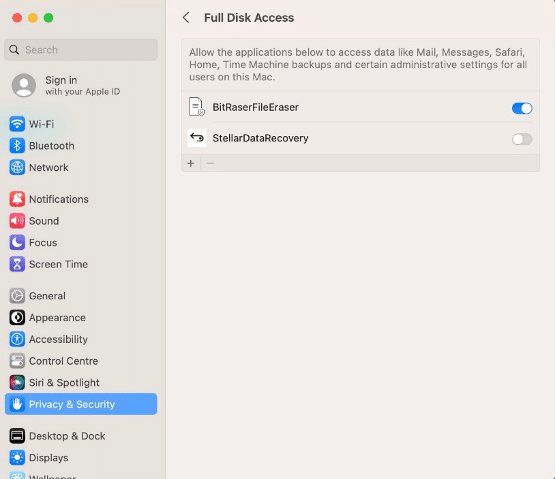
Once the access has been granted you must restart the BitRaser file eraser application to begin the erasure process.
Step 2: The files to be erased can either be dragged or dropped directly into the application. On the other hand they can be searched by file name and location or can be added individually.
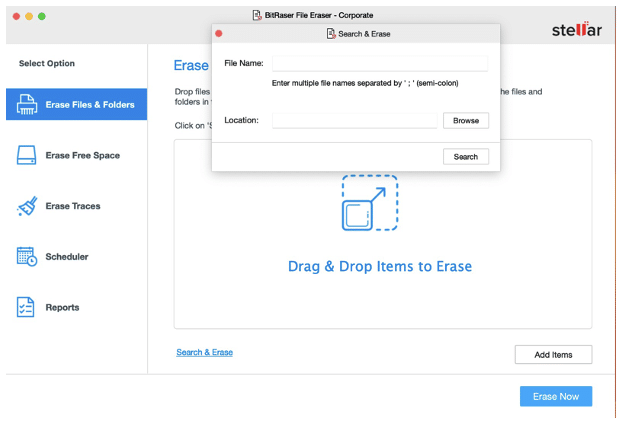
Step 3: Once you have selected the files for erasure, click ‘Erase Now’.
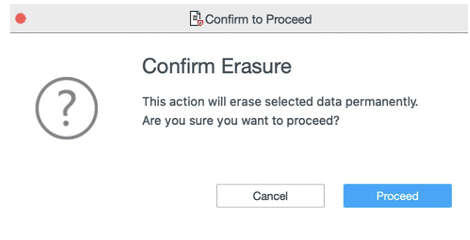
A warning window will pop up to ‘Confirm Erasure’. Click on ‘Proceed’ to begin the erasure process.
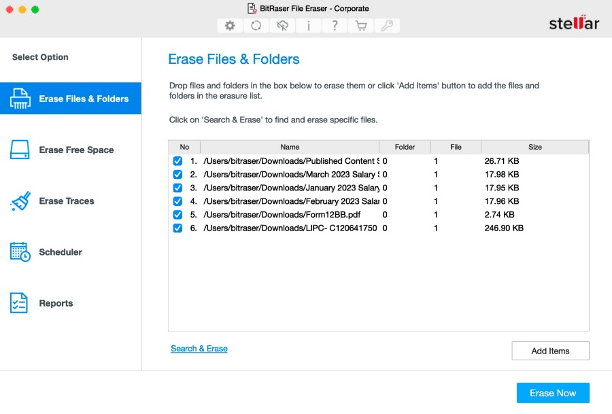
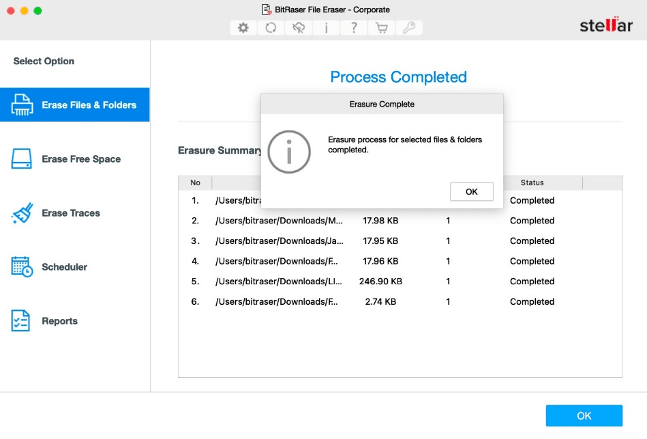
Once the process completes, you can see that the files have been permanently erased beyond the scope of recovery. The file eraser software also generates reports of erasure that can be used as ‘Proof of Data Erasure’ for fulfilling compliance and audit requirements.
Other Features of BitRaser File Eraser Software:
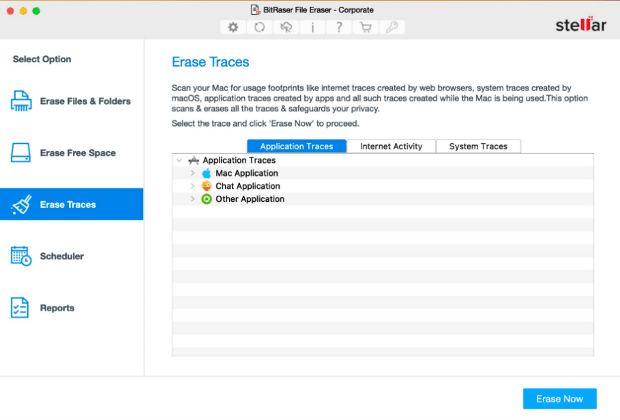
- BitRaser File Eraser gives you the options to ‘Erase Traces’. The ‘Erase Traces’ functionality is used for wiping ‘Application Traces’, ‘Internet Activity’ and ‘System Traces’. The software helps erase cookies, and wipes the traces of recently used applications, it helps wipe emails, browser history, and archives across drives, servers and media devices. It helps ensure that no residual data traces are left behind. You can choose as per your requirement.
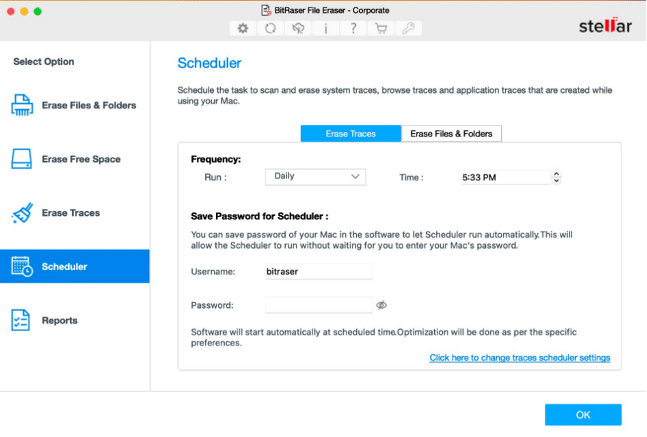
- Software offers ‘Scheduler’ that helps automate your erasure tasks at periodic intervals to help maintain data privacy at all times. The Scheduler feature gives you the option to schedule your erasure tasks according to your organizational requirements or compliance mandates. The feature gives you the option to schedule the erasure of ‘Traces’ or ‘Files & Folders’. The frequency of the scheduler can be set to run, Daily, Weekly or Monthly at a predefined time set by the user. You can save your Mac login credentials on the application so that the scheduler can start automatically.
The reports of erasure can be found under the ‘Reports’ section in the application. You can also link your application to ‘BitRaser Cloud Console’ to allow automatic uploading of erasure reports on your secure cloud account. The login credentials to your cloud account were shared via E-mail when you purchased the software.
Conclusion:
The importance of ensuring the permanent and secure erasure of files and folders on your Mac cannot be overstated, especially when you decide to sell, donate, or dispose of the device. It is well established now that merely deleting files or moving them to the bin does not guarantee data removal, as DIY recovery tools can retrieve data easily. Therefore, to safeguard your confidential information, we recommended using a reliable file eraser utility like BitRaser File Eraser Mac, that adheres to globally accepted data overwrite standards and helps you keep your data safe.











