
We’ve seen neural networks used in a surprisingly large variety of scenarios and now you can use them to enhance image quality. This is very practical when, for example, you have a picture with a perfect middle mise-en-scène, but blurred. By using a good image enhancer from Vance AI, you will be able to restore your photo.
Why Do You Need Vance AI?
You can use an AI-powered photo enhancer for a lot of purposes but I will list only a few – if you want to print a low quality picture at a higher and better resolution, if you want to restore a blurred, dull picture into a sharp one or maybe you want to use it for an old photo restoration and so on. You can benefit from all of this in a simple and automatic way, with just a few clicks. The effects are spectacular and even the smallest detail will look impeccable.
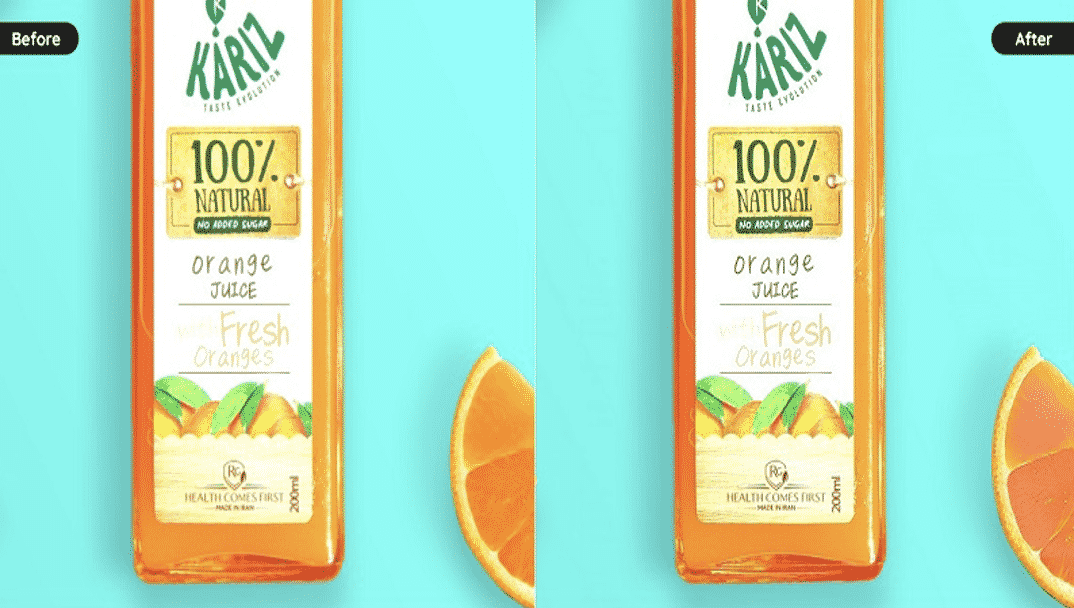
Features of AI Image Enhancer From Vance AI
Vance AI provides a full suite of image enhancer tools that deliver quality results with no compromises. Through this online image enhancer you can experience a smooth process of restoring a photo that leaves nothing to be desired. You can restore colors and make them vibrate. A photo resolution can be upscaled by 2x, 4x or even up to 8x, without losing details – on the contrary, these will improve. With Vance AI, you can even denoise an image or sharpen a blurry one.
How To Enhance Photo Resolution With Vance AI?
Using Vance AI to enhance image quality is a simple matter. As you notice the simplicity of the steps below you will realize that everything is automated and that you will get a guaranteed result.
Step 1
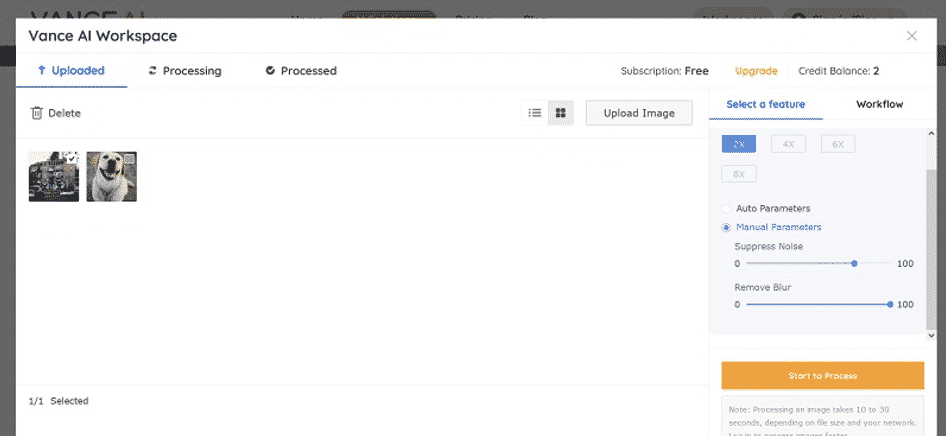
Visit the official AI photo enhancer, access the AI Solutions menu, in order to use the AI image enlarger. Click the upload button and you are ready to take off.

Step 2
At this point, your photo is uploaded and you must choose the amount of enlargement: 2x, 4x, 6x or 8x. Also, this image enhancer allows you to suppress noise and remove blur as much as you want. Then, click “Start to Process”.
Step 3
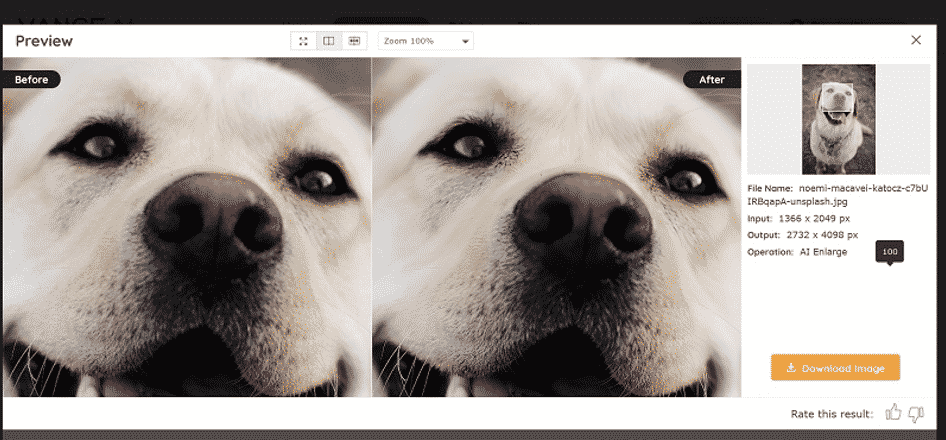
After a couple of seconds, you can download your image generated by this image enhancer but first, you can compare the original photo with the upscaled one.
How Does AI Image Enhancer Work?
This advanced AI image enhancer suite is based on machine learning algorithms that will take your photos to a whole new level. The image upscaler can fill missing pixels and get you high resolution photos. With the Vance AI Photo Restorer you can enhance an old photo by removing scratches and so on while sharpening colors. Through Vance AI, you will discover many solutions to enhance the image quality.
1.Enhance Image Quality for Real Estate
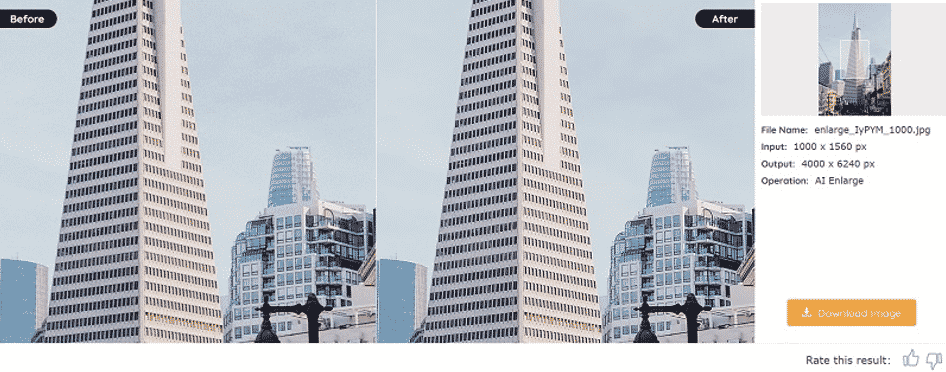
For real estate businesses, an impeccable image of a building or apartment is the first step towards its sale. If you have a low resolution photo, but the framing is perfect, you can improve it with this image enhancer. In the example, the input is 1000×1560 px and the output is 4000 x 6240 px. The difference is obvious. The details are much clearer when I enlarged the image by 4x.
2.Enhance Image Quality for e-Commerce
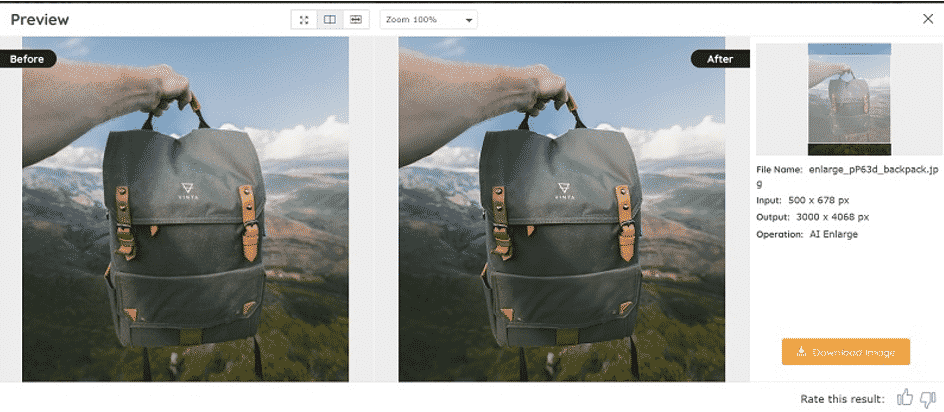
Same argument as above. The picture sells. You can enhance image quality in a blink. The input is 500 x 678 px and I wanted to increase resolution up to 3000 x 4068 px. The details of the backpack generated by this image enhancer are sharper and certainly attract the attention of potential buyers.
3.Enhance Image Quality for Old Photo Restoration
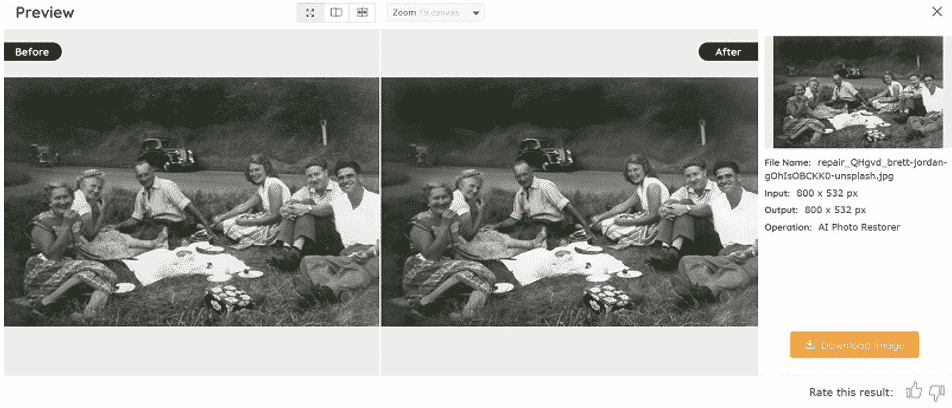
How to enhance an old photo? Easy. Upload your photo into Vance AI Photo Restorer, in order to remove scratches and spots. The Vance AI image enhancer will do an amazing job regarding old photo restoration with only two clicks. Everything is automatic and your old memories will come to life.
Conclusion
There are many sites that offer such services, but Vance AI continues to be the leader in the top 15 AI Image Upscaler for 2021. With the services offered by Vance AI you have a lot of benefits. This image enhancer is all inclusive and can enhance image quality in a blink. The AI image enhancer is really remarkable and uses the highest technology at your disposal to optimize the resolution, clarity and color in a photo.
FAQs
1. Is the AI image Enhancer Free to Use?
The image enhancer can be used for free every month, up to 3 photos, but you can buy a basic subscription for 9.90$ / month for 200 credits/photos or a pro subscription for 19.90 $/month in order to use this image enhancer for 500 photos.
2. Who is AI photo Enhancer For?
The image enhancer is aimed at people who have a business and often use images to promote a brand or product, professional photographers, but also people who want to be creative and inventive.











