
There are times when you may want to download a YouTube video for offline viewing. Maybe you’re going on a long trip and want to watch your favorite videos without using up all of your data. Or maybe you just don’t have an internet connection and need to save some videos for later. Whatever the reason, downloading YouTube videos without losing quality is possible. If you’re looking for reliable and easy-to-use software to download YouTube videos, “YouTube Video Downloader” is a great option. In this article, we will tell you all about it.
What is a 4k Video Downloader?
4K video downloader is a software application that enables users to download videos from online platforms such as YouTube and Vimeo. The application is available for Windows, macOS, and Ubuntu operating systems. 4K video downloader supports a wide range of video formats, including MP4, AVI, MKV, and WEBM. Additionally, the application can be used to download videos in high definition (HD) and Ultra HD (4K) resolutions. 4K video downloader also includes a built-in converter that can be used to convert videos into different formats. The application is available in a free and premium version. The premium version includes additional features such as the ability to download videos from more than one platform simultaneously, support for downloading subtitles, and an ad-free.
Features of 4K Video Downloader:
Video Sites Support:
YouTube, Facebook, Vimeo, Dailymotion, Naver Tv, Flicker, Sound Cloud, Twitch, and Tiktok all are supported by this software. You can download these videos in 1080p, 1440p, and even in stunning Ultra HD quality (4096 x 230).
Download Entire YouTube Playlists:
You can download an entire YouTube playlist by simply pasting the URL of the playlist into the software. Through this feature, learners can easily download all the chapter’s videos.
Smart Mode:
The software saves time with smart mode, which allows you to apply the same settings to all your downloads, automatically. This will prevent you from repeating the same process for every video.
In-App Proxy Setup:
If you’re using a proxy server to access the internet, you can set up the software to use the same proxy server. This will allow you to download videos without losing quality.
To do this, open the software and go to the “Preferences” tab. Under the “Network” section, select the “ProxyServer” option. Enter the proxy server’s address and port number into the respective fields. Click “OK” to save the changes.
Private YouTube Content Download:
You can also use the app to access and enjoy private YouTube videos, playlists, and channels that you have access to. Watch hidden material without having to worry about losing quality.
Pros of Using 4K Video Downloader
- Download videos in Ultra HD quality
- Download entire YouTube playlists
- Smart Mode feature for one-click downloads
- Convert videos to MP40, AVI, and MKV
- Extract audio from videos as MP30 or FLAC
- No ads or watermarks
Cons of Using 4k Video Downloader
- The free version has some limitations
- Only three videos are downloadable in free mode daily
Pricing Of 4K Video Downloader:
The software is available in both a free and premium version. The premium version includes additional features, such as the ability to download videos from more than one platform simultaneously, support for downloading subtitles, and an ad-free experience. The premium version costs $15 to $65.
How To Download 4k Video Downloader:
- First, you’ll need to download the free software, “4K Video Downloader.” This will make it easier for you to download videos into 4k quality.
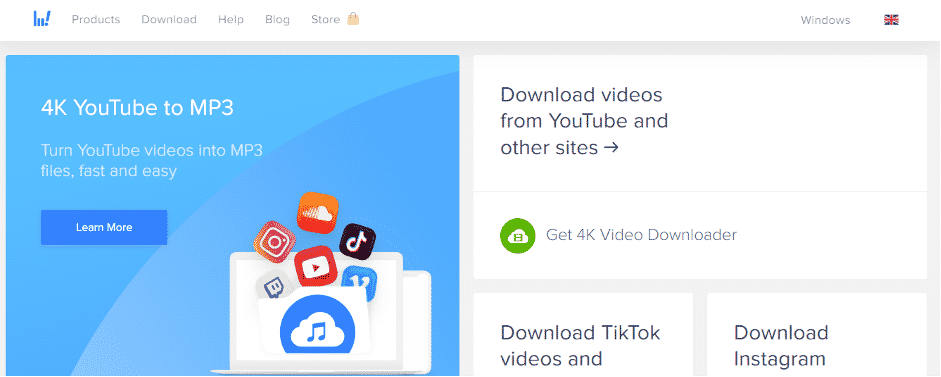
- Next, go to YouTube and find the video you want to download. Copy the URL of the video and then head back to “4K Video Downloader.”
- Click on the “Paste Link” option at the top right corner of the screen.

- After clicking on this option, you’ll proceed to thenew interface Now, choose the video quality from different formats.
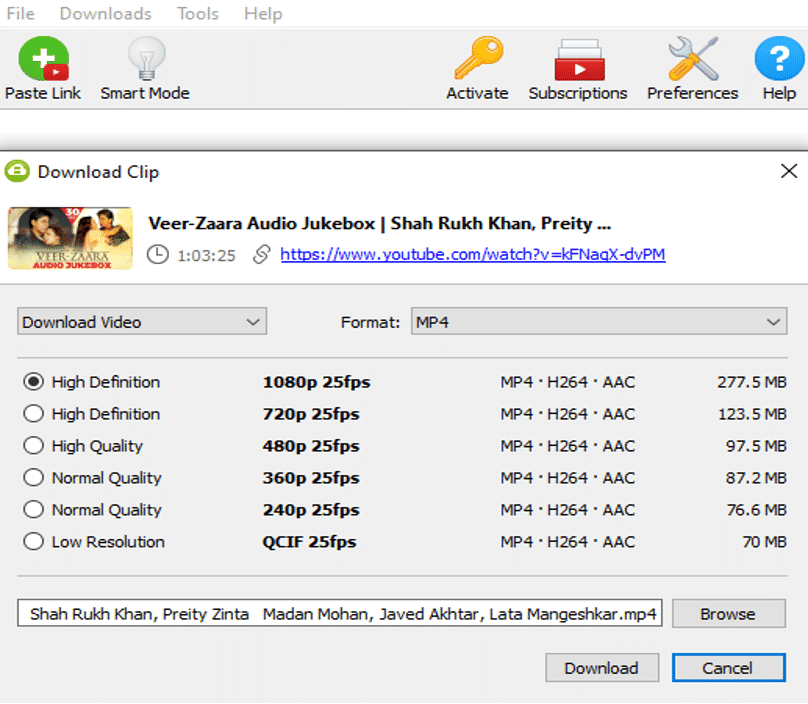
- After selecting the video format, the program will now start downloading the YouTube video.

Depending on your internet connection, this may take a few minutes. Once the download is complete, you will have a high-quality MP video saved on your computer! You can now watch it anytime, even without an internet connection.
The Verdict:
If you’re looking for reliable and easy-to-use software to download YouTube videos, “YouTube Video Downloader” is a great option. It’s free to use and has no ads or watermarks. However, the free version does have some limitations, such as only being able to download three videos per day. If you need to download more videos, you’ll need to purchase the paid version of the software. Nonetheless, “











