
Streaming services like Spotify offer an unparalleled variety of songs and playlists at our fingertips. While Spotify provides a built-in offline listening feature for premium users, it doesn’t offer an option for a direct Spotify download as MP3 files. However, there are times when you might want to enjoy your favorite tunes offline in a more flexible format, especially when you’re traveling or in areas with limited connectivity. If you’re looking to convert your Spotify tracks into MP3s for more versatile listening, then you have to know the powerful software StreamFox.
What is the format of music downloaded from Spotify Premium?
Spotify Premium offers music downloads in the Ogg Vorbis format rather than MP3. Ogg Vorbis is a compressed audio format that’s designed to deliver high-quality sound at smaller file sizes, making it a good fit for streaming and offline listening on Spotify.
Advantages of MP3 Format
- Wide Compatibility: This broad compatibility ensures that MP3 files can be played on a wide range of hardware and software without needing additional plugins or codecs.
- Efficient Compression: MP3 uses lossy compression, which reduces file sizes significantly while retaining reasonable audio quality.
- Standardization: MP3 has become a standard for digital audio, many software tools and hardware devices are optimized for MP3 playback.
- Flexible Bitrate Options: MP3 allows for a range of bitrates (from 32 kbps to 320 kbps), giving users the flexibility to choose between file size and audio quality based on their needs.
- Metadata Support: MP3 files can contain metadata (such as song title, artist, album art), which helps in organizing and identifying tracks easily.
Best Software to Download Spotify Songs to MP3
StreamFox for Music is a leading solution for downloading Spotify songs to MP3. Designed for both audiophiles and casual listeners, this powerful software excels in providing a seamless experience for capturing high-quality music from Spotify and other major streaming platforms. With its advanced features and user-friendly interface, StreamFox ensures that your music is converted with pristine clarity and ease.
Main Functions:
True Lossless Audio Quality
Unlike other methods that may compress or degrade audio quality, ODSMRT delivers true lossless audio, providing an authentic listening experience with every track. This technology meticulously maintains every nuance of the original recording, ensuring that your music sounds just as the artist intended.
High-Speed Batch Downloads
Capable of downloading Spotify songs up to 50 times faster than conventional methods, this function allows you to build your music library efficiently and without delay. Whether you’re looking to download a single playlist or an entire album, this technology accelerates the process, so you can enjoy your favorite tracks almost instantly.
Extensive Format Support
The platform supports popular formats like MP3, which is ideal for portable devices; FLAC, known for its lossless compression and superior sound quality; M4A, often used for its efficient file size; and WAV, which provides uncompressed, high-fidelity audio. These extensive formats ensure that your downloaded tracks are compatible with various media players and devices.
Integrated Music Player
This feature allows you to preview and listen to your downloaded tracks directly within the app, eliminating the need for external software. The built-in player offers a user-friendly interface, easy navigation, and customizable playback options, so you can explore and enjoy your music library effortlessly.
Automatic ID3 Tags
Keep your music library well-organized with the automatic ID3 tag feature. This functionality adds essential metadata to your files, such as artist names, album titles, and genre information. By embedding this data, your tracks are easier to sort, search, and manage, ensuring a more streamlined and enjoyable listening experience.
How To Use:
Step 1: Install StreamFox for Music:
Download and install StreamFox for Music on your Windows PC or Mac by following the on-screen instructions.

Step 2: Launch StreamFox for Music:
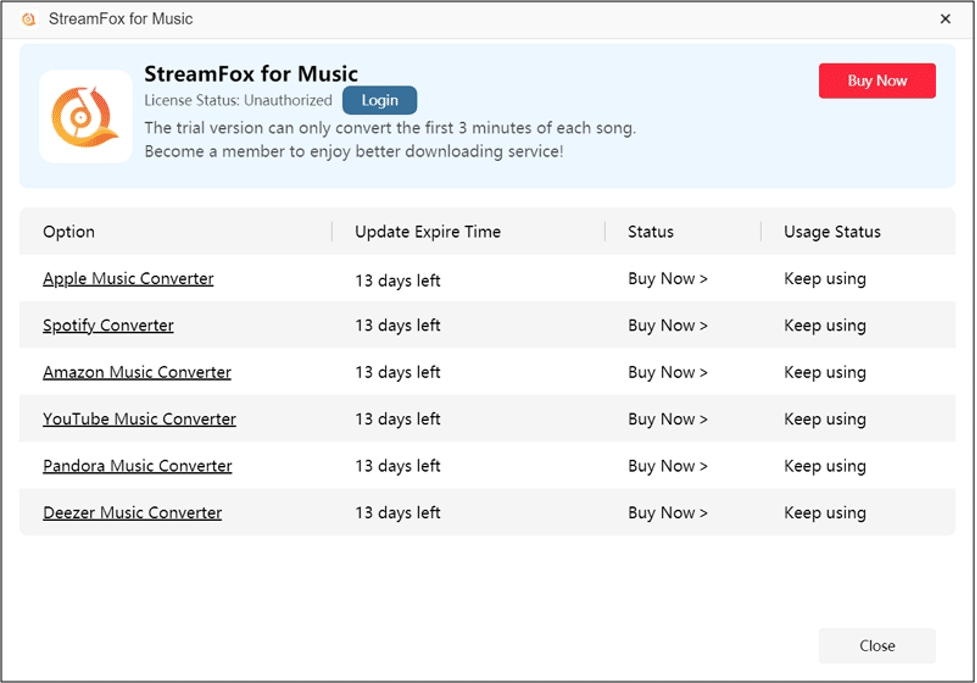
Open the app. The free version allows you to download the first 3 minutes of each song for up to 14 days. For unlimited downloads and full features, upgrade to the premium version.
Step 3: Choose Spotify:
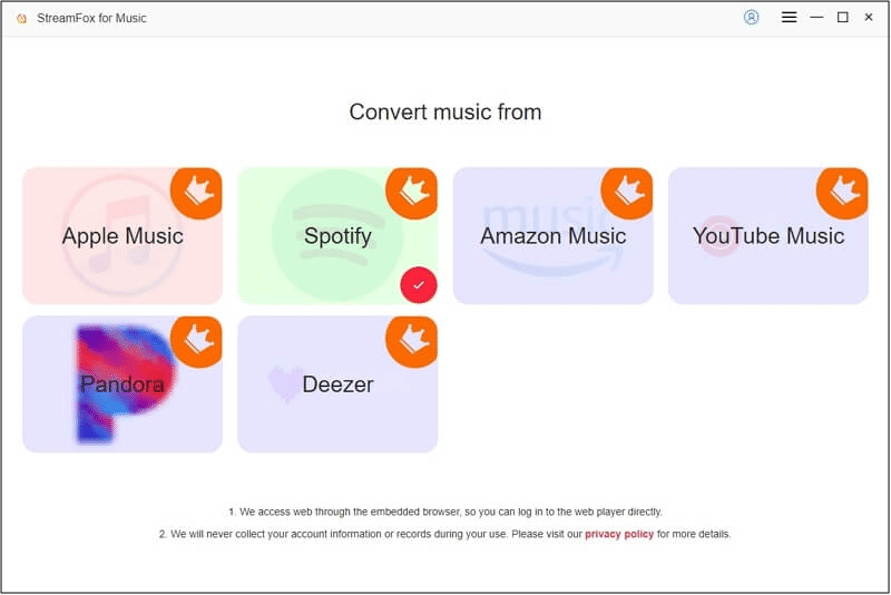
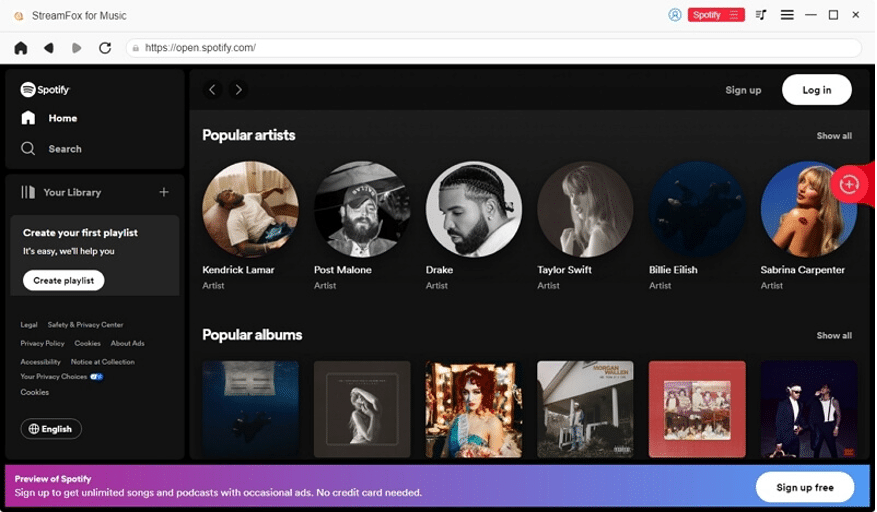
In the app, select Spotify from the list of supported streaming services. To switch platforms, click the red icon at the top of the screen and choose Spotify from the drop-down menu.
Step 4: Sign In to Your Spotify Account:
Click the “LogIn” button in the top-right corner of the app and enter your Spotify credentials.
Step 5: Select MP3 as the Output Format:
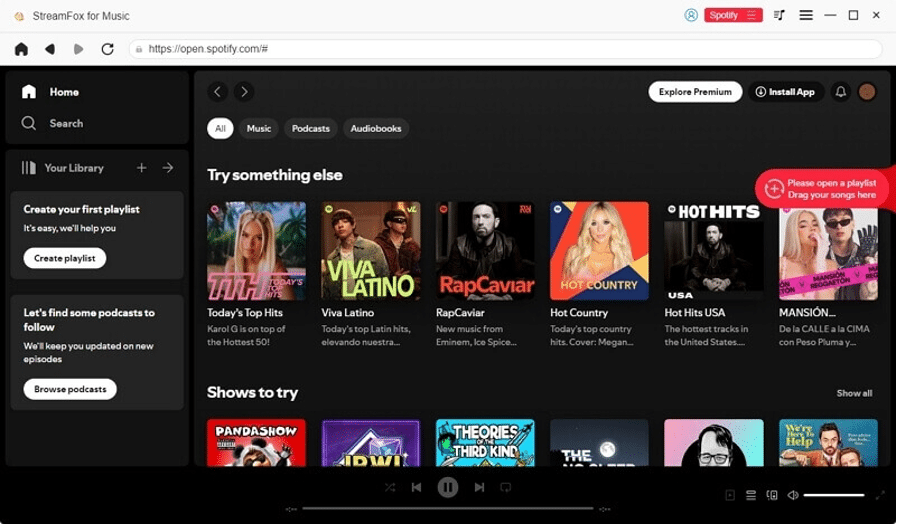
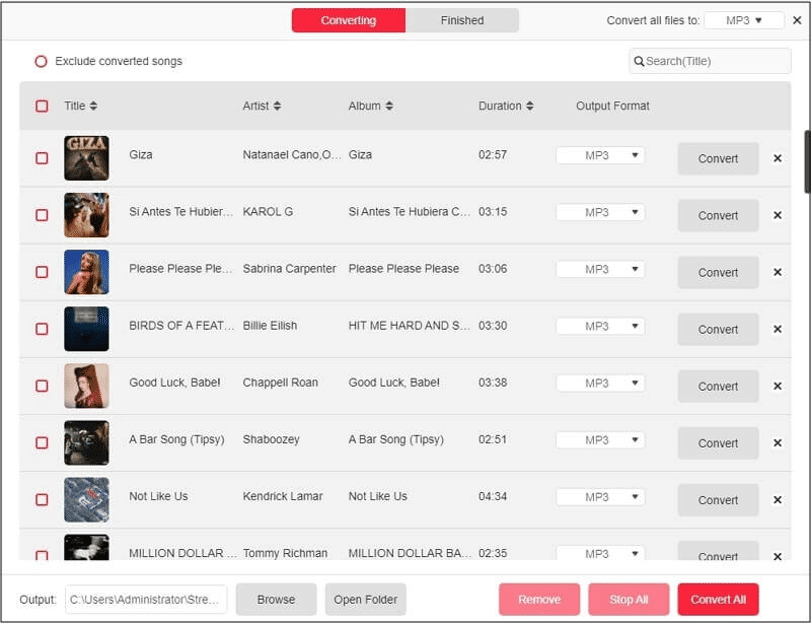
Drag the Spotify songs, albums, or playlists you want to download to the “+” icon on the right side of the screen. In the Conversion List window, select MP3 as the Output Format to ensure your music is saved in this popular format.
Step 6: Start Downloading Your Music:
Click “Convert All” to begin the download process. Your Spotify songs will be converted to MP3 and saved according to your specifications.
Pros and Cons:
Pros:
- High-Quality Conversion: Maintains original sound quality with advanced ODSMRT technology.
- Fast Downloads: Offers high-speed batch downloads up to 50 times faster than traditional methods.
- Versatile Format Support: Converts music to various formats, including MP3, which is widely compatible with different devices.
- Integrated Music Player: Allows for instant preview and playback of downloaded tracks.
- Automatic ID3 Tags: Simplifies organizing your music library with embedded metadata.
Cons:
- Only supports downloading music on the computer, but you can transfer music to other devices through the computer.
- Need to purchase to use the full function.
Conclusion:
In summary, while Spotify Premium offers an excellent offline listening feature, it restricts music downloads to the Ogg Vorbis format within the app itself. For those who prefer the versatility and broad compatibility of MP3 files, converting Spotify tracks to MP3 can be a valuable solution. StreamFox for Music provides efficient methods for achieving this conversion, each with its unique set of features and advantages.
However, it’s important to be aware of the legal implications of downloading and converting Spotify music to MP3. Spotify’s terms of service and copyright laws generally prohibit such activities, emphasizing the need to use these tools responsibly and within legal boundaries.











