
iLoungeiLounge
  • News
    • Apple
      • AirPods Pro
      • AirPlay
      • Apps
        • Apple Music
      • iCloud
      • iTunes
      • HealthKit
      • HomeKit
      • HomePod
      • iOS 13
      • Apple Pay
      • Apple TV
      • Siri
    • Rumors
    • Humor
    • Technology
      • CES
    • Daily Deals
    • Articles
    • Web Stories
  • iPhone
    • iPhone Accessories
  • iPad
  • iPod
    • iPod Accessories
  • Apple Watch
    • Apple Watch Accessories
  • Mac
    • MacBook Air
    • MacBook Pro
  • Reviews
    • App Reviews
  • How-to
    • Ask iLounge
Font ResizerAa
iLoungeiLounge
Font ResizerAa
Search
  • News
    • Apple
    • Rumors
    • Humor
    • Technology
    • Daily Deals
    • Articles
    • Web Stories
  • iPhone
    • iPhone Accessories
  • iPad
  • iPod
    • iPod Accessories
  • Apple Watch
    • Apple Watch Accessories
  • Mac
    • MacBook Air
    • MacBook Pro
  • Reviews
    • App Reviews
  • How-to
    • Ask iLounge
Follow US

Articles

Articles

How to create an App for iOS with no Coding

Last updated: Apr 21, 2019 5:48 pm UTC
By Lucy Bennett
How to create an app for iOS with no coding

You have been using iOS apps for years, and probably considered creating an app yourself. The mobile technology is growing rapidly, and more than 80% of search engine and social network users come from mobile devices these days. There are so many apps available in the Apple App Store, but as an experienced iPhone user, you still have many ideas of apps which are in demand and still not developed. Some App Store categories are very competitive and even oversaturated, but some categories are almost empty and do not have any quality applications available.


For those who do not have any programming or information technology industry experience, it may seem that creating your own iPhone app is a complicated process. It is very true if you are developing from scratch and using that usual coding approach. However, it has been becoming popular in recent years building mobile apps with a kind of drag and drop visual iOS app creator software. This approach is suitable for anyone able to use a simple online software interface. As there are pre-constructed templates available, many small business owners do not ever hire the expensive iOS developers, because the entrepreneurs can now build the apps themselves by editing and customizing those templates.
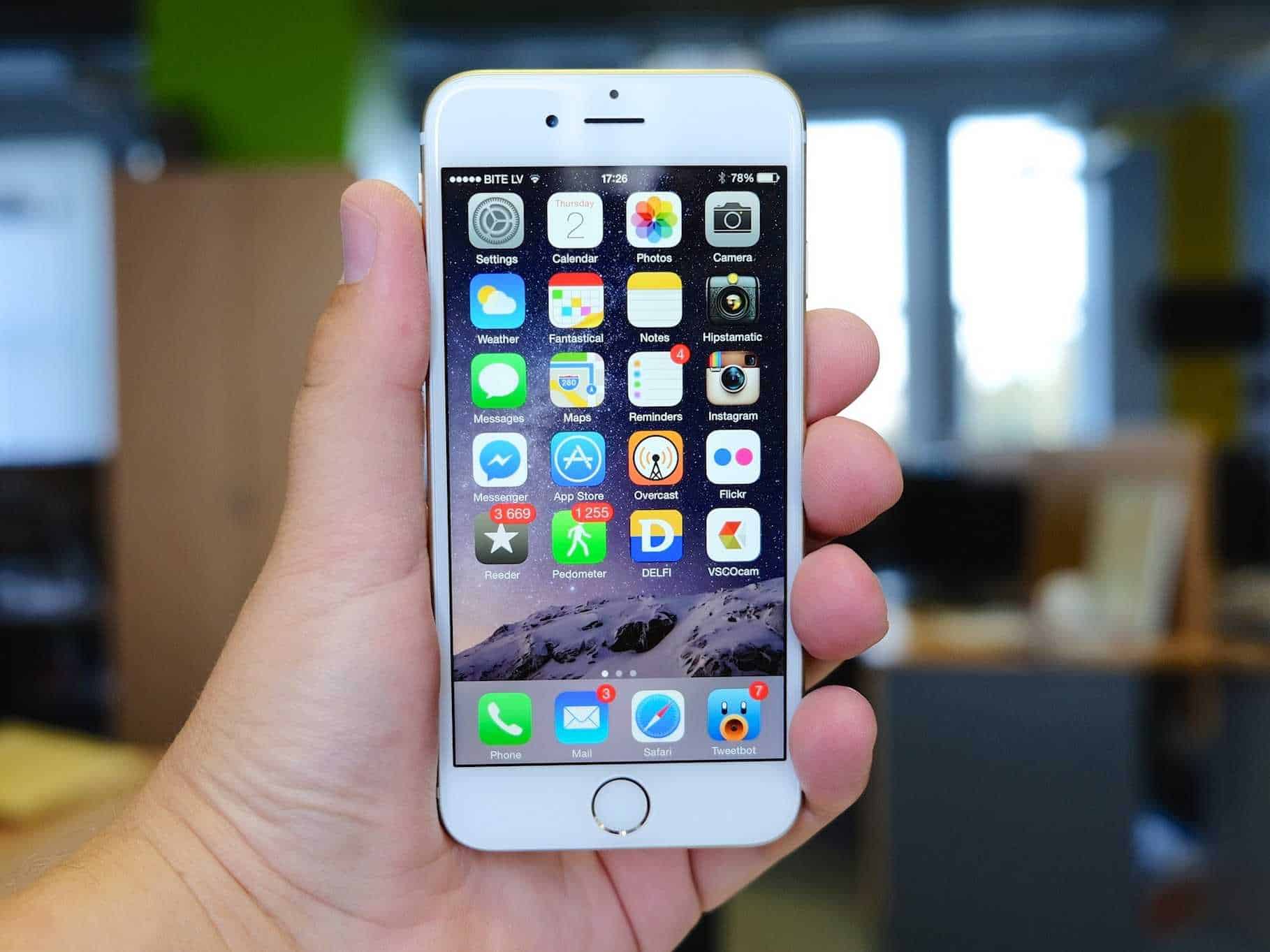

How to create an app for iOS with no coding

If you are interested to learn how to create an app for iOS with no coding, start with the Create.App educational project. This great simple website is specially made for people with no coding experience, who want to develop their mobile apps for free. Things about publishing your app to the App Store, promoting your app, and optimizing it for the App Store are covered with a simple language, without any professional terms or jargon.

The website reviews some of the best iOS app creators and has a step by step tutorial on creating your first iOS app for free. It is important to mention that any iOS app creator software solutions are not designed to create mobile games; they are mostly for business-style functional apps. For those who want to create a gaming app, the Create.App website will advise on how to hire an efficient freelance iOS development team.



Latest News
The 14-inch MacBook Pro with M5 Chip 16GB RAM/512GB is $250 Off
1 Min Read
Noise and Static on AirPods Pro 3 Still Unfixed
1 Min Read
New iMac with 24-inch OLED Display May be Brighter With 600 Nits
1 Min Read
The 15-inch M4 MacBook Air 256GB Is $250 Off
1 Min Read
Internal Kernel Debug Kit from Apple Reveals Tests for a MacBook with A15 Chip
1 Min Read
Apple Currently In Talks With Suppliers for Chip Assembly & Packaging of iPhones in India
1 Min Read
Apple Allows Easier Battery Replacement For M5 MacBook Pro with 14-inch Display
1 Min Read
The Apple Watch SE 3 44mm GPS is $50 Off
1 Min Read
20th Anniversary iPhone May Launch in Two Years
1 Min Read
Better Image Generation Capabilities and Apple Music Integration Coming to ChatGPT
1 Min Read
A20 Pro Chip Coming to Next Gen iPad Mini OLED
1 Min Read
Amazon has the AirTag 4 Pack Marked $29 off
1 Min Read

iLounge logo

iLounge is an independent resource for all things iPod, iPhone, iPad, and beyond. iPod, iPhone, iPad, iTunes, Apple TV, and the Apple logo are trademarks of Apple Inc.

This website is not affiliated with Apple Inc.
iLounge © 2001 - 2025. All Rights Reserved.
  • Contact Us
  • Submit News
  • About Us
  • Forums
  • Privacy Policy
  • Terms Of Use
Welcome Back!

Sign in to your account

Lost your password?








